
Odoo Purchase Price History | Vendor Price & Product Cost History | RFQ & Purchase Order Rates
by TechUltra Solutions Private Limited https://www.techultrasolutions.com$ 10.05


Product Cost History Tracker | Purchase Price Records | Odoo Purchase
Product Purchase Price History helps businesses maintain a complete record of product
purchase prices over time. The module automatically tracks changes in purchase costs and
vendor pricing, providing users with historical visibility into procurement expenses
directly from product records.
By maintaining a detailed purchase price history, purchasing teams can analyze cost trends,
compare vendor pricing changes, and make more informed procurement decisions. Historical
price information helps organizations identify price fluctuations, negotiate better supplier
agreements, and improve purchasing strategies.
The module centralizes purchase cost records in an easy-to-access history view, allowing
users to review previous prices, vendors, quantities, and transaction dates without
searching through multiple purchase orders. This improves transparency and simplifies cost
analysis across products and suppliers.
Fully integrated with Odoo Purchase and Inventory, the solution provides valuable insights into product procurement costs while helping businesses improve budgeting, supplier evaluation, and overall purchasing efficiency.

Product Cost History Tracker | Purchase Price Records | Odoo Purchase
Product Overview
▶ Watch Module Demo
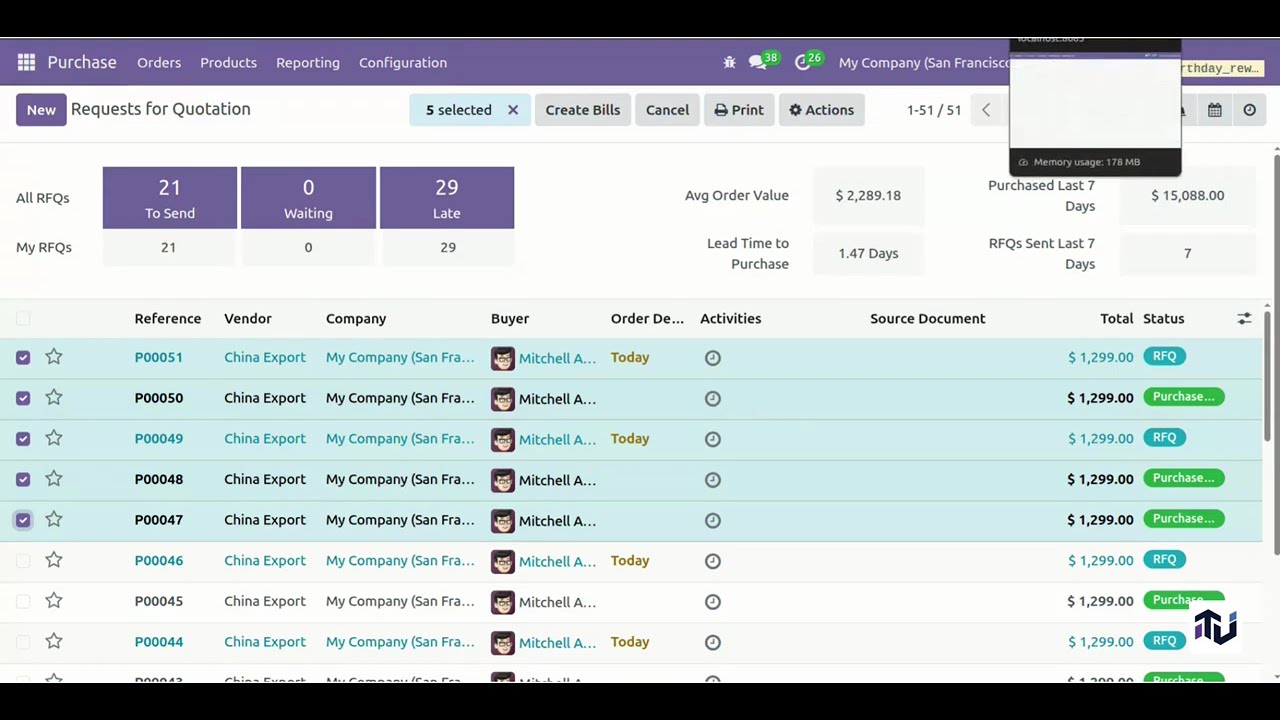
See how Product Cost History Tracker | Purchase Price Records | Odoo Purchase works.
Features

Maintain historical records of product purchase prices.

Monitor supplier pricing for purchased products.

Compare previous and current purchase prices.

Access purchase price history directly from products.

Capture pricing information from purchase transactions.

Analyze historical supplier pricing information.

Maintain traceable records of purchase cost changes.

Enhance purchasing strategy with cost insights.
 Configuration
 Support
 FAQs
User Configuration
setting-> User & Companies -> User -> select user.
Scroll down and you will see a product purchase history checkbox.

Purchase History Configuration
Purchase -> configuration -> setting
Scroll down and you will see purchase price history portion.
As you can see by default it set Product Item Limit is '0' and Price
History Data is 'Both'.

Purchase / Product Item Limit is '0' & Price History Data is 'Both'
With a Product Item Limit set to '0' and Price History Data set to 'Both', all purchase history for this product is displayed in the Purchase Product History section.

Purchase History Configuration
Purchase -> configuration -> setting
Scroll down and you will see purchase price history portion.
As you can see it we set Product Item Limit is '0' and Price History
Data is 'Request for Quotation'.

Purchase / Product Item Limit is '0' & Price History Data is 'Request for Quotation'.
With a Product Item Limit set to '0' and Price History Data set to 'Request for Quotation', all 'Request for Quotation' purchase history for this product is displayed in the Purchase Product History section.

Purchase History Configuration
Purchase -> configuration -> setting
Scroll down and you will see purchase price history portion.
As you can see we set Product Item Limit is '0' and Price History
Data is 'Purchase Order'.

Purchase / Product Item Limit is '0' & Price History Data is 'Purchase Order'.
With a Product Item Limit set to '0' and Price History Data set to 'Purchase Order', all 'Purchase Order' purchase history for this product is displayed in the Purchase Product History section.

Purchase History Configuration
Purchase -> configuration -> setting
Scroll down and you will see purchase price history portion.
As you can see we set Product Item Limit is '2' and Price History
Data is 'Both'.

Purchase / Product Item Limit is '2' & Price History Data is 'Both'
With a Product Item Limit set to '2' and Price History Data set to 'Both', last two purchase history for this product is displayed in the Purchase Product History section.

Purchase History Configuration
Purchase -> configuration -> setting
Scroll down and you will see purchase price history portion.
As you can see we set Product Item Limit is '2' and Price History
Data is 'Request For Quotation'.

Purchase / Product Item Limit is '2' & Price History Data is 'Request For Quotation'.
With a Product Item Limit set to '2' and Price History Data set to 'Request For Quotation', last two 'Request For Quotation' purchase history for this product is displayed in the Purchase Product History section.

Purchase History Configuration
Purchase -> configuration -> setting
Scroll down and you will see purchase price history portion.
As you can see we set Product Item Limit is '2' and Price History
Data is 'Purchase Order'.

Purchase / Product Item Limit is '2' & Price History Data is 'Purchase Order'
With a Product Item Limit set to '2' and Price History Data set to 'Purchase Order', last two 'Purchase Order' purchase history for this product is displayed in the Purchase Product History section.

- We provide 30 days bug-free support related to our module.
- The support team is available from Monday to Friday 10:00 AM to 07:00 PM (IST).
- To create a ticket, send an email to support@techultra.in.
The Purchase Price History Tracking Module for Odoo allows you to track and record the historical purchase prices of your products. It enables you to monitor price changes over time, compare supplier pricing, and make more informed purchasing decisions.
The Product Item Limit feature allows you to set a limit for the number of items to track for price history. When set to '0,' this ensures that all products, regardless of quantity, will have their price history recorded. This provides a comprehensive view of historical prices for all products.
The Price History Data filter gives you the option to track price changes at different stages of the procurement process:
Both: Includes price data from both Request for Quotation (RFQ) and Purchase Order (PO) stages.
Request for Quotation: Displays historical price data specifically from the RFQ stage.
Purchase Order: Displays price data from the PO stage only.
By setting the Product Item Limit to '0', you can track the price history for all products in your catalog, and you can set limit according to your requirement.


| Availability |
Odoo Online
Odoo.sh
On Premise
|
| Odoo Apps Dependencies |
•
Purchase (purchase)
• Sales (sale_management) • Invoicing (account) • Discuss (mail) |
| Lines of code | 180 |
| Technical Name |
tus_product_purchase_price_history |
| License | OPL-1 |
| Website | https://www.techultrasolutions.com |
Odoo Proprietary License v1.0

This software and associated files (the "Software") may only be used (executed,
modified, executed after modifications) if you have purchased a valid license
from the authors, typically via Odoo Apps, or if you have received a written
agreement from the authors of the Software (see the COPYRIGHT file).

You may develop Odoo modules that use the Software as a library (typically
by depending on it, importing it and using its resources), but without copying
any source code or material from the Software. You may distribute those
modules under the license of your choice, provided that this license is
compatible with the terms of the Odoo Proprietary License (For example:
LGPL, MIT, or proprietary licenses similar to this one).

It is forbidden to publish, distribute, sublicense, or sell copies of the Software
or modified copies of the Software.

The above copyright notice and this permission notice must be included in all
copies or substantial portions of the Software.

THE SOFTWARE IS PROVIDED "AS IS", WITHOUT WARRANTY OF ANY KIND, EXPRESS OR
IMPLIED, INCLUDING BUT NOT LIMITED TO THE WARRANTIES OF MERCHANTABILITY,
FITNESS FOR A PARTICULAR PURPOSE AND NONINFRINGEMENT.
IN NO EVENT SHALL THE AUTHORS OR COPYRIGHT HOLDERS BE LIABLE FOR ANY CLAIM,
DAMAGES OR OTHER LIABILITY, WHETHER IN AN ACTION OF CONTRACT, TORT OR OTHERWISE,
ARISING FROM, OUT OF OR IN CONNECTION WITH THE SOFTWARE OR THE USE OR OTHER
DEALINGS IN THE SOFTWARE.
Please log in to comment on this module