

HR Expense Fields Lock After Submission
Prevent Unauthorized Changes After Expense Submission
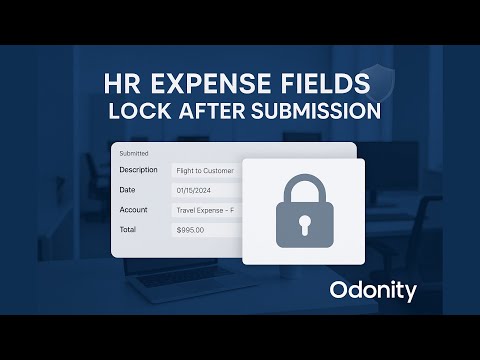
Ensure audit integrity and prevent data tampering in your HR Expense workflow. This Odoo module automatically locks important expense fields once a record is submitted — keeping your accounting and approval process clean, traceable, and tamper-proof.
Key Features
- Locks Fields After Submission
- Prevents Post-Submission Edits
- Improves Data Accuracy & Accountability
- Works with Standard HR Expense Workflow
- Ideal for Auditors, Finance, and HR Teams
Preview Screens
Editable Before Submission

Locked Fields After Submission

Installation & Usage
- Copy the module to your Odoo custom addons directory
- Restart the Odoo server and activate Developer Mode
- Install the module via the Apps menu
- Go to HR > Expenses and create or open any expense
- Submit the expense and observe locked fields post-submission
Compatibility
- Compatible with Odoo 16 Edition
- Works with default HR Expense approval flow
- Responsive design for desktops, tablets, and mobiles
Need Help or Customization?
Need custom logic for locking specific fields, adding bypass permissions, or integrating with other HR modules?
- Email: odonity.services@gmail.com
- Website: www.odonity.com
| Availability |
Odoo Online
Odoo.sh
On Premise
|
| Odoo Apps Dependencies |
•
Expenses (hr_expense)
• Employee Contracts (hr_contract) • Invoicing (account) • Employees (hr) • Discuss (mail) |
| Lines of code | 11 |
| Technical Name |
expense_submission_lock_odonity |
| License | See License tab |
| Website | https://www.odonity.com |
HR Expense Fields Lock After Submission
HR Expense Fields Lock After Submission by Odonity ensures data integrity and audit compliance by automatically making key expense fields readonly after submission. This app is perfect for companies looking to enforce strict accounting policies, prevent post-submission edits, and maintain full control over HR expense workflows.
Once an expense is submitted for approval, important fields like description, amount, date, and analytic accounts become locked, securing the data from accidental or unauthorized changes. With seamless integration into the standard Odoo HR Expense module, the app delivers powerful backend protection with minimal configuration required.
A must-have for accounting teams, auditors, and HR professionals who need to enforce data protection without compromising usability.
Key Features
- Auto Lock Fields After Submission: - Automatically makes specific fields readonly once an expense is submitted.
- Prevents Post-Submission Edits: - Ensures accounting accuracy and protects audit trail.
- Integrated with Standard Workflow: - Works natively with Odoo's HR Expense module.
- Minimal Configuration Needed: - Plug-and-play setup with default settings or customizable via code.
- Ideal for Compliance & Control: - Prevents last-minute or unauthorized changes to submitted expense data.
- Smart Field Locking: - Locks only when necessary, keeping draft stage fully editable.
- Supports Multi-user Environment: - Ensures consistent behavior across users and departments.
- Odonity Quality Assurance: - Built with secure coding standards and regular updates.
Installation
- Copy this module into your Odoo custom addons directory.
- Restart your Odoo server.
- Enable Developer Mode from Settings > Activate the Developer Mode.
- Go to Apps, click Update Apps List, and install HR Expense Fields Lock After Submission.
Usage
- Navigate to Employees > Expenses > My Expenses or All Expenses.
- Create and fill out an expense report as usual.
- Once you click Submit to Manager, certain fields like Amount, Expense Date, Description, and Analytic Account become readonly.
- Only draft-stage expenses remain fully editable.
- Locked fields prevent unauthorized or accidental changes after submission.
- Helps maintain accounting accuracy and supports audit requirements.
Support & Customization
Need help, custom feature development, or integration support?
📩 Email: odonity.services@gmail.com 🌐 Website: https://www.odonity.com
Odoo Proprietary License v1.1 - Strict Commercial Use

© 2025-Present Odonity. All Rights Reserved.
Module Name: HR Expense Fields Lock After Submission (By Odonity)
License Owner: Odonity (https://www.odonity.com)
Support Email: odonity.services@gmail.com

This software is protected by copyright laws and international treaties. It is licensed, not sold. You are granted a **non-transferable, non-sublicensable, and non-exclusive license** to use this software ONLY under the terms below:

--------------------------------------------
STRICT TERMS OF USE
--------------------------------------------

PERMITTED:

- Use the module in one Odoo production instance only (with staging/test allowed only for that instance).
- Use for internal company operations.
- Request support, upgrades, or customization services from Odonity.

PROHIBITED WITHOUT WRITTEN PERMISSION FROM ODONITY:

- Modifying, altering, or extending the source code in any way.
- Reselling, sublicensing, or redistributing any part of the module.
- Sharing the code with third parties, including freelancers or other vendors.
- Uploading this module to public or private repositories, websites, or forums.
- Creating derivative works or using snippets in other modules.
- Using the module as a base to develop similar competing products.

WARNING:

This software contains **branding, code-level markers, and security tracking** for anti-piracy purposes. Tampering with these or violating this license may result in:

- Permanent termination of your usage rights
- Legal action under local and international intellectual property laws
- Immediate take-down notices for marketplaces and hosting providers

--------------------------------------------
LICENSE VERIFICATION & SUPPORT
--------------------------------------------

License Keys / Validation (optional): Odonity reserves the right to implement license key checks in future versions.
Support is only available to verified license holders.
Invoice or proof of purchase must be retained for all license claims.

For official support, licensing clarifications, or enterprise usage, please contact:
odonity.services@gmail.com | https://www.odonity.com

--------------------------------------------

BY INSTALLING THIS MODULE, YOU AGREE TO BE BOUND BY ALL TERMS ABOVE.

Unauthorized use, reproduction, or redistribution is strictly prohibited.
Please log in to comment on this module