

Portal Attendance (GPS Location, Check-In/Out, Approvals)
by Code Experts IT Solutions https://www.code-experts.co$ 650.00
PORTAL ATTENDANCE

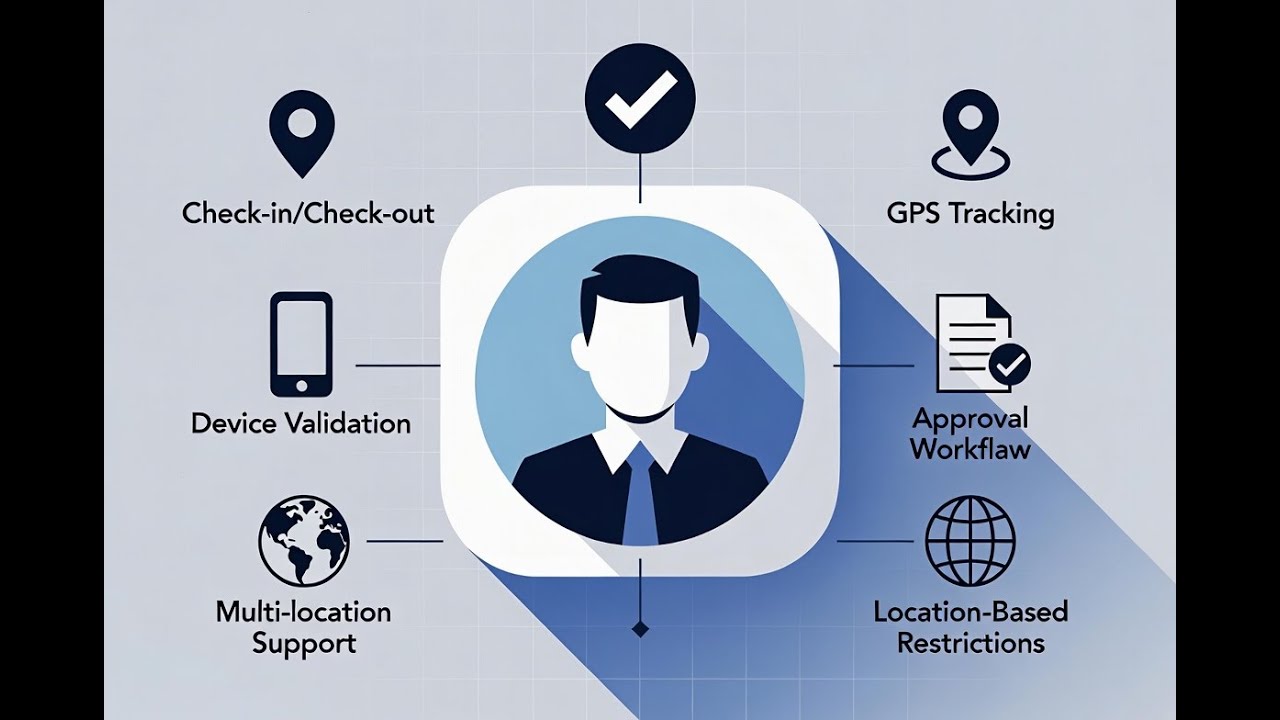
Key Features
Portal Check-In / Check-Out
Portal users can easily check in and out directly from the website portal interface with a user-friendly mobile experience.
GPS Location-Based (Geo-Fencing)
Enforce attendance from specific locations using GPS coordinates with customizable radius tolerance for accurate geo-fencing.
Device / IP Validation
Prevent buddy punching by binding users to their device/IP after first check-in. Blocks fake attendance from unauthorized devices.
Approval Workflow
Manager approval required before attendance becomes official. Complete visibility with approve/reject actions and email notifications.
Multi-Location Support
Support for multiple work sites and locations. Configure different allowed locations per employee for site-based attendance tracking.
Location Restriction
Restrict check-in/out to exact work locations. Employees cannot mark attendance outside designated areas with radius control.
Attendance Report & Export
Generate comprehensive attendance reports with wizard interface. Export data with date range selection for payroll processing.
Perfect for Field Staff
Ideal solution for field teams, site workers, and remote employees without internal Odoo accounts. Simple and effective.
Anti-Fraud Protection
This module binds each user to their device and IP address after their first successful check-in. This powerful security feature prevents buddy punching and fake attendance submissions from unauthorized phones or networks, ensuring authentic attendance records for your organization.
Video Walkthrough
Watch the complete video tutorial below to understand the full workflow and features of the Portal Attendance module.
Detailed Guide with Screenshots
Companies with field teams, remote employees, or workers without Odoo internal accounts need a controlled way to track attendance. This module allows portal users to record their work hours within allowed locations, while giving HR full approval control.
Initial Setup
After installing this module, assign the Portal Attendance Approver role to relevant users. Once configured, the attendance menus will become visible in the Attendance app.

Portal Attendance Menu
Open the Attendance app to see the new Portal Attendance menu with several sub-modules for complete attendance management.

Configuring Allowed Locations
In the Allowed Locations sub-module, create new work locations with the following details:
- Name: Location identifier
- Longitude & Latitude: GPS coordinates (easily obtained from Google Maps)
- Radius: Relaxation radius in meters for geo-fence tolerance

Creating Portal User
Create a portal user account for the specific employee. Assign proper portal access rights for attendance functionality.

Employee Configuration
On the employee form, assign a manager who will be responsible for viewing, approving, or rejecting attendance. System administrators can view all attendance. Ensure the manager has Portal Attendance Approver access rights.

IP Address Security
The Portal Allowed IP field is automatically filled during the first check-in. Last Portal IP shows the most recent IP address used. To change the allowed IP, simply clear the "Portal Allowed IP" field. Assign the corresponding portal user in the Related User field.

Location-Based Attendance
Enable Require Location for Portal Attendance to enforce location-based check-ins. Select permitted locations from the Allowed Attendance Locations field. If disabled, employees can check in from anywhere.

Manager Approval System
Managers can view all attendances (grouped by employee) and handle pending approvals.


Portal User Experience
Portal users log in to see a clean, mobile-friendly attendance interface. They can easily check in and check out with a single tap.
Dashboard

Inside Attendance App

History View

Smart Validations
Accuracy Validation

Location Denied Error

Wrong Location Error

Device Mismatch (Buddy Punching)

Check-in Actions
Check-in Details

Check-in Confirmation

Check-out Actions
Check-out view

Check-out Details

Check-out Confirmation

Manager Approval System
Managers and administrators receive notifications for pending attendance. They can review, approve, or reject each entry with detailed visibility into location data, timestamps, and IP information. The approval workflow ensures accountability and prevents fraudulent attendance.

Rejected
Upon rejecting you need to give rejection reason

Rejection and filter view
Rejection Record in Attendance History

Reject Popup With Reason

Filtering Options

Filtered View

Approved
By approving a new attendance entry created as you an see on the attendance overview

Attendance Reports & Export
Generate comprehensive attendance reports using the built-in wizard. Select date ranges, filter by employees, and export data in pdf. Reports include check-in/out times, locations, approval status, and working hours.


Why Choose Portal Attendance?
Perfect for Field Teams
Track attendance for remote workers, contractors, and field staff who don't have internal Odoo access.
Anti-Fraud Technology
Device and IP binding prevents buddy punching and fake attendance from unauthorized locations.
GPS Accuracy
Geo-fencing with customizable radius ensures employees are at the right location during check-in.
Manager Control
Approval workflow gives managers full control over attendance validation before it becomes official.
Ready to Get Started?
Transform your attendance management with Portal Attendance. Perfect for companies with field teams, remote workers, and multi-location operations.
Frequently Asked Questions
Can we use portal attendance without GPS?
Yes. GPS is off by default. Each employee has a Require Location for Portal Attendance option â leave it unchecked and location is never used.
Do portal users need internal Odoo accounts?
No, portal users only need a portal account, which is perfect for field staff, contractors, and remote workers who don't require full Odoo access.
How does the device/IP binding work?
After the first successful check-in, the system binds the user to that specific device and IP address. Future check-ins must come from the same device/IP to prevent fraudulent attendance.
If you dont want to enforce this, you can simply disable the IP check by unchecking the Lock Attendance to First IP option on the employee.
Can employees check in from multiple locations?
Yes, administrators can configure multiple allowed locations per employee. Employees can check in from any of their assigned locations within the specified radius.
Need Support?
Our dedicated support team is here to help you with installation, configuration, and any questions you may have about the Portal Attendance module.
| hello@code-experts.co |
+973 1722 4488
|
WhatsApp: +973 1722 4488
|
www.code-experts.co
|
© 2025 Code Experts IT Solutions. All Rights Reserved.
| Availability |
Odoo Online
Odoo.sh
On Premise
|
| Odoo Apps Dependencies |
•
Attendances (hr_attendance)
• Discuss (mail) • Employees (hr) |
| Lines of code | 2761 |
| Technical Name |
codex_portal_attendance |
| License | LGPL-3 |
| Website | https://www.code-experts.co |
Please log in to comment on this module