

Description in Return Pop-Up
by CLuedoo https://www.cluedoo.com/shop/lic-clu-set-inv-0019-description-in-return-pop-up-6584$ 50.00
ODOO'S FUNCTION
Odoo does not have a description field in the return pop-up, making it difficult for users to get a clear view of the description of each product here
CLUEDOO'S FUNCTION
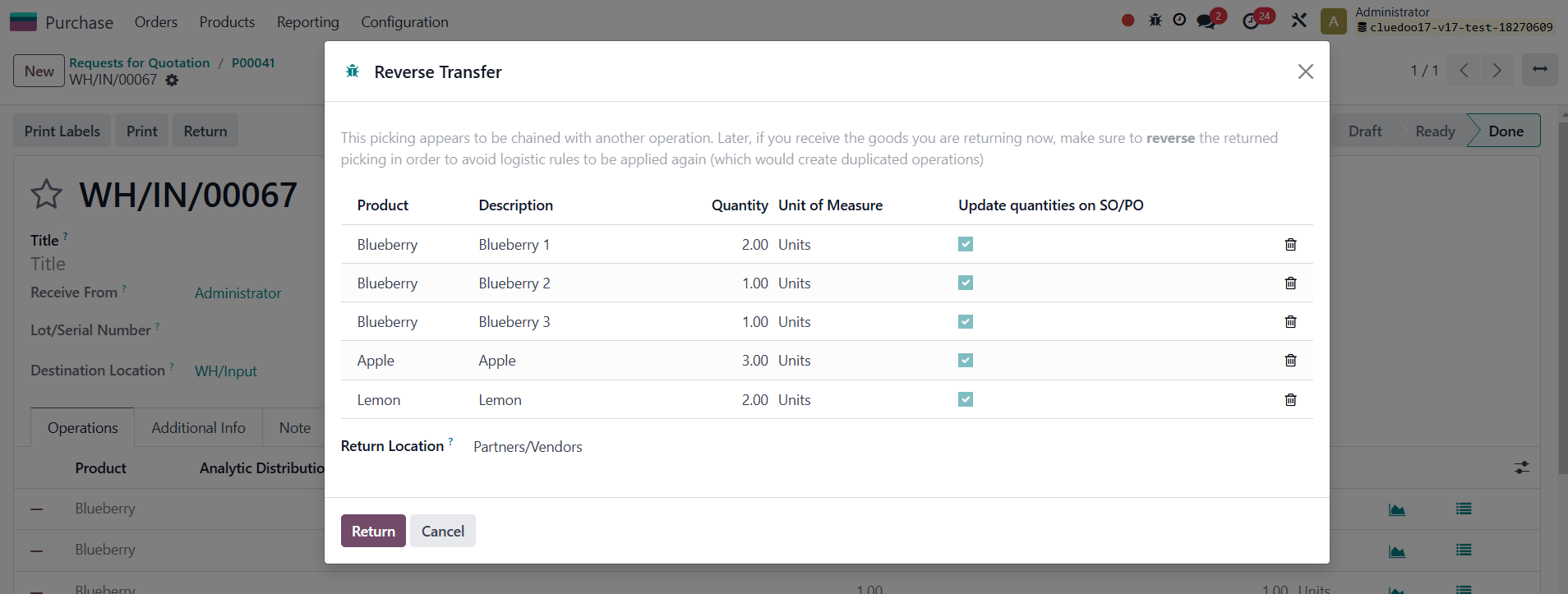
CLuedoo adds a description to the return pop-up, allowing users to easily view product descriptions, enhancing efficiency and improving the overall user experience
USAGE
|
|
|
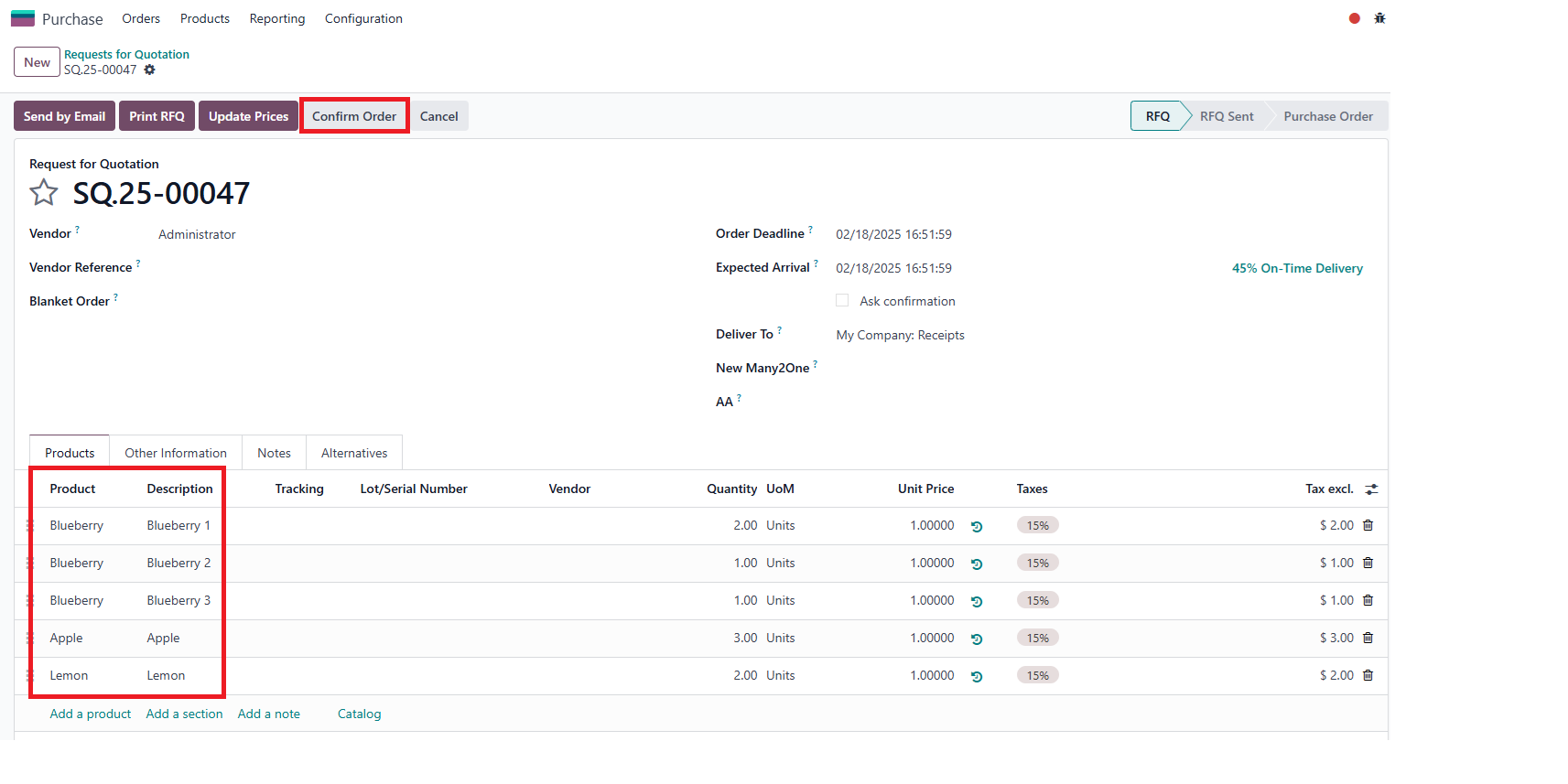
Go to Purchase > Create a Purchase Order > Add products and input a description for each product > Confirm
|
|
|
Click on the Receipt button > Validate > Return > Can see the corresponding description for each product displayed in the pop-up |



|
STORY BEHIND THE FEATURES
ODOO BEHAVIOR
Odoo does not have a description field in the return pop-up, making it difficult for users to get a clear view of the description of each product here
CLUEDOO BEHAVIOR
Cluedoo adds a description to the return pop-up, allowing users to easily view product descriptions, enhancing efficiency and improving the overall user experience
CLUEDOO RECOMMENDATIONS
Install on 100% of the database.
HOW TO USE THIS MODULE ?
1Go to Purchase > Create a Purchase Order > Add products and input a description for each product > Confirm |

|
2Click on the Receipt button > Validate > Return > Can see the corresponding description for each product displayed in the pop-up |
|


| Availability |
Odoo Online
Odoo.sh
On Premise
|
| Odoo Apps Dependencies |
•
Inventory (stock)
• Discuss (mail) |
| Lines of code | 27 |
| Technical Name |
fal_return_description |
| License | LGPL-3 |
| Website | https://www.cluedoo.com/shop/lic-clu-set-inv-0019-description-in-return-pop-up-6584 |
Please log in to comment on this module