

Intercompany Transfer Synchronization
by CLuedoo https://www.cluedoo.com/shop/lic-clu-set-wfm-0010-intercompany-transfer-synchronization-7271$ 200.00
ODOO'S FUNCTION
In Odoo standard intercompany workflows , validating the delivery order in the selling company does not automatically validate the matching incoming shipment in the buying company. While overall quantity availability is shared across companies, the purchasing entity must still manually validate the reception of goods to complete the physical stock transfer in their database.
Furthermore, the creation of backorders or the processing of returns do not synchronize across companies automatically.
CLUEDOO'S FUNCTION
CLuedoo introduces the "CDS: Enable Inter-company Inventory Sync" setting to fully automate this warehouse execution loop for linked intercompany orders. Validating a delivery or receipt on one side instantly validates its counterpart in the sister company. Additionally, this seamless sync handles warehouse exceptions dynamically: generating a Backorder or processing a Return on one side automatically creates and mirrors the exact same transaction on the other.
CONFIGURATION |
|
|
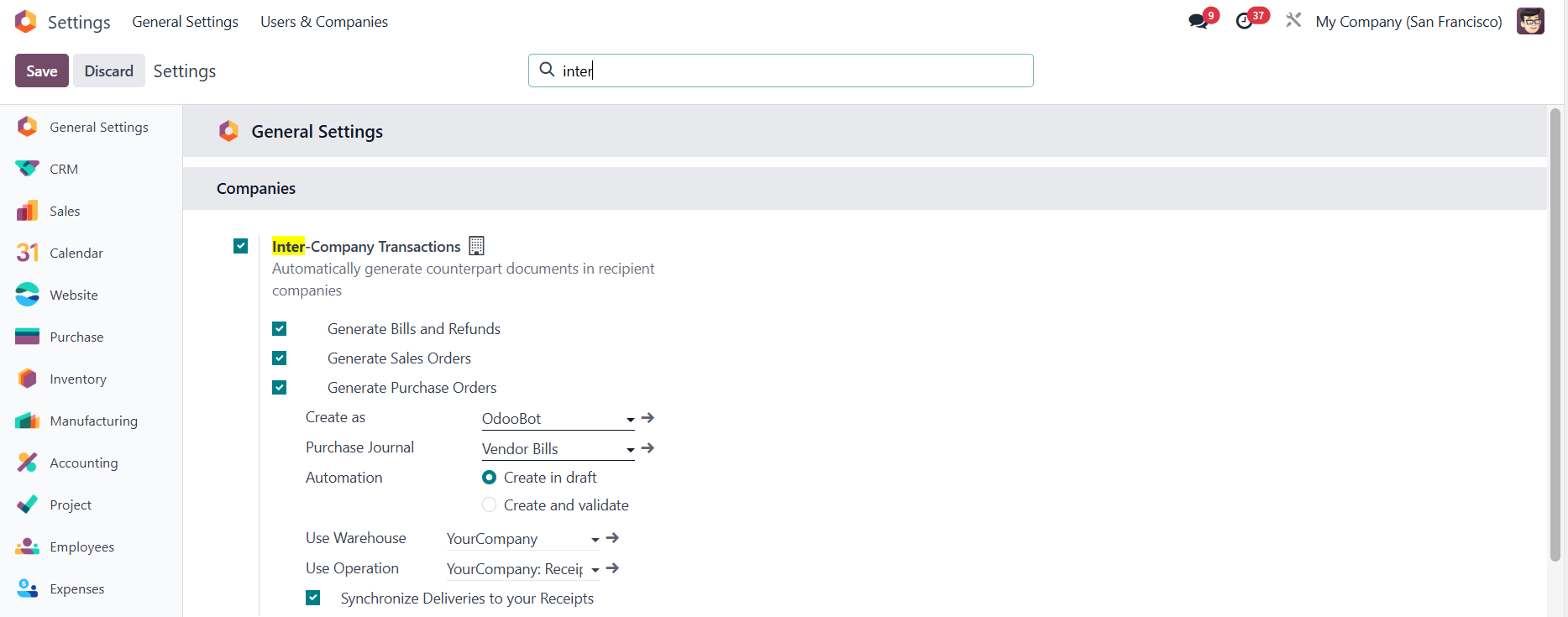
Go to Settings and check Inter-Company Transactions in both companies e.g., My Company (San Francisco) and My Company (Chicago) |
|
|
Go to Settings > Companies > Check the CDS: Enable Inter-company Inventory Sync checkbox.
|
|
USAGE |
|
|
DELIVERIES/RECEIPTS
1. In
Company 1
, create and confirm a
Purchase Order (PO)
with
Company 2 as the vendor.
|
|
|
2. In company 2 , the system automatically generates a Sales Order (SO) > Confirm |
|
|
3. Go to Delivery > Add the Quantity > Validate . |
|
|
In company 1 , the linked receipt is automatically validated with the exact same Quantity . |
|
|
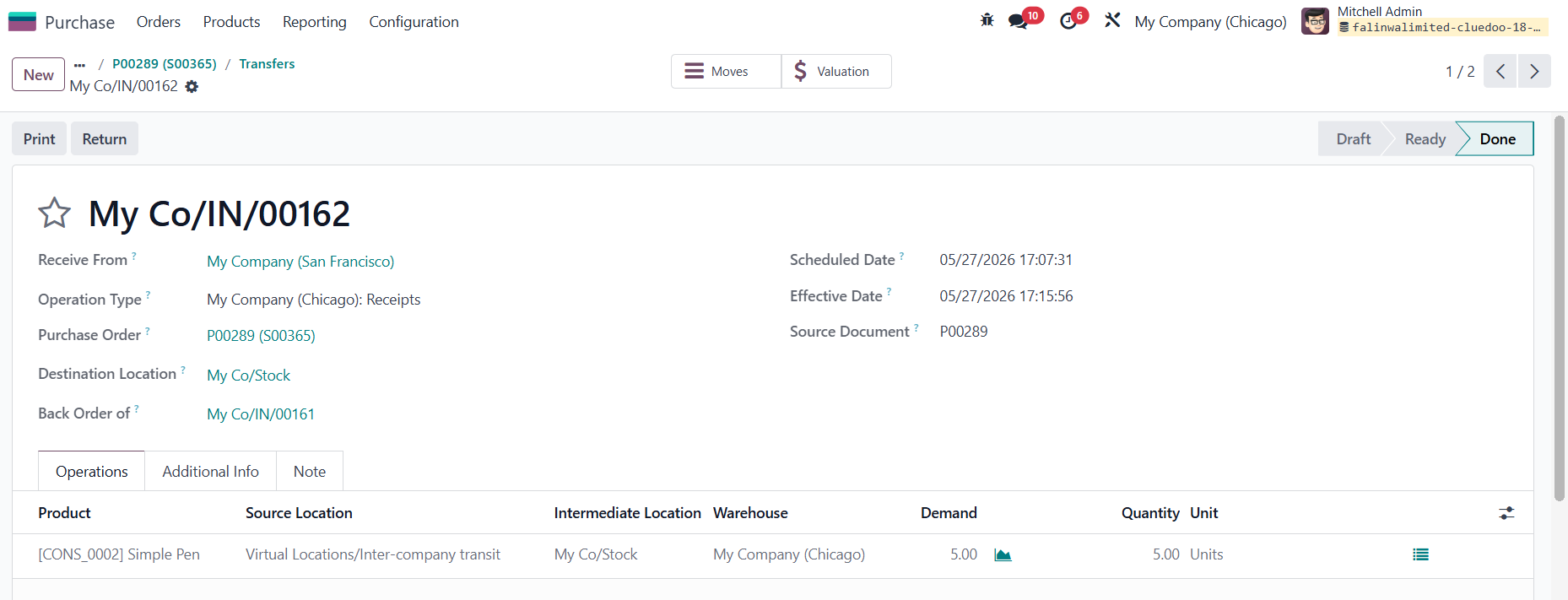
BACK ORDERS 1. In Company 1 , Create a PO > Confirm |
|
|
2. In Company 2, the system automatically generates a
Sales Order (SO)
>
Confirm
.
|
|
|
3. Go to Delivery > process a partial quantity and Validate the transfer. |
|
|
4. Create Backorder |
|
|
The system automatically triggers a matching backorder on the other side. |
|
|
Once this remaining backorder delivery is validated, the counterpart backorder in
Company 1
is automatically validated and moved to the
Done
stage as well.
|
|
|
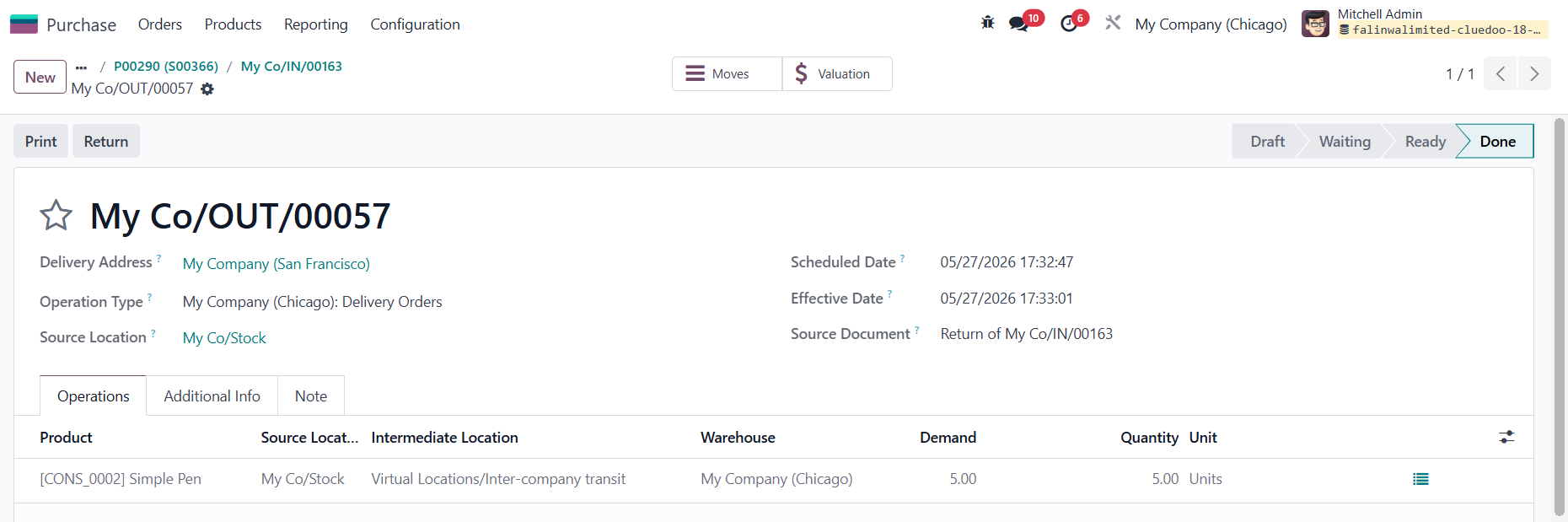
RETURNS 1. Create a return in Company 1 . |
|
|
2. Go to Returns > Validate |
|
|
3. The corresponding in Company 2 is automatically created and validated. |
|




| Availability |
Odoo Online
Odoo.sh
On Premise
|
| Odoo Apps Dependencies |
•
Inventory (stock)
• Purchase (purchase) • Sales (sale_management) • Discuss (mail) • Invoicing (account) |
| Lines of code | 163 |
| Technical Name |
cds_intercompany_sync_transfer |
| License | OPL-1 |
| Website | https://www.cluedoo.com/shop/lic-clu-set-wfm-0010-intercompany-transfer-synchronization-7271 |
Odoo Proprietary License v1.0

This software and associated files (the "Software") may only be used (executed,
modified, executed after modifications) if you have purchased a valid license
from the authors, typically via Odoo Apps, or if you have received a written
agreement from the authors of the Software (see the COPYRIGHT file).

You may develop Odoo modules that use the Software as a library (typically
by depending on it, importing it and using its resources), but without copying
any source code or material from the Software. You may distribute those
modules under the license of your choice, provided that this license is
compatible with the terms of the Odoo Proprietary License (For example:
LGPL, MIT, or proprietary licenses similar to this one).

It is forbidden to publish, distribute, sublicense, or sell copies of the Software
or modified copies of the Software.

The above copyright notice and this permission notice must be included in all
copies or substantial portions of the Software.

THE SOFTWARE IS PROVIDED "AS IS", WITHOUT WARRANTY OF ANY KIND, EXPRESS OR
IMPLIED, INCLUDING BUT NOT LIMITED TO THE WARRANTIES OF MERCHANTABILITY,
FITNESS FOR A PARTICULAR PURPOSE AND NONINFRINGEMENT.
IN NO EVENT SHALL THE AUTHORS OR COPYRIGHT HOLDERS BE LIABLE FOR ANY CLAIM,
DAMAGES OR OTHER LIABILITY, WHETHER IN AN ACTION OF CONTRACT, TORT OR OTHERWISE,
ARISING FROM, OUT OF OR IN CONNECTION WITH THE SOFTWARE OR THE USE OR OTHER
DEALINGS IN THE SOFTWARE.
Please log in to comment on this module