

Website Partner Map
by CLuedoo https://www.cluedoo.com/shop/lic-clu-set-com-0050-website-partner-map-7103$ 150.00
ODOO'S FUNCTION
Standard Odoo does not provide a native solution to display multiple contacts (res.partner) on a single interactive map on the website.
CLUEDOO'S FUNCTION
CLuedoo enhances the website's visualization capabilities by introducing:
1️⃣ A Partner Map View that integrates directly with Google Maps .
2️⃣ Pin and display partner records on the website map.
This giving website visitors a clear visual representation of all partner locations in real-time.
|
1. Go to Settings > Geolocation > Enable Geolocation
|

|
|
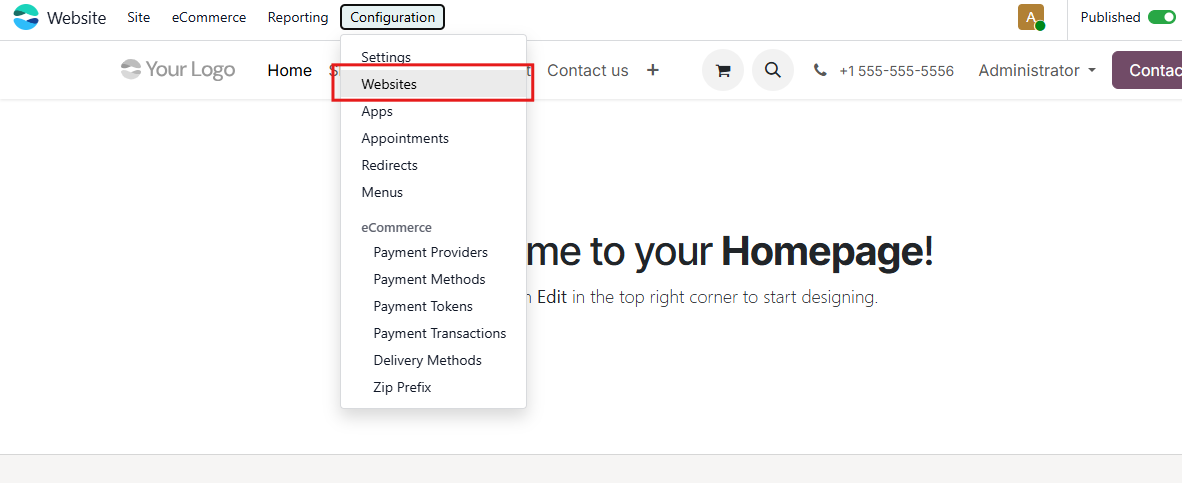
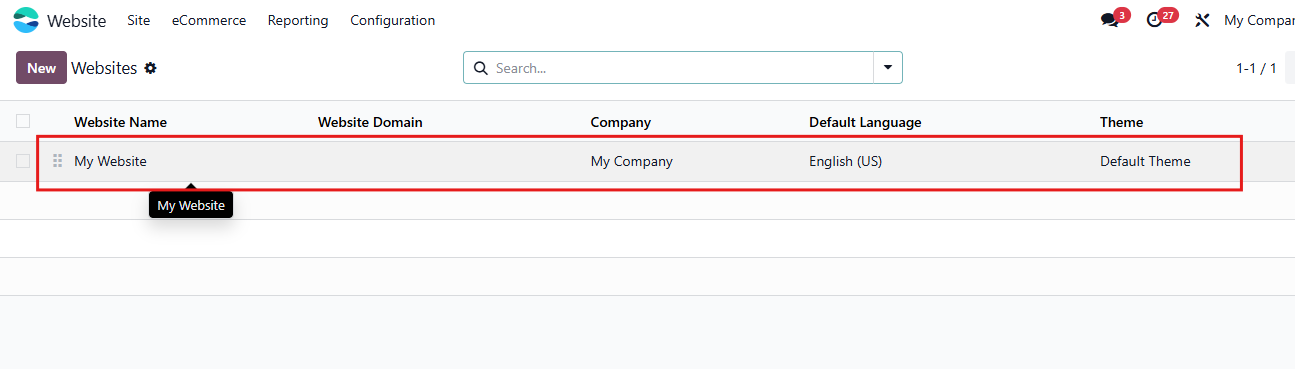
2. Debug > Go to Website > Configuration > Websites > Choose your published website Fill in your Google Maps API Key
|

|
|
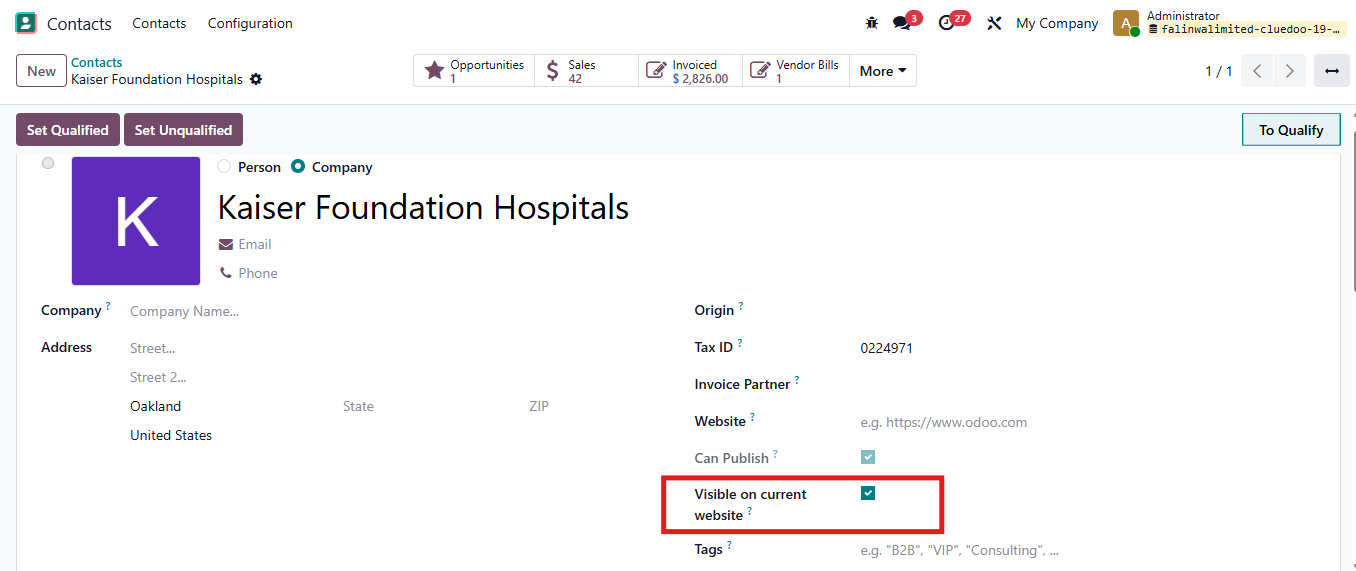
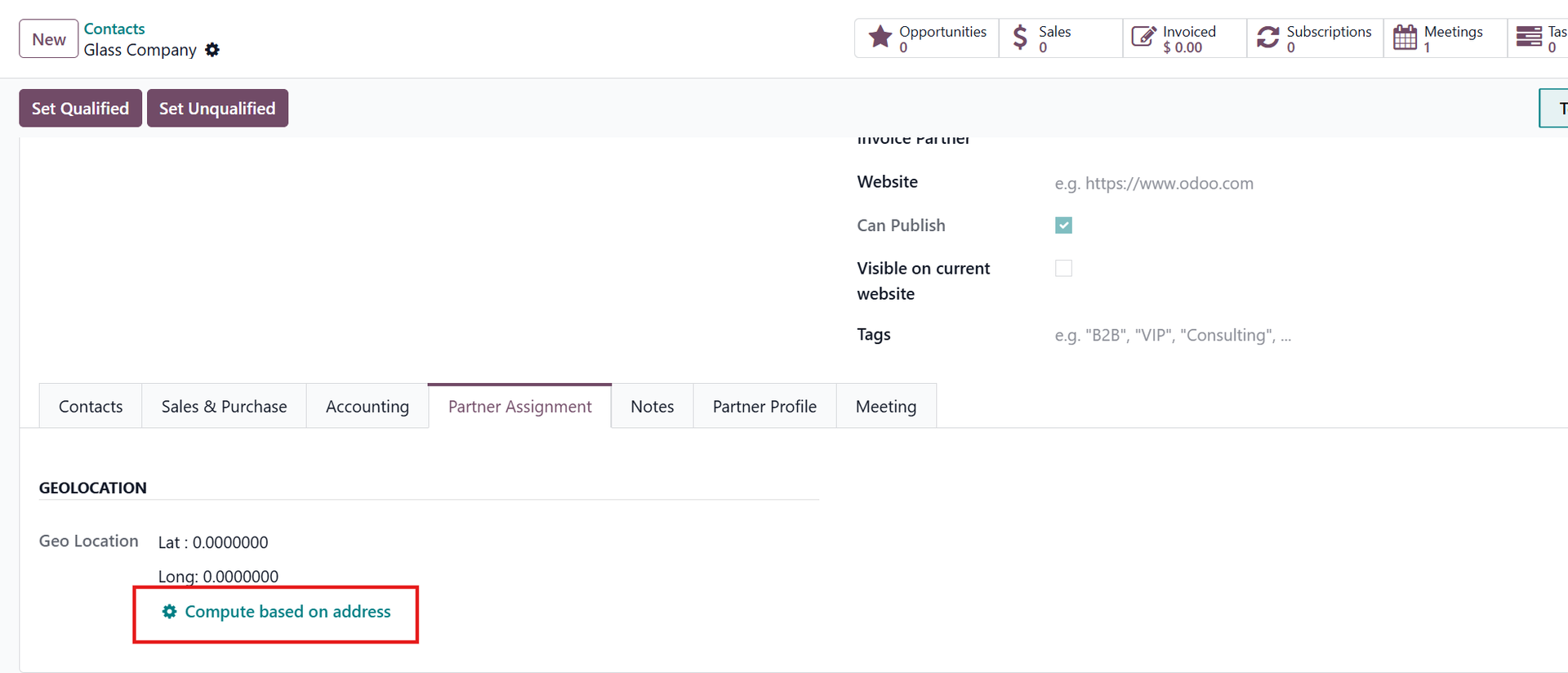
3. Go to Contacts to see the partner location pin in Partner Map:
|
|
|
4. Go to Website > Site > Page Create a new page for Partner Map Fill Page Title and Click on Create
NOTE: In case you want to insert the Partner Map into an existing page, just click to the page |


|
|
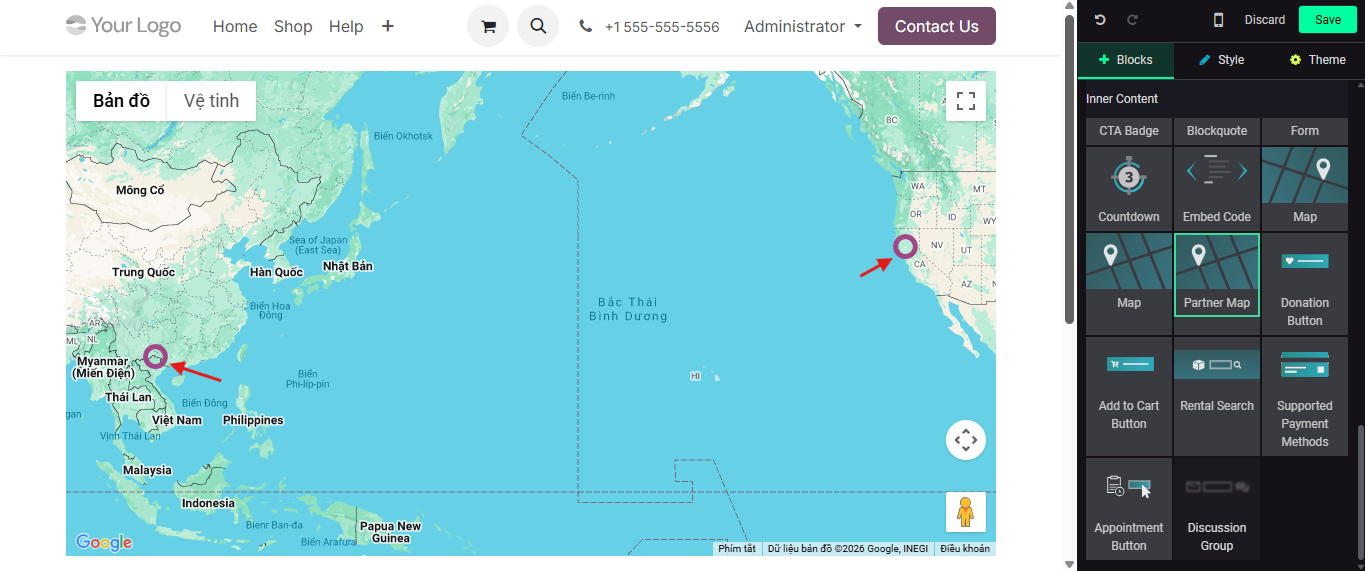
5. Turn on Edit Then find the Partner Map block and drag to the location you want to put it in.
|

|
|
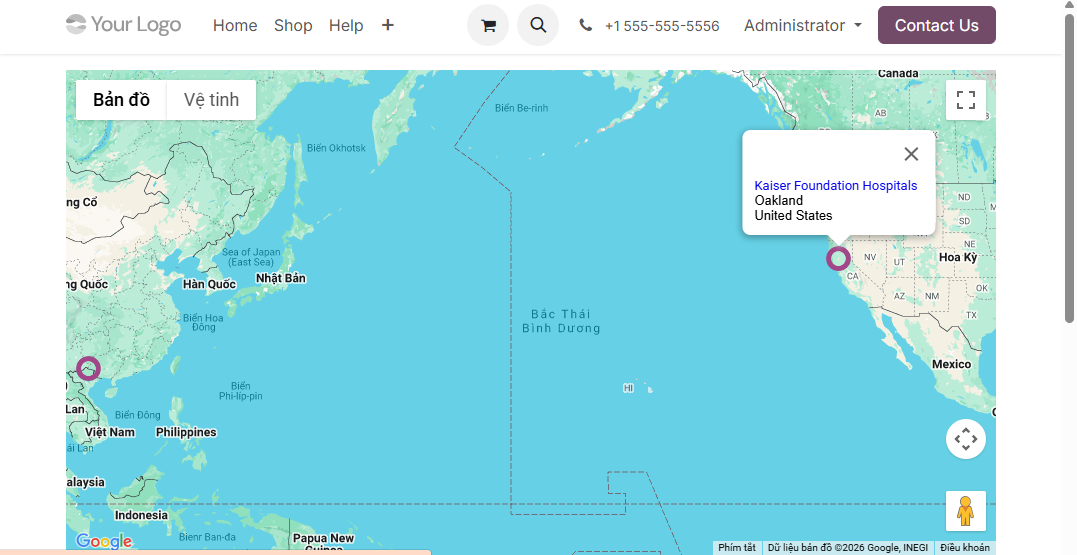
6. On Partner Map, You can see the partner location pin Move the mouse to location pin, the information of partner will appear |
|
|
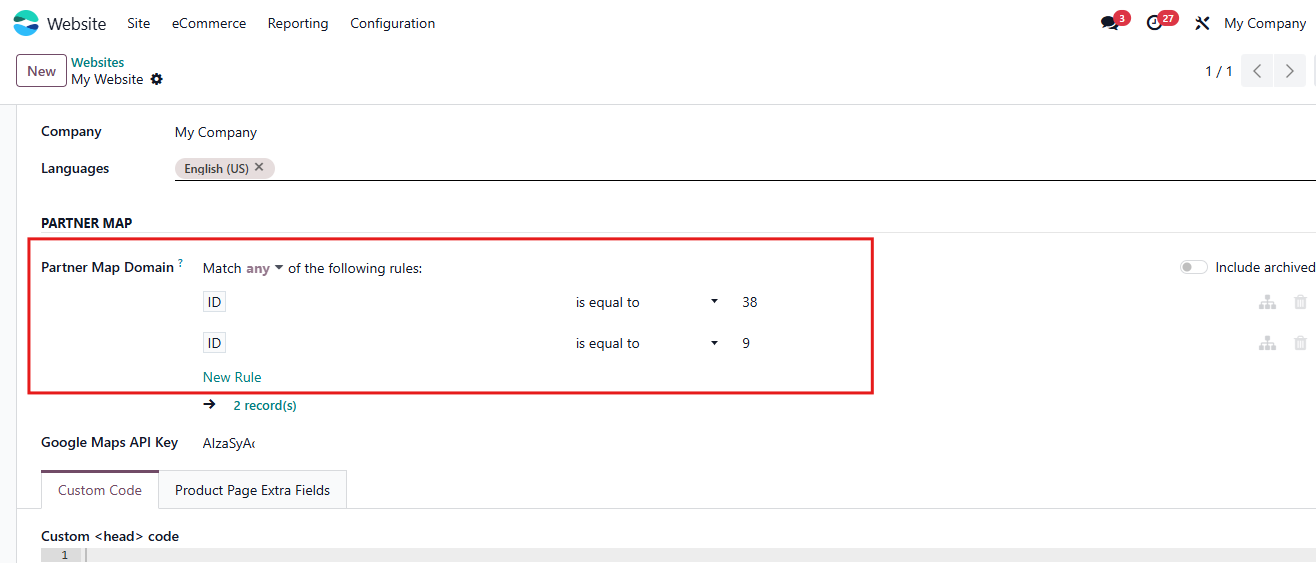
7. You can also select the partner you want to show in map
Debug
>
Go to
Website
>
Configuration
>
Websites
>
Choose
Website
Set the rules for Partner Map > Only partners sastifying the rules are shown
|
|
| Availability |
Odoo Online
Odoo.sh
On Premise
|
| Odoo Apps Dependencies |
•
Website (website)
• Discuss (mail) |
| Lines of code | 139 |
| Technical Name |
cds_website_partner_map |
| License | LGPL-3 |
| Website | https://www.cluedoo.com/shop/lic-clu-set-com-0050-website-partner-map-7103 |
Please log in to comment on this module