

$ 196.03
In-App Purchases| Availability |
Odoo Online
Odoo.sh
On Premise
|
| Odoo Apps Dependencies |
•
Purchase (purchase)
• Subscriptions (sale_subscription) • Invoicing (account) • Discuss (mail) • CRM (crm) • Calendar (calendar) • Contacts (contacts) • Website (website) • Sales (sale_management) |
| Lines of code | 456 |
| Technical Name |
fal_commission_plan |
| License | OPL-1 |
| Website | https://www.cluedoo.com/shop/lic-clu-set-png-0008-commission-plan-6809 |
| Versions | 18.0 19.0 |
ODOO'S FUNCTION
In Odoo, commissions will only be processed at the time of the payment registration. Moreover, each Sales Order can be linked to only a single Referrer, limiting flexibility in commission tracking.
CLUEDOO'S FUNCTION
CLuedoo enhances this functionality by enabling users to link one Sales Order to multiple Referrers, and commissions are generated upon the invoice confirmation . Additionally, the introduction of the Commission PO smart button simplifies the process of connecting Invoice/Sales Order to Commission Purchase Orders.
|
1.
Go to
CRM
>
Configuration
>
Commission Plans
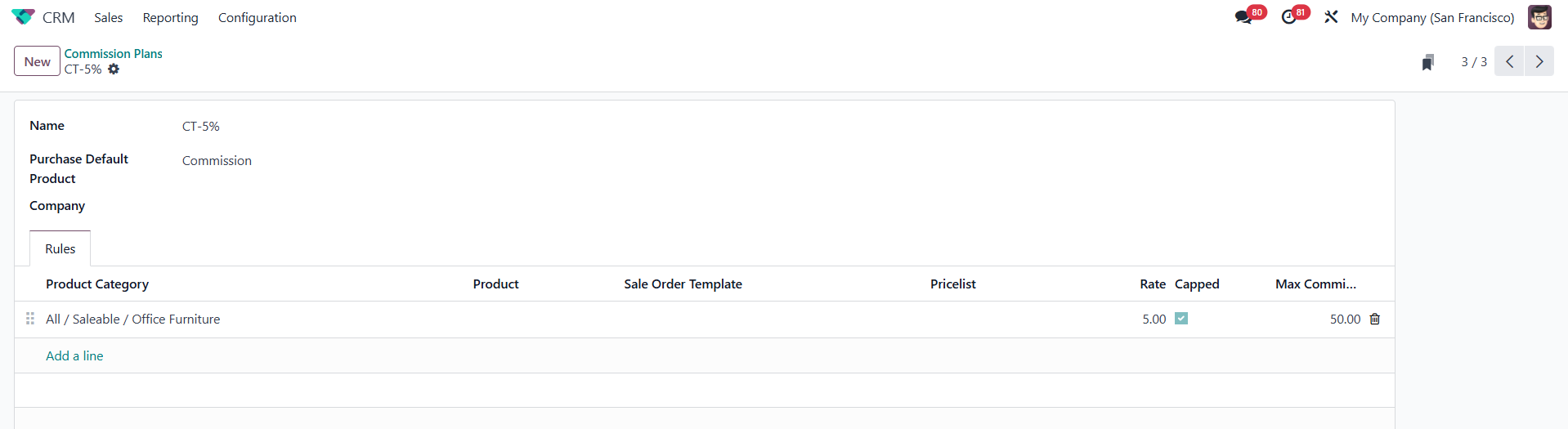
> Create a commission plan > Fill in the necessary information (
Product Category
,
Commission Rate, Maximum
) >
Save
Note:
If
Capped is checked
, the salesperson’s commission will not go beyond the
Max Commission
amount, even if the sale is very large.
|
|
|
2.
Go to
CRM
>
Configuration
>
Partner Levels
> Create the partner level corresponding to the commission plan you've created
|

|
|
3.
Go to
Contacts
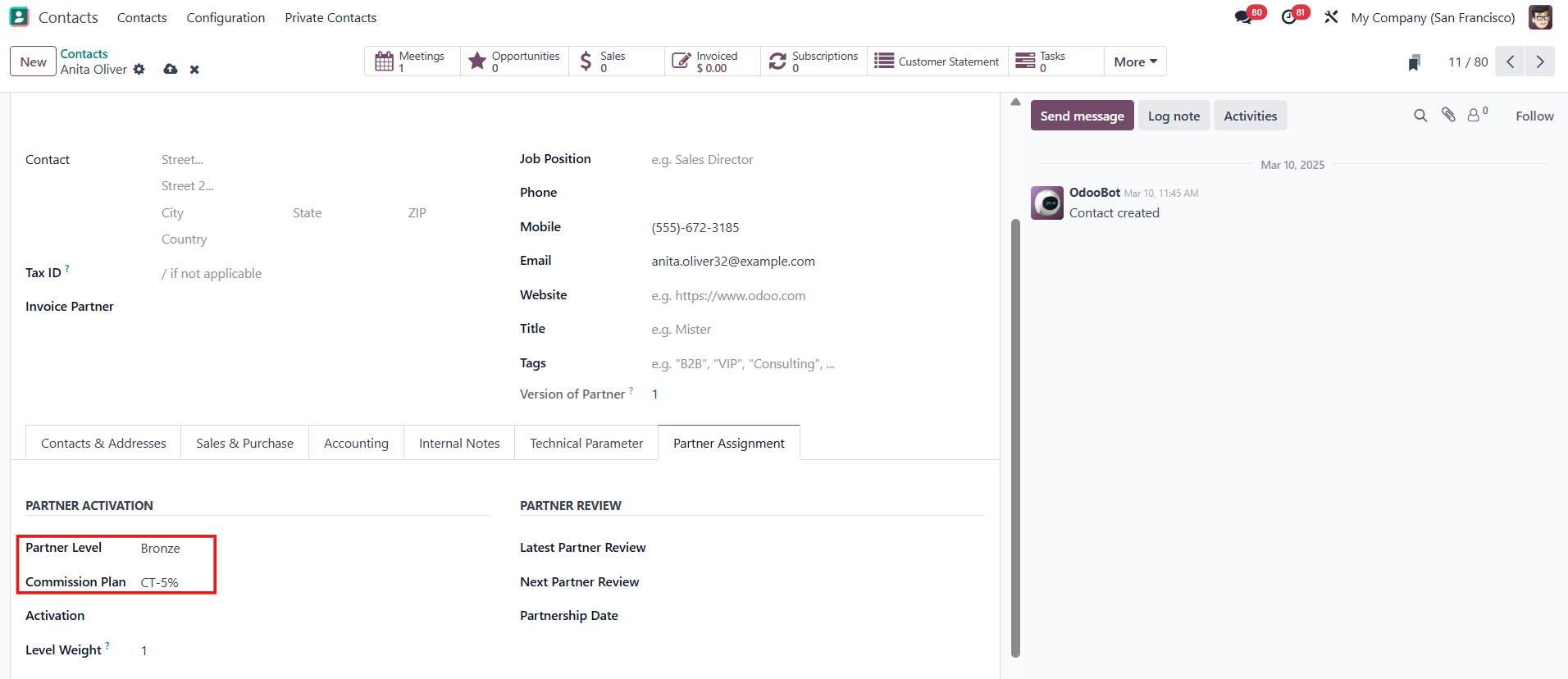
> Create a new contact or edit the existing one > Set the
Partner Level
> the
Commission Plan
will be auto-filled.
|
|
|
4.
Go to
Settings
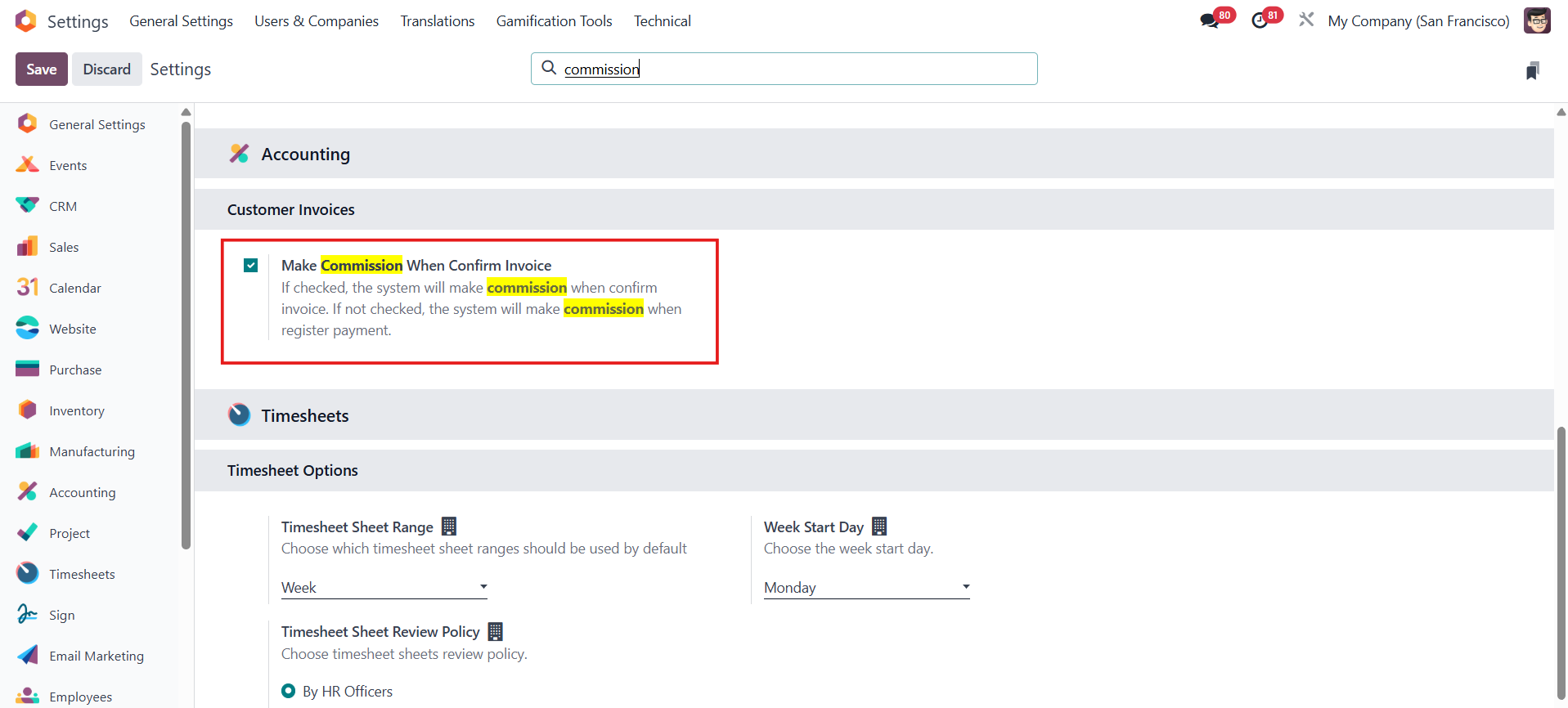
> Tick
Make Commission When Confirm Invoice
so that you can make commission when confirming the invoice.
If not, the commission will be made when registering the payment.
|
|
|
5.
Go to
Sales
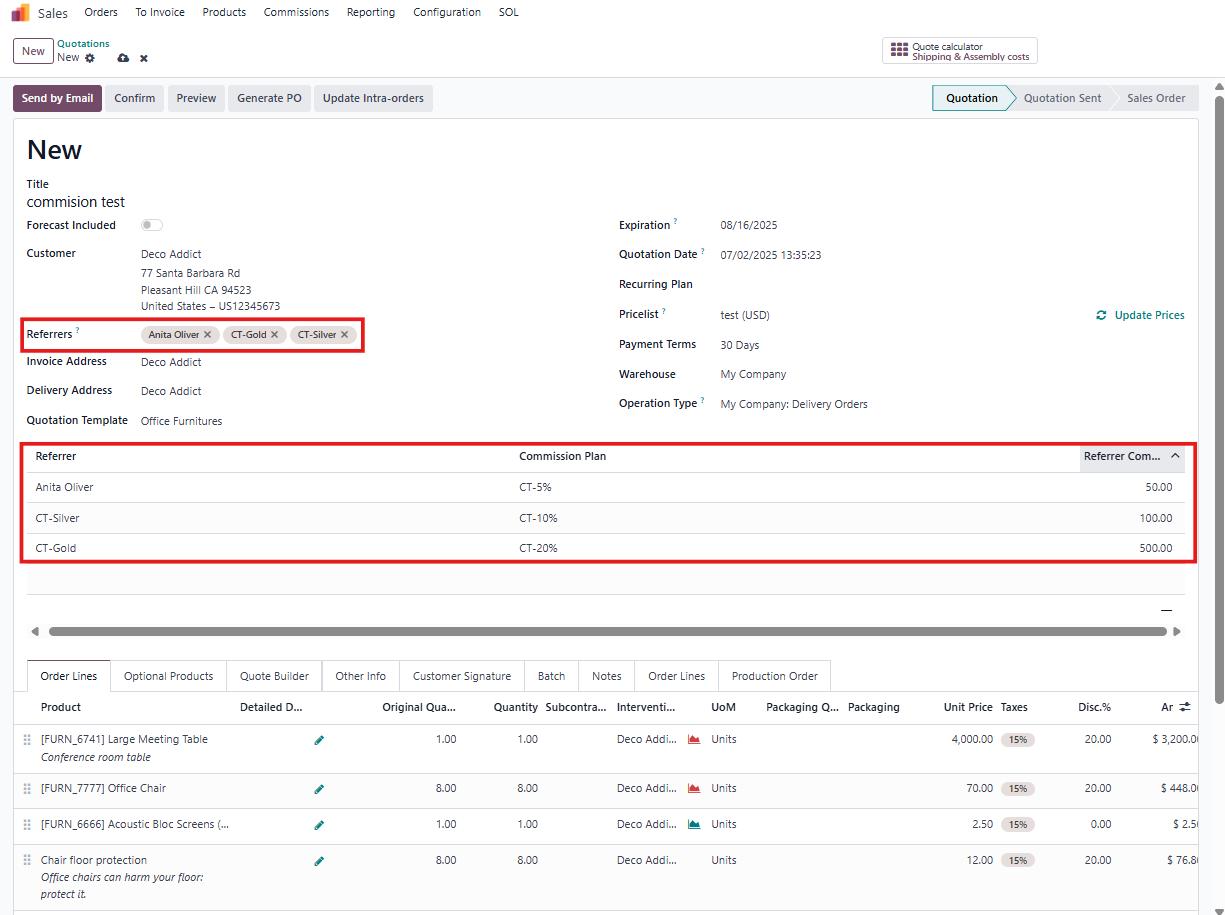
> Create a new Sales Order using products that belong to the product categories defined in the commission plan> Fill necessary information >
Confirm
order
Note
that one Sales Order can have
more than one Referrer,
and there will be a table with the commission amount for each referral
|
|
|
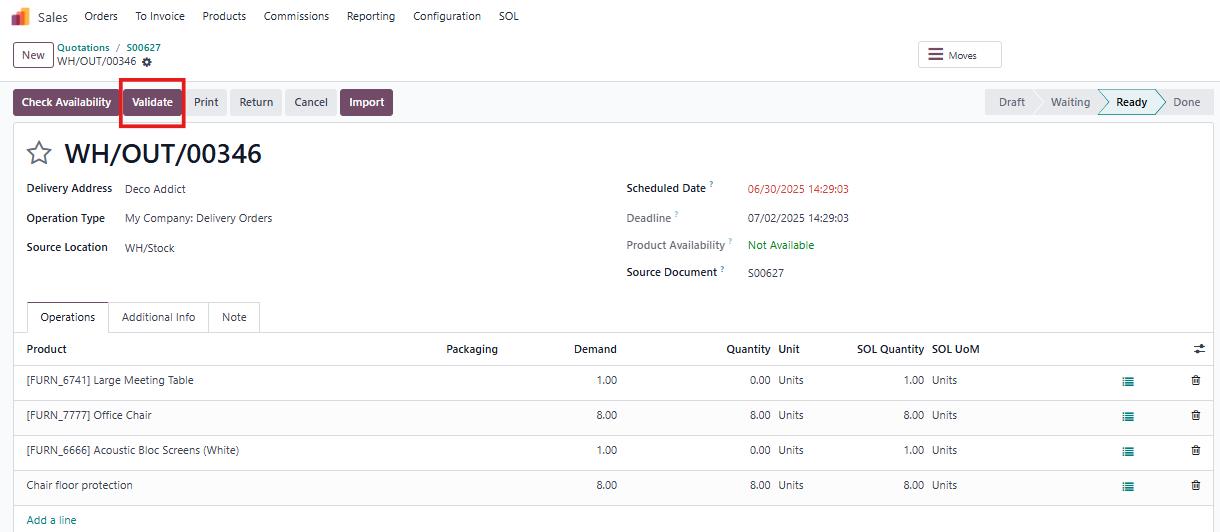
6.
Click the
Delivery
smart button >
Validate
the transfer
|
|
|
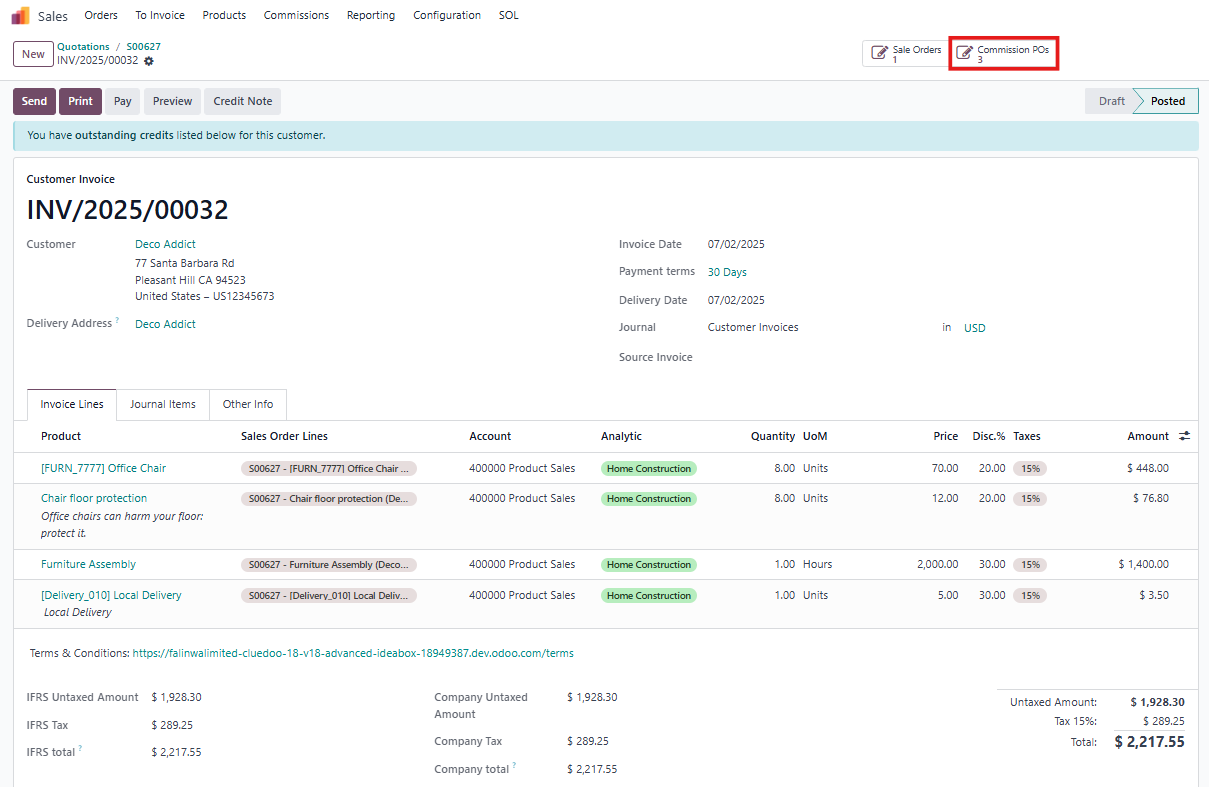
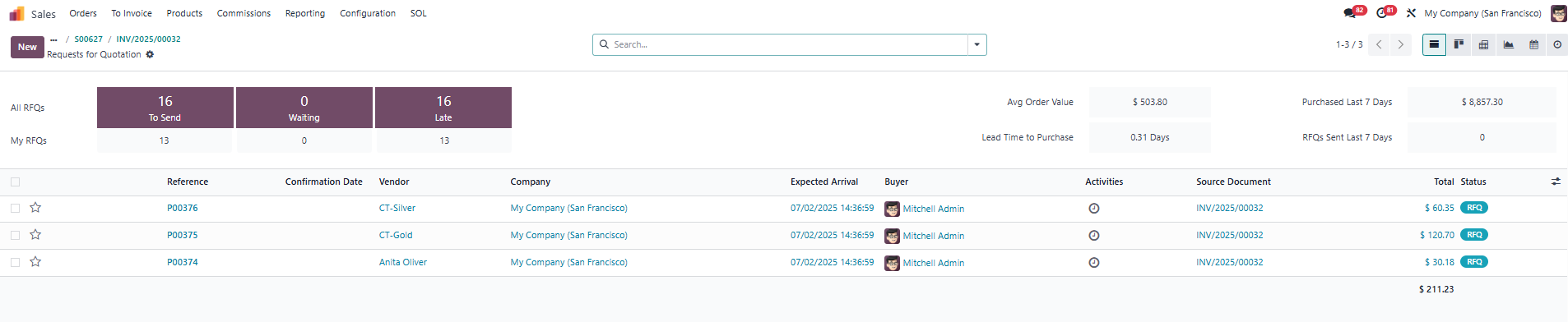
7.
Back to Sales Order, create and then confirm the invoice, you can see a smart button
Commission POs
(which links PO commission with invoice and SO)
|
|
|
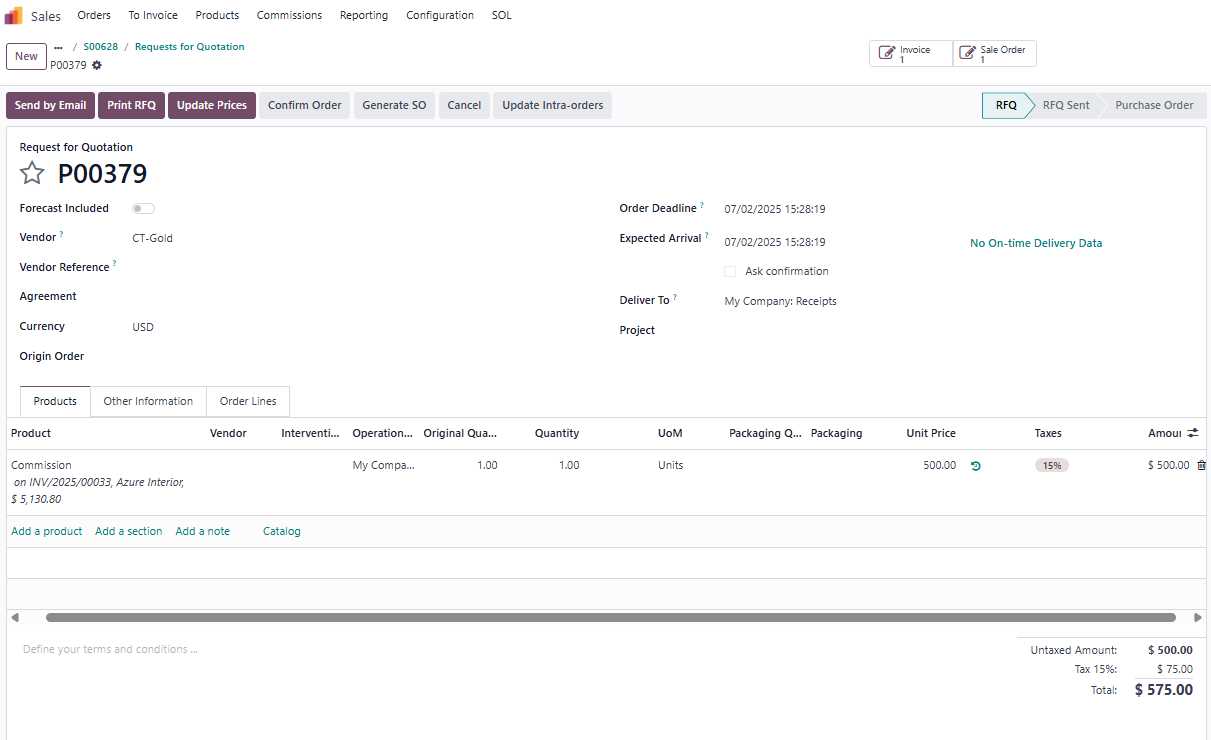
Note
that the commission amount will be calculated based on the
invoice amount multiplied by the commission rate
, or the
maximum commission
set in the commission plans—whichever is lower.
|
|
| Availability |
Odoo Online
Odoo.sh
On Premise
|
| Odoo Apps Dependencies |
•
Purchase (purchase)
• Subscriptions (sale_subscription) • Invoicing (account) • Discuss (mail) • CRM (crm) • Calendar (calendar) • Contacts (contacts) • Website (website) • Sales (sale_management) |
| Lines of code | 456 |
| Technical Name |
fal_commission_plan |
| License | OPL-1 |
| Website | https://www.cluedoo.com/shop/lic-clu-set-png-0008-commission-plan-6809 |
Odoo Proprietary License v1.0

This software and associated files (the "Software") may only be used (executed,
modified, executed after modifications) if you have purchased a valid license
from the authors, typically via Odoo Apps, or if you have received a written
agreement from the authors of the Software (see the COPYRIGHT file).

You may develop Odoo modules that use the Software as a library (typically
by depending on it, importing it and using its resources), but without copying
any source code or material from the Software. You may distribute those
modules under the license of your choice, provided that this license is
compatible with the terms of the Odoo Proprietary License (For example:
LGPL, MIT, or proprietary licenses similar to this one).

It is forbidden to publish, distribute, sublicense, or sell copies of the Software
or modified copies of the Software.

The above copyright notice and this permission notice must be included in all
copies or substantial portions of the Software.

THE SOFTWARE IS PROVIDED "AS IS", WITHOUT WARRANTY OF ANY KIND, EXPRESS OR
IMPLIED, INCLUDING BUT NOT LIMITED TO THE WARRANTIES OF MERCHANTABILITY,
FITNESS FOR A PARTICULAR PURPOSE AND NONINFRINGEMENT.
IN NO EVENT SHALL THE AUTHORS OR COPYRIGHT HOLDERS BE LIABLE FOR ANY CLAIM,
DAMAGES OR OTHER LIABILITY, WHETHER IN AN ACTION OF CONTRACT, TORT OR OTHERWISE,
ARISING FROM, OUT OF OR IN CONNECTION WITH THE SOFTWARE OR THE USE OR OTHER
DEALINGS IN THE SOFTWARE.
Please log in to comment on this module