

Prevent Negative Stock
by CLuedoo https://www.cluedoo.com/shop/lic-clu-set-inv-0016-prevent-negative-stock-6454$ 100.95
ODOO'S FUNCTION
In Odoo, stock moves can be validated even when the company does not have sufficient stock on hand. This means that if you validate a stock move with a quantity greater than what is available in the inventory, Odoo allows it, resulting in a negative stock quantity. Negative stock is displayed in the inventory, representing a shortage or an unfulfilled quantity for that particular product. This flexibility allows for easy transaction processing but can lead to inventory inaccuracies if not carefully managed.
CLUEDOO'S FUNCTION
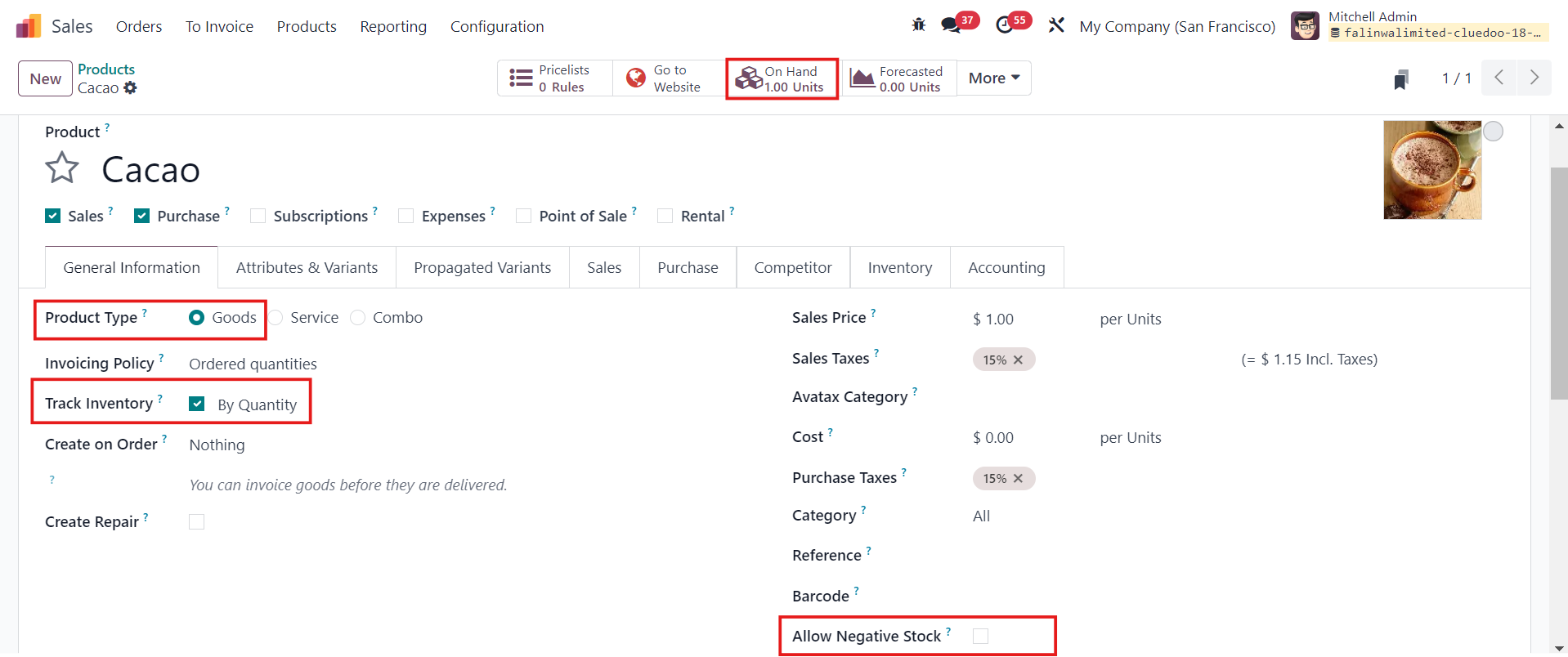
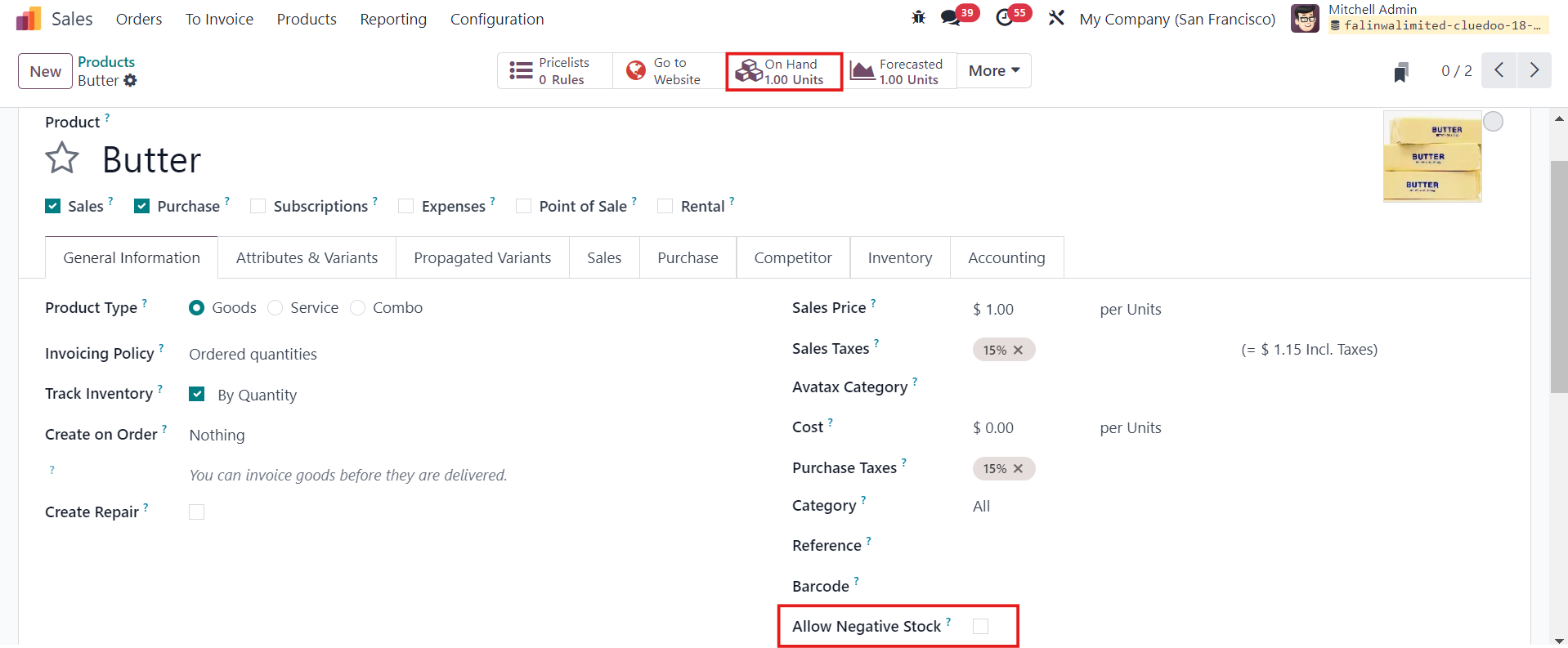
Cluedoo introduces a new feature with an "Allow Negative Stock" checkbox in Products/Product Categories/Locations . This checkbox gives you precise control over whether negative stock levels are permitted. When the checkbox is unchecked, the system blocks the validation of stock moves if there is insufficient stock, preventing the stock level from going negative. However, if the checkbox is checked, validation is allowed regardless of the stock quantity, and the stock can become negative. This feature provides an extra layer of control, allowing businesses to prevent negative stock levels based on their specific inventory policies.
|
1.Go to
Products/Product Categories/Locations
> You will see a checkbox called
Allow Negative Stock
> Fill in the necessary information >
Save
|
|
|
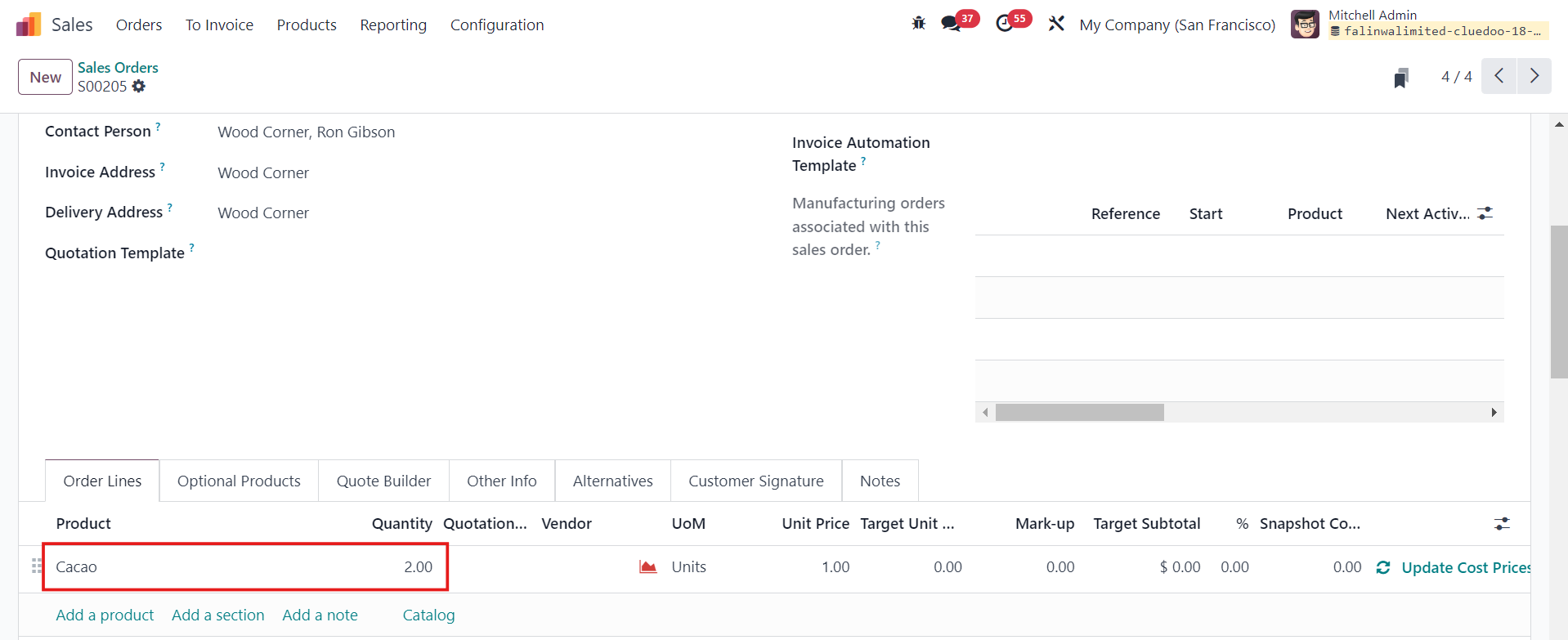
2. Go to Sales Orders > New > Select the product and make sure the Quantity demanded is greater than the Quantity on hand > Confirm e.g. Quantity on hand: 1, Quantity demanded: 2 |
|
|
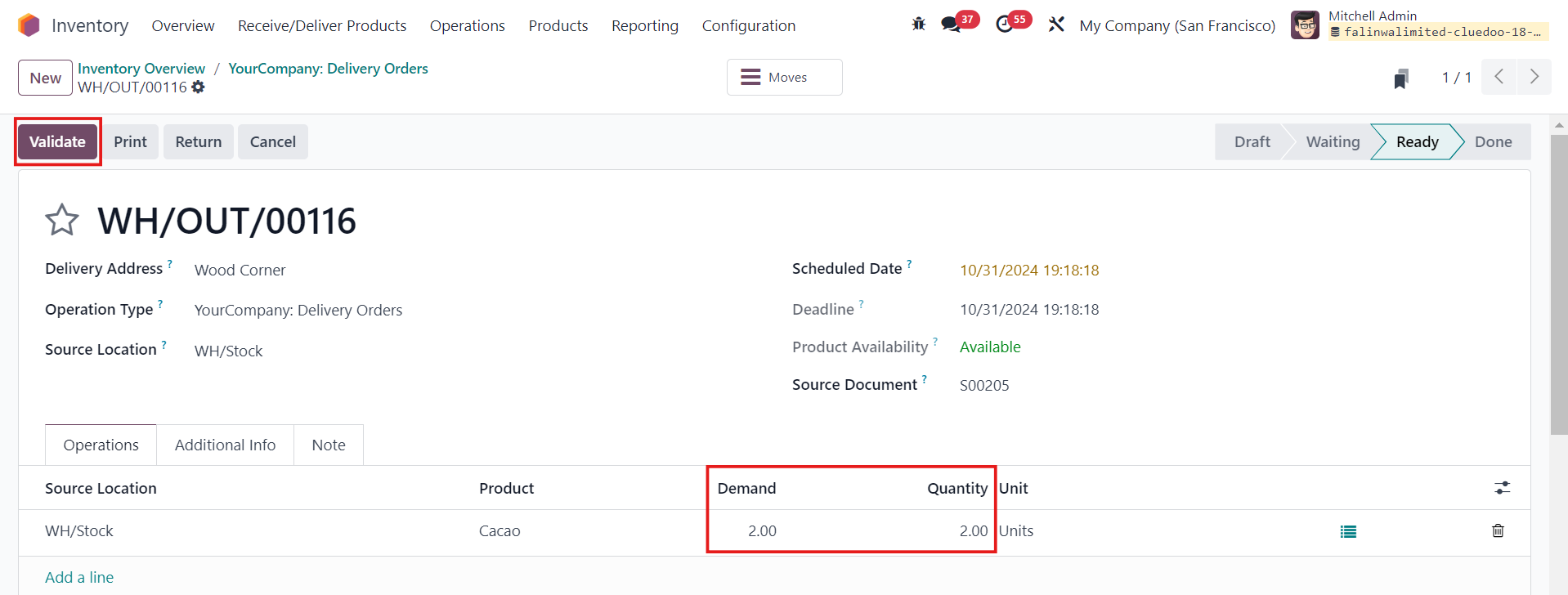
3. Head to
Inventory
>
Delivery Orders
> Manually change the Quantity as Odoo will set the Quantity as available (on hand) quantity >
Validate
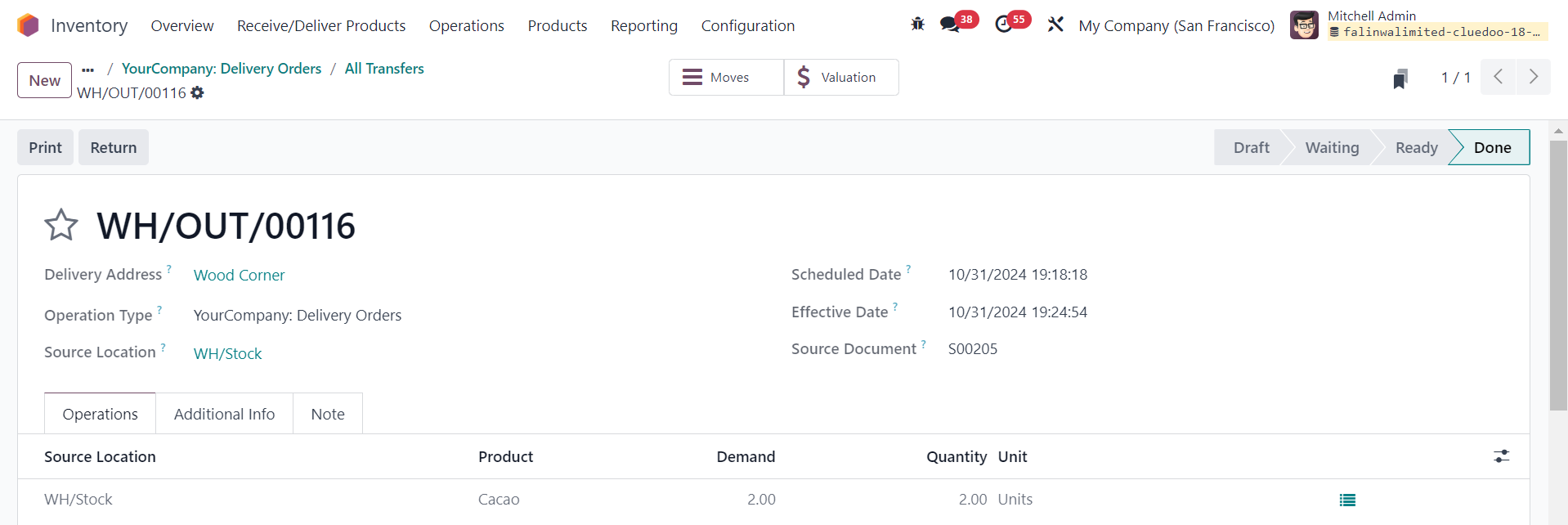
If
Allow Negative Stock
is
not checked
, the validation of related stock moves
will be blocked
if the stock level becomes negative.
If
Allow Negative Stock
is
checked
, the validation of related stock moves
will not be blocked
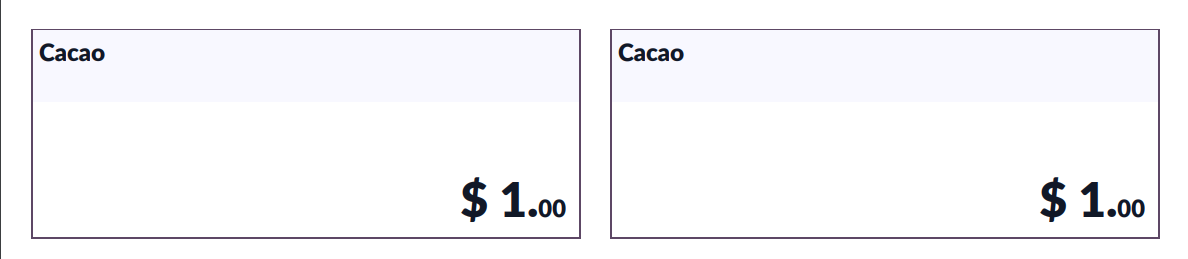
if the stock level becomes negative, and a
Product Label
will be automatically downloaded.
|

|
|
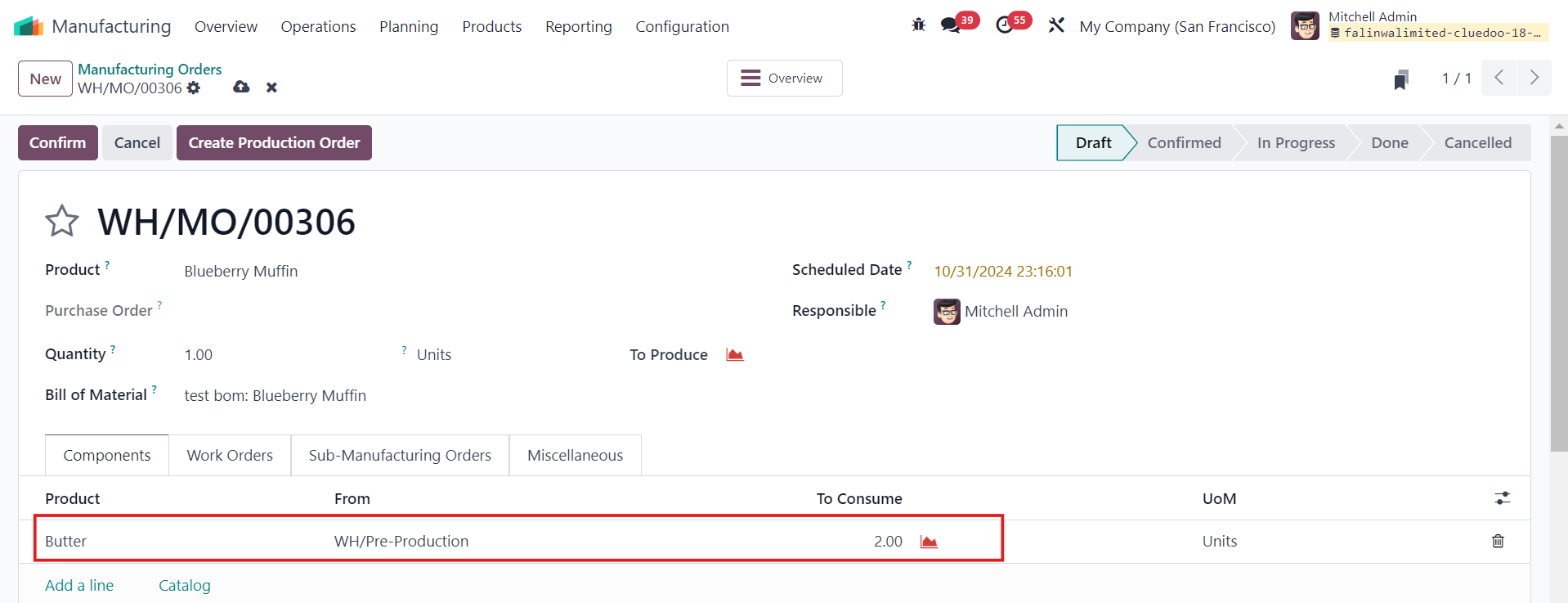
4. The same behavior happens if you create a
Manufacturing Order (MO)
with Component(s) that allows/does not allow negative stock
|

|
|
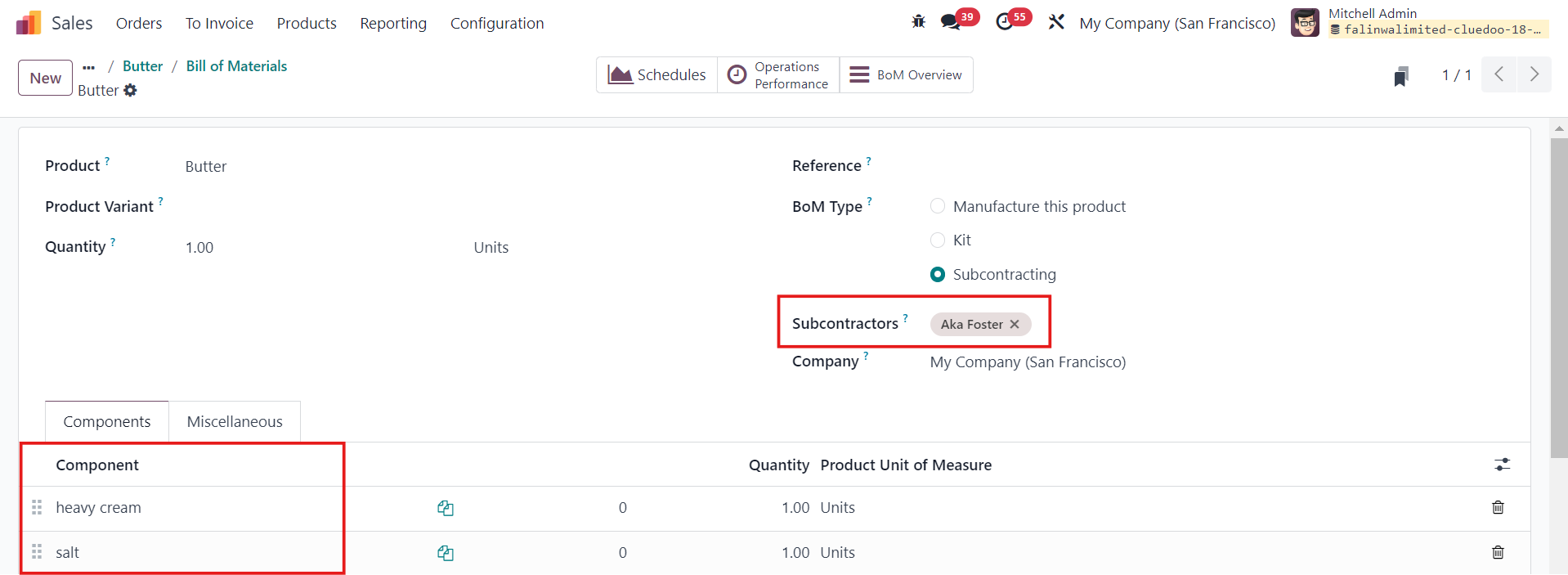
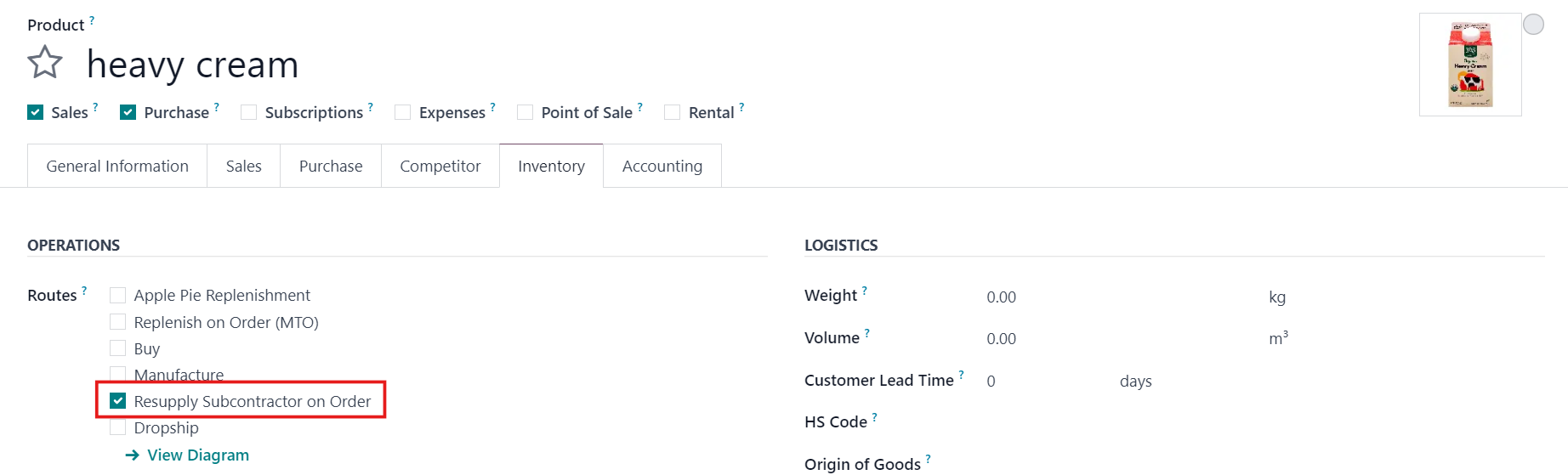
5. For Subcontracting , go to Manufacturing > Products > Bills of Materials > Select Subcontractors > Save Make sure the components have Resupply Subcontractor on Order as their Routes
|
|
|
5.1
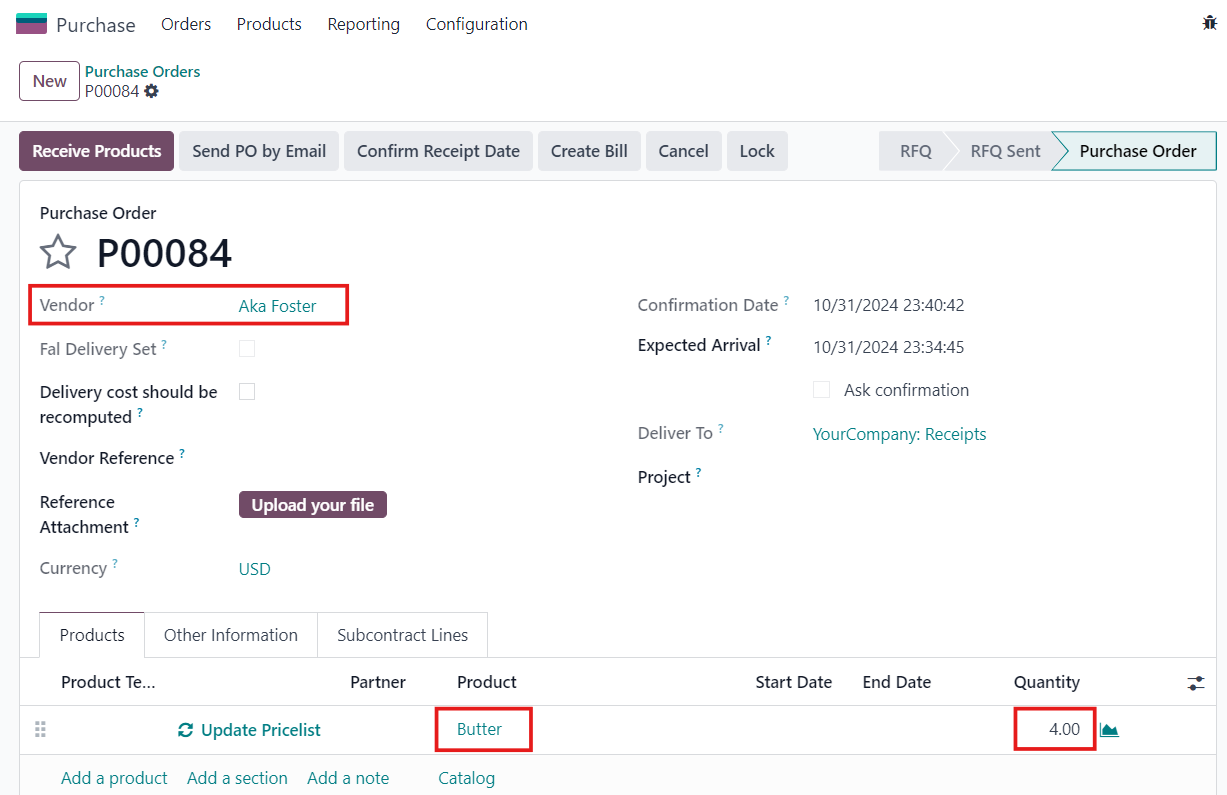
Purchase Orders
>
New
> Select the product and make sure the Quantity demanded is greater than the Quantity on hand >
Confirm Order
|
|
|
5.2 Head to Inventory > Receipts > Validate If you do not check Allow Negative Stock on the product, there will be a Validation Error. Note that: For Subcontracting, you will need to install fal_mrp_subcontract_negative_qty to bypass the validation error of negative stock |

|
| Availability |
Odoo Online
Odoo.sh
On Premise
|
| Odoo Apps Dependencies |
•
Inventory (stock)
• Discuss (mail) |
| Lines of code | 99 |
| Technical Name |
fal_no_negative_stock |
| License | OPL-1 |
| Website | https://www.cluedoo.com/shop/lic-clu-set-inv-0016-prevent-negative-stock-6454 |
Odoo Proprietary License v1.0

This software and associated files (the "Software") may only be used (executed,
modified, executed after modifications) if you have purchased a valid license
from the authors, typically via Odoo Apps, or if you have received a written
agreement from the authors of the Software (see the COPYRIGHT file).

You may develop Odoo modules that use the Software as a library (typically
by depending on it, importing it and using its resources), but without copying
any source code or material from the Software. You may distribute those
modules under the license of your choice, provided that this license is
compatible with the terms of the Odoo Proprietary License (For example:
LGPL, MIT, or proprietary licenses similar to this one).

It is forbidden to publish, distribute, sublicense, or sell copies of the Software
or modified copies of the Software.

The above copyright notice and this permission notice must be included in all
copies or substantial portions of the Software.

THE SOFTWARE IS PROVIDED "AS IS", WITHOUT WARRANTY OF ANY KIND, EXPRESS OR
IMPLIED, INCLUDING BUT NOT LIMITED TO THE WARRANTIES OF MERCHANTABILITY,
FITNESS FOR A PARTICULAR PURPOSE AND NONINFRINGEMENT.
IN NO EVENT SHALL THE AUTHORS OR COPYRIGHT HOLDERS BE LIABLE FOR ANY CLAIM,
DAMAGES OR OTHER LIABILITY, WHETHER IN AN ACTION OF CONTRACT, TORT OR OTHERWISE,
ARISING FROM, OUT OF OR IN CONNECTION WITH THE SOFTWARE OR THE USE OR OTHER
DEALINGS IN THE SOFTWARE.
Please log in to comment on this module