

AI Agent for Odoo | MCP Server — Claude, GPT & More
by 7seven team https://apps.odoo.com/apps/modules/browse?author=7seven%20team$ 10.10


Talk to Your Odoo Data with Claude AI
Powered by Claude AI - the world's most capable AI assistant.
Odoo AI Agent connects Claude AI directly to your Odoo database via the Model Context Protocol (MCP). Ask Claude to find records, generate reports, create contacts, update orders, and much more all in everyday language. No coding. No spreadsheets. Just ask.

Key Features
Odoo AI Agent turns your Odoo database into an intelligent, conversational interface powered by Claude AI. Every feature below works out of the box no custom code required.
|
01
Plain-Language Odoo ControlTell Claude AI what you need in everyday English search customers, create invoices, update contacts, delete test records. No SQL, no technical knowledge required. |
02
Token-Based AuthenticationGenerate secure Bearer tokens directly from Odoo. Choose between User tokens (read-only) and Admin tokens (full CRUD access). Revoke anytime with one click. |
|
03
Business Intelligence via Claude AIAsk Claude AI to analyze overdue invoices, rank top customers, predict cash flow risks, or generate executive summaries from live Odoo data instantly. |
04
Full Request Audit LogEvery Claude AI request is logged in Odoo with timestamp, action, model, IP address, device, OS, browser, and which LLM made the call. |
|
05
IP Whitelist & Rate LimitingRestrict API access to specific IP addresses or CIDR ranges. Set per-minute rate limits per token to protect your Odoo from abuse. |
06
Local & Cloud Odoo SupportWorks with Odoo running on localhost, your own server, or any cloud provider. Claude Desktop runs on your laptop and connects remotely over HTTPS. |
|
07
Device & LLM TrackingKnow exactly which device, OS, and AI model accessed your Odoo data. Every token shows its last-seen IP, device name, operating system, and LLM used. |
08
One-Command Setup Wizard
Run |
What You Can Ask Claude
These are real prompts you type into Claude AI Claude fetches live data from your Odoo and replies instantly. No forms, no filters, no training needed.
|
Search & Reporting
"Show me all customers who have unpaid invoices older than 30 days, with their total outstanding amount."
|
Create Records
"Create a new contact: John Doe, john@example.com, based in New York. Set company to Acme Corp."
|
|
Business Analysis
"Who are my top 5 customers by sales this month? Compare them to last month and highlight any drops."
|
Inventory Check
"Which products are running low on stock? List them with current quantity and reorder point."
|
|
Update Records
"Find the sale order SO/2024/0042 and update the delivery address to our London warehouse."
|
Executive Summary
"Give me a business health summary: total revenue this quarter, open orders, overdue invoices, and any alerts I should know about."
|
Claude AI understands context, follows multi-step instructions, and formats answers clearly. You're not just querying a database you're having a conversation with an intelligent assistant who knows your business data.
Use Cases
Every department in your company can use Claude AI to get instant answers from Odoo - without waiting for a developer or running complex reports.
|
Sales Team
Check open quotes, find customers by region, review this week's orders, and get a pipeline summary all by asking Claude in one sentence. |
Finance & Accounting
Ask for overdue invoice totals, monthly revenue, cash position, or a list of customers exceeding their credit limit instantly. |
Inventory & Warehouse
Instantly know which products are out of stock, which have pending deliveries, and which need immediate reordering. |
|
Customer Support
Look up a customer's order history, check ticket status, or find their latest delivery all while staying on the support call. |
HR & Operations
Search employee records, check leave balances, count headcount by department, or list employees whose contracts expire this month. |
Management & Executives
Get a real-time business health summary revenue, orders, outstanding payments, and alerts in one conversational message to Claude. |
How It Works
|
You
(Claude Desktop) |
> |
server.py
(your laptop) |
> HTTPS > |
Odoo /mcp/sse
(your server) |
|
1
Install Module
Install Odoo AI Agent on your Odoo server like any other module.
|
2
Generate Token
Create an API token in Odoo AI Agent > Configurations with one click.
|
3
Run Setup Wizard
Run
Download MCP Server
setup.sh or setup.bat answer 3 questions. Claude Desktop configured automatically.
|
4
Ask Claude AI
Open Claude Desktop and start asking questions about your Odoo data in plain English.
|
Detailed Screenshots and Explanation
Install the module, create a configuration, generate an API token, and monitor every Claude AI request from the Odoo backend.
|
Configuration Form

Set the server name, rate limit, allowed IPs, and default LLM. Activate or deactivate with one toggle. |
Generate API Token

Click Generate Admin Token or Generate User Token. Copy immediately shown only once. |
|
Token Detail & Device Tracking

Each token shows the last IP, device, OS, and LLM that used it, plus a full request history tab. |
Request Audit Log

Every Claude AI API call is logged with action, model, IP, device, OS, browser, LLM name, and success status. |
|
Security Settings

Configure IP whitelist, rate limit (requests/minute), and API key requirement. |
Token List View

Manage all tokens type, status, expiry, last used, and total request count at a glance. |
setup.sh and setup.bat setup wizards.
Run the one-time setup wizard on your laptop, restart Claude Desktop, and the hammer icon will appear confirming Odoo tools are loaded into Claude AI.
|
Run Setup Wizard

Run |
Claude Desktop Config

The setup wizard automatically writes the correct entry into |
|
Hammer Icon Tools Loaded

After restarting Claude Desktop, the hammer icon confirms 6 Odoo tools are connected and ready inside Claude AI. |
Ask Claude About Odoo

Type a question in plain English Claude AI fetches live data from Odoo and returns a formatted, intelligent response. |
|
7Seven Team Support
Free 120 Days Support
Need help with setup or usage?
We help with installation, configuration, module behavior, and bug fixing for Odoo AI Agent.  Email Support
7seven.seventeam@gmail.com
Email Support
7seven.seventeam@gmail.com
 WhatsApp Support
+91 9205552905
WhatsApp Support
+91 9205552905
|

We Can Help With
Installation guidance
Token configuration Claude Desktop setup Bug fixing support
Excludes custom development and data recovery work.
|
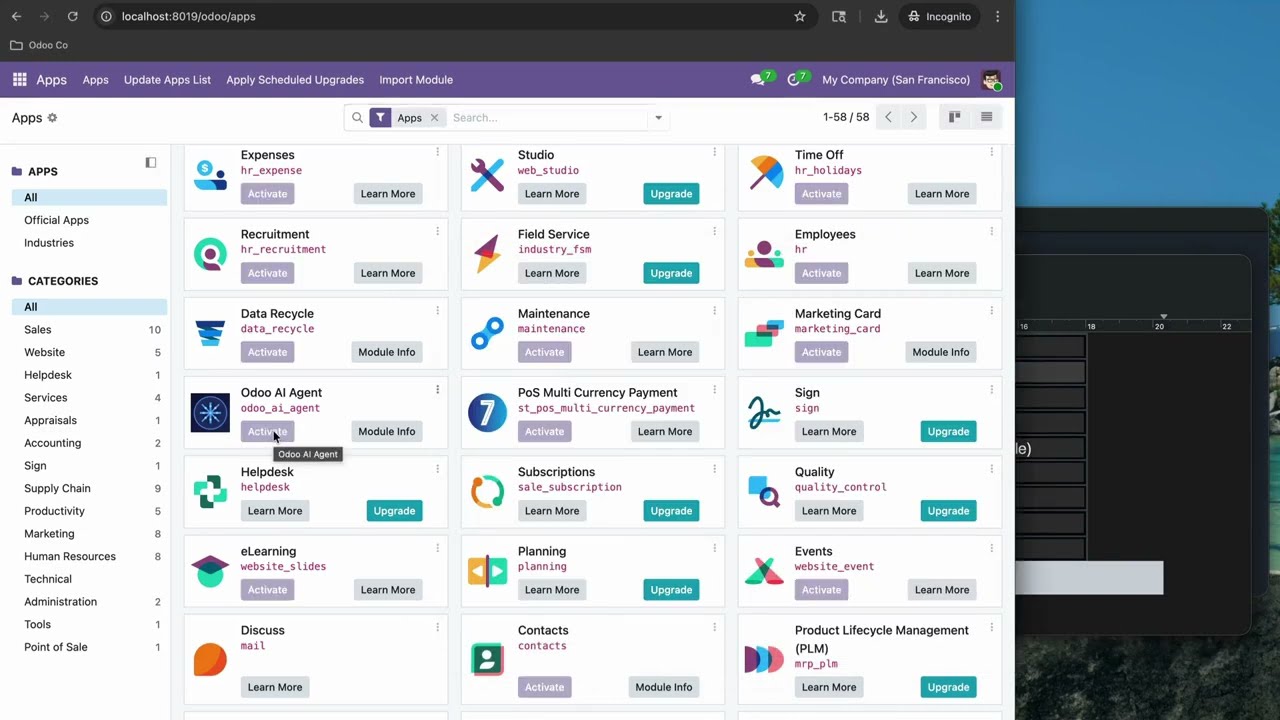
Setup Guide From Zero to Claude AI in Minutes
|
YOUTUBE TUTORIAL
Complete Setup WalkthroughThis video walks you through the entire setup process from start to finish:
Installing Odoo AI Agent module
Creating a configuration & generating token Running the setup wizard on your laptop Connecting Claude Desktop to Odoo Verifying the hammer icon appears in Claude AI |
Feature Demo See Claude AI Control Odoo Live
|
LIVE DEMO VIDEO
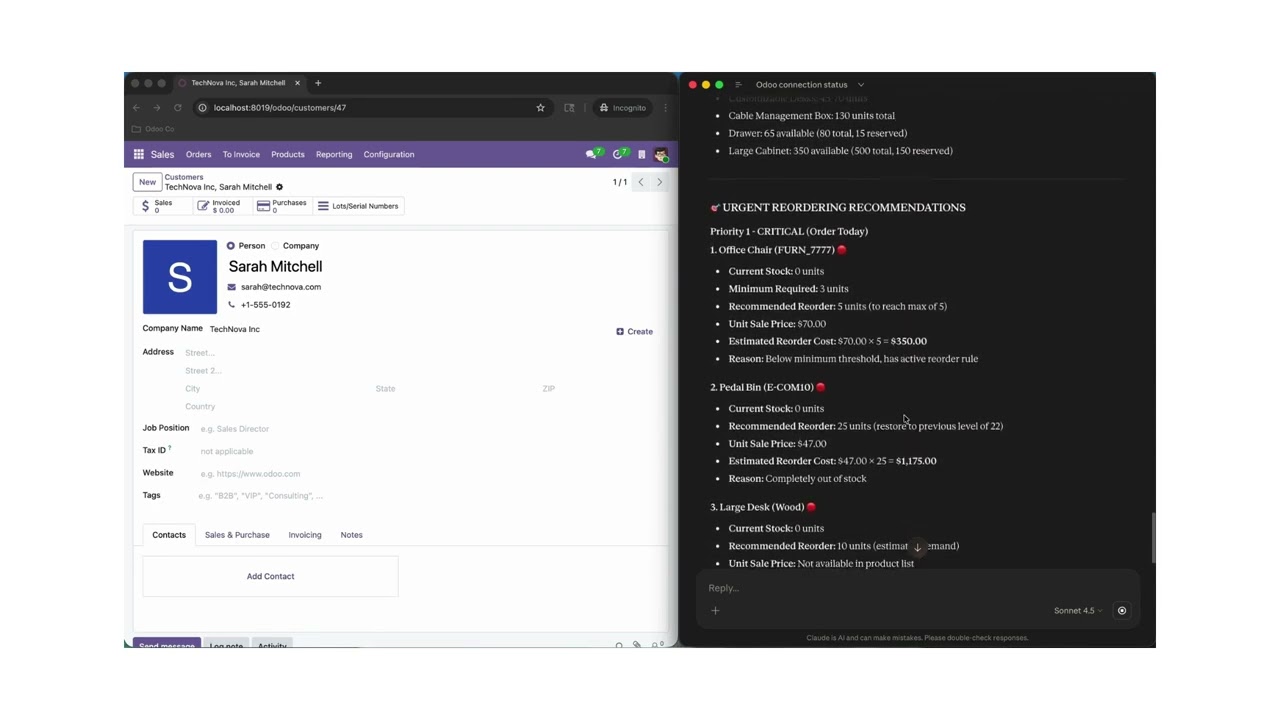
Claude AI in Action with OdooWatch Claude AI control a real Odoo instance using plain English. This demo shows:
Searching customers and partners live
Running business analysis & generating insights Creating and updating records via Claude AI Audit logs updating in real time in Odoo Multi-step intelligent conversation with Odoo data |
|
What Makes Us Different
We focused on what matters most: Claude AI integration, a frictionless setup experience, and enterprise-grade security features that other modules simply don't have.
| Feature | Odoo AI Agent | Typical Competitors |
|---|---|---|
| Claude AI purpose-built integration | Generic MCP only | |
| Automatic setup wizard (Mac / Linux / Windows) | ||
| Per-token device & OS tracking | ||
| LLM name logged per request | ||
| IP whitelist with CIDR range support | ||
| Sliding-window rate limiting per token | Basic / none | |
| Full request audit log (action, model, IP, device, OS, LLM) | Partial | |
| User token (read-only) + Admin token (full CRUD) | Varies | |
| Works on local & cloud Odoo (no config changes) | Varies |
Built and maintained by 7Seven Team practical Odoo solutions, dependable support, and stable module quality.
| Availability |
Odoo Online
Odoo.sh
On Premise
|
| Lines of code | 885 |
| Technical Name |
odoo_mcp_ai_agent |
| License | LGPL-3 |
| Website | https://apps.odoo.com/apps/modules/browse?author=7seven%20team |
Please log in to comment on this module