

Smart POS UI & Stock Control
by Odoo Hub https://apps.odoo.com/apps/modules/browse?author=Odoo%20Hub$ 199.15
Smart POS UI & Stock Control
Configure exactly what your cashiers see. Product display, stock visibility, branding, and receipt layout - set once per shop, no code required.
Watch the Full Walkthrough
Every setting, every screen, explained end to end.
Request Demo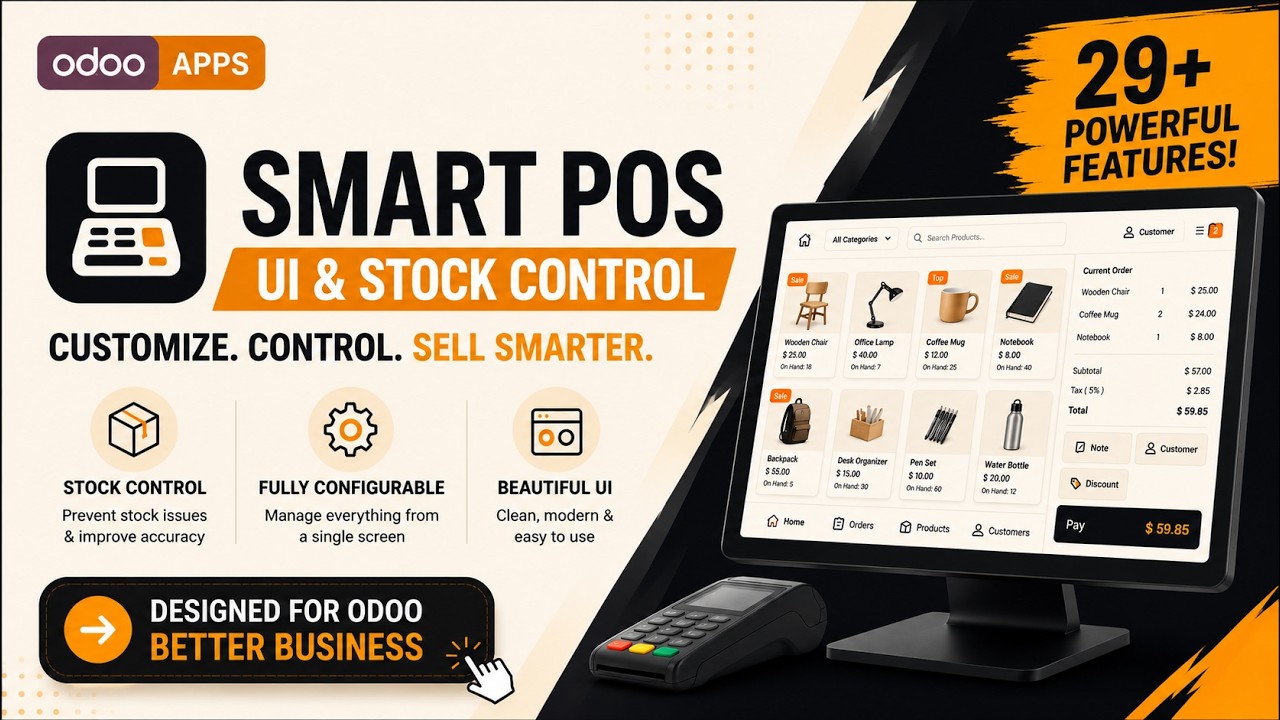
What's Inside
Product Cards
Customize product cards with prices, stock, SKU, labels, top-selling products, and visibility controls.
Display Product Prices
Display product prices directly on POS product cards for quicker product identification.

Display Product Stock
Show On Hand, Forecast, or both stock quantities on product cards for real-time inventory visibility.

Real-Time Product Stock Update

Display Product Reference
Show the internal product reference (SKU) on product cards to quickly identify similar products.

Display Variant Labels
Display a variant label on product cards to easily identify products with multiple variants.

Display Combo Product Labels
Display a combo product label on product cards to quickly distinguish combo items from regular products.

Prioritize Top-Selling Products
Automatically display your best-selling products first, making frequently sold items easier to access.

Hide Product Names
Hide product names from product cards to create a cleaner and more compact POS interface.

Hide Product Information Button
Remove the product information button from product cards for a simpler and less distracting POS interface.

Cart & Order Lines
Improve the cart experience with product images, order removal, clear order, and internal notes.
Display Order Line Images
Display product images in the cart to help cashiers quickly identify ordered items.

Allow Order Line Removal
Show or hide the remove button to control whether products can be deleted directly from the cart.

Hide Internal Notes
Hide product-specific internal notes from the POS screen for a cleaner checkout experience.

Enable Clear Order Button
Add a one-click button to instantly remove all products from the current order.

Numpad Controls
Simplify cashier operations by controlling Quantity, Discount, and Price buttons.
Hide Quantity Button
Remove the Quantity button from the numpad to prevent quantity changes during checkout.

Hide Discount Button
Hide the Discount button from the numpad to restrict discount modifications in the POS.

Hide Price Button
Hide the Price button from the numpad to prevent manual price changes during sales.

Search & Categories
Control the search bar, auto-clear search, category filters, and empty category visibility.
Hide Product Search Bar
Remove the product search bar from the POS screen to create a cleaner interface when search is not required.

Automatically Clear Product Search
Automatically clear the search text after adding a product, making it faster to search for the next item.

Hide Category Filter
Hide the category filter panel to maximize product space and simplify the POS interface.

Hide Empty Categories
Automatically hide categories that don't contain any products, keeping category navigation clean and relevant.

Inventory & Stock Rules
Manage product availability, prevent out-of-stock sales, and display stock status indicators.
Hide Out-of-Stock Products
Automatically hide products that are out of stock, helping cashiers focus only on available items.

Hide Out-of-Stock Variants
Hide unavailable product variants while keeping in-stock variants visible for faster product selection.

Prevent Sales of Out-of-Stock Products
Block cashiers from adding unavailable products to the cart, helping prevent accidental overselling.

Enable Low Stock Warnings
Display stock status tags such as "Only 2 Left" or "Out of Stock" on product cards based on your configured threshold.

Receipt & Branding
Personalize the POS interface and receipts with logos, footer text, and branding options.
Display POS Interface Logo
Display your custom logo on the POS screen to create a professional and branded cashier interface.

Display Receipt Logo
Print your custom logo on POS receipts to deliver a more professional and branded customer experience.

Hide Powered by Odoo
Remove the "Powered by Odoo" text from printed receipts for a cleaner and fully branded receipt layout.

Enable Receipt Footer Text
Add your own custom message, thank-you note, or business information at the bottom of every POS receipt.

Session Controls
Customize POS session behavior and control available session actions.
Hide Daily Sales Button
Remove the Daily Sales button from the POS interface to simplify the screen and prevent access to daily sales reports.

Multilingual POS Configuration
Configuration screens support multiple languages so global teams can manage every shop in their own language.


Need another language? Contact us - we'll extend translations for your region.
Frequently Asked Questions
More Odoo Hub Apps


You're Never On Your Own
Whether you need installation assistance, configuration guidance, bug fixes, or custom POS enhancements, our team is here to help you get the most out of your Odoo Point of Sale.
Contact Us More Apps| Availability |
Odoo Online
Odoo.sh
On Premise
|
| Odoo Apps Dependencies |
•
Point of Sale (point_of_sale)
• Discuss (mail) • Inventory (stock) • Invoicing (account) |
| Lines of code | 872 |
| Technical Name |
oh_smart_pos_ui_control |
| License | OPL-1 |
| Website | https://apps.odoo.com/apps/modules/browse?author=Odoo%20Hub |
Odoo Proprietary License v1.0

This software and associated files (the "Software") may only be used (executed,
modified, executed after modifications) if you have purchased a valid license
from the authors, typically via Odoo Apps, or if you have received a written
agreement from the authors of the Software (see the COPYRIGHT file).

You may develop Odoo modules that use the Software as a library (typically
by depending on it, importing it and using its resources), but without copying
any source code or material from the Software. You may distribute those
modules under the license of your choice, provided that this license is
compatible with the terms of the Odoo Proprietary License (For example:
LGPL, MIT, or proprietary licenses similar to this one).

It is forbidden to publish, distribute, sublicense, or sell copies of the Software
or modified copies of the Software.

The above copyright notice and this permission notice must be included in all
copies or substantial portions of the Software.

THE SOFTWARE IS PROVIDED "AS IS", WITHOUT WARRANTY OF ANY KIND, EXPRESS OR
IMPLIED, INCLUDING BUT NOT LIMITED TO THE WARRANTIES OF MERCHANTABILITY,
FITNESS FOR A PARTICULAR PURPOSE AND NONINFRINGEMENT.
IN NO EVENT SHALL THE AUTHORS OR COPYRIGHT HOLDERS BE LIABLE FOR ANY CLAIM,
DAMAGES OR OTHER LIABILITY, WHETHER IN AN ACTION OF CONTRACT, TORT OR OTHERWISE,
ARISING FROM, OUT OF OR IN CONNECTION WITH THE SOFTWARE OR THE USE OR OTHER
DEALINGS IN THE SOFTWARE.
Please log in to comment on this module