

Automatic stock valuation at stock move
by CLuedoo https://www.cluedoo.com/shop/licclusetinv0031-automatic-stock-valuation-at-stock-move-7166$ 343.07
| Availability |
Odoo Online
Odoo.sh
On Premise
|
| Odoo Apps Dependencies |
•
Manufacturing (mrp)
• Inventory (stock) • Discuss (mail) • Invoicing (account) • Purchase (purchase) |
| Community Apps Dependencies | Show |
| Lines of code | 378 |
| Technical Name |
cds_automatic_valuation |
| License | LGPL-3 |
| Website | https://www.cluedoo.com/shop/licclusetinv0031-automatic-stock-valuation-at-stock-move-7166 |
ODOO'S FUNCTION
In Odoo v19, the core accounting logic has shifted: Automatic Journal Entries (JE) for inventory valuation are primarily created only when an Invoice or Bill is validated. This means the Real-Time (Perpetual) valuation no longer triggers accounting entries immediately upon Stock Picking validation, which can lead to discrepancies between inventory value and the General Ledger before invoicing.
CLUEDOO'S FUNCTION
Cluedoo restores the v18 behavior by introducing a new valuation option: "Perpetual (at stock.move)" in the Product Category. This feature brings back the Stock Input/Output accounts and forces the system to create draft Journal Entries immediately upon Stock Picking validation . Since Odoo v19 has removed the Stock Valuation Layer as a trigger for JEs, Cluedoo links these entries directly to the Stock Move/Stock Move Line , ensuring that the balance sheet always reflects real-time stock movements.
|
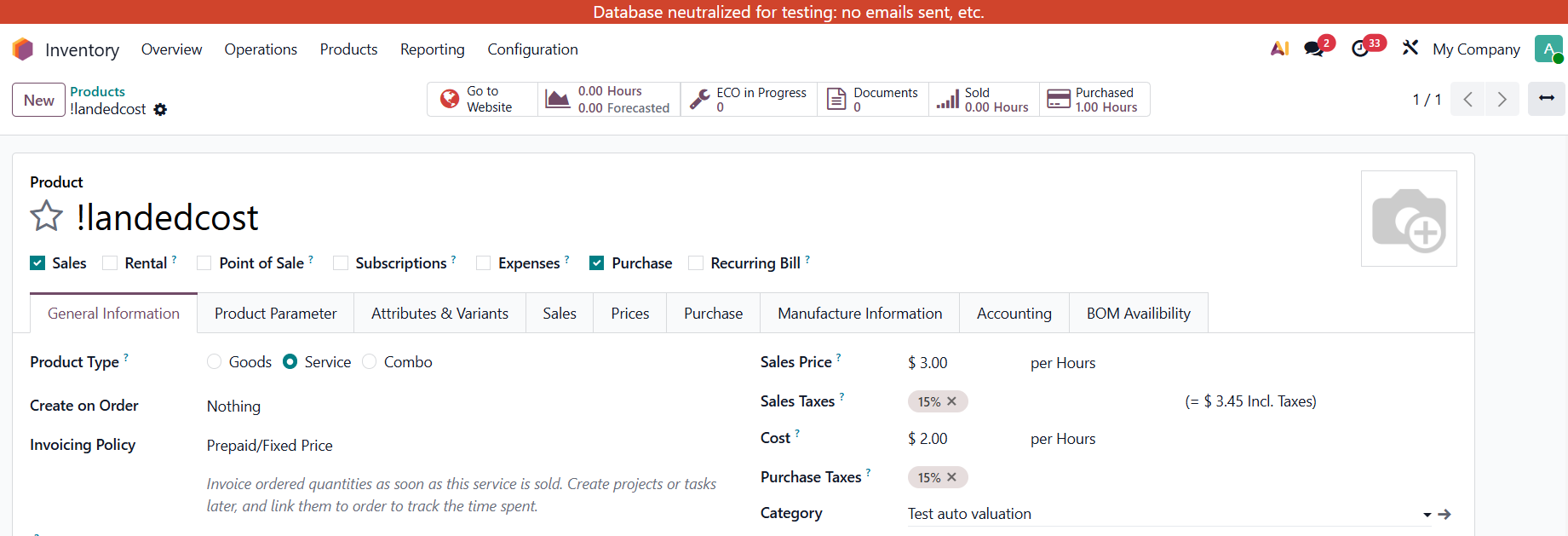
For Landed Cost 1. Go to Inventory > Product > Creat 2 New Products with:
First product:
Category:
Second product: Goods with Product Category tracking by Lot.
Go to Purchase > Create a Requests for Quotation > Confirm > Create Vendor Bill and Receipt > Create a Landed Cost with those Bill and Tranfer > Add Landed Cost product > Validate
The Account field here is filled with the Stock Input Account on Product Category. |


|
|
2. For the Receipt, Delivery, and Manufacturing.
Set up Account Properties and Inventory Valuation (Perpetual at stock.move)
Create a Product with that Category
Create and confirm a Receipt > go to Journal Entries
Check Journal Items > Account:
Debit: Stock Account Credit: Stock Input Account |


|
|
Do the same for Deliveries:
Check Journal Items Account for:
Debit: Stock Output Account Credit: Stock Account
Do the same for Manufacturing:
Check Journal Items Account for: From Pre - Production to Production: Debit: Production Account Credit: Stock Accoun
From Production to Post- Production: Debit: Stock Account Credit: Production Account
|


|
Please log in to comment on this module