

Dynamic Systray Spreadsheet
by CLuedoo https://www.cluedoo.com/shop/lic-clu-set-usc-0022-dynamic-systray-spreadsheet-7264$ 404.21
ODOO'S FUNCTION
In the standard Odoo, the Systray (the top-right utility bar) is strictly limited to default system icons such as messaging, activities, and user settings. This static design often forces users to navigate through multiple menus or switch modules just to check a simple KPI or access a frequently used page. This repetitive navigation creates "click fatigue" and interrupts the workflow.
CLUEDOO'S FUNCTION
The CLuedoo's Dynamic Systray module transforms this Systray area into a powerful, personalized dashboard. By allowing users to display field values, create menu shortcuts, execute custom Python logic, or link live Spreadsheet cells directly on the navigation bar, it brings critical information to the forefront of the workspace. This ensures that vital business metrics, analytical KPIs, and essential tools are always visible and just one click away, significantly boosting operational speed and data transparency across the entire organization.
ACCESS RIGHT
|
|
|
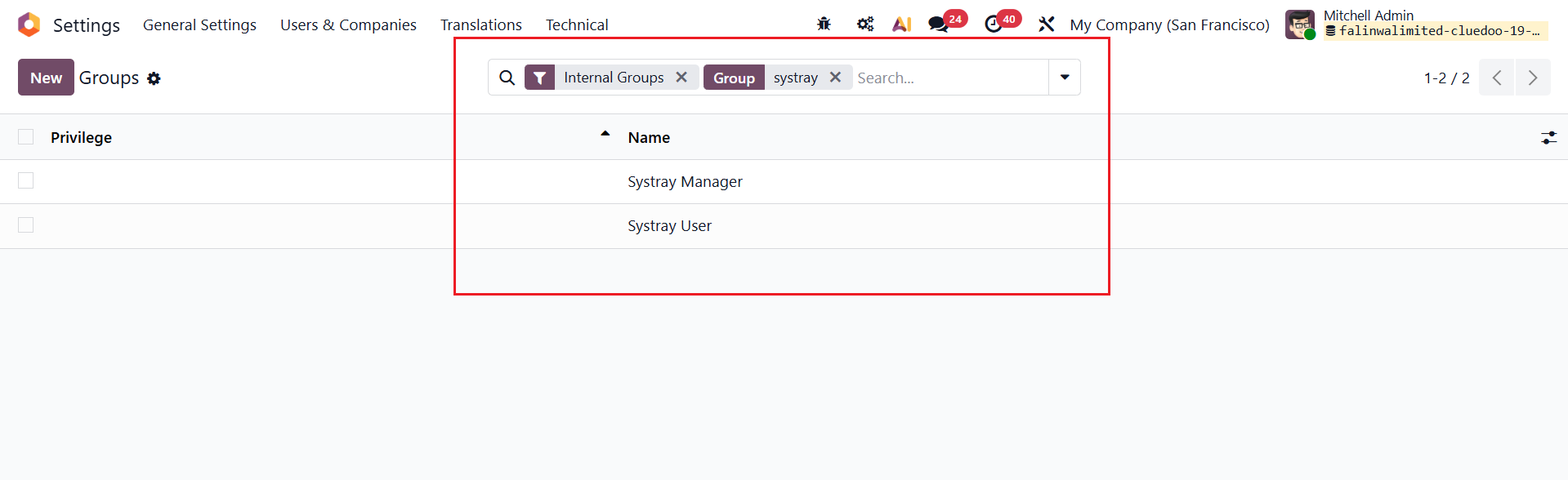
Go to Settings / Users & Companies / Groups > Find Group "Systray" . |
|
|
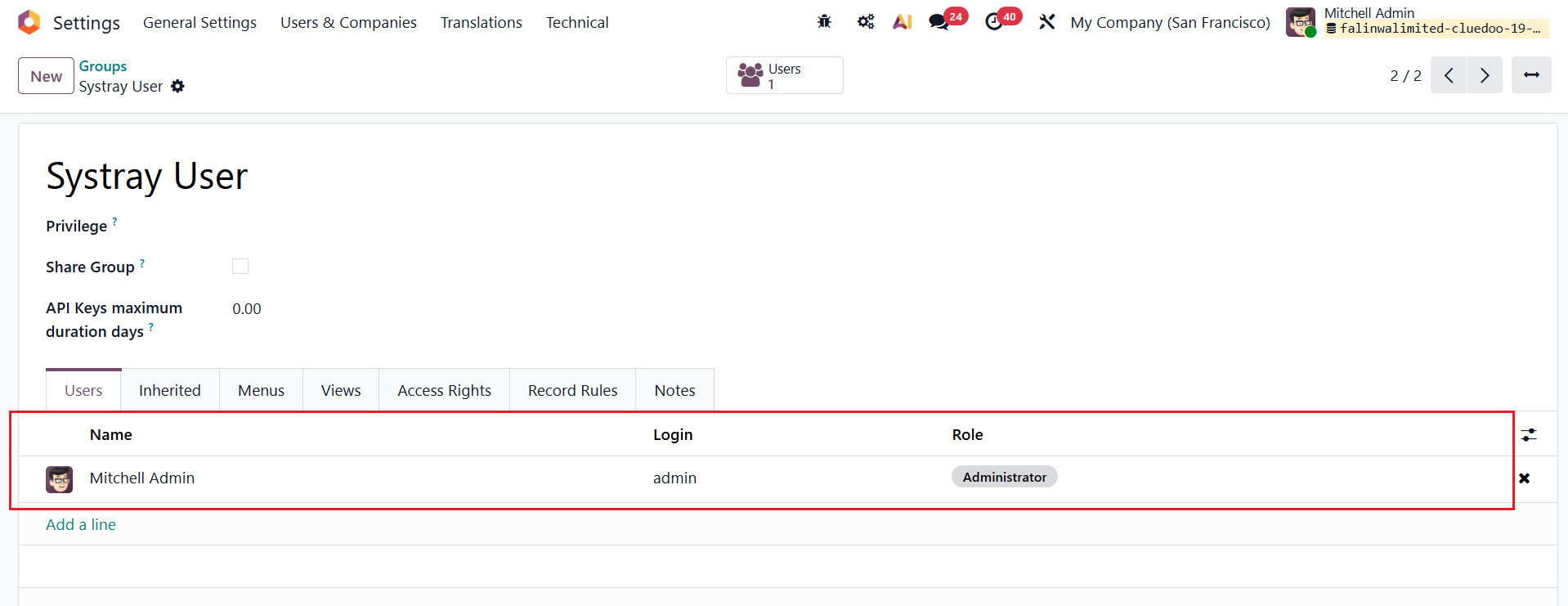
Go to Systray User/Manager > Set up the user(s). Note:
|
|
USAGE |
|
|
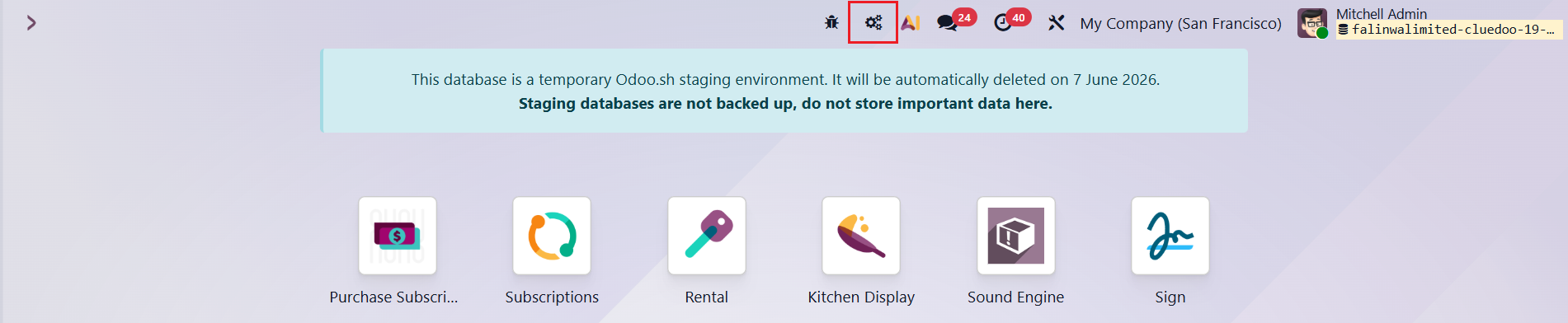
From the Homeview , locate the Systray List icon in the top-right corner > Click New to configure your dynamic shortcut. |
|
|
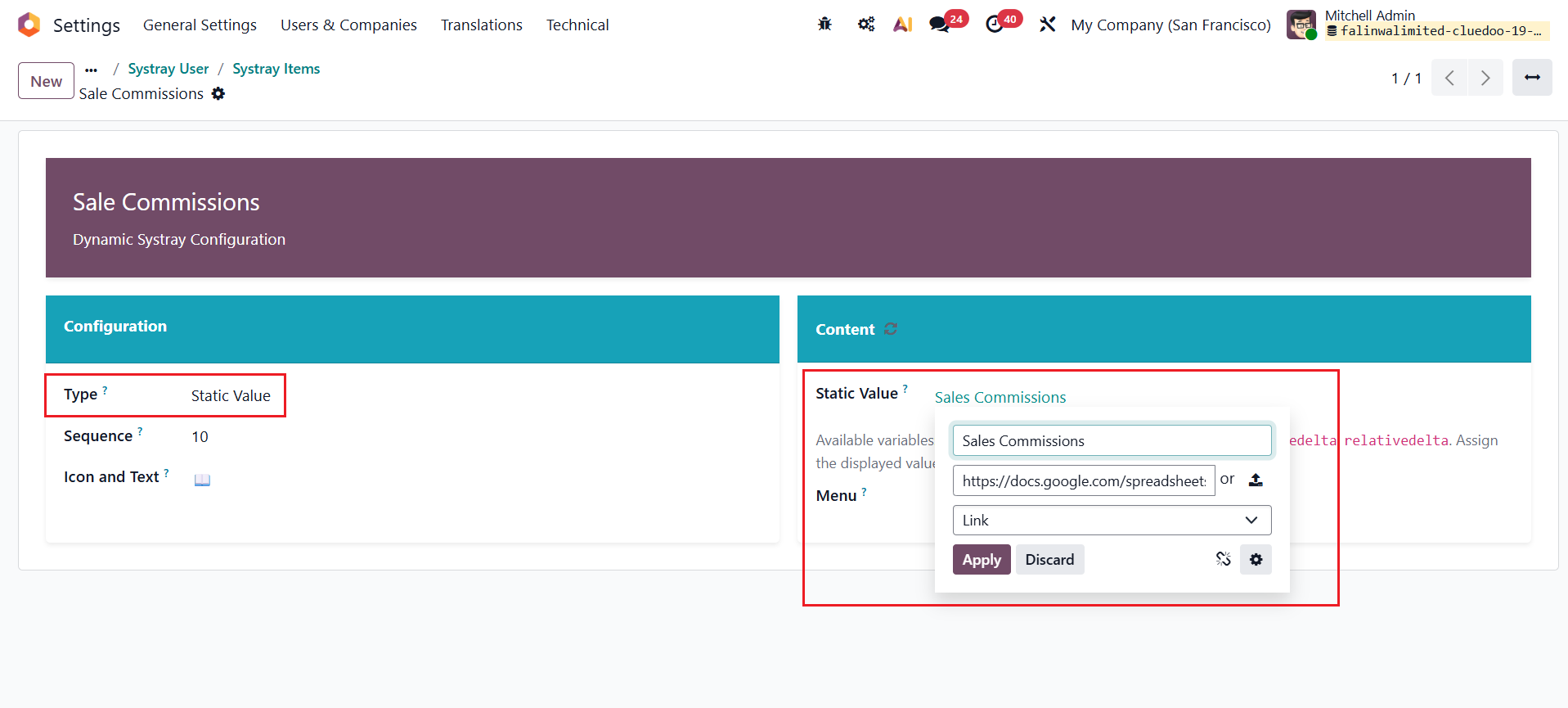
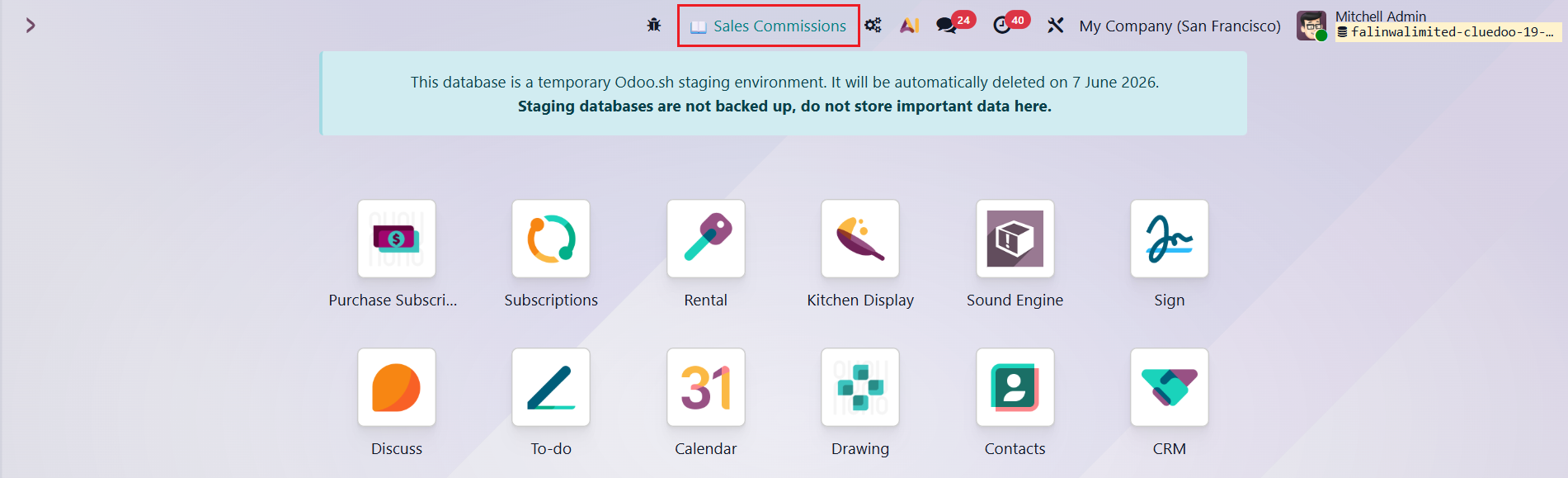
Static Value:
Display a fixed text, number, or URL link that remains constant for quick reference or external navigation.
|
|
|
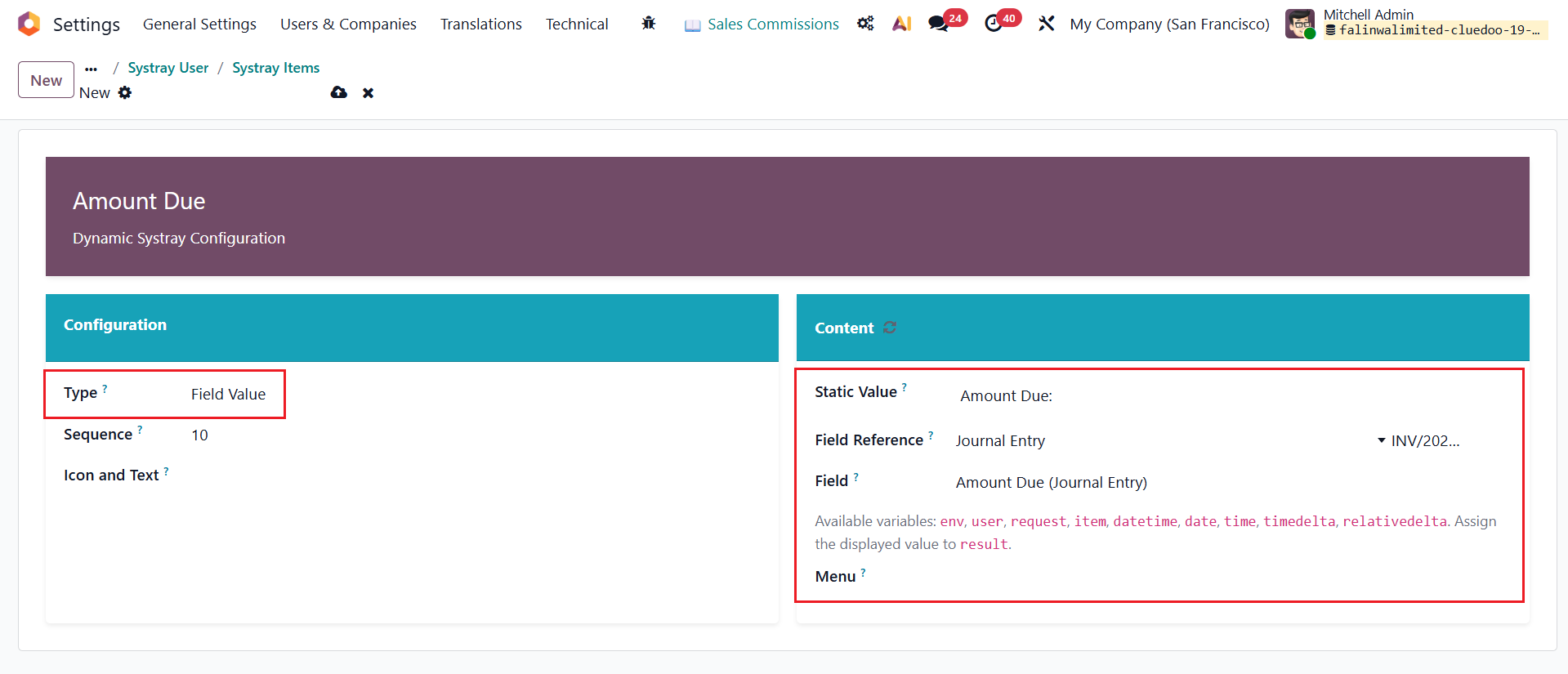
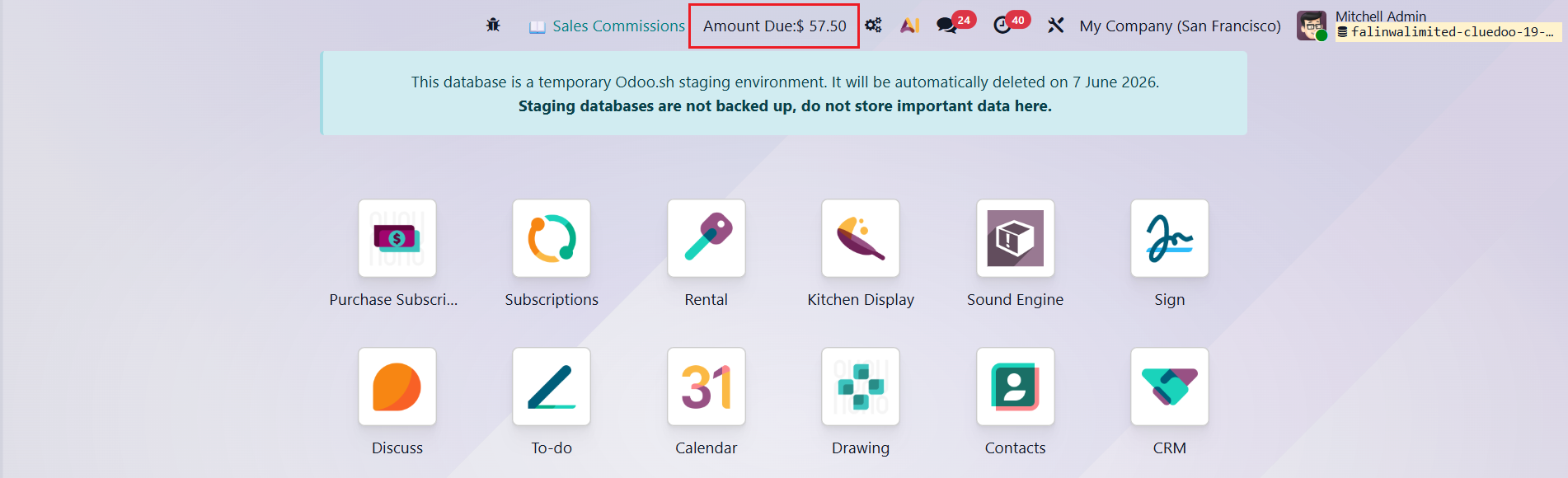
Field Value: Dynamically fetch and show a specific field's value from any record. |
|
|
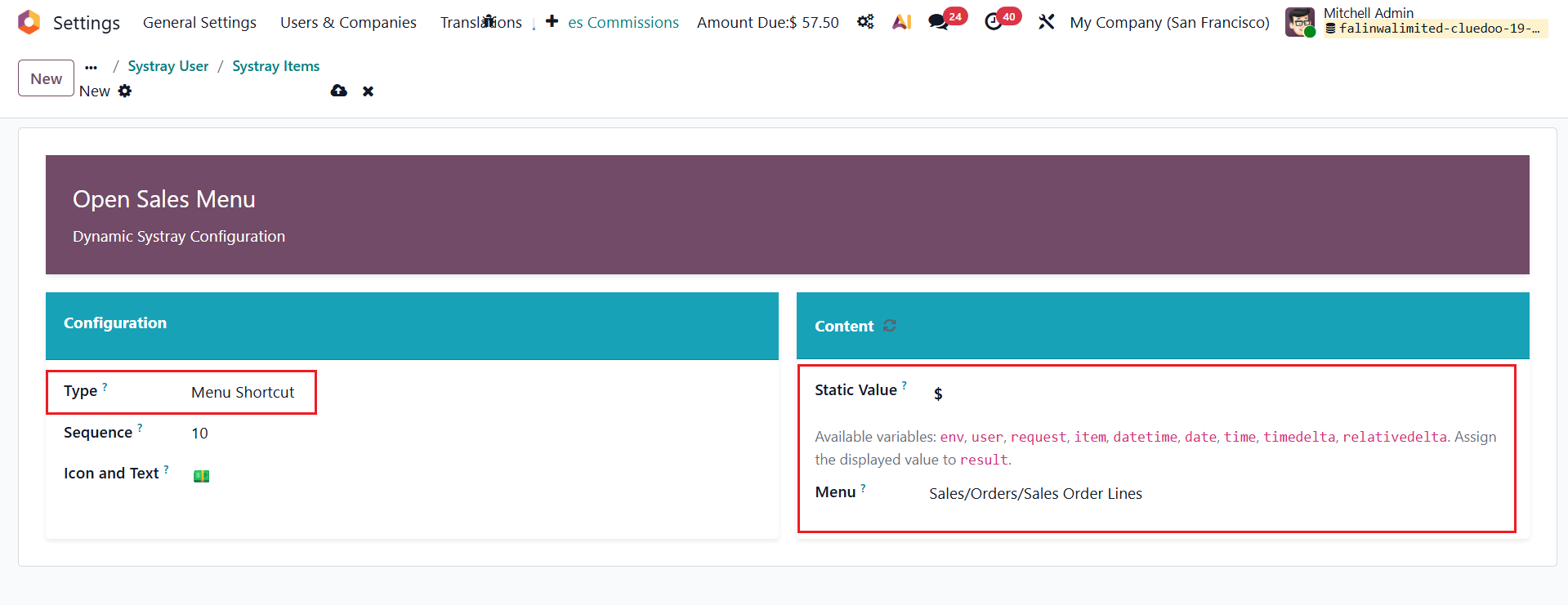
Menu Shortcut:
Transform the icon into a fast-access link to instantly jump to any specific Odoo menu or view.
|

|
|
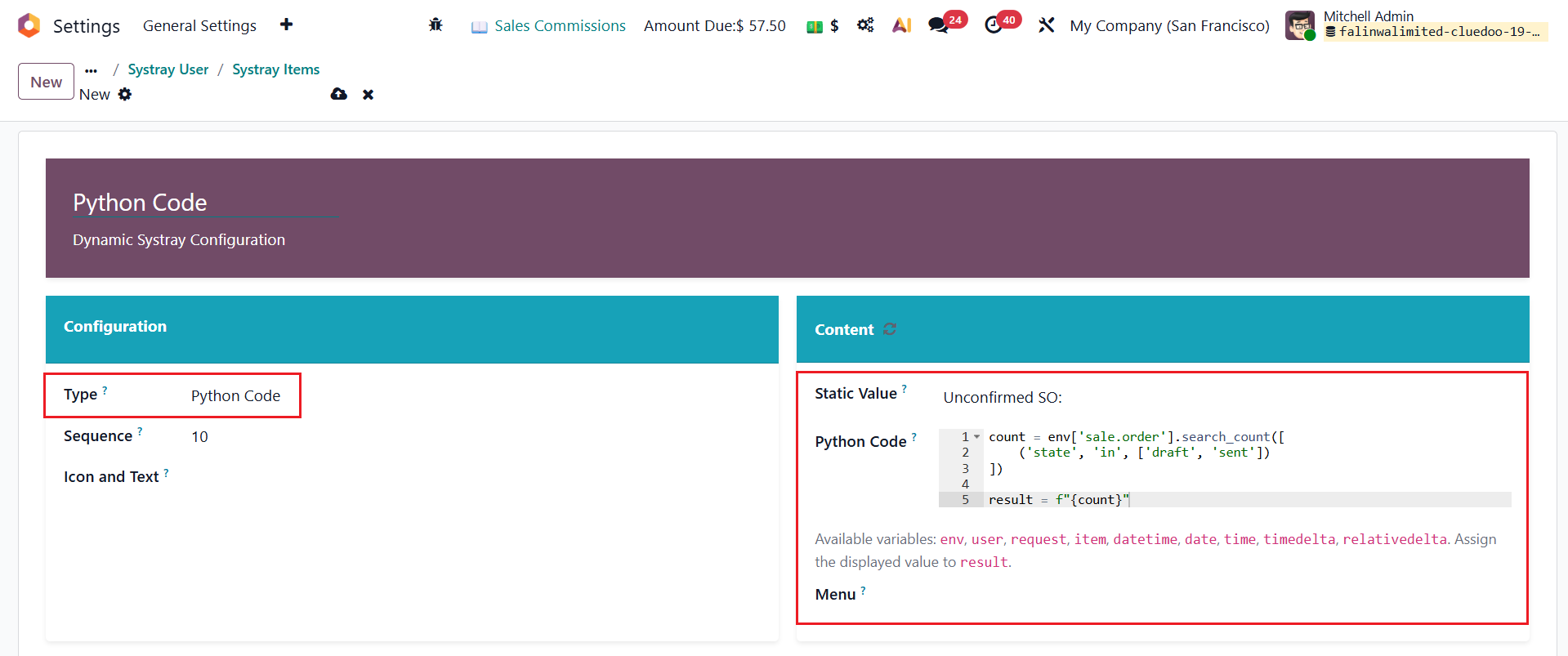
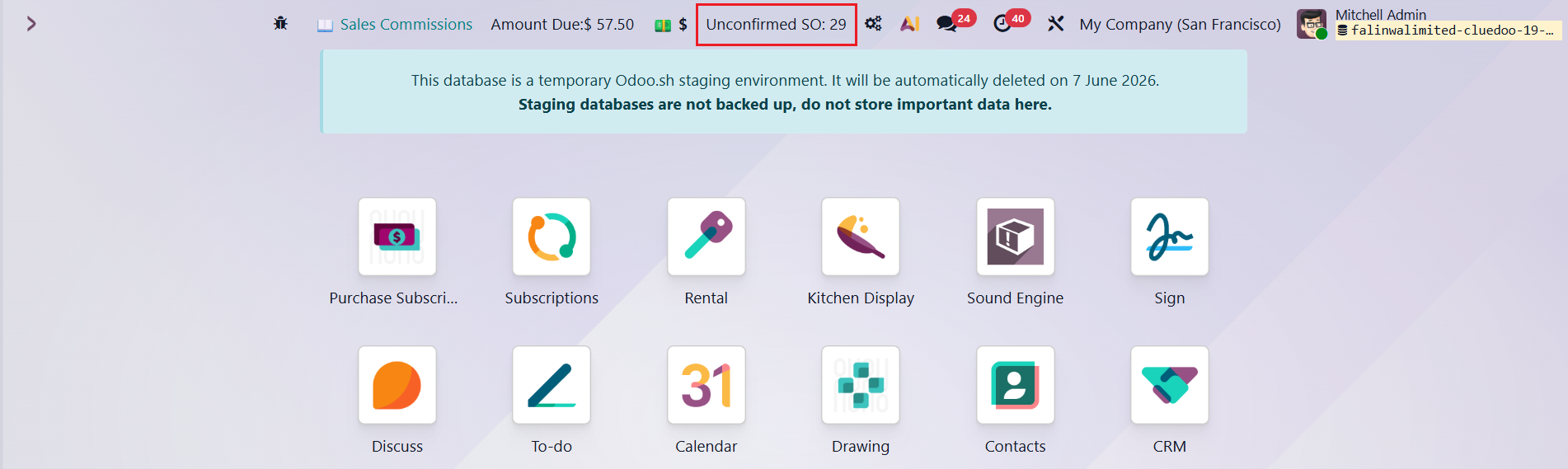
Python Code: Execute custom scripts to calculate and display advanced, real-time KPIs from across the entire database. |
|
|
Spreadsheet Cell: (Enterprise Only) Live analytical data linked directly from Odoo Spreadsheets. |
|


| Availability |
Odoo Online
Odoo.sh
On Premise
|
| Odoo Apps Dependencies |
•
Documents (documents)
• Discuss (mail) |
| Community Apps Dependencies | Show |
| Lines of code | 704 |
| Technical Name |
cds_dynamic_systray_spreadsheet |
| License | OPL-1 |
| Website | https://www.cluedoo.com/shop/lic-clu-set-usc-0022-dynamic-systray-spreadsheet-7264 |
Odoo Proprietary License v1.0

This software and associated files (the "Software") may only be used (executed,
modified, executed after modifications) if you have purchased a valid license
from the authors, typically via Odoo Apps, or if you have received a written
agreement from the authors of the Software (see the COPYRIGHT file).

You may develop Odoo modules that use the Software as a library (typically
by depending on it, importing it and using its resources), but without copying
any source code or material from the Software. You may distribute those
modules under the license of your choice, provided that this license is
compatible with the terms of the Odoo Proprietary License (For example:
LGPL, MIT, or proprietary licenses similar to this one).

It is forbidden to publish, distribute, sublicense, or sell copies of the Software
or modified copies of the Software.

The above copyright notice and this permission notice must be included in all
copies or substantial portions of the Software.

THE SOFTWARE IS PROVIDED "AS IS", WITHOUT WARRANTY OF ANY KIND, EXPRESS OR
IMPLIED, INCLUDING BUT NOT LIMITED TO THE WARRANTIES OF MERCHANTABILITY,
FITNESS FOR A PARTICULAR PURPOSE AND NONINFRINGEMENT.
IN NO EVENT SHALL THE AUTHORS OR COPYRIGHT HOLDERS BE LIABLE FOR ANY CLAIM,
DAMAGES OR OTHER LIABILITY, WHETHER IN AN ACTION OF CONTRACT, TORT OR OTHERWISE,
ARISING FROM, OUT OF OR IN CONNECTION WITH THE SOFTWARE OR THE USE OR OTHER
DEALINGS IN THE SOFTWARE.
Please log in to comment on this module