

Notes for each product selected in POS Self-Order
by CLuedoo https://www.cluedoo.com/shop/lic-clu-set-pos-0024-notes-for-each-product-selected-in-pos-self-order-7195$ 150.15
In-App Purchases
ODOO'S FUNCTION
Odoo Standard provides a Global Note feature across its QR and Kiosk platforms, allowing customers to leave one general message for the entire order at the final checkout step. This is suitable for simple delivery or timing instructions, but it can create confusion for staff when a customer has different special requests for multiple different items within a single order.
CLUEDOO'S FUNCTION
CLuedoo enhances the QR Ordering and Kiosk experience by offering Line Notes , which allow customers to attach specific instructions to each individual item in their cart. This ensures that every unique request is tied directly to the correct product, providing a more personalized service and eliminating errors for the fulfillment team.
CONFIGURATION1. Go to Settings > Point of Sale Choose Shop and Self-Ordering type. |
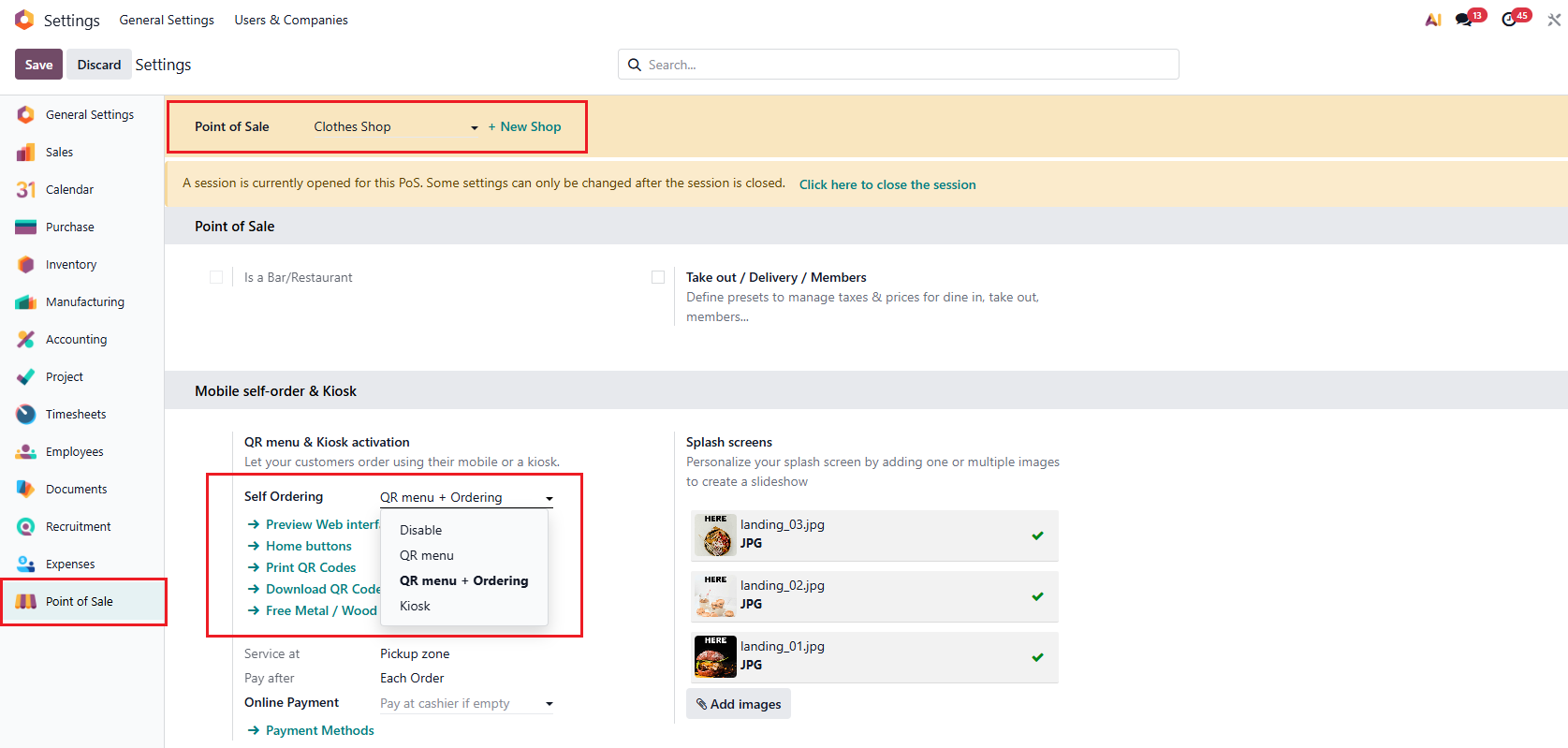
|
|
For example, set up:
|

|
USAGE1. Go to Shop > Select the products > Go to Checkout |

|
|
2. Fill in the note for each product. Notes appear on both Checkout window and POS end.
|


|
| Availability |
Odoo Online
Odoo.sh
On Premise
|
| Odoo Apps Dependencies |
•
Restaurant (pos_restaurant)
• Discuss (mail) • Point of Sale (point_of_sale) • Inventory (stock) • Invoicing (account) |
| Lines of code | 110 |
| Technical Name |
cds_pos_self_order_notes |
| License | OPL-1 |
| Website | https://www.cluedoo.com/shop/lic-clu-set-pos-0024-notes-for-each-product-selected-in-pos-self-order-7195 |
Odoo Proprietary License v1.0

This software and associated files (the "Software") may only be used (executed,
modified, executed after modifications) if you have purchased a valid license
from the authors, typically via Odoo Apps, or if you have received a written
agreement from the authors of the Software (see the COPYRIGHT file).

You may develop Odoo modules that use the Software as a library (typically
by depending on it, importing it and using its resources), but without copying
any source code or material from the Software. You may distribute those
modules under the license of your choice, provided that this license is
compatible with the terms of the Odoo Proprietary License (For example:
LGPL, MIT, or proprietary licenses similar to this one).

It is forbidden to publish, distribute, sublicense, or sell copies of the Software
or modified copies of the Software.

The above copyright notice and this permission notice must be included in all
copies or substantial portions of the Software.

THE SOFTWARE IS PROVIDED "AS IS", WITHOUT WARRANTY OF ANY KIND, EXPRESS OR
IMPLIED, INCLUDING BUT NOT LIMITED TO THE WARRANTIES OF MERCHANTABILITY,
FITNESS FOR A PARTICULAR PURPOSE AND NONINFRINGEMENT.
IN NO EVENT SHALL THE AUTHORS OR COPYRIGHT HOLDERS BE LIABLE FOR ANY CLAIM,
DAMAGES OR OTHER LIABILITY, WHETHER IN AN ACTION OF CONTRACT, TORT OR OTHERWISE,
ARISING FROM, OUT OF OR IN CONNECTION WITH THE SOFTWARE OR THE USE OR OTHER
DEALINGS IN THE SOFTWARE.
Please log in to comment on this module