

Exclusive Reservation
by CLuedoo https://www.cluedoo.com/shop/lic-clu-set-mrp-0065-exclusive-reservation-7141$ 200.19
ODOO'S FUNCTION
In Odoo, while a Manufacturing Order (MO) creates a specific transfer to pick components, the system is generally more flexible (and prone to human error). If workers manually edit consumed quantities, they can accidentally consume components sitting in the pre-production location that were intended for a different MO.
CLUEDOO'S FUNCTION
CLuedoo introduces a strict Dedicated Reservation setting configured directly on the Operation Type
1️⃣ Dedicated Reservation: When a Manufacturing Order (MO) generates a transfer under this dedicated Operation Type, the system automatically locks the components in that transfer exclusively to the origin MO. Other MOs are mathematically blocked from reserving or stealing from this specific move.
2️⃣ Validation Guardrails: If a worker attempts to manually process or change component quantities on the MO before the dedicated warehouse transfer is actually "Done," the system triggers a warning, preventing them from accidentally stealing stock reserved for other orders.
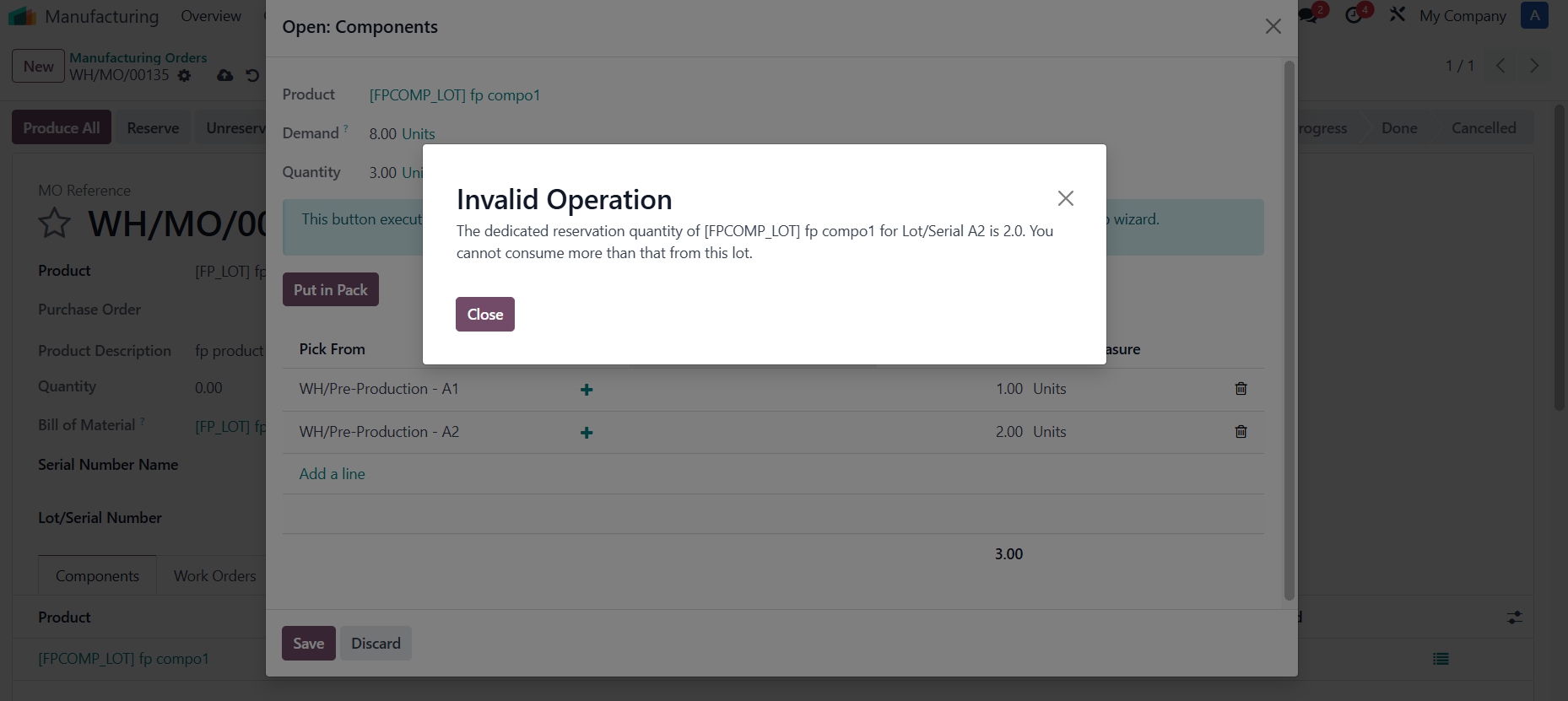
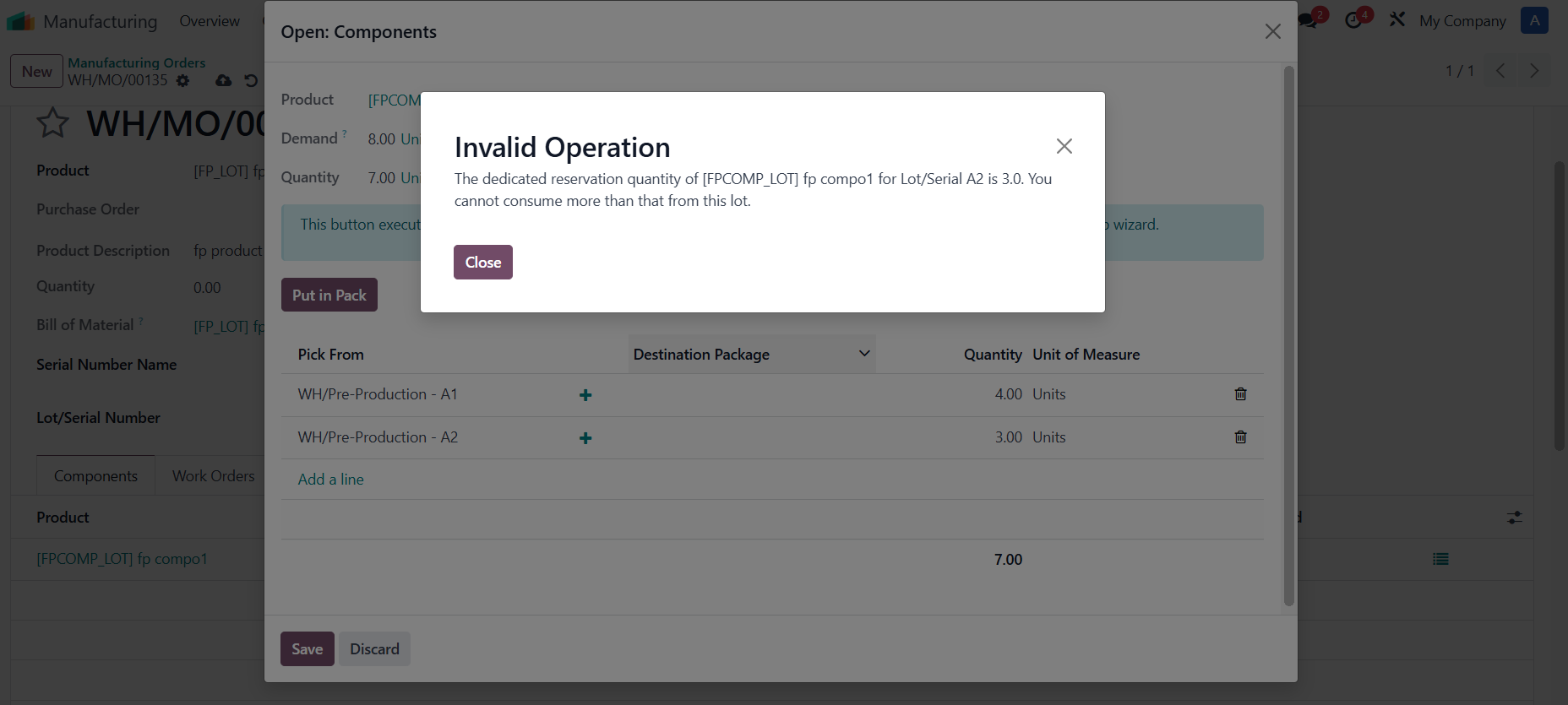
3️⃣ Strict Check by Lot: When consuming tracked ingredients, the system will block you if you try to use a higher quantity from a specific lot than was originally transfered for that manufacturing order. This ensures accurate lot history and stock levels.
|
1. Go to Inventory > Configuration > Warehouse Management > Warehouses
Configure the Manufacture route to 2 or 3 steps |

|
|
2. Choose an Operation Type and check Dedicated Reservation
e.g., Manufacturing
|

|
CASE 1: SCRAP (MOVE OUT)
1. Create a
Manufacturing Order
> Choose a product >
Confirm
|

|
|
2. Go to the pick transfer > Assign lot/SN for the component(s) >
Validate
|

|
|
3. Go back to the MO > Scrap a component with your desired quantity > Scrap Products e.g., Consumed quantity on MOL is 2, but I scrap 1 > Dedicated quantity is 1 only. |

|
|
4. If you try to reserve this component with more than 1 quantity |
|
|
A warning will show up. |
|
CASE 2: RETURN
1. Create a
Manufacturing Order
> Choose a product >
Confirm
|
|
|
2. Go to the pick transfer > Assign lot/SN for the component(s) > Validate |
|
|
3. Return a component with your desired quantity e.g., I validated 2 quantities, I return 1 cp comp 1 > Dedicated reservation is 1 only. Validate the return transfer |
|
|
4. Go back to the MO > Click Reserve |
|
|
Only 1 is consumed on the MOL |
|
|
5. If you try to reserve more than the consumed quantity |
|
|
A warning will show up. |
|
CASE 3: MOVE IN1. Create a Manufacturing Order > Choose a product > Confirm |
|
|
2. In case you have 1 validated transfer and 1 cancelled |
|
|
If you try to reserve more than the consumed quantity |
|
|
A warning will show up. |
|
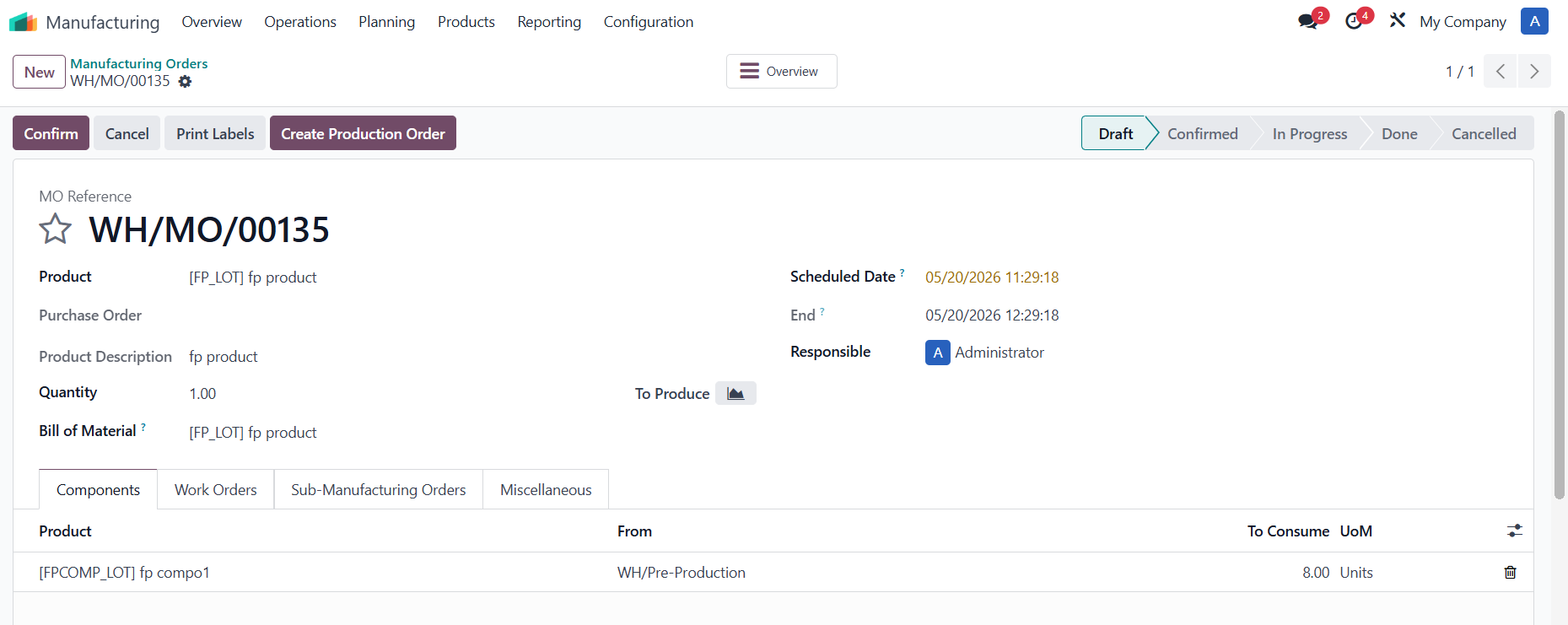
STRICT CHECK BY LOTS
|
|
|
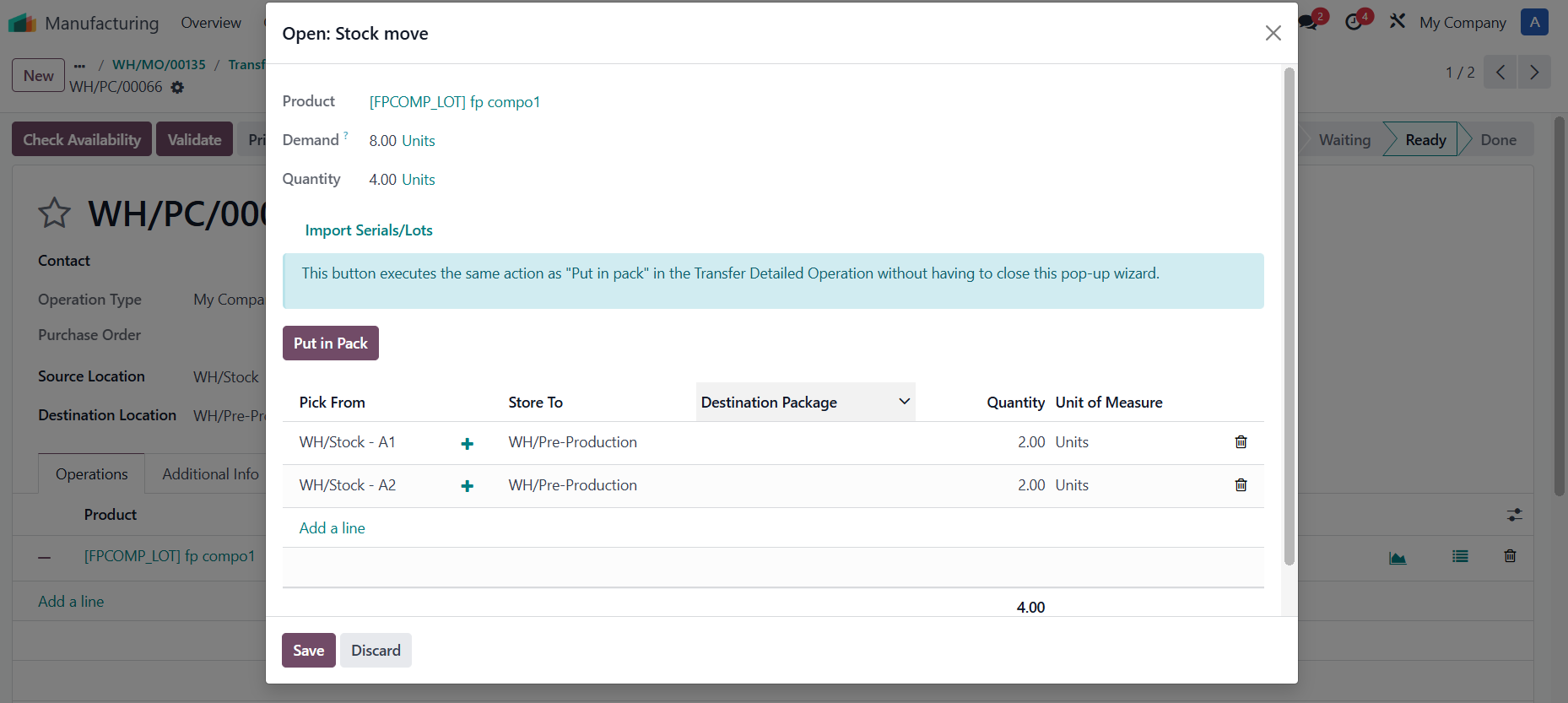
2. Assign L/SN for part of the transfer >
Validate
>
Create Backorder
.
|
|
|
Back to the MO > Reserve Lot A1 = 1, Lot A2 = 3 > A warning will show up for Lot A2. |
|
|
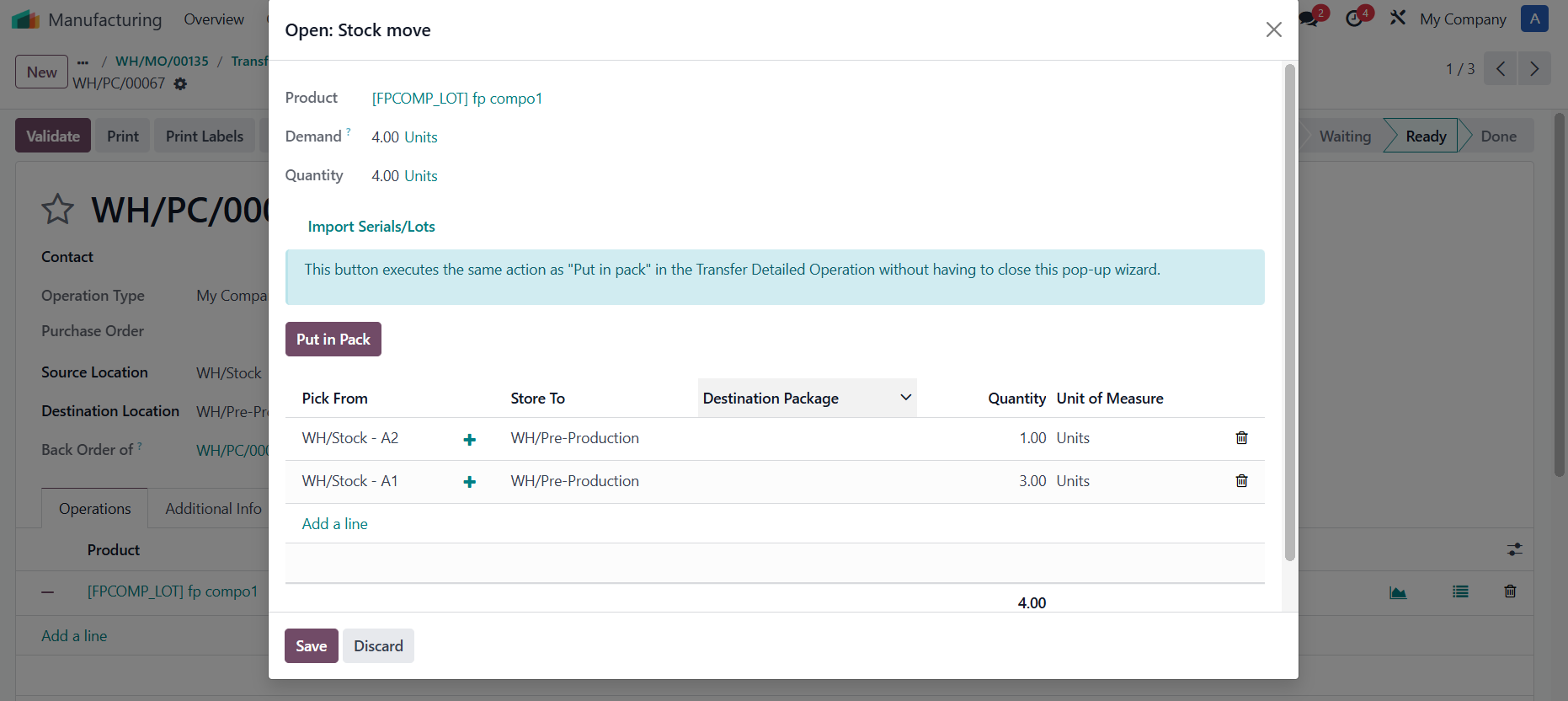
3. Transfer the remaining with lot A1 = 3, A2 = 1 > total 8/8 picking with A1 = 5, A2 = 3. |
|
|
Go back to the MO > Reserve A1 = 4, A2 = 4 > A Warning will show up for Lot A2. |
|


| Availability |
Odoo Online
Odoo.sh
On Premise
|
| Odoo Apps Dependencies |
•
Manufacturing (mrp)
• Inventory (stock) • Discuss (mail) |
| Lines of code | 182 |
| Technical Name |
cds_stock_dedicated_reservation |
| License | OPL-1 |
| Website | https://www.cluedoo.com/shop/lic-clu-set-mrp-0065-exclusive-reservation-7141 |
Odoo Proprietary License v1.0

This software and associated files (the "Software") may only be used (executed,
modified, executed after modifications) if you have purchased a valid license
from the authors, typically via Odoo Apps, or if you have received a written
agreement from the authors of the Software (see the COPYRIGHT file).

You may develop Odoo modules that use the Software as a library (typically
by depending on it, importing it and using its resources), but without copying
any source code or material from the Software. You may distribute those
modules under the license of your choice, provided that this license is
compatible with the terms of the Odoo Proprietary License (For example:
LGPL, MIT, or proprietary licenses similar to this one).

It is forbidden to publish, distribute, sublicense, or sell copies of the Software
or modified copies of the Software.

The above copyright notice and this permission notice must be included in all
copies or substantial portions of the Software.

THE SOFTWARE IS PROVIDED "AS IS", WITHOUT WARRANTY OF ANY KIND, EXPRESS OR
IMPLIED, INCLUDING BUT NOT LIMITED TO THE WARRANTIES OF MERCHANTABILITY,
FITNESS FOR A PARTICULAR PURPOSE AND NONINFRINGEMENT.
IN NO EVENT SHALL THE AUTHORS OR COPYRIGHT HOLDERS BE LIABLE FOR ANY CLAIM,
DAMAGES OR OTHER LIABILITY, WHETHER IN AN ACTION OF CONTRACT, TORT OR OTHERWISE,
ARISING FROM, OUT OF OR IN CONNECTION WITH THE SOFTWARE OR THE USE OR OTHER
DEALINGS IN THE SOFTWARE.
Please log in to comment on this module