

Reconciliation: Operational Matching
by CLuedoo https://www.cluedoo.com/shop/lic-clu-set-acc-0061-reconciliation-operational-matching-6597$ 100.09
ODOO'S FUNCTION
In Odoo, the Bank Reconciliation process mixes both bank reconciliation and accounting reconciliation into the same workflow. When reconciling, Odoo suggests all transactions from accounts with Allow Reconciliation enabled, even if they are not directly linked to bank transactions. This means that non-bank accounts, such as Deferred Revenue, Accounts Receivable, or Payables, can appear in the Bank Reconciliation wizard simply because they involve payment-related entries.
CLUEDOO'S FUNCTION
Cluedoo introduces a new
Operation Reconciliation Only
checkbox in the
Chart of Accounts
, refining Odoo’s reconciliation workflow. When enabled on an account, this setting allows the account to use
Odoo’s reconciliation engine
but
prevents its transactions from appearing in the Bank Reconciliation wizard
. This ensures that only bank-related transactions appear in the Bank Reconciliation process, while accounts like Deferred Revenue, Accounts Receivable, and Payables remain available in
Journal Items
for manual reconciliation without cluttering bank reconciliation workflows. This feature provides better clarity and efficiency in managing financial records, ensuring that users can reconcile bank transactions separately from accounting operations.
CONFIGURATION
|
|
|
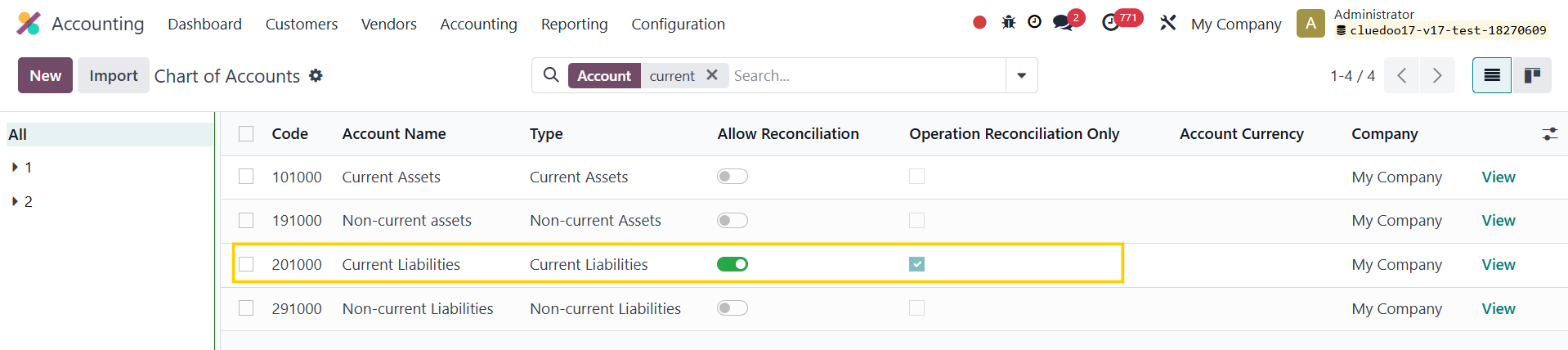
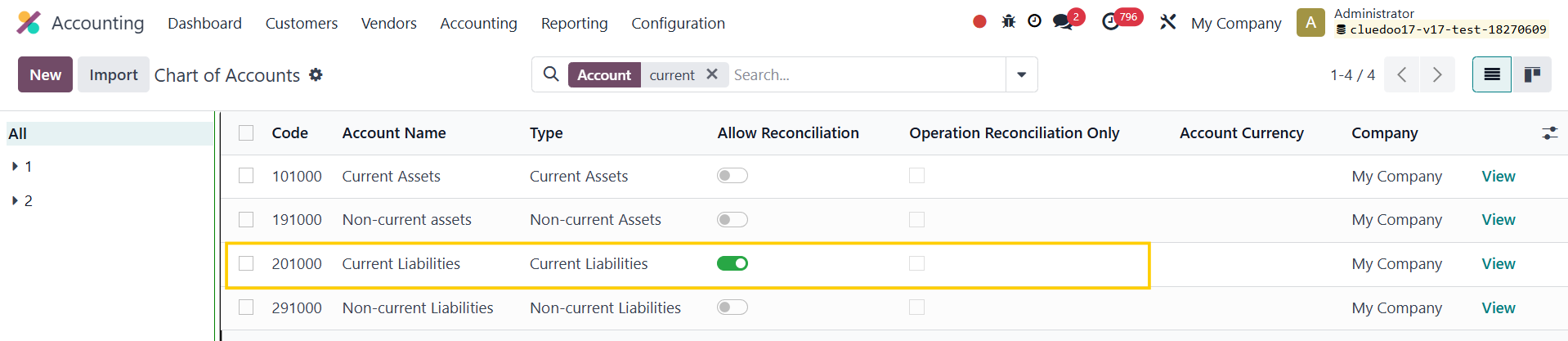
Go to Accounting > Configuration > Chart of Accounts > Choose an account ( e.g. 201000 Current Liabilities ) > Active Allow Reconciliation and tick Operation Reconciliation Only . |
|
USAGE |
|
|
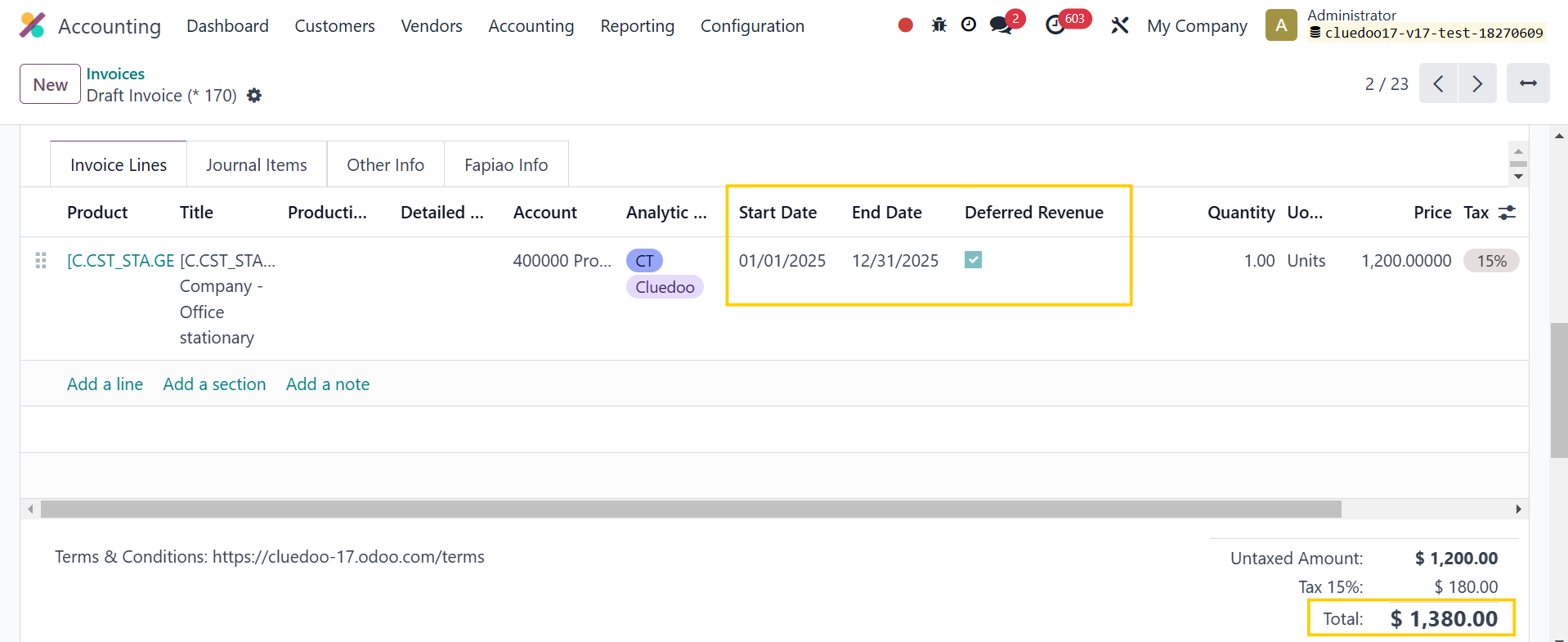
1. Go to Invoices > Create an invoice with deferred entries > Confirm . |
|
|
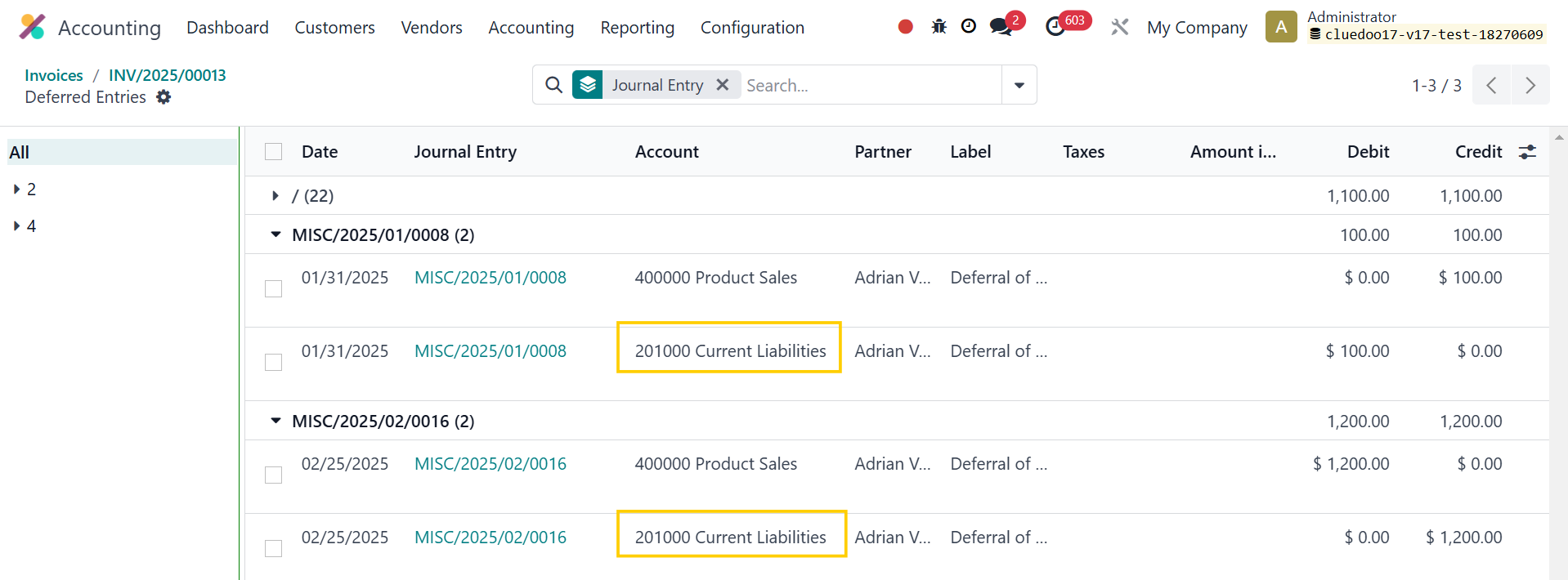
Click Deferred Entries smart button. |
|
|
Deferred Entries will be automatically generated. |
|
|
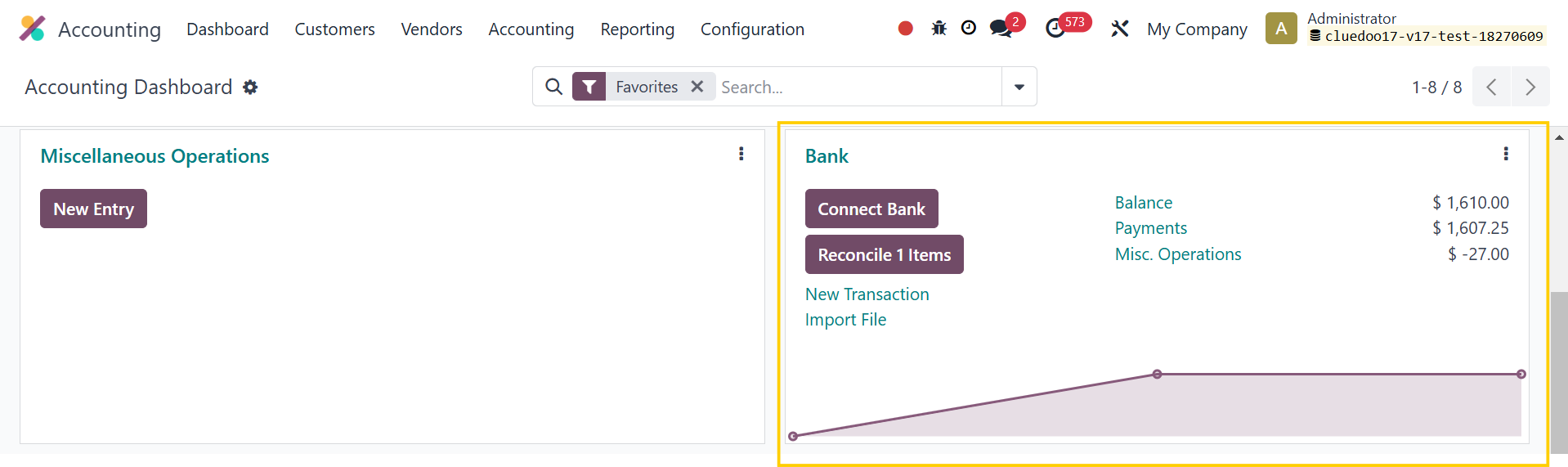
2. Go to Accounting > Dashboard > Bank reconciliation . |
|
|
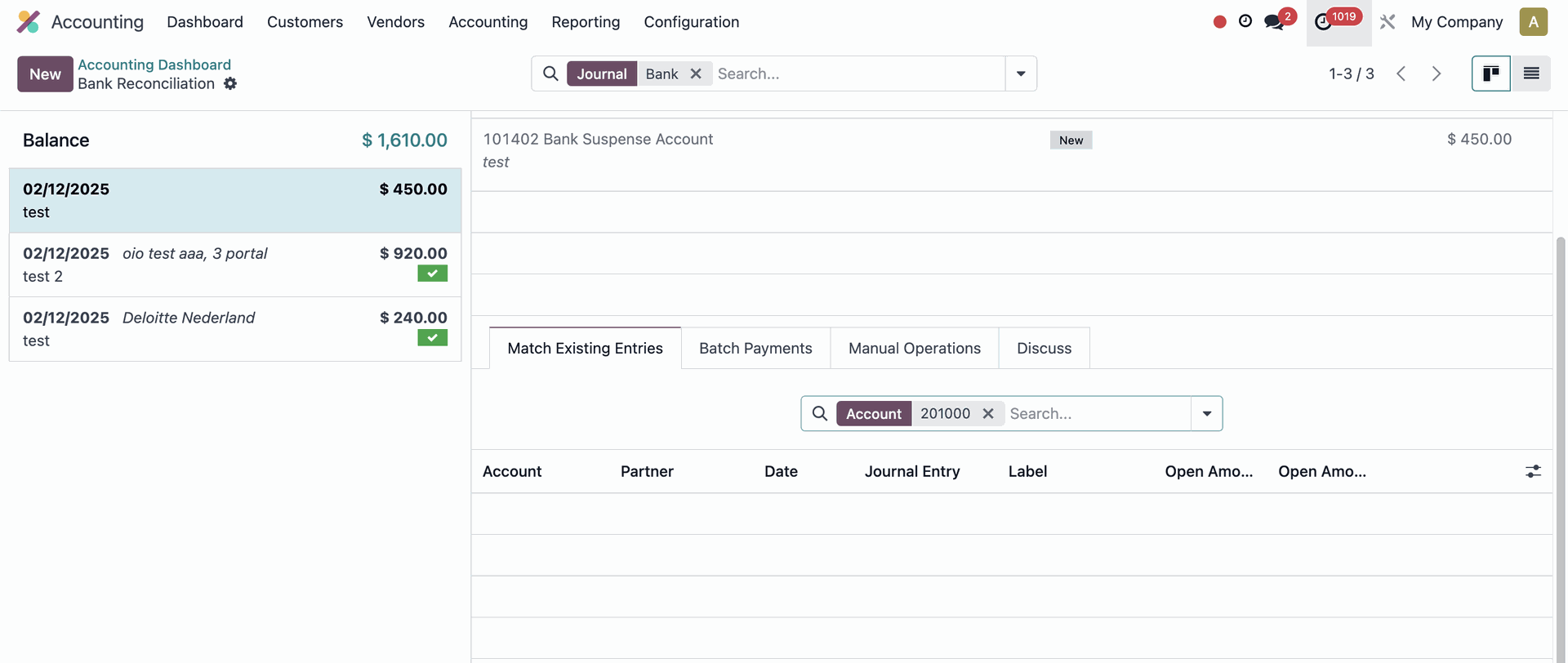
The Journal Items from account 201000 Current Liabilities will not appear in the wizard. |
|
|
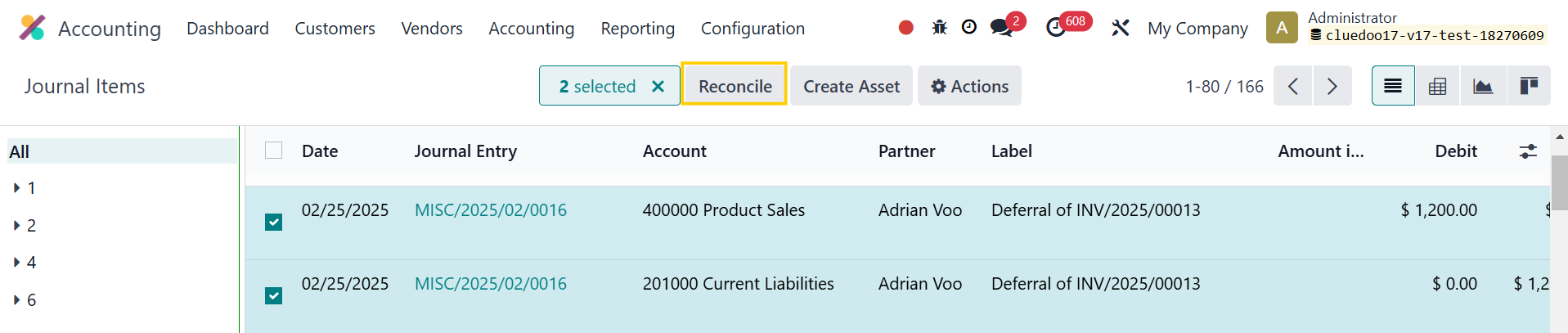
3. You can go to Accounting > Journals > Journal Items to reconcile the transactions. |
|
|
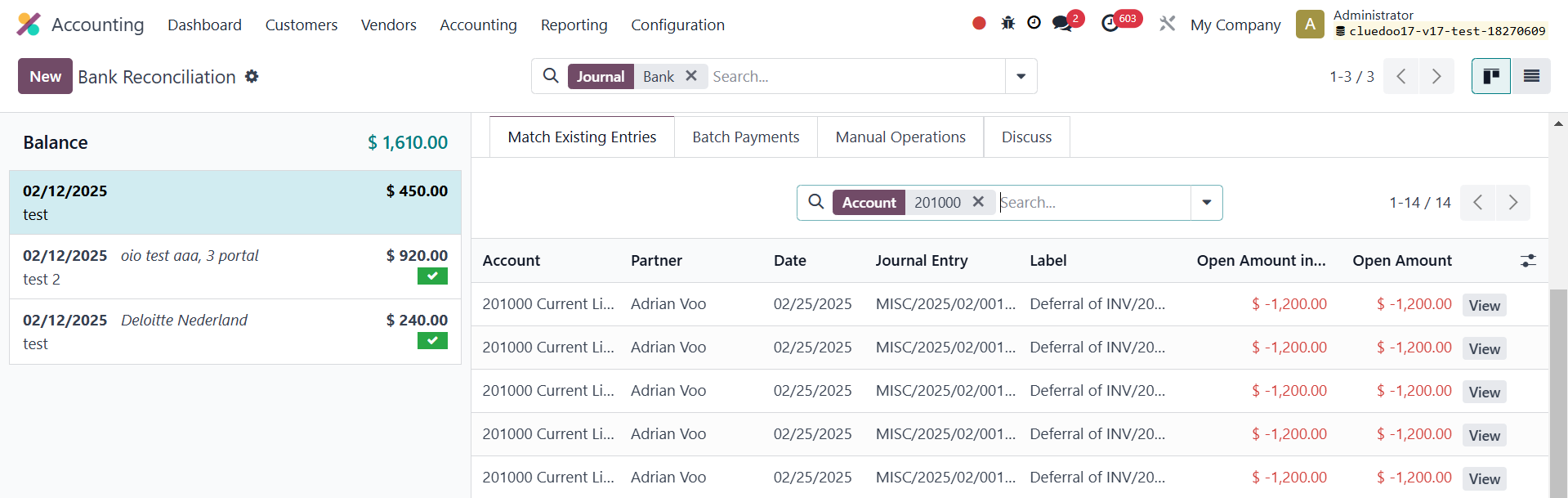
4. If Operation Reconciliation Only is unchecked > It will follow the Odoo standard approach . |
|
|
The transactions involving account 201000 will appear in the Bank Reconciliation wizard . |
|

| Availability |
Odoo Online
Odoo.sh
On Premise
|
| Odoo Apps Dependencies |
•
Invoicing (account)
• Discuss (mail) |
| Lines of code | 80 |
| Technical Name |
fal_account_operation_reconciliation |
| License | OPL-1 |
| Website | https://www.cluedoo.com/shop/lic-clu-set-acc-0061-reconciliation-operational-matching-6597 |
Odoo Proprietary License v1.0

This software and associated files (the "Software") may only be used (executed,
modified, executed after modifications) if you have purchased a valid license
from the authors, typically via Odoo Apps, or if you have received a written
agreement from the authors of the Software (see the COPYRIGHT file).

You may develop Odoo modules that use the Software as a library (typically
by depending on it, importing it and using its resources), but without copying
any source code or material from the Software. You may distribute those
modules under the license of your choice, provided that this license is
compatible with the terms of the Odoo Proprietary License (For example:
LGPL, MIT, or proprietary licenses similar to this one).

It is forbidden to publish, distribute, sublicense, or sell copies of the Software
or modified copies of the Software.

The above copyright notice and this permission notice must be included in all
copies or substantial portions of the Software.

THE SOFTWARE IS PROVIDED "AS IS", WITHOUT WARRANTY OF ANY KIND, EXPRESS OR
IMPLIED, INCLUDING BUT NOT LIMITED TO THE WARRANTIES OF MERCHANTABILITY,
FITNESS FOR A PARTICULAR PURPOSE AND NONINFRINGEMENT.
IN NO EVENT SHALL THE AUTHORS OR COPYRIGHT HOLDERS BE LIABLE FOR ANY CLAIM,
DAMAGES OR OTHER LIABILITY, WHETHER IN AN ACTION OF CONTRACT, TORT OR OTHERWISE,
ARISING FROM, OUT OF OR IN CONNECTION WITH THE SOFTWARE OR THE USE OR OTHER
DEALINGS IN THE SOFTWARE.
Please log in to comment on this module