

MPS: Routes selection to drive Indirect Demand
by CLuedoo https://www.cluedoo.com/shop/lic-clu-set-pur-0013-mps-routes-selection-to-drive-indirect-demand-6203$ 100.09
| Availability |
Odoo Online
Odoo.sh
On Premise
|
| Odoo Apps Dependencies |
•
Manufacturing (mrp)
• Inventory (stock) • Discuss (mail) • Purchase (purchase) • Invoicing (account) |
| Lines of code | 560 |
| Technical Name |
fal_mps_indirect_demand_reorder |
| License | OPL-1 |
| Website | https://www.cluedoo.com/shop/lic-clu-set-pur-0013-mps-routes-selection-to-drive-indirect-demand-6203 |
ODOO'S STANDARD
Odoo's Master Production Schedule (MPS) helps you manage your materials and keeps your production going smoothly. In multi-warehouse production setups, materials are often purchased from warehouse A but utilized in warehouse B. Although Odoo initially registers demand at warehouse A (as the purchasing entity), the actual demand originates from warehouse B.CLUEDOO'S FUNCTION
The Cluedoo MPS enhancement module introduces advanced planning and sorting capabilities to streamline manufacturing processes:
-
Allows users to select a specific supply route when adding a product to the MPS, enabling precise control over sourcing (e.g., from different warehouses).
-
Supports products with multiple routes, creating separate MPS entries for each route and warehouse combination.
-
Provides configurable sorting options under Settings > Manufacturing , allowing users to sort MPS data by Product Category , Warehouse , or Internal Reference .
-
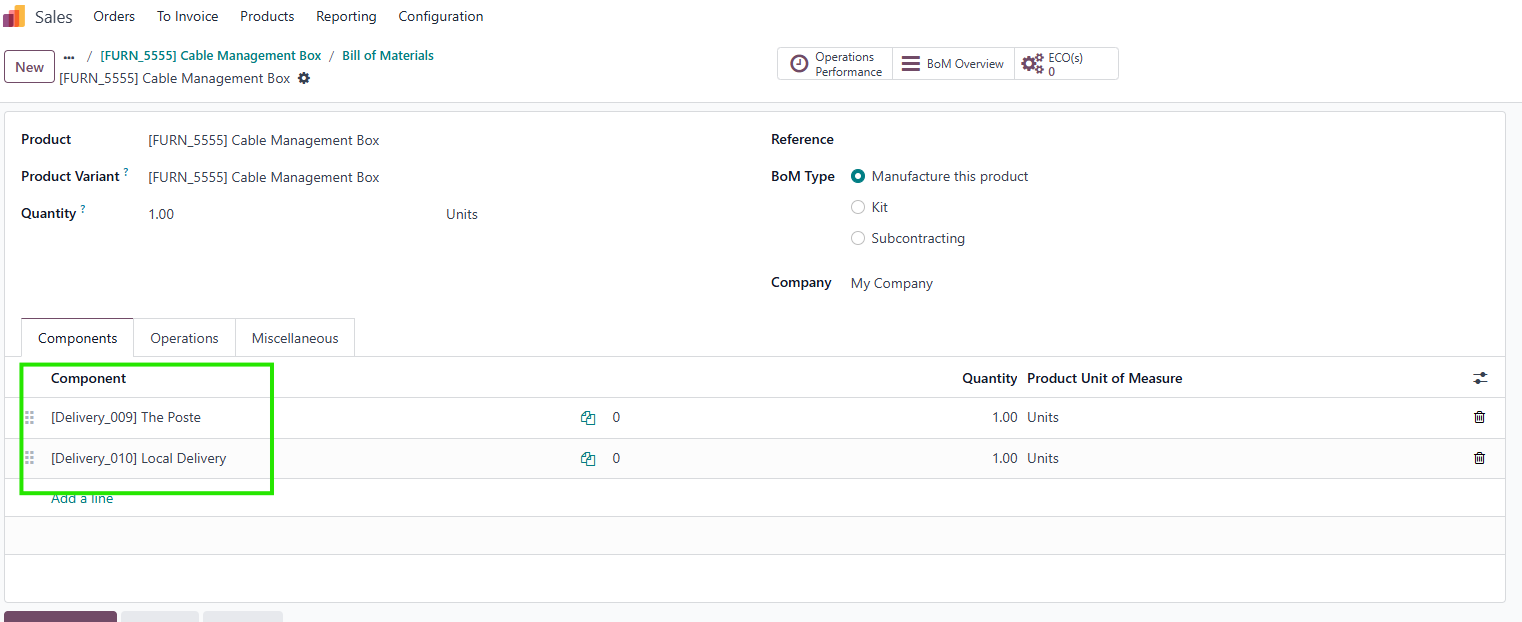
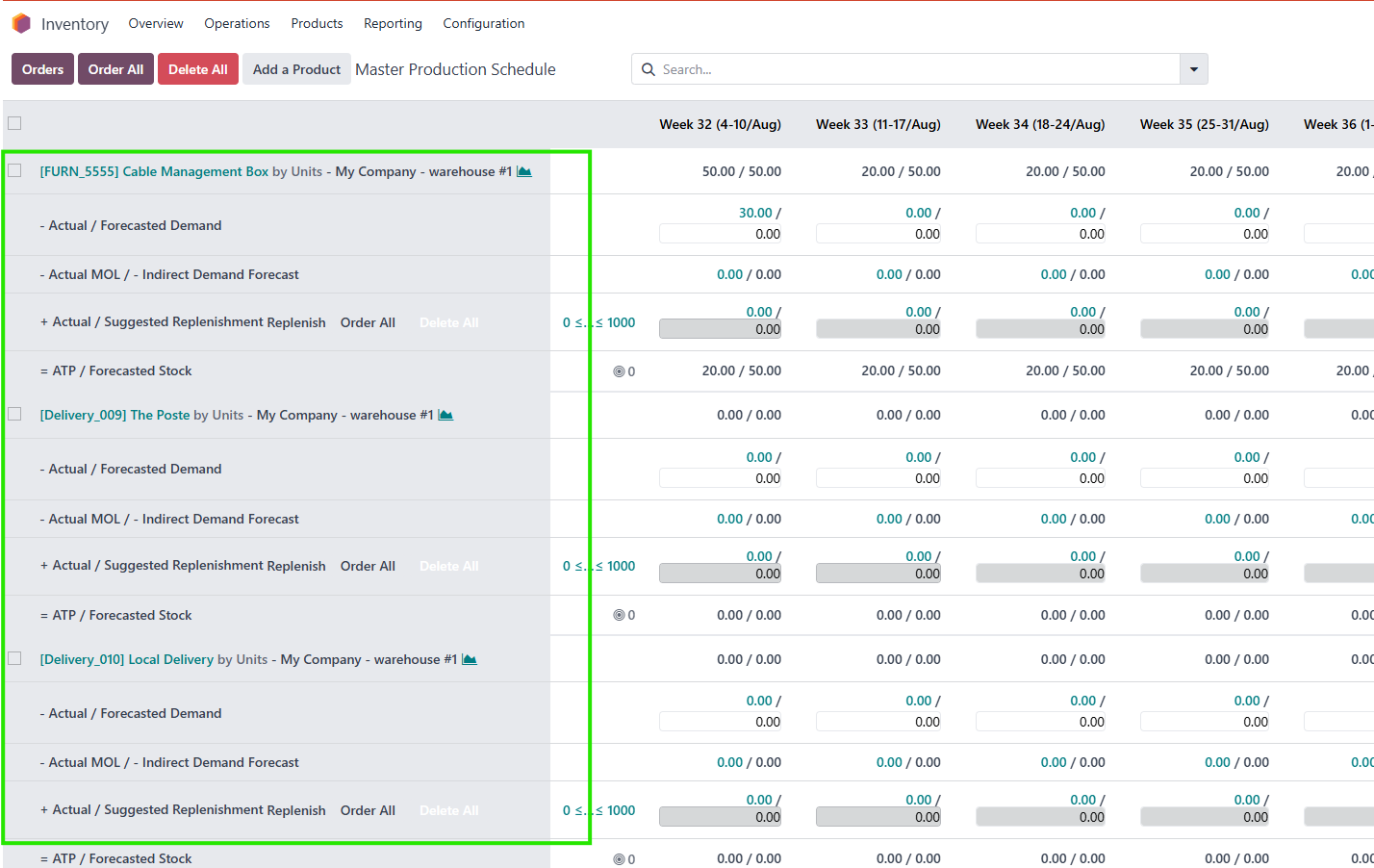
Enables sorting by production hierarchy in the MPS view, ordering entries as Finished Product > Sub-Material > Base Material based on the product’s BOM when a product and its BOM are added.
|
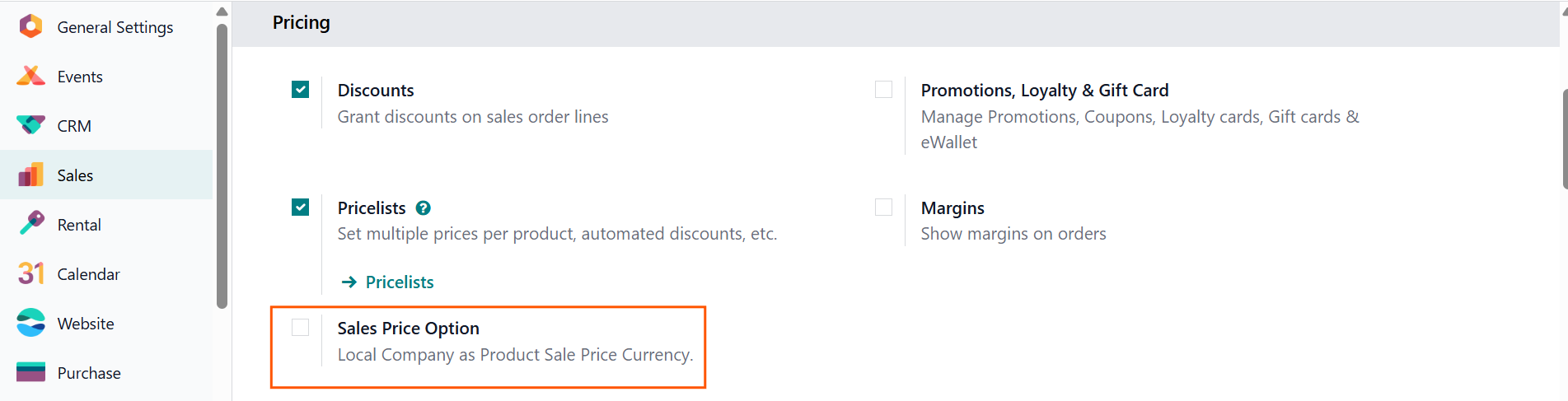
1.
In the
Sales Settings
, CLuedoo allows you to configure the
User Company Currency
as the
default Product Sales Price Currency
by ticking the
Sales Price Option
checkbox.
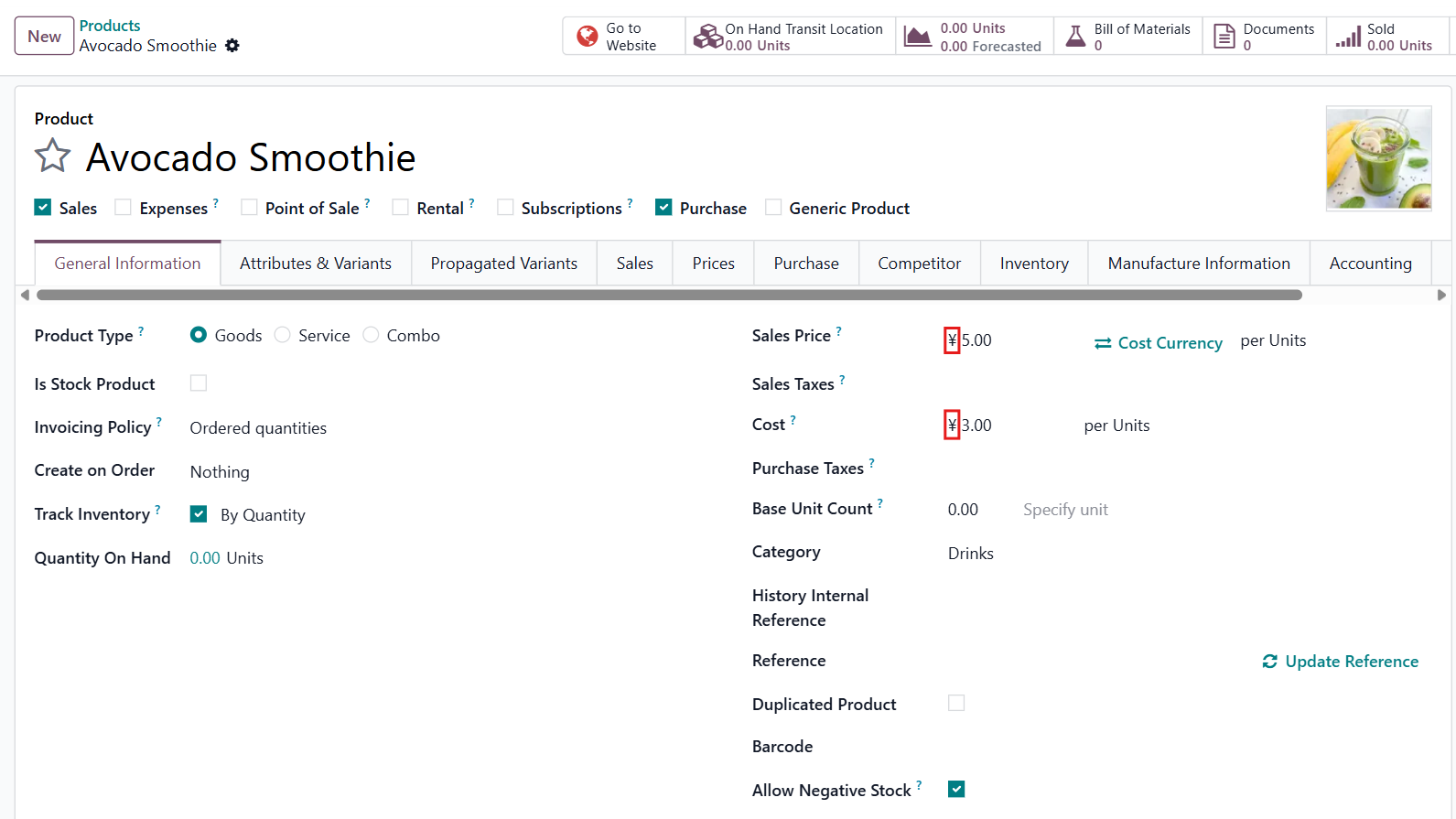
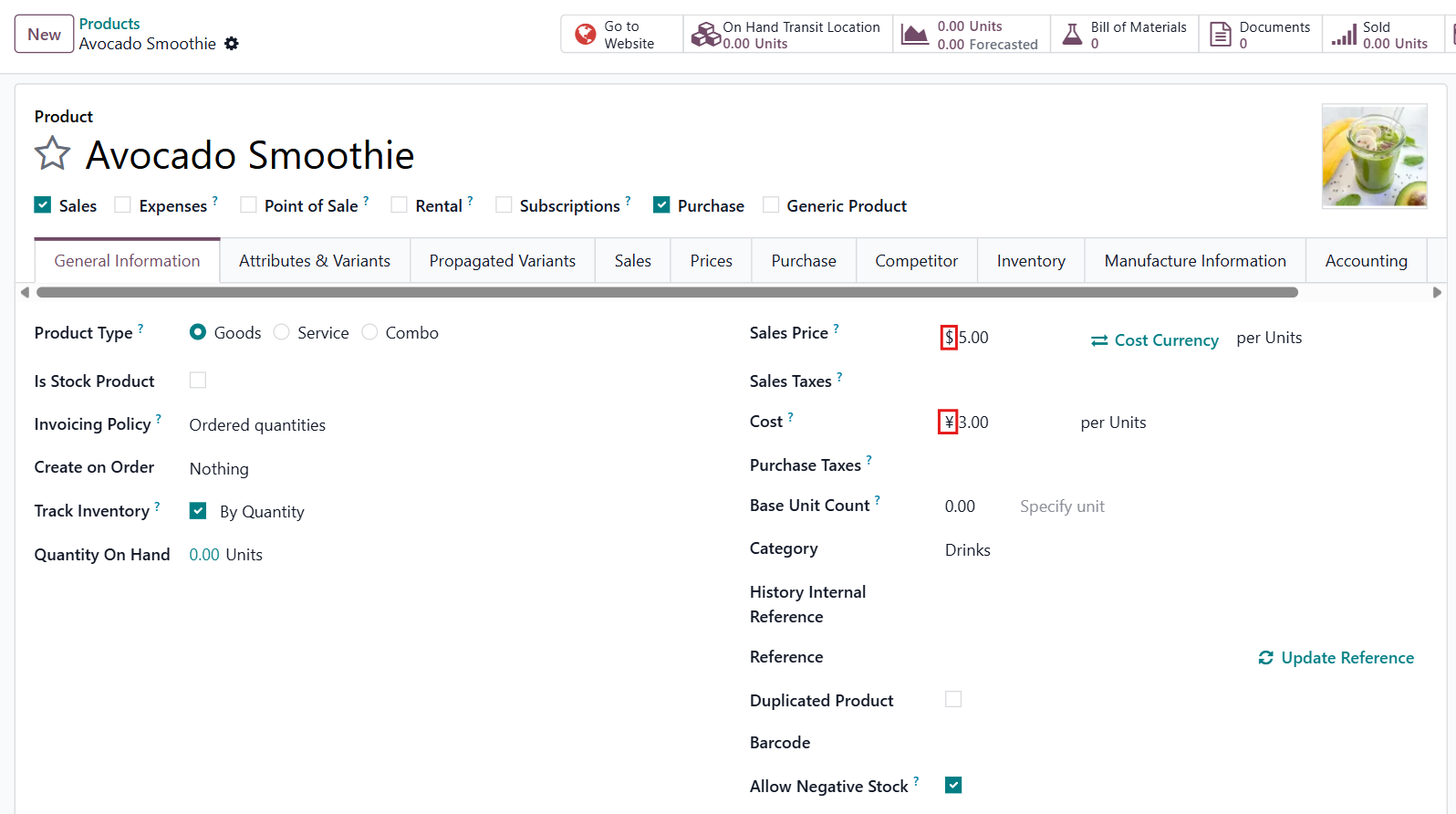
If the checkbox is not ticked , you can switch between the Company Currency and the Cost Currency (if they are different). |
|
|
For example, the Company Currency is ¥
|
|
|
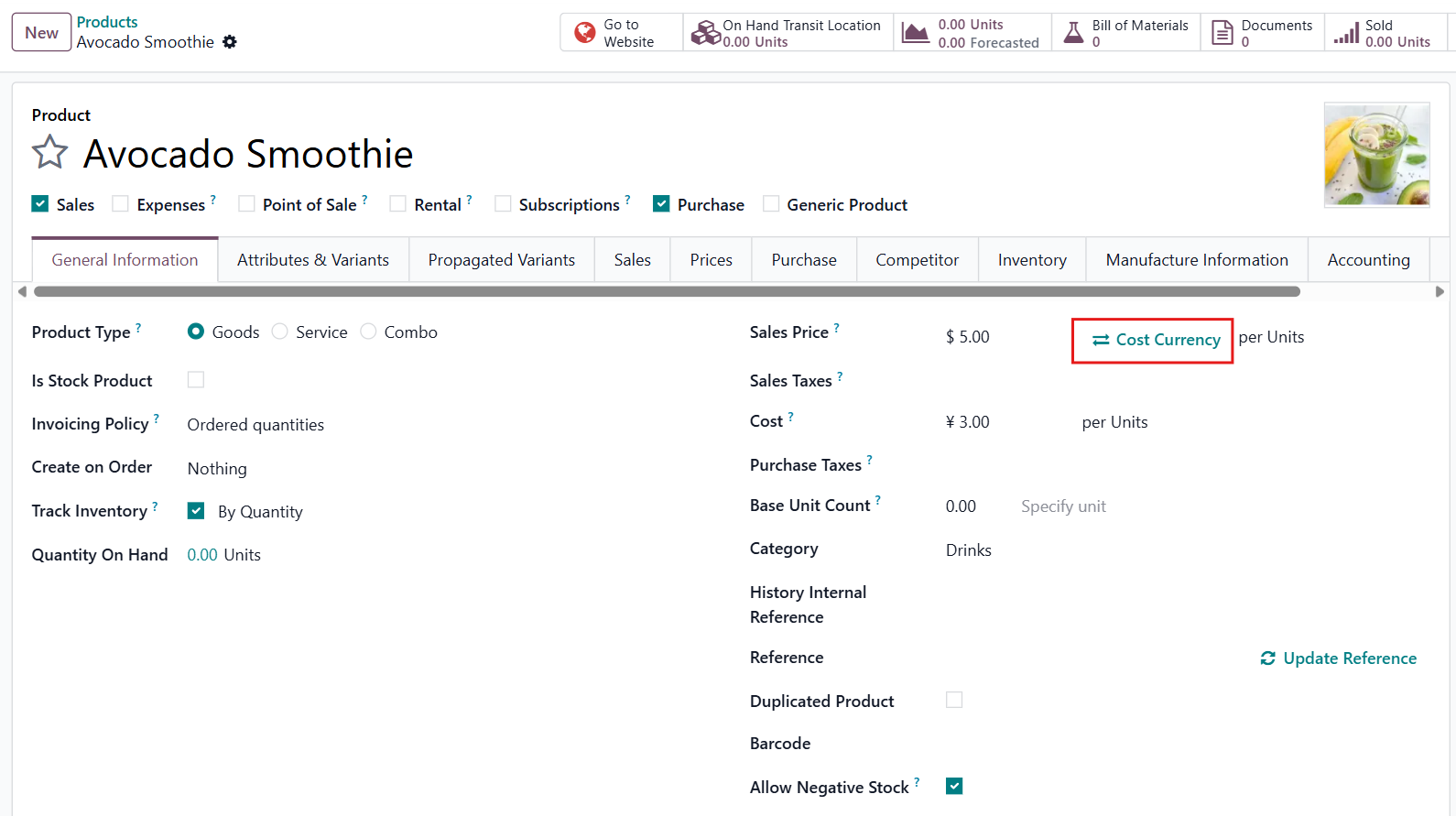
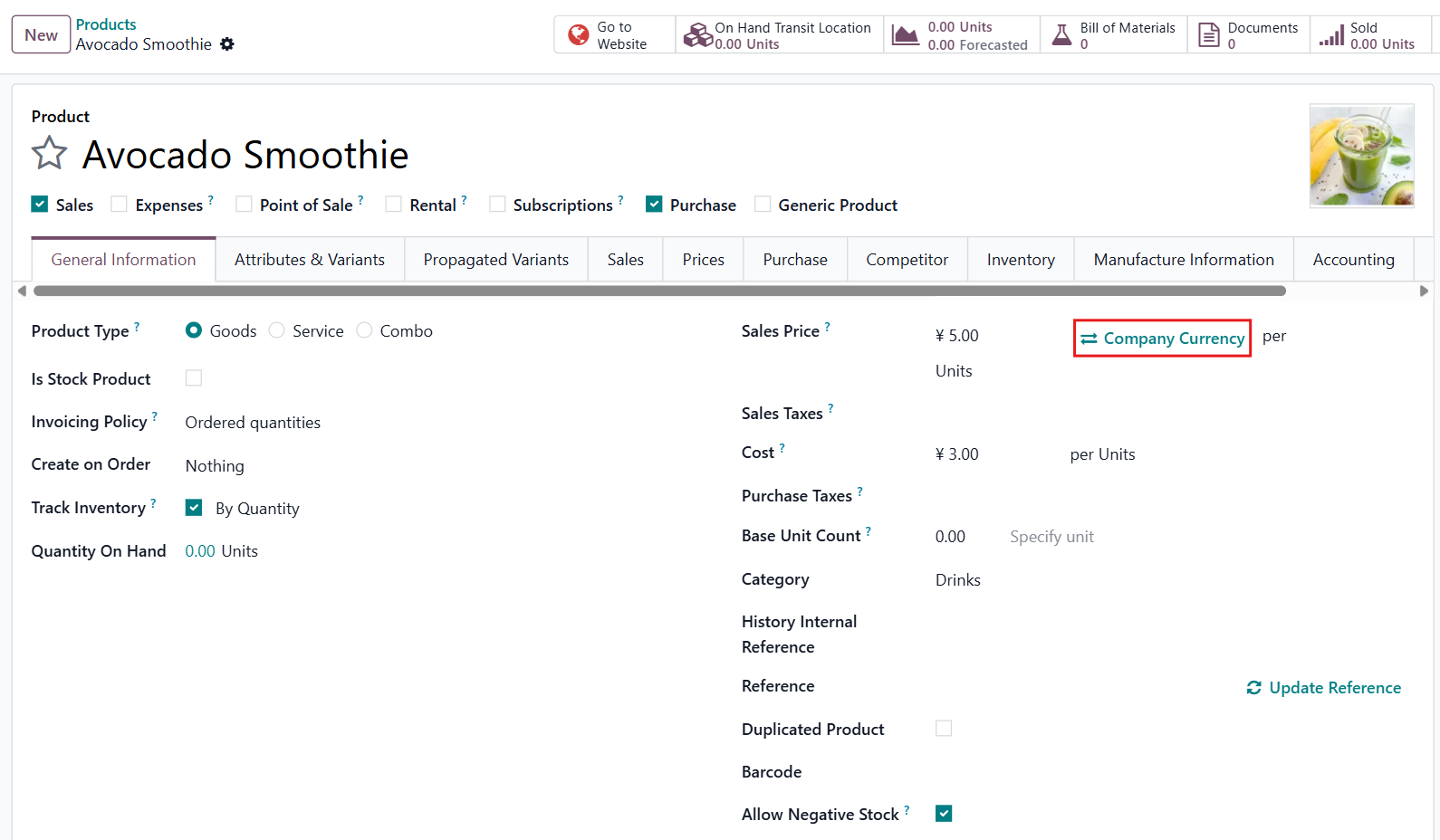
2. This CLuedoo module also provides an option to change Sales Price Currency to Cost Currency if they are different.
|
|
|
3.
Additionally, you can set and view
different sales price values
and
currencies
per company.
|


|
STORY BEHIND THE FEATURES
ODOO'S FUNCTIONS
CLUEDOO'S FUNCTIONS
The Cluedoo MPS enhancement module introduces advanced planning and sorting capabilities to streamline manufacturing processes:
-
Allows users to select a specific supply route when adding a product to the MPS, enabling precise control over sourcing (e.g., from different warehouses).
-
Supports products with multiple routes, creating separate MPS entries for each route and warehouse combination.
-
Provides configurable sorting options under Settings > Manufacturing , allowing users to sort MPS data by Product Category , Warehouse , or Internal Reference .
-
Enables sorting by production hierarchy in the MPS view, ordering entries as Finished Product > Sub-Material > Base Material based on the product’s BOM when a product and its BOM are added.
MODULE +
CLUEDOO RECOMMENDATIONS
This module should be installed if you have a multi-warehouse production system.
HOW TO USE THIS MODULE
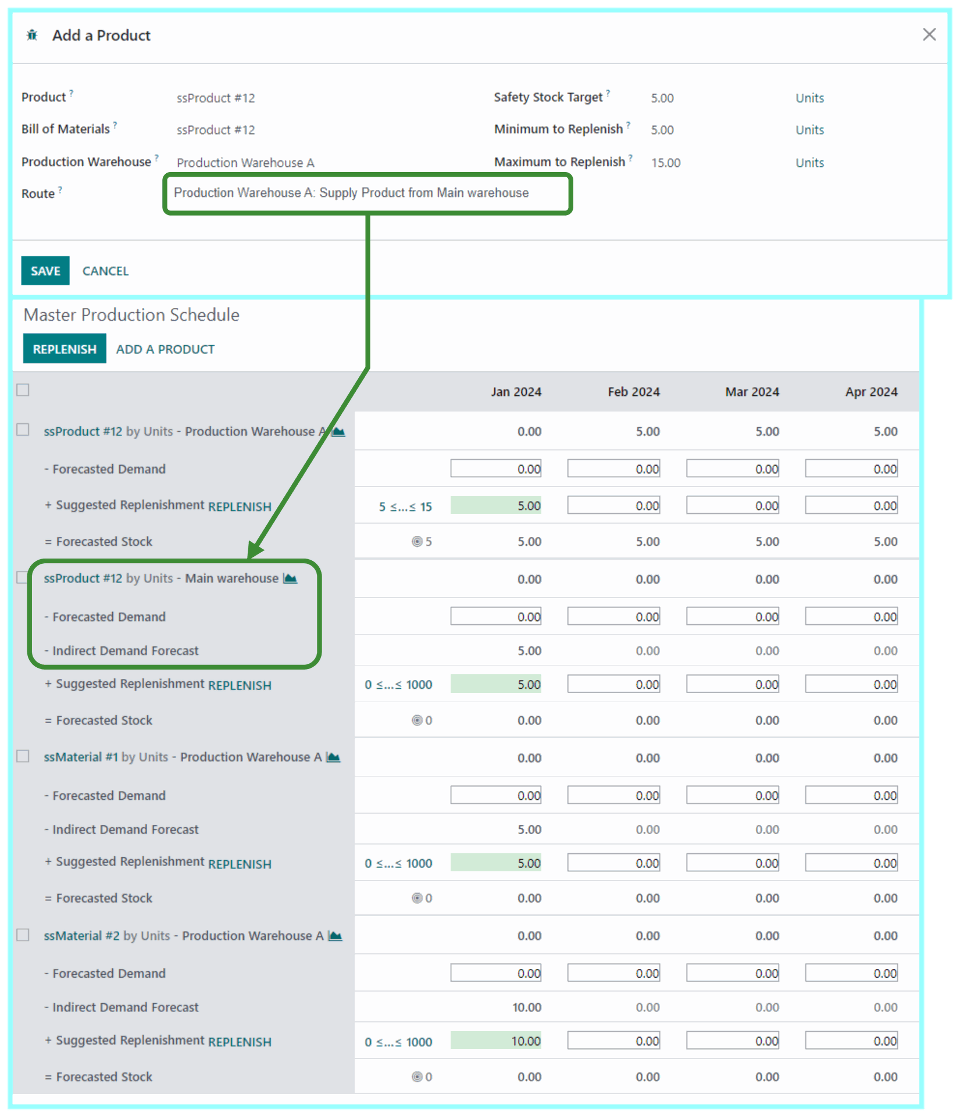
1.Selecting route when adding a productAdd a new product to the MPS and choose its route. The MPS will now add and display the "Indirect Demand Forecast" for the first warehouse. |
|
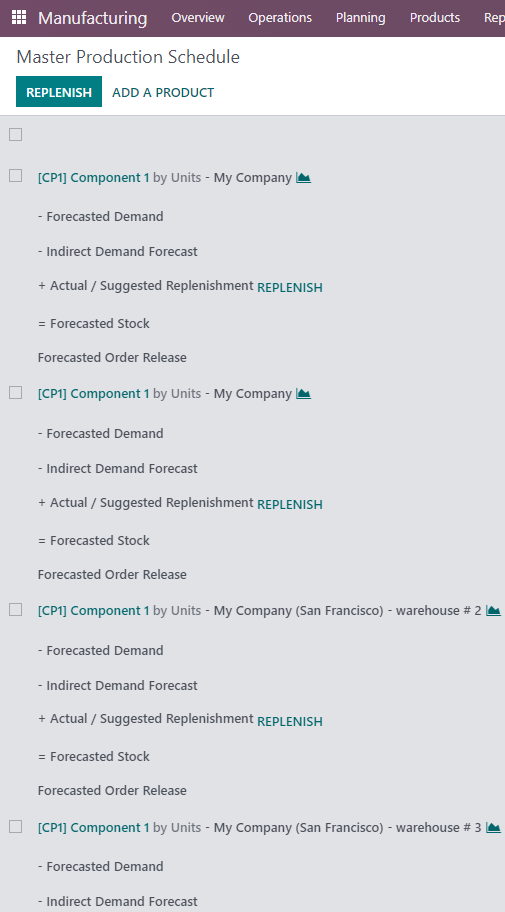
2. Product with multiple routes
If I add product Cable Management Box (warehouse 1) with Route 1 (supply from W2) and warehouse 3 with Route 3 (supply from W4) --> in MPS I have:
|


|
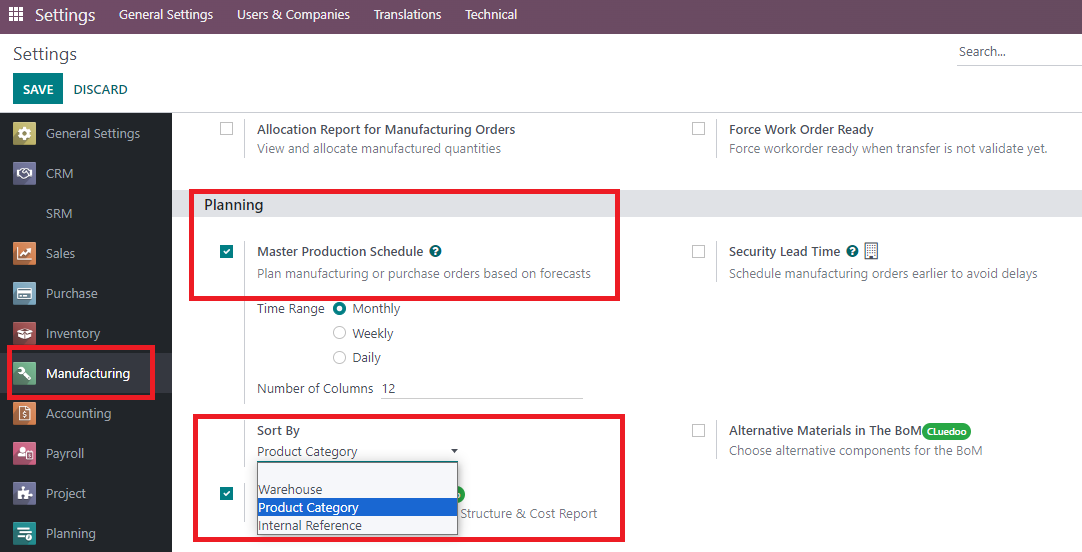
3. Sort by product category, warehouse and internal reference
|
|
4. Sort by finished product and material
|
|
| Availability |
Odoo Online
Odoo.sh
On Premise
|
| Odoo Apps Dependencies |
•
Manufacturing (mrp)
• Inventory (stock) • Discuss (mail) • Purchase (purchase) • Invoicing (account) |
| Lines of code | 560 |
| Technical Name |
fal_mps_indirect_demand_reorder |
| License | OPL-1 |
| Website | https://www.cluedoo.com/shop/lic-clu-set-pur-0013-mps-routes-selection-to-drive-indirect-demand-6203 |
Odoo Proprietary License v1.0

This software and associated files (the "Software") may only be used (executed,
modified, executed after modifications) if you have purchased a valid license
from the authors, typically via Odoo Apps, or if you have received a written
agreement from the authors of the Software (see the COPYRIGHT file).

You may develop Odoo modules that use the Software as a library (typically
by depending on it, importing it and using its resources), but without copying
any source code or material from the Software. You may distribute those
modules under the license of your choice, provided that this license is
compatible with the terms of the Odoo Proprietary License (For example:
LGPL, MIT, or proprietary licenses similar to this one).

It is forbidden to publish, distribute, sublicense, or sell copies of the Software
or modified copies of the Software.

The above copyright notice and this permission notice must be included in all
copies or substantial portions of the Software.

THE SOFTWARE IS PROVIDED "AS IS", WITHOUT WARRANTY OF ANY KIND, EXPRESS OR
IMPLIED, INCLUDING BUT NOT LIMITED TO THE WARRANTIES OF MERCHANTABILITY,
FITNESS FOR A PARTICULAR PURPOSE AND NONINFRINGEMENT.
IN NO EVENT SHALL THE AUTHORS OR COPYRIGHT HOLDERS BE LIABLE FOR ANY CLAIM,
DAMAGES OR OTHER LIABILITY, WHETHER IN AN ACTION OF CONTRACT, TORT OR OTHERWISE,
ARISING FROM, OUT OF OR IN CONNECTION WITH THE SOFTWARE OR THE USE OR OTHER
DEALINGS IN THE SOFTWARE.
Please log in to comment on this module