

Product Template Quicksearch
by CLuedoo https://www.cluedoo.com/shop/lic-clu-set-ppm-0020-product-template-quicksearch-5903$ 350.27
ODOO'S FUNCTION
Odoo provides purchase app with multiple advance pricelist management. On the otherhand, Odoo doesn't explicitly show which products are managed by which pricelist.
CLUEDOO'S FUNCTION
CLuedoo adds the domain on the pricelist so that we can choose in the Purchase Orders only the products that are managed by the chosen pricelist. So we have a quick way to search and ensure that the product price is predefined efficiently.
CONFIGURATION
|
|
|
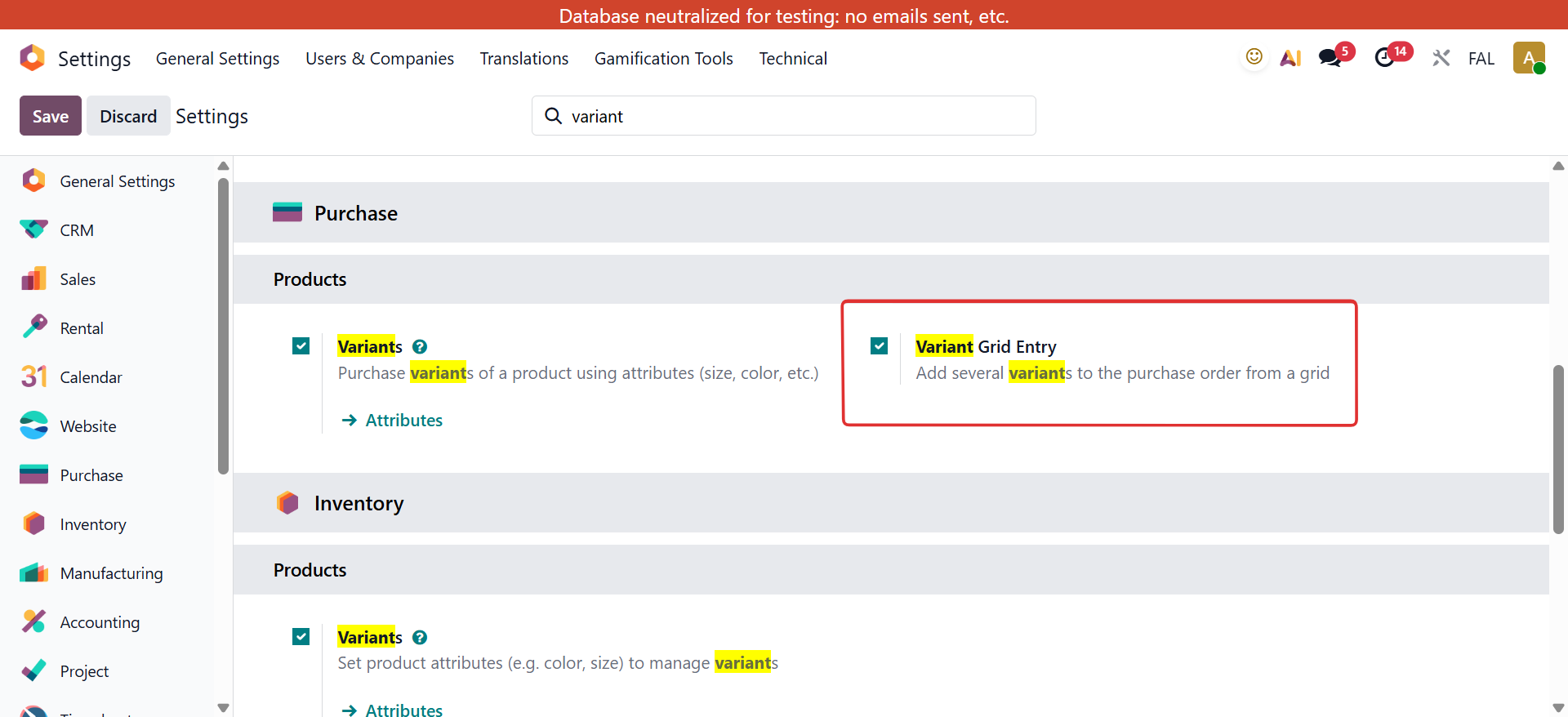
1. Go to Settings > Action Variant Grid Entry button. |
|
|
2. Go to Purchase > Configuration > Vendor Pricelists > Products are determined on each Vendor Pricelist. |
|
USAGE |
|
|
1. Create a
Purchase Order >
Select a Vendor.
|

|
|
2. Go to
Products >
Choose a Product and the system will only show the products that are determined on vendor pricelist.
Note that with generic product, it will always show no matter the vendor. |

|
|
The product's name and unit price will appear as determined.
|

|

ODOO'S FUNCTION
Odoo provides purchase app with multiple advance pricelist management. On the otherhand, Odoo doesn't explicitly show which products are managed by which pricelist.
CLUEDOO'S FUNCTION
CLuedoo adds the domain on the pricelist so that we can choose in the Purchase Orders only the products that are managed by the chosen pricelist. So we have a quick way to search and ensure that the product price is predefined efficiently
|
When we create a purchase order, and select a product on order line, it will only show the products that are determined on vendor pricelist. Note that with generic product , it will always show no matter the vendor |


|
|
Note: This module handles the product filter based on selected vendor When Variant Grid Entry is checked
If add variants on Grid Pop-up which is not included in vendor pricelist > There will be a validation error pop-up appearing and Can't save
|

|
| Availability |
Odoo Online
Odoo.sh
On Premise
|
| Odoo Apps Dependencies |
•
Purchase (purchase)
• Inventory (stock) • Sales (sale_management) • Invoicing (account) • Discuss (mail) |
| Community Apps Dependencies | Show |
| Lines of code | 207 |
| Technical Name |
fal_product_template_quicksearch |
| License | OPL-1 |
| Website | https://www.cluedoo.com/shop/lic-clu-set-ppm-0020-product-template-quicksearch-5903 |
Odoo Proprietary License v1.0

This software and associated files (the "Software") may only be used (executed,
modified, executed after modifications) if you have purchased a valid license
from the authors, typically via Odoo Apps, or if you have received a written
agreement from the authors of the Software (see the COPYRIGHT file).

You may develop Odoo modules that use the Software as a library (typically
by depending on it, importing it and using its resources), but without copying
any source code or material from the Software. You may distribute those
modules under the license of your choice, provided that this license is
compatible with the terms of the Odoo Proprietary License (For example:
LGPL, MIT, or proprietary licenses similar to this one).

It is forbidden to publish, distribute, sublicense, or sell copies of the Software
or modified copies of the Software.

The above copyright notice and this permission notice must be included in all
copies or substantial portions of the Software.

THE SOFTWARE IS PROVIDED "AS IS", WITHOUT WARRANTY OF ANY KIND, EXPRESS OR
IMPLIED, INCLUDING BUT NOT LIMITED TO THE WARRANTIES OF MERCHANTABILITY,
FITNESS FOR A PARTICULAR PURPOSE AND NONINFRINGEMENT.
IN NO EVENT SHALL THE AUTHORS OR COPYRIGHT HOLDERS BE LIABLE FOR ANY CLAIM,
DAMAGES OR OTHER LIABILITY, WHETHER IN AN ACTION OF CONTRACT, TORT OR OTHERWISE,
ARISING FROM, OUT OF OR IN CONNECTION WITH THE SOFTWARE OR THE USE OR OTHER
DEALINGS IN THE SOFTWARE.
Please log in to comment on this module