

Partner Configuration Set: Default Report by Partner
by CLuedoo https://www.cluedoo.com/shop/lic-clu-set-pnc-0007-partner-configuration-set-default-report-by-partner-5320$ 250.20
ODOO'S STANDARD
In Odoo's standard functionality, there is no option to set a default report per partner . When printing a document, such as a Quotation/Order, Odoo always generates the same default report template for all customers. Users must manually select an alternative report if needed. This limitation means that even if a specific customer requires a different default format, users must manually switch reports every time, leading to inefficiency and potential errors.
CLUEDOO'S FUNCTION
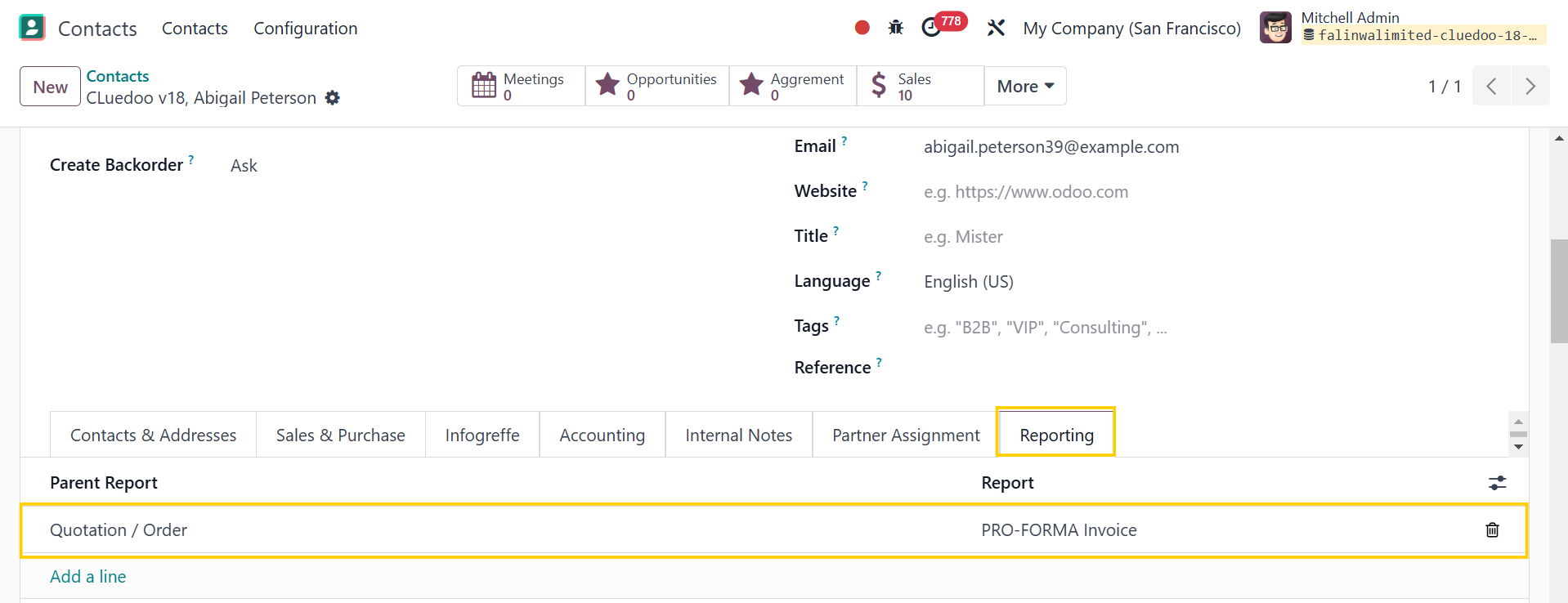
Cluedoo introduces a default report per partner feature, allowing users to configure a specific report for each partner. When printing a document, Odoo automatically selects the assigned default report for the respective partner instead of the standard report. This feature ensures consistency in document formatting, reduces manual selection errors, and streamlines reporting processes tailored to each partner’s requirements.
|
|
|
Note:
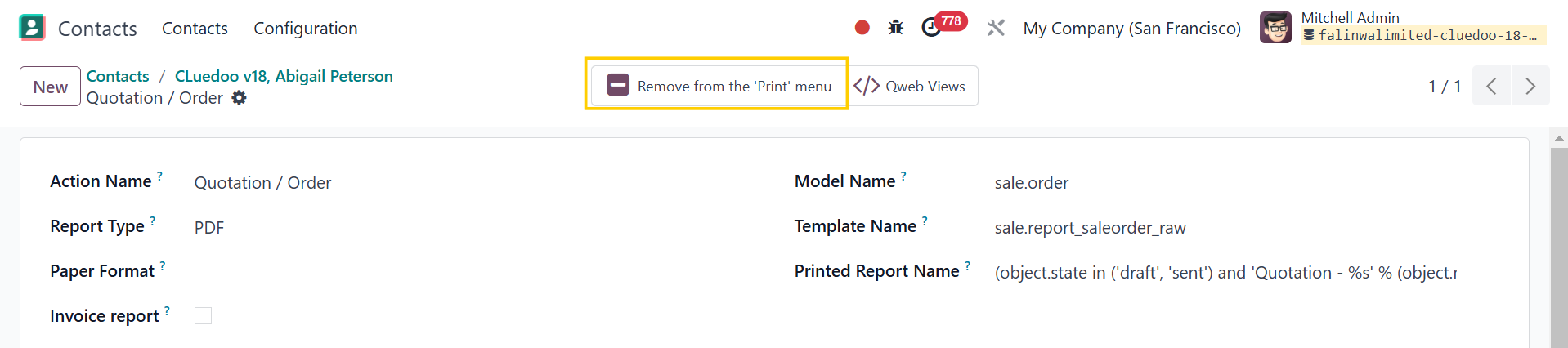
Make sure the report is already added to the "Print" menu or you will not see it when you want to print
|
|
|
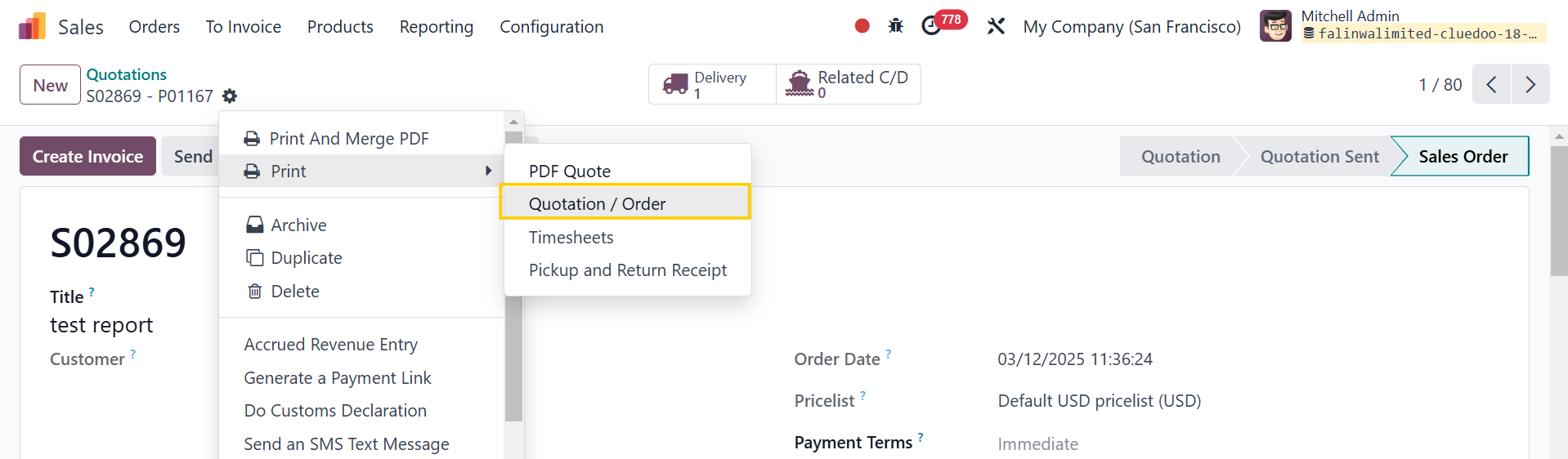
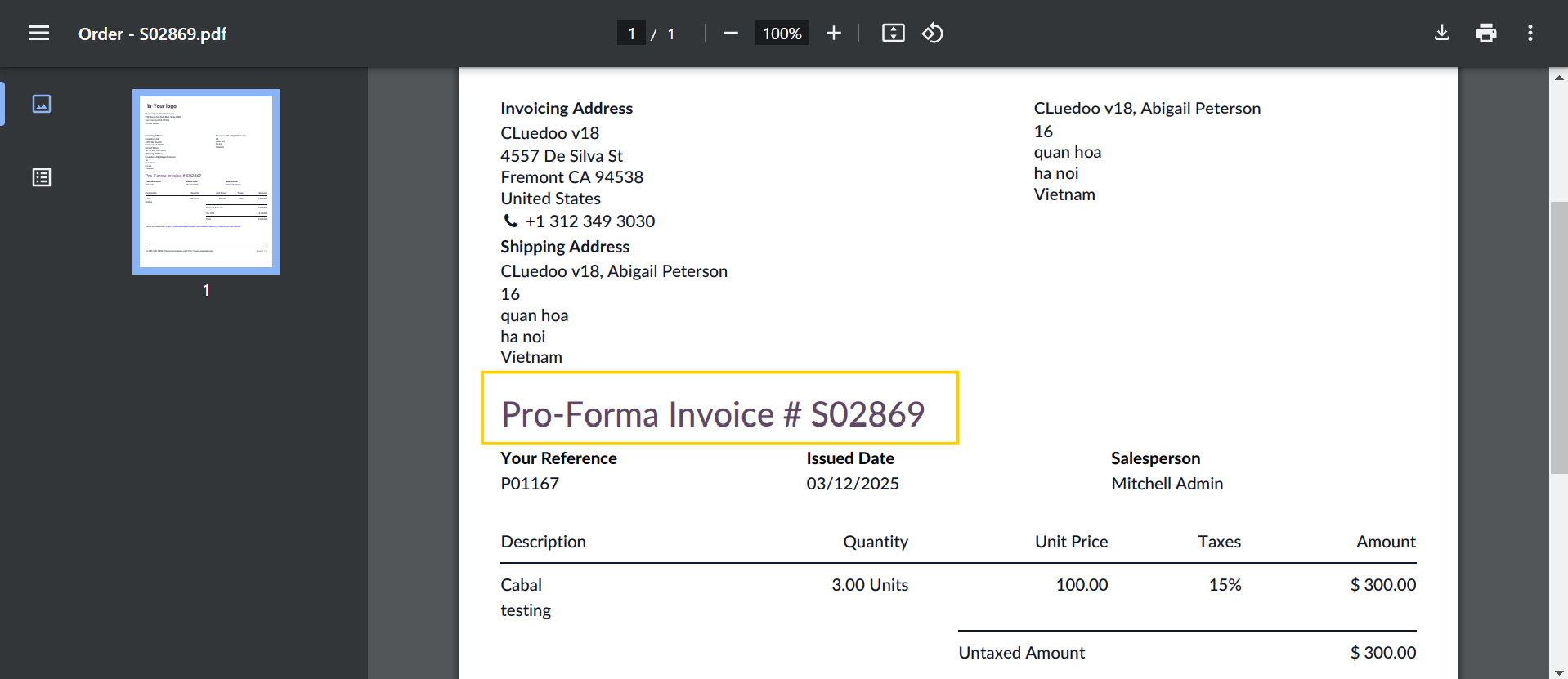
2. Create a sales order > Choose customer = partner > Confirm If the parent report is Quotation/Order but the default report is PRO-FORMA Invoice , the result will be PRO-FORMA Invoice when we print the Quotation/Order. |
|
|
|
|
| Availability |
Odoo Online
Odoo.sh
On Premise
|
| Odoo Apps Dependencies |
•
Contacts (contacts)
• Discuss (mail) |
| Lines of code | 168 |
| Technical Name |
fal_report_partner |
| License | OPL-1 |
| Website | https://www.cluedoo.com/shop/lic-clu-set-pnc-0007-partner-configuration-set-default-report-by-partner-5320 |
Odoo Proprietary License v1.0

This software and associated files (the "Software") may only be used (executed,
modified, executed after modifications) if you have purchased a valid license
from the authors, typically via Odoo Apps, or if you have received a written
agreement from the authors of the Software (see the COPYRIGHT file).

You may develop Odoo modules that use the Software as a library (typically
by depending on it, importing it and using its resources), but without copying
any source code or material from the Software. You may distribute those
modules under the license of your choice, provided that this license is
compatible with the terms of the Odoo Proprietary License (For example:
LGPL, MIT, or proprietary licenses similar to this one).

It is forbidden to publish, distribute, sublicense, or sell copies of the Software
or modified copies of the Software.

The above copyright notice and this permission notice must be included in all
copies or substantial portions of the Software.

THE SOFTWARE IS PROVIDED "AS IS", WITHOUT WARRANTY OF ANY KIND, EXPRESS OR
IMPLIED, INCLUDING BUT NOT LIMITED TO THE WARRANTIES OF MERCHANTABILITY,
FITNESS FOR A PARTICULAR PURPOSE AND NONINFRINGEMENT.
IN NO EVENT SHALL THE AUTHORS OR COPYRIGHT HOLDERS BE LIABLE FOR ANY CLAIM,
DAMAGES OR OTHER LIABILITY, WHETHER IN AN ACTION OF CONTRACT, TORT OR OTHERWISE,
ARISING FROM, OUT OF OR IN CONNECTION WITH THE SOFTWARE OR THE USE OR OTHER
DEALINGS IN THE SOFTWARE.
Please log in to comment on this module