

| Availability |
Odoo Online
Odoo.sh
On Premise
|
| Odoo Apps Dependencies |
Discuss (mail)
|
| Lines of code | 3712 |
| Technical Name |
odoo_mcp |
| License | OPL-1 |
| Website | https://www.noordev.com |
| Availability |
Odoo Online
Odoo.sh
On Premise
|
| Odoo Apps Dependencies |
Discuss (mail)
|
| Lines of code | 3712 |
| Technical Name |
odoo_mcp |
| License | OPL-1 |
| Website | https://www.noordev.com |
Odoo MCP
The most advanced Model Context Protocol server for Odoo. Connect Claude, Cursor, and VS Code Copilot to your ERP with enterprise-grade security, real-time webhooks, and batch operations.
Full configuration, audit trail, and security — all inside your Odoo backend.

Configure the master switch, YOLO mode, rate limiting, IP whitelist, API key scoping, response caching, and audit logging — all from the standard Odoo Settings panel.

Expose exactly the models your AI needs. Toggle Read, Write, Create, and Delete permissions independently per model. Supports 14+ Odoo models out of the box including Sale Order, CRM Lead, Invoice, Product, and more.

Every API call is logged in real-time with timestamp, user, model, operation, record count, status, response duration (ms), and endpoint type. Full traceability for every AI interaction with your ERP.

Two dedicated security groups are created: Odoo MCP User for standard API access and Odoo MCP Administrator for full module management. Assign per user from the standard Odoo Groups panel.
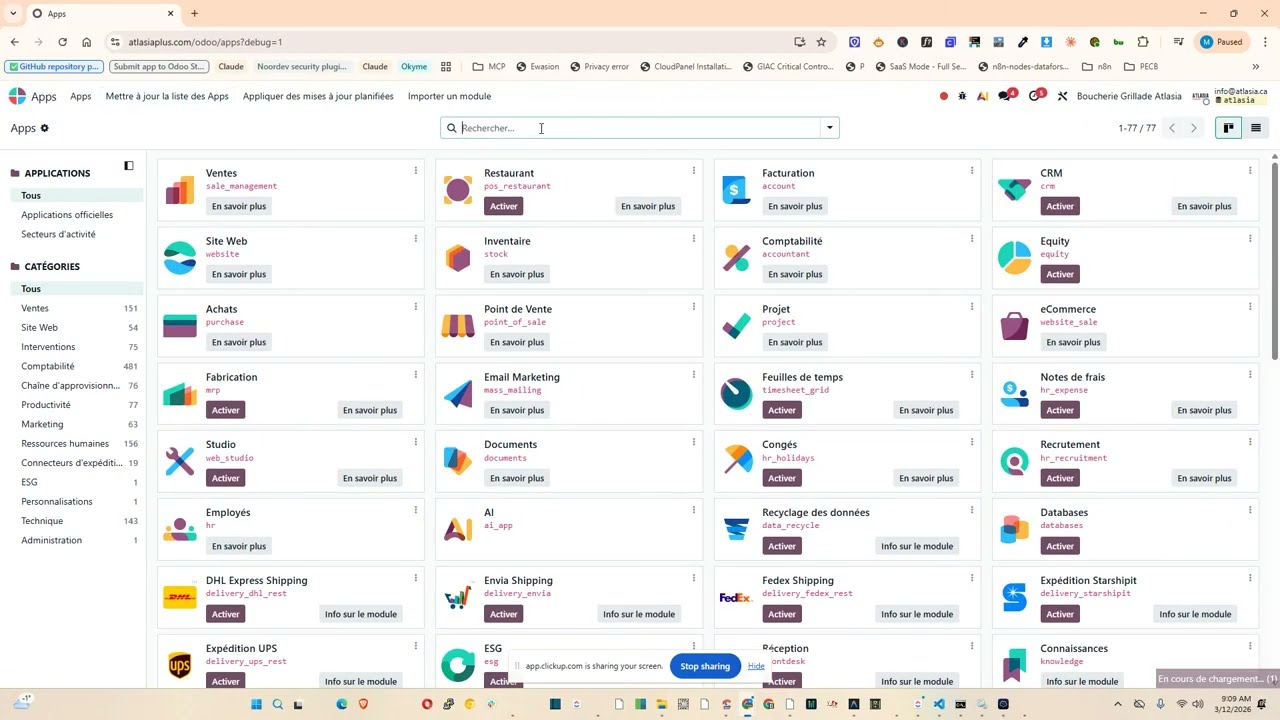
Watch Odoo MCP connect Claude Desktop to live Odoo data in under 2 minutes.
Everything you need for secure, production-ready AI-to-Odoo integration.
REST API + XML-RPC
13 REST endpoints and 2 XML-RPC proxy endpoints covering all CRUD operations, metadata, health checks, and method calls.
Bearer Token & Basic Auth
Authenticate with Odoo's native API key system (recommended) or HTTP Basic Auth credentials.
Per-Model Access Control
Toggle Read, Write, Create, Delete permissions independently for each model. Expose only what your AI needs.
Field-Level Restrictions
Specify allowed fields per model. Hide passwords, tokens, or sensitive financial columns from AI assistants.
LLM-Optimized Output
Many2one fields as {id, name}, selection field labels included, HTML stripped, binary fields excluded. Built-in summary generator.
IP Whitelist & Rate Limiting
Restrict API access by IP address. Configurable per-user rate limits with retry-after headers when exceeded.
Response Caching
Per-model configurable TTL cache dramatically speeds up repeated read operations in production environments.
YOLO Dev Mode
Development-only mode that bypasses permission checks. Two levels: read_only and full. Never enable in production.
Odoo MCP v2 goes beyond basic API access with enterprise-grade automation and observability.
Webhook Notifications v2
Push real-time alerts to external systems whenever Odoo data changes. Connect your AI pipelines to live ERP events.
Batch Operations v2
Execute multiple CRUD operations in a single API call. Dramatically reduces round-trips for complex AI workflows.
API Key Scoping v2
Restrict each API key to specific models. Zero-trust access — every integration has only the permissions it needs.
Field-Level Change Tracking v2
Full before/after audit trail on every record update. Know exactly what your AI changed and when.
Usage Analytics Dashboard v2
API usage statistics with graph and pivot views. Understand usage patterns and identify bottlenecks at a glance.
Advanced Audit Logging v2
Every MCP call logged with user, IP, model, operation, status, duration, and user agent. Auto-cleanup cron included.
All features included in a single install — no add-ons required.
- REST API with 13 endpoints
- XML-RPC proxy (2 endpoints)
- Bearer Token + Basic Auth
- Per-model CRUD access control
- Field-level restrictions per model
- IP whitelisting (one IP per line)
- Configurable rate limiting per user
- Response caching with per-model TTL
- LLM-optimized output formatting
- Smart field defaults (no binary fields)
- Summary generator for search results
- YOLO mode (dev only)
- MCP User + MCP Administrator groups
- Auto-blocked sensitive models
- Webhook notifications on data changes
- Batch operations endpoint
- API key scoping per integration
- Field-level change tracking (old/new)
- Usage statistics & analytics dashboard
- Audit log auto-cleanup cron (90 days)
Complete reference for all REST and XML-RPC endpoints.
🔓 Public — No Auth Required| Method | Endpoint | Description |
|---|---|---|
| GET | /mcp/api/v1/health | Health check — status, version, timestamp |
| GET | /mcp/api/v1/system/info | Odoo version, database, exposed model count |
| Method | Endpoint | Description |
|---|---|---|
| POST | /mcp/api/v1/auth/validate | Validate credentials, return user info |
| GET | /mcp/api/v1/models | List all exposed models with permissions |
| GET | /mcp/api/v1/models/<model>/fields | Field metadata for a model |
| POST | /mcp/api/v1/models/<model>/search | Search records with domain filter |
| POST | /mcp/api/v1/models/<model>/read | Read specific records by IDs |
| POST | /mcp/api/v1/models/<model>/browse | Paginated browse with offset/limit |
| POST | /mcp/api/v1/models/<model>/count | Count records matching domain |
| POST | /mcp/api/v1/models/<model>/create | Create new record |
| POST | /mcp/api/v1/models/<model>/write | Update existing records |
| POST | /mcp/api/v1/models/<model>/unlink | Delete records |
| POST | /mcp/api/v1/models/<model>/call | Call arbitrary model method |
| POST | /mcp/api/v1/batch | Batch multiple CRUD operations in one call v2 |
| Endpoint | Methods |
|---|---|
/mcp/xmlrpc/2/common | version(), authenticate() |
/mcp/xmlrpc/2/object | execute_kw() |
💡 Use dashes instead of dots in URL paths — e.g. res-partner instead of res.partner
Quick-start curl examples for common AI integration patterns.
Search Partners-H "Authorization: Bearer YOUR_API_KEY" \
-H "Content-Type: application/json" \
-d '{"domain": [["is_company", "=", true]], "fields": ["name", "email"], "limit": 5}'
-H "Authorization: Bearer YOUR_API_KEY" \
-H "Content-Type: application/json" \
-d '{"values": {"name": "New Partner", "email": "new@example.com", "is_company": true}}'
-H "Authorization: Bearer YOUR_API_KEY" \
-H "Content-Type: application/json" \
-d '{"operations": [
{"model": "res-partner", "operation": "search", "domain": [["is_company","=",true]]},
{"model": "sale-order", "operation": "count", "domain": [["state","=","draft"]]}
]}'
Get Odoo MCP running and connected to your AI assistant in minutes.
📋 Prerequisites- Python 3.10 or higher installed on your machine
- Odoo 19 instance with the
odoo_mcpmodule installed and enabled - An API key or user credentials for authentication (Settings → Users → API Keys)
Or install manually:
Connect your preferred AI assistant to Odoo in minutes using the included odoo_mcp_server.py script.
First install the bridge dependencies: pip install "mcp[cli]" httpx
🤖 Claude Desktop
Config: ~/.config/claude/claude_desktop_config.json
{
  "mcpServers": {
    "odoo": {
      "command": "python",
      "args": [
        "C:/Users/your-folder/odoo_mcp_server.py"
      ],
      "env": {
        "ODOO_URL": "https://yourwebsite.com",
        "ODOO_API_KEY": "your-api-key-here",
        "ODOO_DB": "yourdatabasename"
      }
    }
  }
}
💻 VS Code Copilot
Config: .vscode/mcp.json in your workspace
{"servers": {"odoo": {"command": "python", "args": ["C:/Users/your-folder/odoo_mcp_server.py"], "env": {"ODOO_URL": "https://yourwebsite.com", "ODOO_API_KEY": "your-api-key", "ODOO_DB": "yourdb"}}}}
📡 Claude Code CLI
Run in terminal:
claude mcp add-json odoo '{"command": "python", "args": ["C:/Users/your-folder/odoo_mcp_server.py"], "env": {"ODOO_URL": "https://yourwebsite.com", "ODOO_API_KEY": "your-api-key", "ODOO_DB": "yourdb"}}' -s user
🖱 Cursor IDE
Config: ~/.cursor/mcp.json
{"mcpServers": {"odoo": {"command": "python", "args": ["C:/Users/your-folder/odoo_mcp_server.py"], "env": {"ODOO_URL": "https://yourwebsite.com", "ODOO_API_KEY": "your-api-key", "ODOO_DB": "yourdb"}}}}
Replace C:/Users/your-folder/odoo_mcp_server.py with the actual full path to the script on your system. ODOO_DB is required for multi-database servers. On Linux/macOS use forward slashes: /home/user/odoo_mcp_server.py
Follow these guidelines before deploying Odoo MCP in production.
Always Use HTTPS
Deploy behind a reverse proxy (Nginx/Caddy) with TLS certificates. Never expose the MCP API over plain HTTP.
Unique API Keys
Generate a separate API key per AI integration. Revoke individually if any key is compromised.
Enable IP Whitelist
In production, restrict MCP API access to known IP addresses via the MCP Server settings panel.
Minimal Model Exposure
Only expose the models your AI actually needs. Use field restrictions to hide sensitive columns.
Disable YOLO Mode
YOLO mode bypasses all permission checks. It is for local development only — never enable in production.
Review Audit Logs
Check the audit log regularly for suspicious activity. Auto-cleanup runs after 90 days (configurable).
Compatibility
Common questions about Odoo MCP.
Need Help or Custom Integration?
Our team at Noordev specializes in Odoo development and AI integration. We're here to help you get Odoo MCP running smoothly.
Visit Noordev Support →Odoo Proprietary License v1.0 This software and associated files (the "Software") may only be used (executed, modified, executed after modifications) if you have purchased a valid license from the authors, typically via Odoo Apps, or if you have received a written agreement from the authors of the Software (see the COPYRIGHT file). You may develop Odoo modules that use the Software as a library (typically by depending on it, importing it and using its resources), but without copying any source code or material from the Software. You may distribute those modules under the license of your choice, provided that this license is compatible with the terms of the Odoo Proprietary License (For example: LGPL, MIT, or proprietary licenses similar to this one). It is forbidden to publish, distribute, sublicense, or sell copies of the Software or modified copies of the Software. The above copyright notice and this permission notice must be included in all copies or substantial portions of the Software. THE SOFTWARE IS PROVIDED "AS IS", WITHOUT WARRANTY OF ANY KIND, EXPRESS OR IMPLIED, INCLUDING BUT NOT LIMITED TO THE WARRANTIES OF MERCHANTABILITY, FITNESS FOR A PARTICULAR PURPOSE AND NONINFRINGEMENT. IN NO EVENT SHALL THE AUTHORS OR COPYRIGHT HOLDERS BE LIABLE FOR ANY CLAIM, DAMAGES OR OTHER LIABILITY, WHETHER IN AN ACTION OF CONTRACT, TORT OR OTHERWISE, ARISING FROM, OUT OF OR IN CONNECTION WITH THE SOFTWARE OR THE USE OR OTHER DEALINGS IN THE SOFTWARE.
Please log in to comment on this module