
Request a free demo: To see the app in action, copy this link into your browser https://faotools.com/s/ljl51a and ask for a personalized live-preview database. No phone number or credit card required, only a short email sign-up.
Contact us: For any questions about this app, copy this link https://faotools.com/s/lgns5j and reach the team directly.
In Short
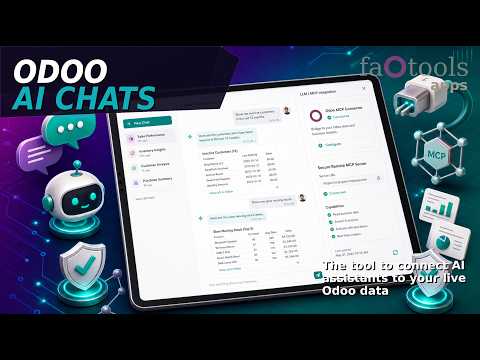
MCP Server. AI Chats and LLM Odoo Integration is an Odoo 20 Extra Tools app (20.0.1.2.7). The tool to manage your Odoo from your favorite AI chats through MCP. Claude. Any MCP-supporting AI.
Turn your Odoo database into a complete Model Context Protocol (MCP) server so Claude, ChatGPT (developer mode), Cursor, Copilot, Gemini CLI, and other MCP clients can read, analyze, and update your ERP - as the Odoo user who authorized them, under real access rights.
A full MCP server, not a thin read-only bridge. What you get on top of a basic connector:
- Reads and writes, the full protocol. 31 tools to search, read, create, update, run actions, post in chatter, plan activities, render PDF reports, and handle attachments; 14 resources and 6 prompt templates; sessions with SSE streaming and change notifications.
- Writes with a safety net. Every create, update, delete, or action comes back as a preview first and runs only after an explicit confirm; pending operations expire on their own; four risk levels tell the assistant when to warn.
- Your rules, not the model's. Native Odoo rights stay in force, then deny rules per user or group, model and field allow-lists, domain guards, and rate limits per tool.
- Audit journal inside Odoo. Request and response payloads, status, latency, user, client, session, company, and a change diff for every call, kept for the retention period you set.
- Your own OAuth 2.0 server. Authorization code with refresh tokens, client credentials, dynamic client registration, JWT signed with RSA keys you manage, and a JWKS endpoint - the authorization server ships inside the module.
- Files and companies. Inline and staged uploads with a phone-friendly upload page, signed download links, a MIME allow-list and scan hook, and company selection per session.
- Custom tools without a module. Point a tool at an existing model method or add a one-line decorator - same scopes, confirmation, and audit as the built-in tools.
Works the same way on Odoo Community and Enterprise.
Pricing
The current price of MCP Server. AI Chats and LLM Odoo Integration is
198
178
(one-time purchase for Odoo 20, all-inclusive Odoo Apps Store price).
This promotional price is valid until
November, 15.
No additional paid dependencies are required: the price above covers the full functionality out of the box on top of a standard Odoo installation.
Interface languages: Arabic, Bengali, Bulgarian, Chinese, Croatian, Czech, Danish, Dutch, English, Estonian, Finnish, French, German, Greek, Hindi, Hungarian, Indonesian, Italian, Japanese, Korean, Latvian, Lithuanian, Malay, Norwegian, Polish, Portuguese, Romanian, Russian, Serbian, Slovenian, Spanish, Swedish, Turkish, Vietnamese. Translations are AI-assisted. Corrections are very welcome.
Perfect for
Teams who live in AI chats
Managers and specialists who want Claude or ChatGPT to pull live Odoo numbers, draft follow-ups, and prepare briefs without opening ten menus.
Security-conscious admins
IT and compliance owners who need their own OAuth server, previewed and confirmed writes, deny rules, and a payload-level audit trail before AI touches production data.
Builders in IDEs & CLIs
Developers using Cursor, VS Code, Copilot, Claude Code, or Gemini CLI who want the same MCP bridge for debugging, data checks, controlled writes, and their own tools.
Ready to evaluate?
Add to cart now or start with a free demo request.
To purchase the app, click the Add to Cart button at the top of this Odoo Apps Store page.
Try the demo: https://faotools.com/s/ljl51a
Free personalized demo database. No phone number or credit card required. Free life-time updates and expert support within the major Odoo version.
Why teams choose it
Key benefits before you dive into the details
Connect in minutes
Link your database to Claude, ChatGPT (developer mode), or any other MCP client with a guided app authorization or a ready config - no middleware project, no API keys to hand around.
A complete MCP server
Tools, resources, prompts, sessions, streaming (SSE), and change notifications on three protocol versions - the full surface a serious AI client expects, not just a list of actions.
Read and write with 31 tools
Search and read records, create and update them, run actions, work with attachments, chatter, activities, PDF reports, global search, dashboard KPIs, and company context.
Write with a safety net
Write tools return a preview first; the change runs only after an explicit confirm, can be cancelled, and expires on its own. Risk levels tell the assistant when to warn.
Your rules, not the model's
Native Odoo rights stay in force. On top: deny rules per user or group, model and field allow-lists, domain guards, rate limits, and a payload-level audit journal with retention.
Your own tools without a module
Point a tool at an existing model method (for example sale.order / action_confirm) and the assistant can call it. A one-line decorator covers tools with their own arguments.


Odoo Apps Store feedback
What customers say about the app
Total game changer and super easy to use
I also used it to tweak my SEO settings, and honestly, interacting with Odoo this way is incredibly convenient. Being able to just ask the AI to handle stuff instead of clicking through endless menus is awesome. Highly recommend giving it a try!
-- SDI Matrix Lic
Easy to install
-- purchase@envola.eu
Ready to evaluate?
Add to cart now or start with a free demo request.
To purchase the app, click the Add to Cart button at the top of this Odoo Apps Store page.
Try the demo: https://faotools.com/s/ljl51a
Free personalized demo database. No phone number or credit card required. Free life-time updates and expert support within the major Odoo version.
Harness AI power on live Odoo data
From ad-hoc questions to scheduled briefs - sales, stock, finance, and CRM in your AI chat
Natural-language BI
Skip another pivot table when you need a clear answer now:
- Find margin anomalies and ask why they happened
- Compare categories or regions across periods
- List inactive top customers and draft follow-ups
Inventory & supply chain
Go beyond static min/max rules with AI that reads moves and lead times:
- Flag products at stockout risk before the next replenishment window
- Spot dead stock and suggest sensible bundle ideas
- Review picking patterns for warehouse layout ideas
Finance that understands context
Match documents and project cash - not only OCR digits:
- Compare a PDF bill to a purchase order and highlight mismatches
- Project near-term balances from open invoices, bills, and payment habits
- Scan partners for missing or invalid VAT numbers
CRM & personalization
Combine sales, support, and projects into one customer story:
- Summarize account health from volume, tickets, and payment speed
- Draft localized offers from real purchase history
- Prioritize new leads against your most profitable account patterns
Routines & automation
When your AI client supports schedules (for example Claude), keep Odoo in the loop without opening the app every morning:
- Daily brief - summarize new tickets by priority before work starts
- Stock early warning - weekly risk scan from moves and open sales
- Smarter reconciliation helpers - reason over messy bank text and leave only hard cases for humans


Ready to evaluate?
Add to cart now or start with a free demo request.
To purchase the app, click the Add to Cart button at the top of this Odoo Apps Store page.
Try the demo: https://faotools.com/s/ljl51a
Free personalized demo database. No phone number or credit card required. Free life-time updates and expert support within the major Odoo version.
Write with a safety net
Preview-and-confirm writes, risk levels, deny rules, and a full audit journal on top of native Odoo rights
AI never bypasses Odoo security. Every call runs as the Odoo user who authorized the client - with that user's groups, record rules, and company access. The server then adds controls of its own, so you decide what assistants may do, for whom, and with which confirmation.
Preview, then confirm
- Create, update, delete, and action tools answer with a preview of the exact change - nothing is written yet
- The assistant asks you, then calls confirm or cancel; a pending operation expires after its TTL
- Per tool: Direct, Preview + Confirm, or Disabled - built-in and custom tools alike
Risk levels
- Every tool carries a level: low, medium, high, or critical
- High-impact tools instruct the assistant to warn the user before executing
- The level is visible in the tool registry and recorded with each audit entry
Mandatory MCP roles
- MCP Server: User - required before any AI agent can act on that user's behalf
- MCP Server: Administrator - clients, signing keys, registries, deny rules, and audit control
Security deny rules
- Block selected tools for chosen users or groups (for example posting chatter or deleting records)
- A refused call fails with a clear error - the request never silently succeeds
Per-tool guards
- Allowed models and a field allow-list keep sensitive data out of the assistant's reach
- Domain guards limit which records a tool may touch
- Rate limit per minute and timeout per tool
Audit journal in your database
- Request and response payloads, status, latency, user, client, session, and company context for every call
- Remote address and user agent, plus a change diff for writes
- Retention period of your choice; old entries are cleaned up by a cron


Ready to evaluate?
Add to cart now or start with a free demo request.
To purchase the app, click the Add to Cart button at the top of this Odoo Apps Store page.
Try the demo: https://faotools.com/s/ljl51a
Free personalized demo database. No phone number or credit card required. Free life-time updates and expert support within the major Odoo version.
A complete MCP server inside Odoo
Full protocol surface, your own OAuth server, files, multi-company sessions, and custom tools without code
Full protocol surface
- Tools - 31 built-in actions with JSON schema validation
- Resources - 14 read-only views such as odoo://record/{model}/{id}, chatter, attachments, schema, dashboards
- Prompts - 6 reusable templates with arguments: record summary, daily briefing, changelog, workflow guide, data analysis
- Sessions with SSE streaming and resumption, list-changed notifications, and three negotiated protocol versions
- A failing tool call is answered in-band, so the session stays up and the client does not re-authenticate
Your own OAuth 2.0 server
- Authorization code with refresh tokens and rotation, plus client credentials for server-to-server use
- Public or confidential clients, registered by hand, from a metadata document, or through dynamic client registration
- Consent screen in Odoo; access, refresh, and code lifetimes set in Settings
- JWT access tokens signed with RSA keys that you manage in Odoo and publish through a JWKS endpoint
Files in both directions
- Small files travel inline; large ones use staged uploads with their own size and slot limits
- The assistant can hand the user an upload page that works from a phone camera
- Signed download links with a TTL, a MIME allow-list, allowed models for binaries, and an optional scan hook
Multi-company sessions
- The assistant can list companies and set the active ones for the session, the same way the company switcher works
- Writes always name one current company; the company context is stored with every audit entry
Custom tools without a module
- Create a tool record that points at an existing public model method - the assistant calls it on the records it names
- Mark a method with the @mcp_tool decorator when it needs its own arguments or must be read-only
- Custom tools follow the same scopes, confirmation modes, and audit as the built-in ones
Governance in one menu
- Tools, Resources, Prompts, Clients, Sessions, Pending Operations, Audit Logs, Security Deny Rules, Signing Keys
- About twenty settings: token lifetimes, session TTL, SSE heartbeat, notification queue, upload limits, audit retention
- Cleanup crons for tokens, sessions, pending operations, and logs


Ready to evaluate?
Add to cart now or start with a free demo request.
To purchase the app, click the Add to Cart button at the top of this Odoo Apps Store page.
Try the demo: https://faotools.com/s/ljl51a
Free personalized demo database. No phone number or credit card required. Free life-time updates and expert support within the major Odoo version.
To guarantee tool correct work you would need a number of Python libraries: PyJWT, jsonschema, filetype:
pip3 install PyJWT, jsonschema, filetype
- Ensure your Odoo user has the "MCP Server: User" or "MCP Server: Administrator" access group. If necessary, ask your Odoo administrator to grant one of those
- Go to Claude: Settings > Connectors > Add custom connector
- As the name, introduce any suitable (e.g., "My company Odoo")
- As the remote MCP server URL, introduce [YOURODOOSITENAME]/ai_mcp_server/mcp (e.g., https://faotools.com/ai_mcp_server/mcp)
- Press "Connect" near the newly created app
- The app will redirect you to the Odoo login screen. There, you should accept the scopes
- Start AI chatting using your Odoo data.
Watch also the configuration video
Navigating to Claude Settings

Adding a Custom MCP Connector

Odoo Connector Configuration

Starting the Odoo Integration

Granting Odoo Permissions to Claude

Active Odoo Connection in Claude

ChatGPT allows MCP connection only in the developer mode!
- Ensure your Odoo user has the "MCP Server: User" or "MCP Server: Administrator" access group. If necessary, ask your Odoo administrator to grant one of those
- Go to ChatGPT: Profile > Settings > Apps > Advanced Settings > Enable Developer Mode > Create App
- As the name, introduce any suitable (e.g., "My company Odoo")
- As the MCP server URL, introduce [YOURODOOSITENAME]/ai_mcp_server/mcp (e.g., https://faotools.com/ai_mcp_server/mcp)
- As the authentication, use [YOURODOOSITENAME]/ai_mcp_server/mcp (e.g., https://faotools.com/ai_mcp_server/mcp)
- Agree with MCP risks
- Press "Connect"
- The app will redirect you to the Odoo login screen. There, you should accept the scopes
- Start AI chatting using your Odoo data.
Watch also the configuration video
Opening ChatGPT Settings

Accessing Advanced App Settings

Enabling Developer Mode

Configuring the Odoo MCP Server

Granting Odoo Permissions

Active Odoo Integration in ChatGPT

Apply the change to your mcp settings file (mcp.json, mcp_config.json, etc. - depending on the software)
{
  "mcpServers": {
    "odoo": {
      "url": "[YOURDATABASESITE]/ai_mcp_server/mcp",
      "transport": "http"
    }
  }
}
Manual MCP Server Configuration

IDE Integration and Activation

Predictive stockout risk analysis in Claude
AI invoice vs purchase order comparison
Use Case: Comparative Sales Performance Insights (ChatGPT Example)
Smart revenue projections from Odoo sales
Use Case: Automated VAT Compliance Check (Claude Example)
Use Case: AI-Powered Marketing Campaign Setup (ChatGPT Example)
Real-time Odoo Data Auditing in IDE

User Access Levels for AI Integration

Granular AI tool permission control
Restricting Specific Users from AI Operations
Native Odoo Security Rights Enforcement
Secure Communication with RSA-256 Signing Keys

Comprehensive AI Activity Audit Trail
AI tool risk levels and confirmations
Managing AI-Exposed Odoo Resources
Structured AI Prompt Engineering
AI Client and OAuth Configuration
Real-time AI Session Monitoring
Global MCP Server Security Settings
Advanced Binary Data & File Handling
20.0.1.2.7
- The feature to send configured server instructions to the AI client when it connects has been added.
- The feature for an MCP administrator to edit a client and to generate or rotate its secret has been added. The secret is shown once, and only its hash is stored.
- The issue of a confidential client without a secret still being accepted has been fixed. Token requests for that client are now rejected, and its form shows a warning.
- The settings Allow Client Metadata Registration and Client Metadata Allowed Hosts have been added.
- The issue of registering an unknown client from a metadata address at the token endpoint has been fixed. A new client is registered only during sign-in, and only as a public client from an allowed HTTPS address.
- The issue of a missing scope being returned as a JSON-RPC error has been fixed. The server now answers HTTP 403 with the scope the client should request.
20.0.1.2.6
- The issue of the notification stream holding one server worker for each connected AI client has been fixed. On a prefork server the stream is now declined, and clients continue over ordinary requests.
- The setting SSE Notification Stream has been added. Automatic is the default and offers the stream only on an evented server. Clients that use only the legacy SSE transport need Always on a prefork server.
- The issue of report download links ignoring the Signed URL TTL setting has been fixed.
- The issue of a renewed token staying usable after its chain was revoked has been fixed. A renewal stays in the same token family, so a revocation ends the whole chain.
- The issue of reading a disabled resource has been fixed. A resource is returned only when it is enabled.
- The issue of a hand-created client receiving scopes it was not given has been fixed. The scopes set on that client are now the most it can obtain.
20.0.1.2.3
- The app is published to version 20.
- The MCP server address is now [YOURODOOSITENAME]/ai_mcp_server/mcp.
19.0.1.2.3
- The issue of an MCP request running as the public user has been fixed. Notes with recipients are posted and sent, and written records keep the token's user as the author.
19.0.1.2.2
- odoo_chatter_post now posts HTML bodies as formatted messages, and plain text keeps its line breaks.
- The file scan hook result is now used. Return None, True or {'success': True} to accept a file; any other result rejects the upload and shows the message.
- The Pending Operation TTL setting is now applied. An empty value or 0 keeps the default of 7 days.
19.0.1.2.1
- The feature to call an existing method as its own tool, without writing a module, has been added.
- The issue of a confirmed record-method call acting on records that were not in the preview has been fixed.
- The issue of passing record ids to a model method, such as create, has been fixed.
19.0.1.2.0
- The feature to run your own method as a tool, using Target Model, Target Method and @mcp_tool, has been added.
- Each custom tool keeps its own risk level, scope and confirmation mode, and a direct read-only tool rolls its database writes back.
- The issue of odoo_actions_run accepting a private method, and of checking the method allowlist only after confirmation, has been fixed.
- Target Model and Target Method now explain on the form what they require.
19.0.1.1.1
- The issue of a non-empty attachment model allowlist refusing every model, including the listed ones, has been fixed.
19.0.1.1.0
- The feature to finish file uploads without a Bearer token, through a single-use pre-signed link, has been added.
- The upload page, where users pick a file or take a photo under their own Odoo login, has been added.
- The tool to check whether an uploaded file has arrived has been added.
- The settings for pre-signed uploads, upload slot lifetime and pending uploads per user have been added.
- The default file size limit for new installations has been lowered to 50 MB; upgraded databases keep their current limit.
19.0.1.0.5
- The issue of write operations accepting unknown field names has been fixed.
- The issue of failed write confirmations hiding the error and skipping the audit log has been fixed.
- The upgrade re-applies the official MCP tool records, so local edits to shipped tool descriptions are overwritten.
19.0.1.0.4
- The AI-assisted translations for 25 languages have been introduced.
19.0.1.0.3
- The issue of generating PDF reports for records the MCP user cannot read has been fixed.
19.0.1.0.2
- The issue with MCP clients dropping the session after a failed tool call has been fixed.
19.0.0.0.9
- The app is published to version 19.
Odoo demonstration databases (live previews)
For this app, we might provide a free personalized demo database.
To demand such a database, press the button "Live Preview" on the top of this page or copy the link https://faotools.com/s/ljl51a
You do not need a phone number or credit card to contact us. You should only pass a short email sign-up, which does not take more than 30 seconds.
By your request, we will prepare an individual live preview database, where you can apply any tests and check assumptions for about two weeks.
Bug reporting
If you encounter bugs or inconsistent behavior, do not hesitate to contact us. We guarantee to provide fixes within 60 days of purchase and are intensely interested in improving our tools even after this period.
To send us a bug report, press the "Website" link at the top of this page and push the button "Bug Report" (the tab Support). Alternatively, copy the link https://faotools.com/s/zccen0
You do not need a phone number or credit card to contact us. You should only pass a short email sign-up, which does not take more than 30 seconds.
Please include as many details as possible in your request: screenshots, Odoo server logs, a full description of how to reproduce your problem, and so on. Usually, it takes a few business days to prepare a working plan for an issue (if a bug is confirmed) or provide you with guidelines on what should be done (otherwise).
Public features requests and module ideas (free development)
We are strongly motivated to improve our tools and would be grateful for any feedback. If your requirements are of public use and might be efficiently implemented, the team will include those in our to-do list.
Such a to-do list is processed regularly and does not assume extra fees. Although we cannot promise deadlines and final design, it might be a good way to get desired features without investments and risks.
To share ideas, press the "Website" link at the top of this page and push the button "Share Features Ideas" (the tab Support). Alternatively, copy the link https://faotools.com/s/0ukxwm
You do not need a phone number or credit card to contact us. You should only pass a short email sign-up, which does not take more than 30 seconds.
Questions and misc issues
Feel free to contact us with any other concerns, doubts, or questions: press the "Website" link at the top of this page and push the button "Raise Question" (the tab Support). Alternatively, copy the link https://faotools.com/s/lgns5j
You do not need a phone number or credit card to contact us. You should only pass a short email sign-up, which does not take more than 30 seconds.
About the team
faOtools (faotools.com, former odootools.com) is the developers and business analysts team that helps you extend Odoo's potential. Since 2012, we have worked side by side with end users for whom Odoo is the primary business tool, turning their real needs into ready-to-use apps.
Trusted since 2012
More than a decade focused on Odoo. Many customers have relied on faOtools since Odoo v8, upgrade after upgrade.
102 published apps
102 apps published and maintained on the Odoo Apps Store, covering a wide range of real business needs.
Approved by real users
Our tools are built and hardened with feedback from companies running Odoo in production, and carry strong five-star ratings on the Odoo Store.
Free lifetime support
Free support and bug fixes for the entire lifetime of the Odoo major version you purchased - no recurring support fee.
Free live demos
Try most tools on a live demo database before you buy, so you know exactly what you are getting.
Compatible with core Odoo
Our modules complement standard Odoo apps and follow Odoo's philosophy - they extend the core, they never fight it.
Ready to use out of the box
Designed around real-life scenarios with clean defaults and clear documentation - install and start using them right away.
OPL-1 and AI-friendly
Distributed under the Odoo Proprietary License: you may build your own modules - including AI-assisted adaptations - on top of ours as a dependency.
Open to your ideas
Share a request. If it is useful for everyone, we often add the feature to the app at no extra cost.
You may like the tools

The tool to flexibly structure Odoo attachments in folders and synchronize directories with cloud clients: Google Drive, OneDrive/SharePoint, Nextcloud/ownCloud, Dropbox, Amazon S3, Box, and NAS. DMS. File Manager. Document management system
398
The tool to automatically synchronize Odoo attachments with OneDrive files in both ways
487
The tool to automatically synchronize Odoo attachments with Google Drive files in both ways
487

The tool to build a deep and structured knowledge base for internal and external use. Knowledge System. KMS. Wiki-like revisions.
398
The tool to set up KPI targets and control their fulfillment by periods. KPI dashboards. Dashboard designer. KPI charts

The tool for time-based service management from booking appointments to sales and reviews
398

The tool to combine different Odoo events in a few configurable super calendars
Please log in to comment on this module