

Inventory Management in Product Category and Product
by CLuedoo https://www.cluedoo.com/shop/lic-clu-set-invc-0051-inventory-management-in-product-category-and-product-6800$ 100.95
ODOO'S FUNCTION
Odoo supports inventory adjustment , but it does not provide inventory management to automatically calculate the "Next Inventory Date" or update related fields such as Scheduled Date and User for product categories and products.
CLUEDOO'S FUNCTION
CLuedoo defines Inventory Policy by calculating the Next Inventory Date (Initial Inventory Date + Inventory Period) and automatically updating Scheduled Date and Responsible User . This reduces manual effort and ensures consistency across product categories . Users can also manually adjust dates in Product Categories and Product , with the changes reflected in Inventory Adjustment .
|
A. Change inventory date manually
|
|
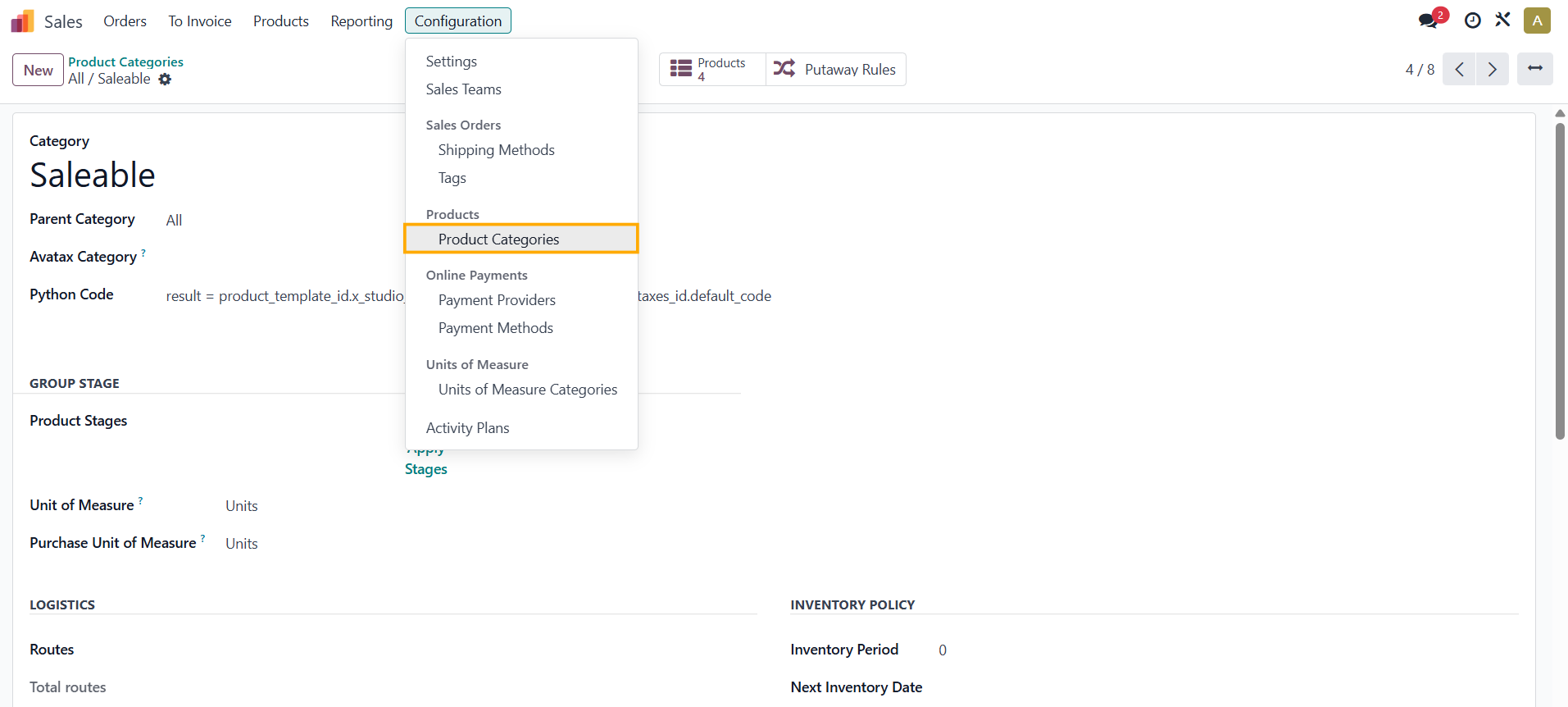
1.
Go to
Sales
>
Configuration
>
Products
>
Product Categories.
|
|
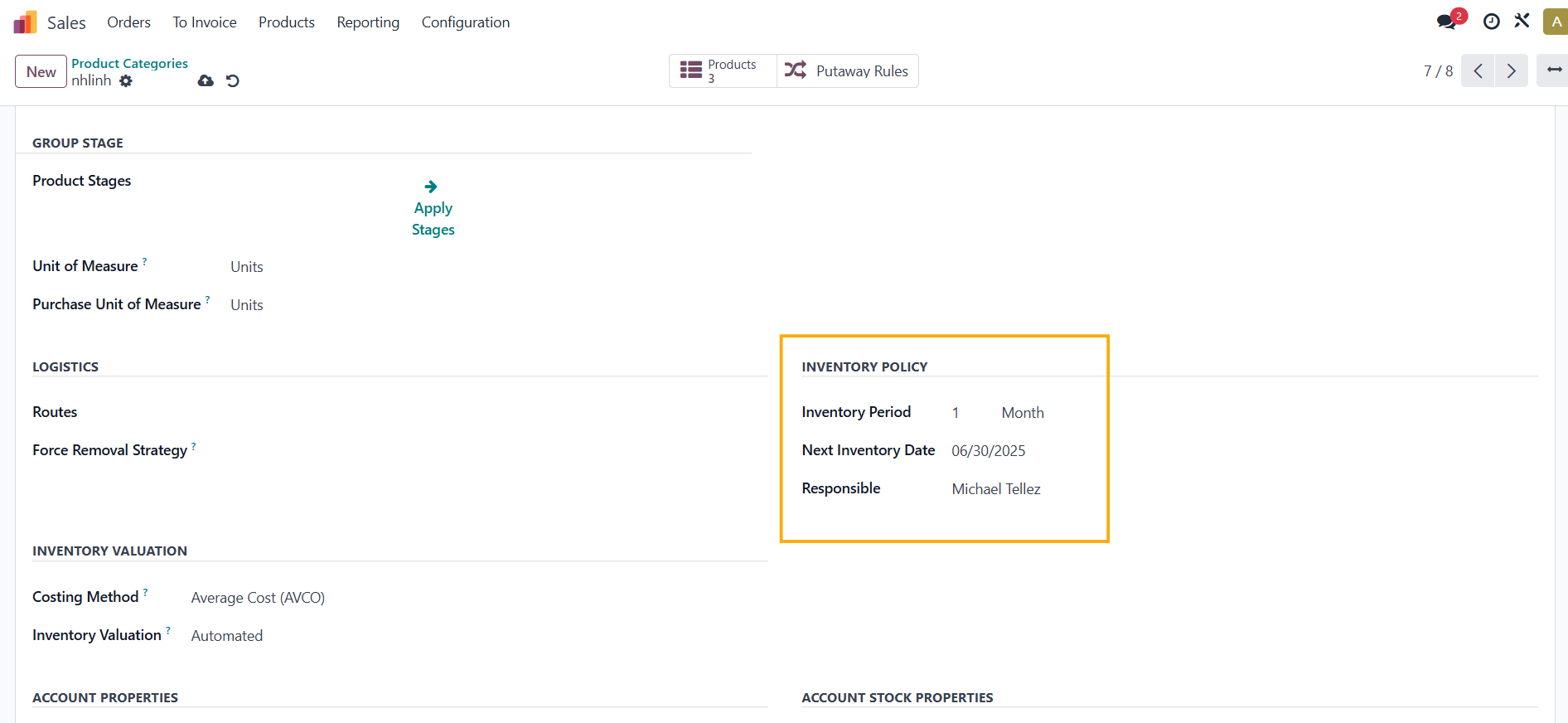
2.
Choose a
Product Category
>
Inventory Policy
> Fill in the
Inventory Period, Next Inventory Date,
and the
Responsible
field.
Please do not set the Next Inventory Date=today as it will not work.
|
|
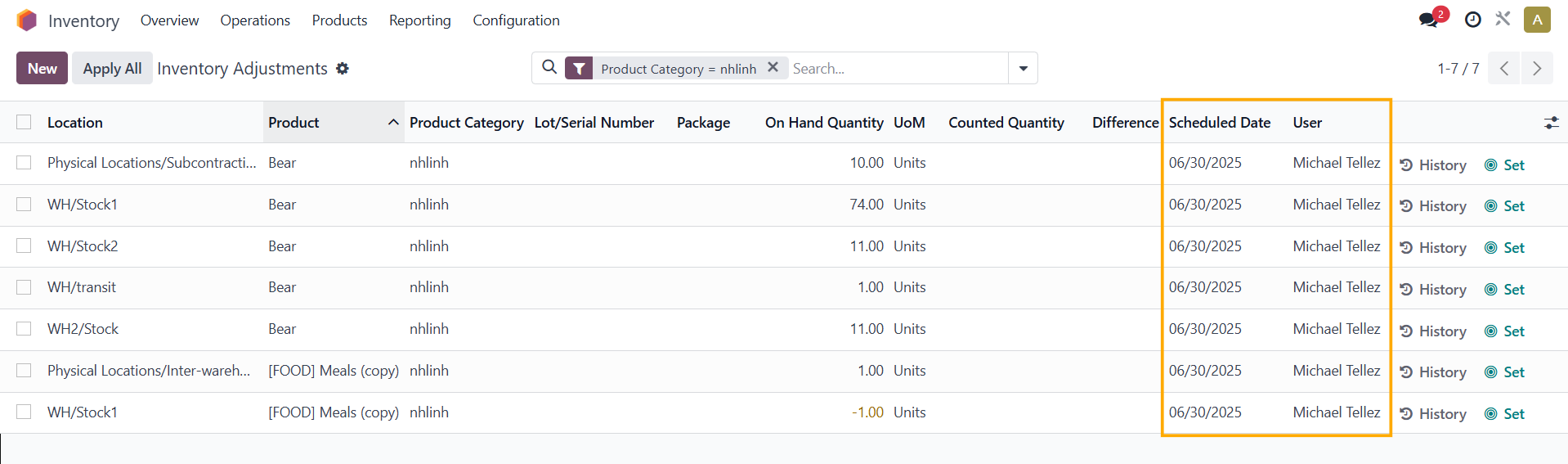
3.
Go to
Inventory
>
Operations
>
Physical Inventory
and then filter the Product Category.
→ The
Scheduled Date
and
User
fields will be
auto-filled with the same contents that you set in the Product Category.
|
|
|
B.
Change inventory date by running scheduled actions
|
|
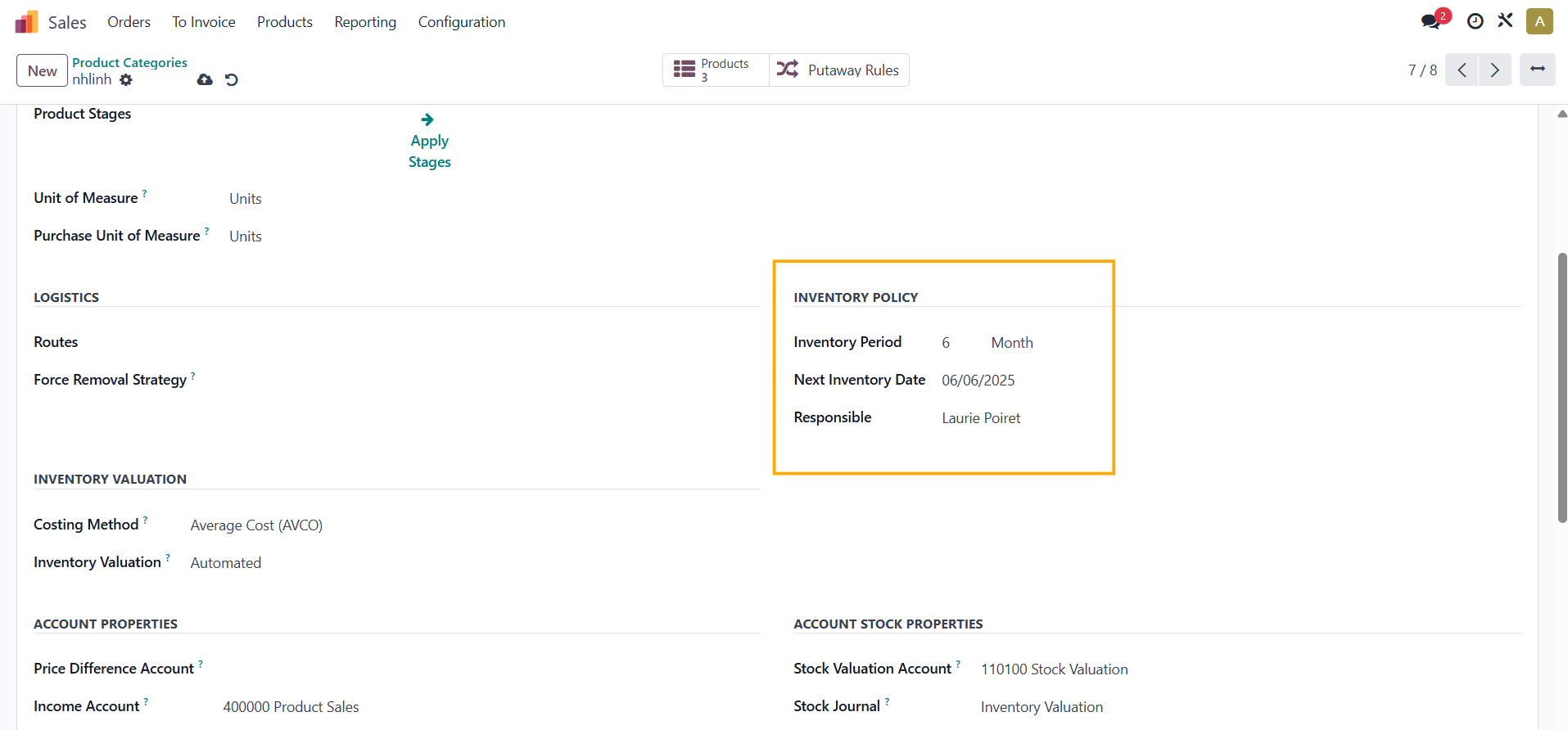
1.
|
|
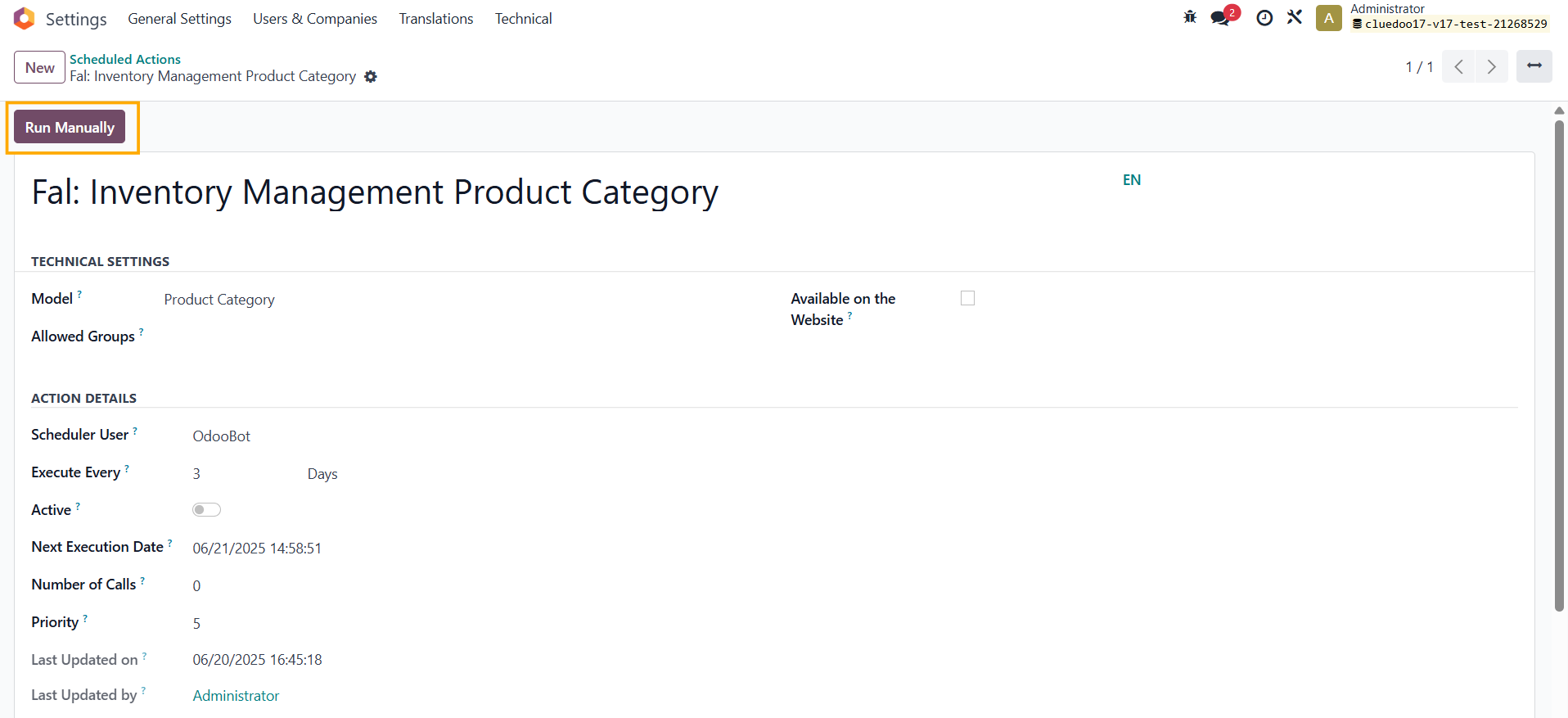
2.
Go to
Settings
>
Scheduled Actions
> Choose
Fal: Inventory Management Product Category
>
Click
Run Manually.
|
|
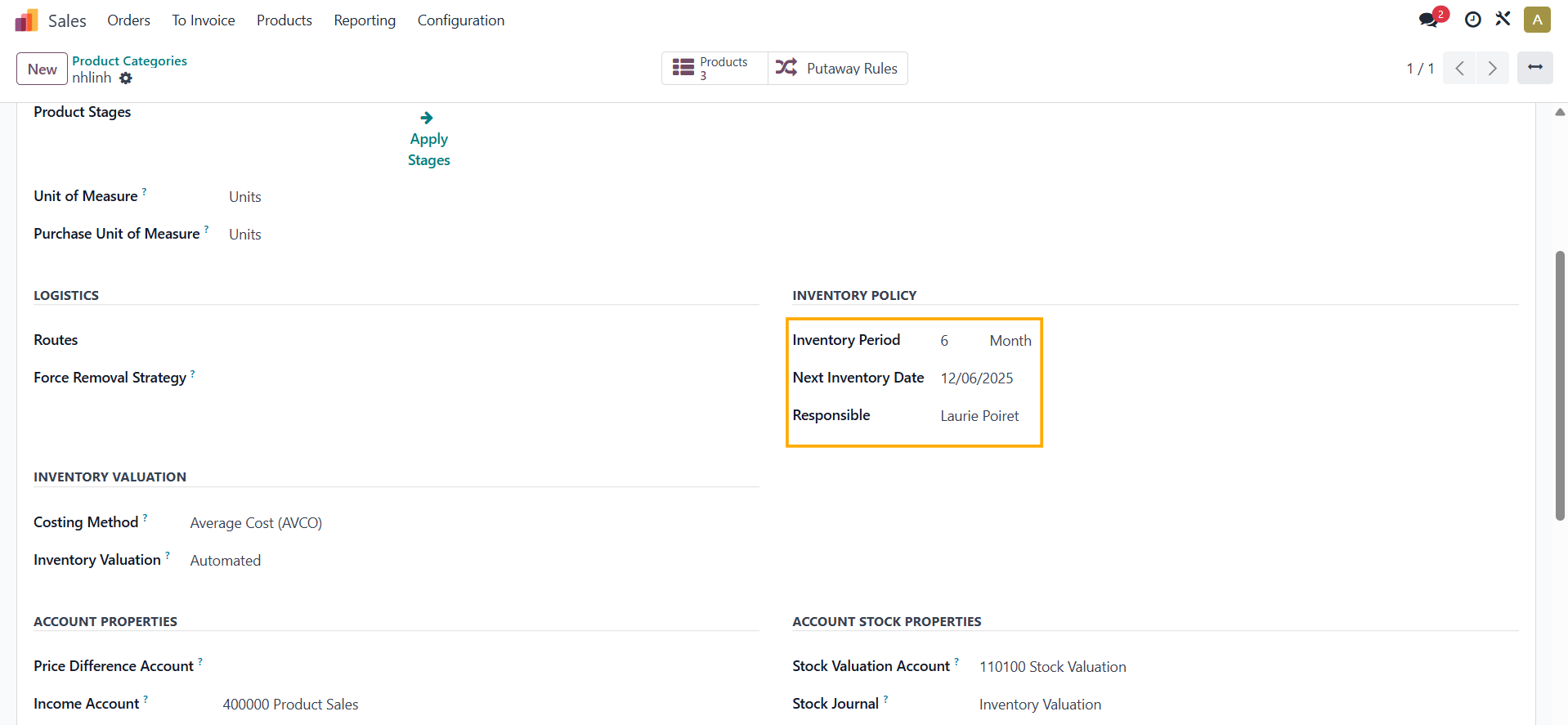
3.
The
"Next Inventory Date"
is automatically calculated as the
first Inventory Date plus the Inventory Period.
|
|
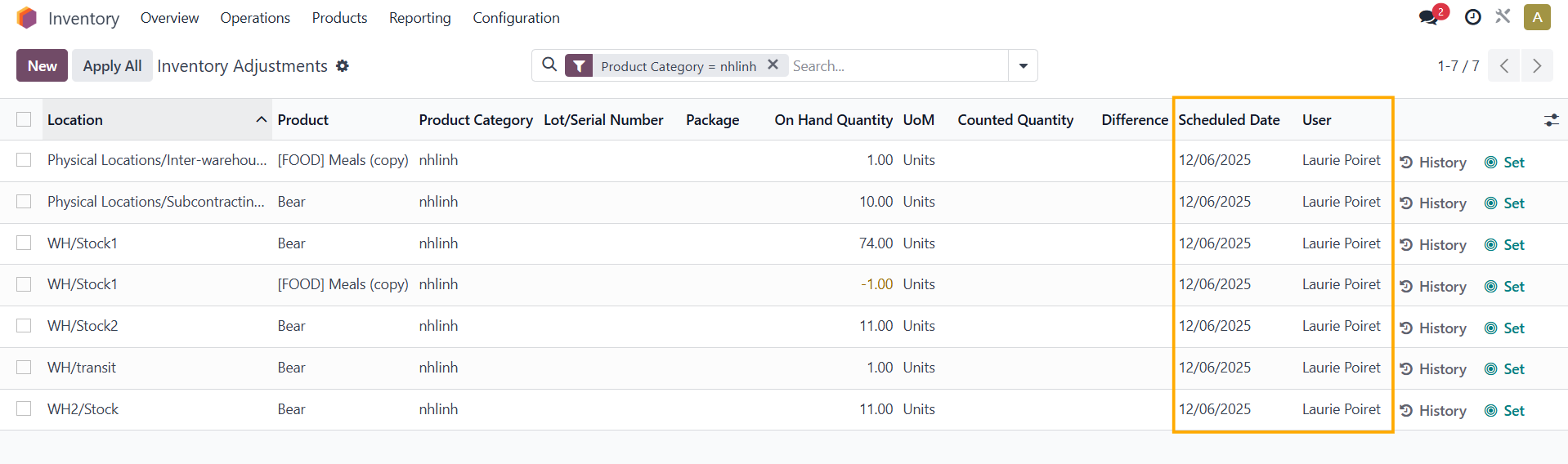
4.
The
Scheduled Date
and
User
are automatically updated as well.
|
|
|
C
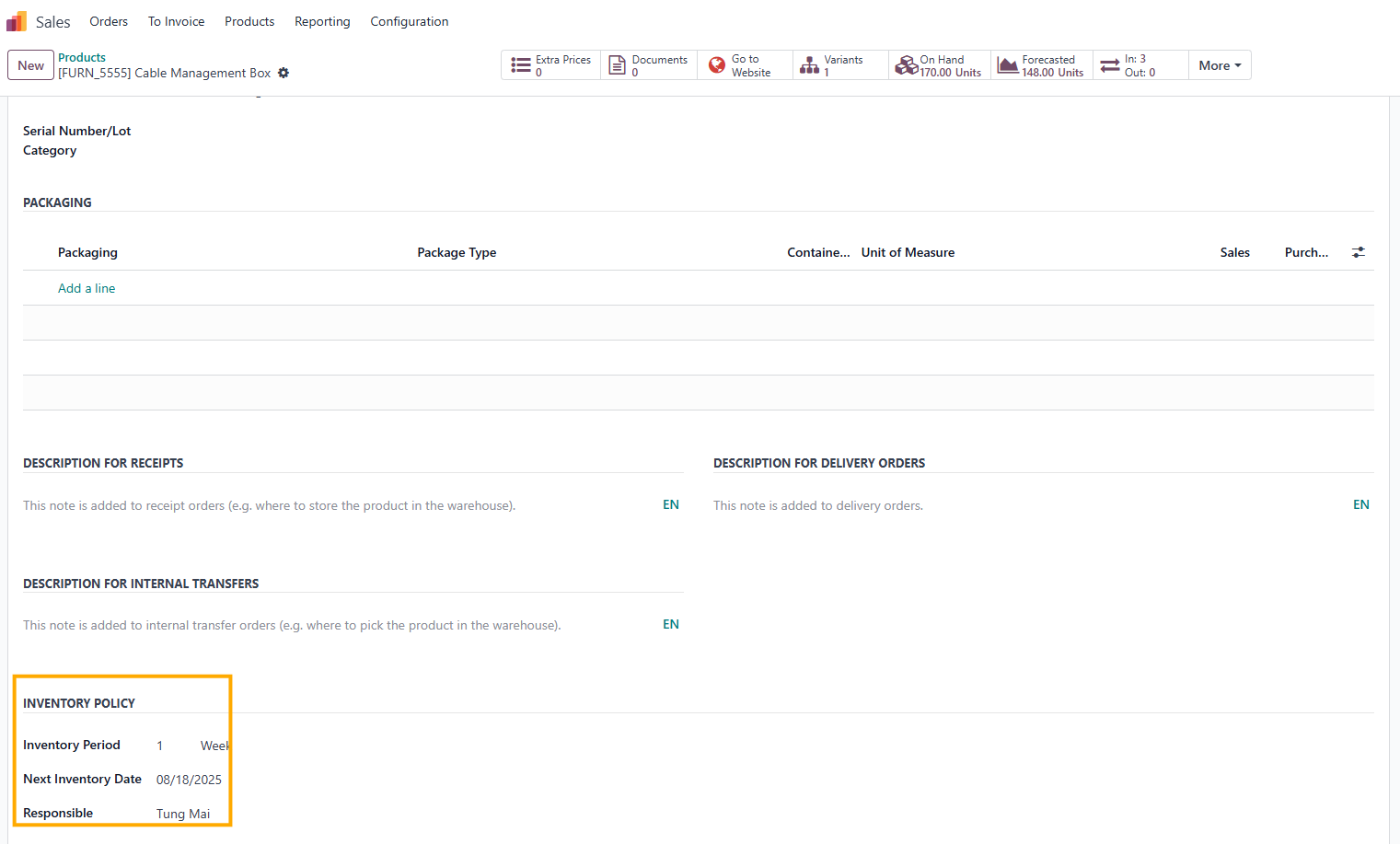
. Define the Inventory policy in Product
|
|
1.
|
|
|
|
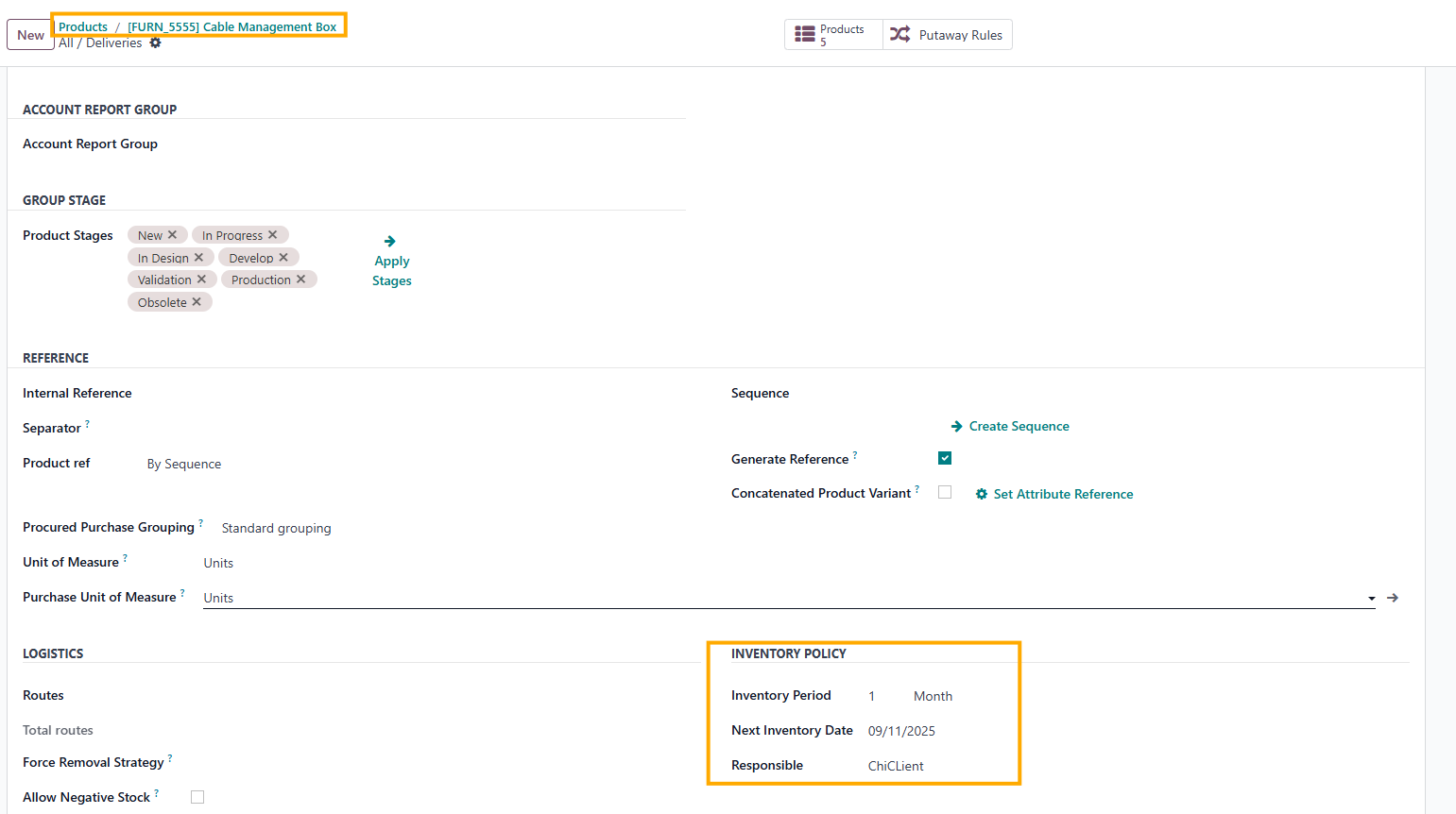
|
|
|

|
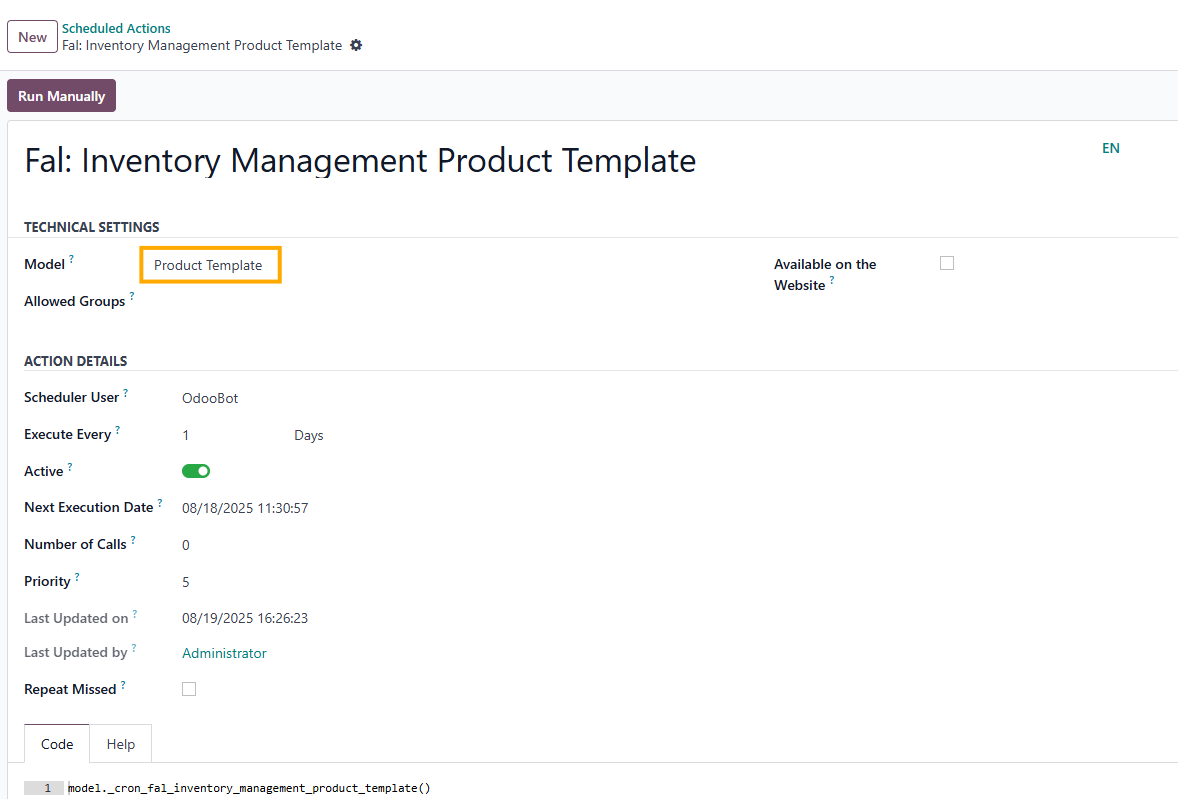
2.You can also use Scheduled Action to change the inventory date for the Product Template, the same as for the Product Category. |
|
STORY BEHIND THE FEATURES
ODOO BEHAVIOR
CLUEDOO BEHAVIOR
CLuedoo defines Inventory Policy by calculating the Next Inventory Date (Initial Inventory Date + Inventory Period) and auto-updating Scheduled Date and Responsible User , reducing manual effort and ensuring consistency across product categories. Users can also manually adjust dates in Product Categories and Product , with changes reflected in Inventory Adjustment.
CLUEDOO RECOMMENDATION
Install on 100% of your database.
OUR FEATURES AS SOLUTIONS
Define the Inventory policy = Frequency + Next Date + Responsible
HOW TO USE THIS MODULE?
|
A. Change inventory date manually
1.
Go to
Sales
>
Configuration
>
Products
>
Product Categories
|

|
|
2.
Choose a
Product Category
>
Inventory Policy
> Fill in the
Inventory Period, Next Inventory Date,
and the
Responsible
field.
Please do not set the Next Inventory Date=today as it will not work |

|
|
3.
Go to
Inventory
>
Operations
>
Physical Inventory
and then filter the Product Category
→ The
Scheduled Date
and
User
fields will be
auto-filled with the same contents that you set in the Product Category
|

|
|
B.
Change inventory date by running scheduled actions
1.
Go to
Product Categories
and then set
Inventory Policy
|

|
|
2.
Go to
Settings
>
Scheduled Actions
> Choose
Fal: Inventory Management Product Category
>
Click
Run Manually
|

|
|
3.
The
"Next Inventory Date"
is automatically calculated as the
first Inventory Date plus the Inventory Period.
|

|
|
4.
The
Scheduled Date
and
User
are automatically updated as well.
|

|
|
C
. Define the Inventory policy in Product
1.
You can do the same in the
Product
form.
Note:
|


 the module
|
|
2.
You can also use
Scheduled Action
to change the inventory date for the
Product Template,
the same as for the Product Category
|

|
| Availability |
Odoo Online
Odoo.sh
On Premise
|
| Odoo Apps Dependencies |
•
Inventory (stock)
• Invoicing (account) • Discuss (mail) |
| Lines of code | 259 |
| Technical Name |
fal_inventory_management_product_category |
| License | OPL-1 |
| Website | https://www.cluedoo.com/shop/lic-clu-set-invc-0051-inventory-management-in-product-category-and-product-6800 |
Odoo Proprietary License v1.0

This software and associated files (the "Software") may only be used (executed,
modified, executed after modifications) if you have purchased a valid license
from the authors, typically via Odoo Apps, or if you have received a written
agreement from the authors of the Software (see the COPYRIGHT file).

You may develop Odoo modules that use the Software as a library (typically
by depending on it, importing it and using its resources), but without copying
any source code or material from the Software. You may distribute those
modules under the license of your choice, provided that this license is
compatible with the terms of the Odoo Proprietary License (For example:
LGPL, MIT, or proprietary licenses similar to this one).

It is forbidden to publish, distribute, sublicense, or sell copies of the Software
or modified copies of the Software.

The above copyright notice and this permission notice must be included in all
copies or substantial portions of the Software.

THE SOFTWARE IS PROVIDED "AS IS", WITHOUT WARRANTY OF ANY KIND, EXPRESS OR
IMPLIED, INCLUDING BUT NOT LIMITED TO THE WARRANTIES OF MERCHANTABILITY,
FITNESS FOR A PARTICULAR PURPOSE AND NONINFRINGEMENT.
IN NO EVENT SHALL THE AUTHORS OR COPYRIGHT HOLDERS BE LIABLE FOR ANY CLAIM,
DAMAGES OR OTHER LIABILITY, WHETHER IN AN ACTION OF CONTRACT, TORT OR OTHERWISE,
ARISING FROM, OUT OF OR IN CONNECTION WITH THE SOFTWARE OR THE USE OR OTHER
DEALINGS IN THE SOFTWARE.
Please log in to comment on this module