

PRO Google Drive Integration | Odoo Google Drive Connector | Odoo Google Drive Bridge Cloud Storage Sync
by KSRO Labs https://ksrolabs.com$ 273.40
Google Drive Storage Sync for Odoo
Stop paying the performance tax of file-heavy databases
Move attachment storage to Google Drive without breaking Odoo workflows. Keep your team working where they already collaborate, while preserving clear control over sync rules, conflicts, backups, and audit visibility.

Predictable Cost Profile
No infrastructure expansion just to handle attachment growth.
Security-First Sync
OAuth tokens are encrypted at rest and kept out of plain-text logs.
No Hidden Dependency Stack
A focused module purpose-built for Google Drive, not a bundled suite.
Low-Risk Rollout
Deploy safely with clear migration paths and hands-on support.
Why Teams Switch to This Module
Before
Attachments pile up in Odoo, backups get heavier, and teams duplicate files between Odoo and Drive manually.
After
Files sync automatically with policy control. Teams edit in Drive, Odoo stays fast, and admins keep full visibility.
Business Impact
Lower storage pressure, cleaner collaboration, and fewer support tickets around missing or mismatched files.
Watch the 5-Minute Product Tour
See exact setup steps, first sync rule creation, file flow, and conflict handling in a real Odoo environment.
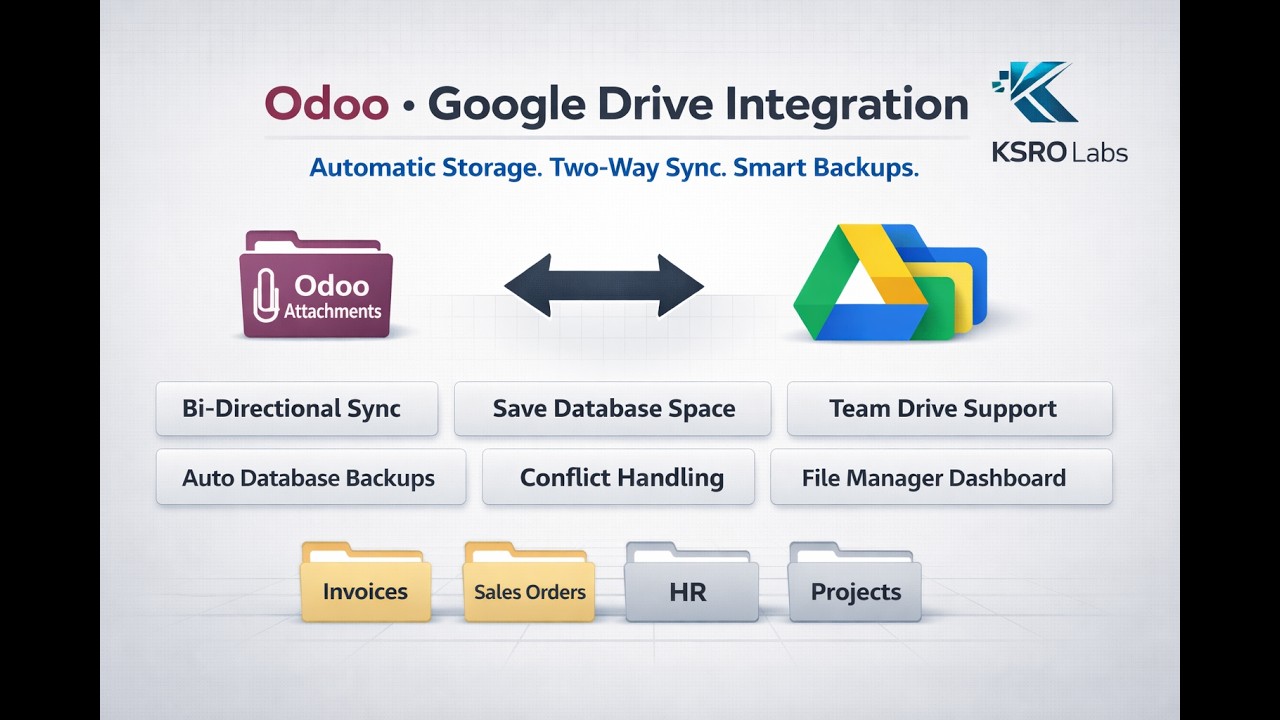
What You Get in Production
Two-Way Sync with Governance
Files can move Odoo to Drive and Drive to Odoo with explicit rule-based behavior, not best-guess automation.
Offload Mode
Store files in Drive and keep Odoo lightweight by removing large binary payloads from the database.
Best for large files and long-term archives.
Mirror Mode
Keep one copy in Odoo and one in Drive, synchronized for teams that need fast access from both systems.
Best for teams editing from both sides.
Link-Only Mode
Manually link selected Drive files without auto-upload when compliance requires tighter control.
Best for strict or selective sync policies.
Shared Drive Support
Connect to Team/Shared Drives for organization-wide structure and collaboration.
Automatic Backups
Schedule full database backups to Drive with retention controls.
Conflict Detection
Policies per rule: Odoo wins, Drive wins, or manual decision with auditability.
File Manager Dashboard
Centralized monitoring of synced files, jobs, errors, and state transitions.
Department-Level Use Cases
Accounting
Invoices and audit records sync to Drive while keeping the core database lean.
Sales
Quotes and contracts stay synchronized while teams collaborate in Drive.
HR
Employee documents auto-organize by person and department.
Projects
Task files, specs, and reviews sync by project without manual folder work.
IT / Admin
Lower hosting pressure with reduced DB footprint and cleaner backup cycles.
Operations
Centralized access to documents across departments with clear governance.
What This Looks Like Day-to-Day
Scenario: Daily vendor invoices.
- Upload PDFs in Odoo invoice records.
- Module syncs to Drive folders by vendor.
- Team reviews in Drive with shared access.
- Scheduled backup archives DB safely.
Scenario: Contract collaboration.
- Attach quote package in Odoo.
- Module mirrors file to Drive.
- Stakeholders edit in Google Docs/Drive.
- Final version syncs back into Odoo.
Go Live in About 10 Minutes
- Enable Google Drive API - copy the redirect URL from the wizard into Google Cloud.
- Install the module from Odoo Apps.
- Run Setup Wizard - paste credentials and authorize Drive access.
- Create first sync rule - choose model, mode, and target folder.
- Start syncing and monitor jobs from dashboard.
Conflict Resolution Without Guesswork
If the same file is edited in both systems, apply a clear policy per rule instead of relying on silent overwrite behavior.
Odoo Wins
Odoo version replaces Drive version.
Drive Wins
Drive version syncs back into Odoo.
Ask Me
Manual decision every time for sensitive files.
Navigation: From Setup to Daily Operations
After installation, use the Google Drive top-level menu in Odoo:

- Dashboard - sync health and job visibility
- File Manager - browse and open synced files
- Conflicts - resolve dual-edited documents
- Setup Wizard - initial onboarding
- Connections - manage Drive accounts
- Sync Rules - define model-specific behavior
- Backups - database backup history
- Job Queue - monitor processing state
Technical Notes for IT Buyers
How it works
Google Drive API v3 + scheduled sync jobs (2-10 minute intervals), resumable upload support, and queue-based retry.
Security
- Encrypted OAuth credentials
- Role-based configuration access
- Odoo ACL compatibility
Known limitations
- OAuth user accounts only (no service account flow).
- Polling architecture, not webhook push.
- Google Docs/Sheets remain native Drive documents.
Scale profile
Designed and tested with 100K+ file workloads using batched processing and lock-safe operations.
Buying Questions, Answered
How long until we see value after install?
Most teams can configure and launch first sync rules in about 10 minutes, then start reducing DB file growth immediately.
Do we need extra paid base modules to use this?
No. This is a focused Google Drive integration module, designed to work without hidden add-on purchase chains.
Will this slow down our users?
Sync runs via background queues in small batches. Day-to-day UI operations remain independent from file transfer timing.
What happens if internet or Google API is temporarily unavailable?
Jobs are queued, retried with backoff, and resumed automatically when connectivity recovers.
Can we test this on staging before production rollout?
Yes. We can guide your staging setup and recommended validation checklist before production go-live.
Ready to Roll This Out?
KSRO Labs builds production-grade Odoo integrations focused on reliability, maintainability, and measurable business outcomes.
Need help before purchase? We can run a live walkthrough on your exact workflow and rollout plan.
Email: info@ksrolabs.com
© 2026 KSRO Labs. Built for performance, privacy, and precision.
| Availability |
Odoo Online
Odoo.sh
On Premise
|
| Odoo Apps Dependencies |
Discuss (mail)
|
| Lines of code | 2607 |
| Technical Name |
gdrive_storage_sync |
| License | OPL-1 |
| Website | https://ksrolabs.com |
Odoo Proprietary License v1.0

This software and associated files (the "Software") may only be used (executed,
modified, executed after modifications) if you have purchased a valid license
from the authors, typically via Odoo Apps, or if you have received a written
agreement from the authors of the Software (see the COPYRIGHT file).

You may develop Odoo modules that use the Software as a library (typically
by depending on it, importing it and using its resources), but without copying
any source code or material from the Software. You may distribute those
modules under the license of your choice, provided that this license is
compatible with the terms of the Odoo Proprietary License (For example:
LGPL, MIT, or proprietary licenses similar to this one).

It is forbidden to publish, distribute, sublicense, or sell copies of the Software
or modified copies of the Software.

The above copyright notice and this permission notice must be included in all
copies or substantial portions of the Software.

THE SOFTWARE IS PROVIDED "AS IS", WITHOUT WARRANTY OF ANY KIND, EXPRESS OR
IMPLIED, INCLUDING BUT NOT LIMITED TO THE WARRANTIES OF MERCHANTABILITY,
FITNESS FOR A PARTICULAR PURPOSE AND NONINFRINGEMENT.
IN NO EVENT SHALL THE AUTHORS OR COPYRIGHT HOLDERS BE LIABLE FOR ANY CLAIM,
DAMAGES OR OTHER LIABILITY, WHETHER IN AN ACTION OF CONTRACT, TORT OR OTHERWISE,
ARISING FROM, OUT OF OR IN CONNECTION WITH THE SOFTWARE OR THE USE OR OTHER
DEALINGS IN THE SOFTWARE.
Please log in to comment on this module
Great team,fantastic support.
They implemented the module for us at no cost. Overall very satisfied.
There are no comments yet!