

Barcode backorder checking based on demand qty
by CLuedoo https://www.cluedoo.com/shop/lic-clu-set-inv-0032-barcode-backorder-checking-based-on-demand-qty-7315$ 750.60
ODOO'S FUNCTION
In Odoo, when processing a transfer, the system validates the processed data by comparing the entered quantity against the reserved quantity, completely ignoring the original demand quantity. This behavior causes the generated backorder list to become inconsistent and inaccurate, especially when dealing with partial shipments or unreserved stock.
CLUEDOO'S FUNCTION
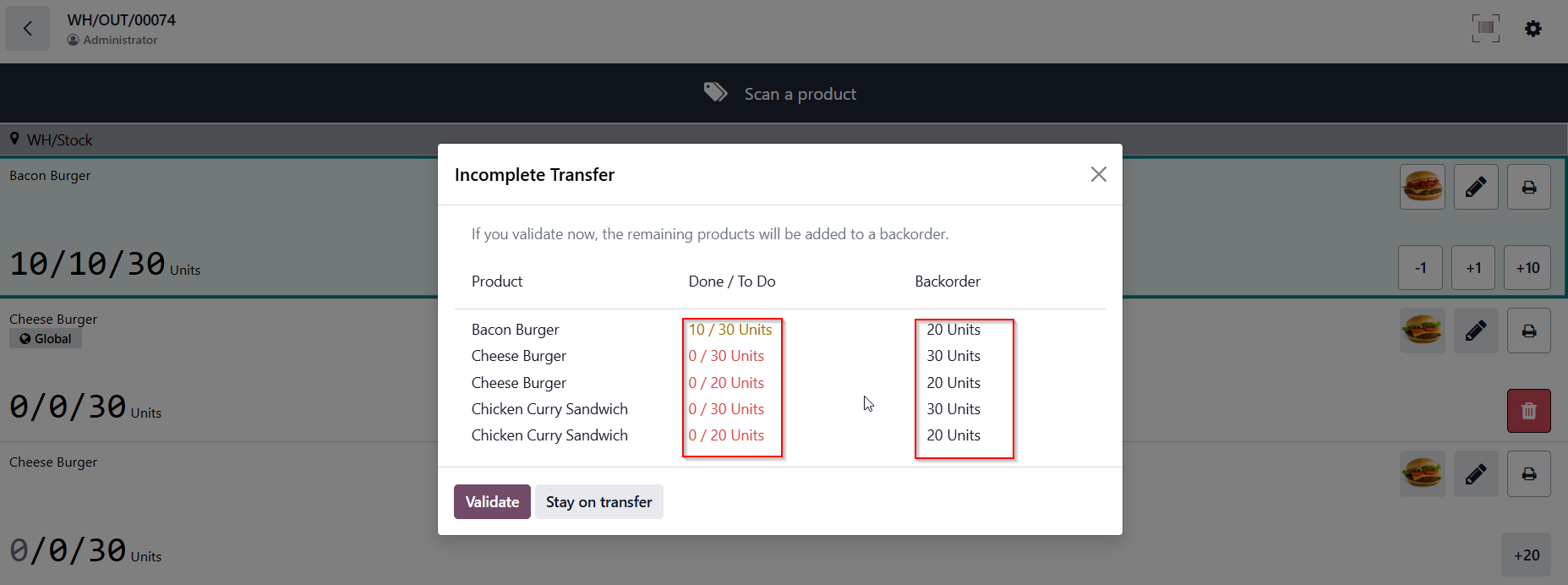
CLuedoo optimizes the barcode validation logic by calculating backorders based on the demand quantity vs. entered quantity for each individual stock move. Furthermore, instead of only tracking the current item being scanned, Cluedoo ensures that the final backorder list automatically includes ALL products within the transfer. This enhancement guarantees an accurate, consistent, and complete backorder workflow on the shop floor.
CONFIGURATION |
|
|
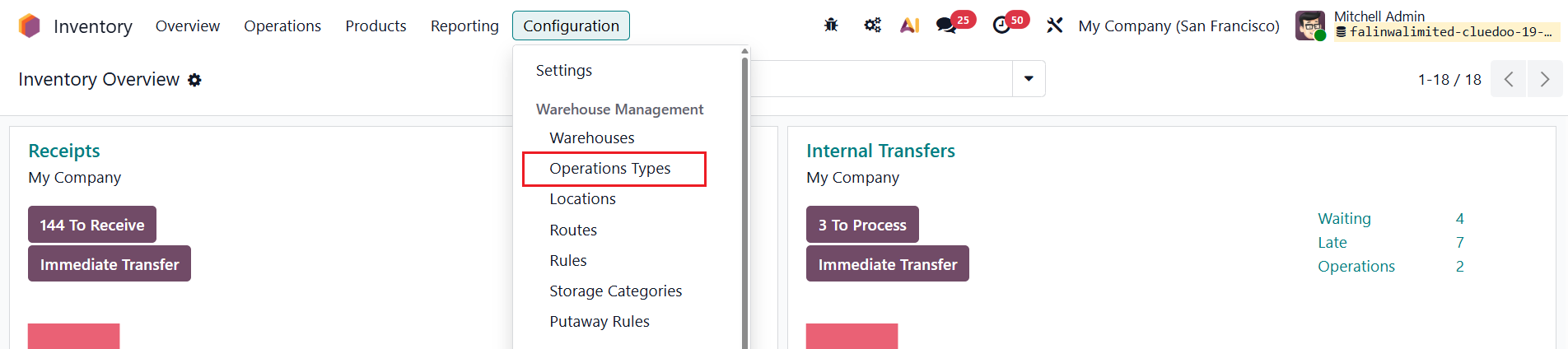
1. Go to Inventory > Configuration > Operations Types > Choose an Operations Type. e.g., Delivery Orders |
|
|
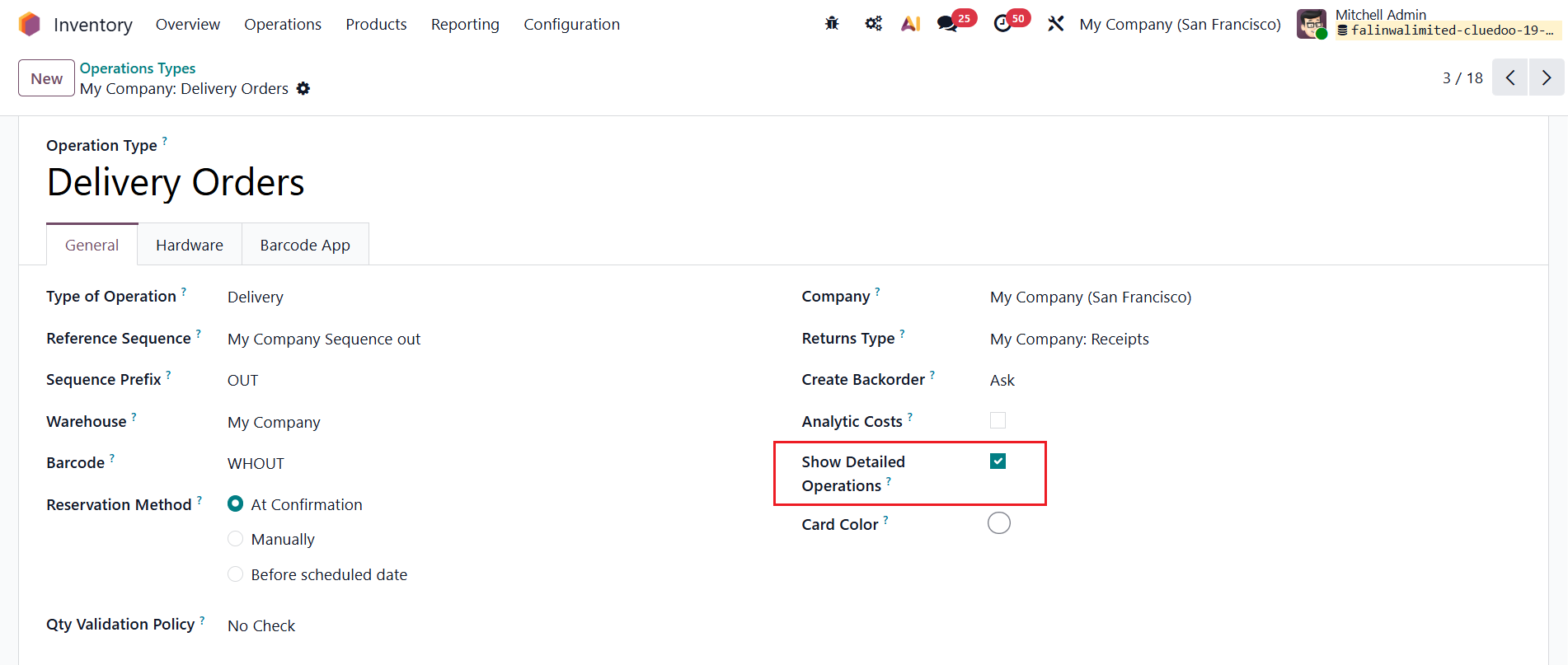
2. Under the
General tab
, tick the checkbox
Show Detailed Operations.
|
|
|
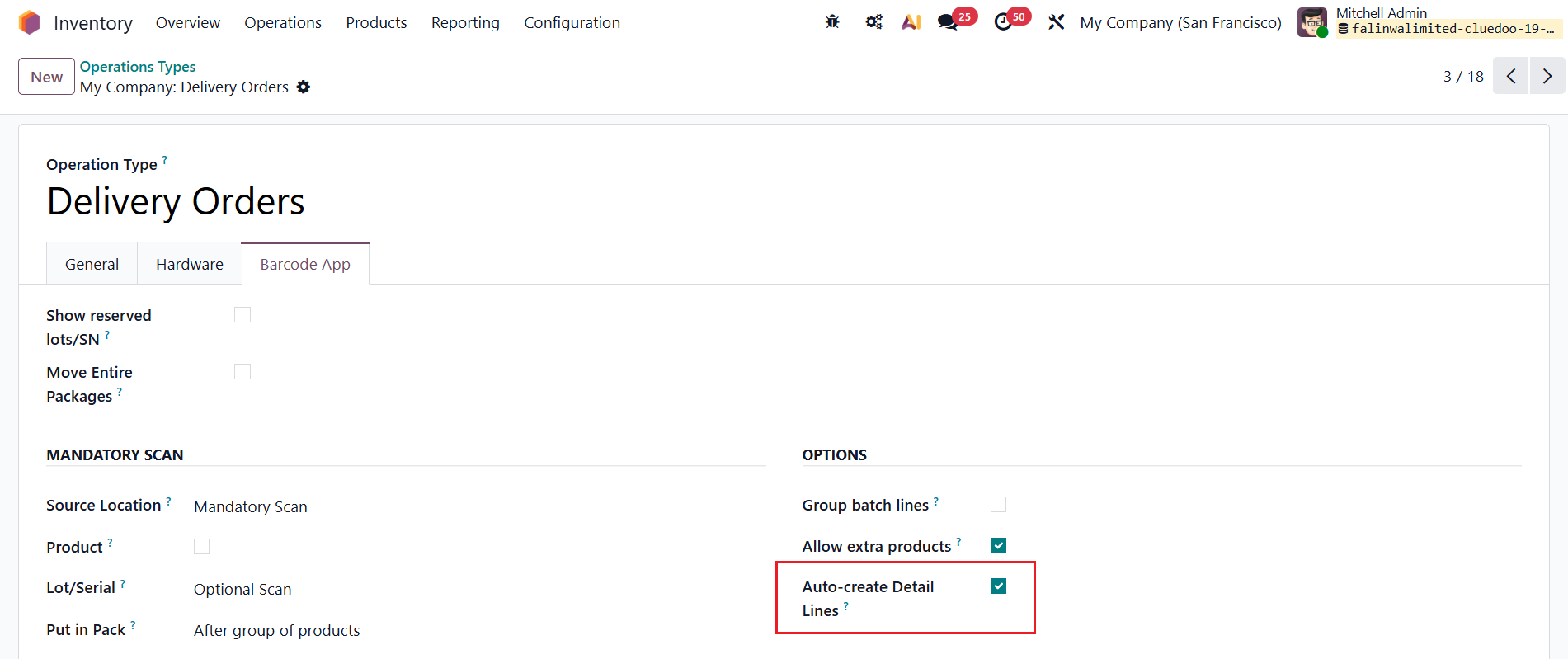
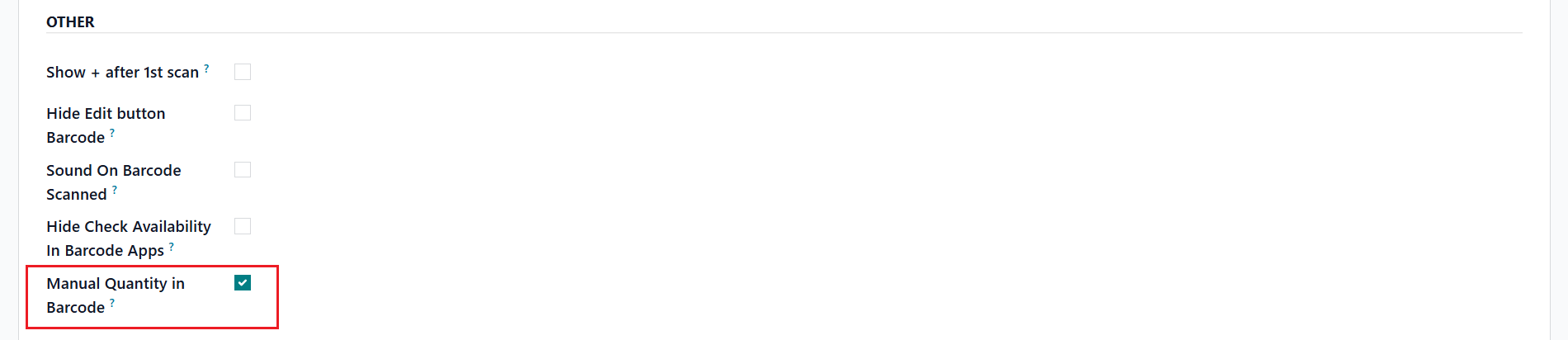
3. Under the
Barcode tab,
tick the checkbox
Auto-create Detail Lines &
Manual Quantity in Barcode.
|
|
USAGE |
|
|
1. Go to
Inventory > Operations > Transfers
and open or create
a delivery order
> add multiple products, add
Demand Quantity
>
Mark as Todo.
Example: add 30 for Demand Quantity and 20 for Reserved Quantity (to check the barcode).
|
|
|
2. Go to the " Barcode " smart button to open the mobile scanning interface.
Review the product lines displaying the initial scanning status format x/x/x.
|
|
|
4. Click the Edit (✏️) icon on a product line (e.g., Bacon Burger ). Enter a partial amount (e.g., 10 Units ) into the manual quantity input field and click Confirm .
|
|
|
5. Click the Validate button at the bottom of the barcode interface. In the Incomplete Transfer wizard that appears, verify that the system correctly calculates the backorder based on Demand vs. Done (e.g., 10 / 30 Units processed leaves a backorder of 20 Units ). Check the list to ensure ALL remaining products within the transfer are seamlessly included in the backorder lines. Click Validate . |
|
|
6. Return to the backend form view of the completed delivery order.
In the
chatter log,
verify that the new backorder document (e.g., WH/OUT/00075) has been automatically created, and the initial demand for the processed item has successfully updated from
30.00 to 10.00.
|
|



| Availability |
Odoo Online
Odoo.sh
On Premise
|
| Odoo Apps Dependencies |
•
Barcode (stock_barcode)
• Inventory (stock) • Discuss (mail) |
| Community Apps Dependencies | Show |
| Lines of code | 1261 |
| Technical Name |
cds_barcode_backorder |
| License | OPL-1 |
| Website | https://www.cluedoo.com/shop/lic-clu-set-inv-0032-barcode-backorder-checking-based-on-demand-qty-7315 |
Odoo Proprietary License v1.0

This software and associated files (the "Software") may only be used (executed,
modified, executed after modifications) if you have purchased a valid license
from the authors, typically via Odoo Apps, or if you have received a written
agreement from the authors of the Software (see the COPYRIGHT file).

You may develop Odoo modules that use the Software as a library (typically
by depending on it, importing it and using its resources), but without copying
any source code or material from the Software. You may distribute those
modules under the license of your choice, provided that this license is
compatible with the terms of the Odoo Proprietary License (For example:
LGPL, MIT, or proprietary licenses similar to this one).

It is forbidden to publish, distribute, sublicense, or sell copies of the Software
or modified copies of the Software.

The above copyright notice and this permission notice must be included in all
copies or substantial portions of the Software.

THE SOFTWARE IS PROVIDED "AS IS", WITHOUT WARRANTY OF ANY KIND, EXPRESS OR
IMPLIED, INCLUDING BUT NOT LIMITED TO THE WARRANTIES OF MERCHANTABILITY,
FITNESS FOR A PARTICULAR PURPOSE AND NONINFRINGEMENT.
IN NO EVENT SHALL THE AUTHORS OR COPYRIGHT HOLDERS BE LIABLE FOR ANY CLAIM,
DAMAGES OR OTHER LIABILITY, WHETHER IN AN ACTION OF CONTRACT, TORT OR OTHERWISE,
ARISING FROM, OUT OF OR IN CONNECTION WITH THE SOFTWARE OR THE USE OR OTHER
DEALINGS IN THE SOFTWARE.
Please log in to comment on this module