

Cloud Storage | Nextcloud Database Backups | Smart Retention | Manual & Auto Backups
by CloudAddons Technologies$ 5.00
Auto Backup to Nextcloud
Protect your business data with the ultimate Odoo administrative utility. Automate database snapshots directly to Nextcloud via WebDAV, complete with smart storage retention and 1-click manual triggers.
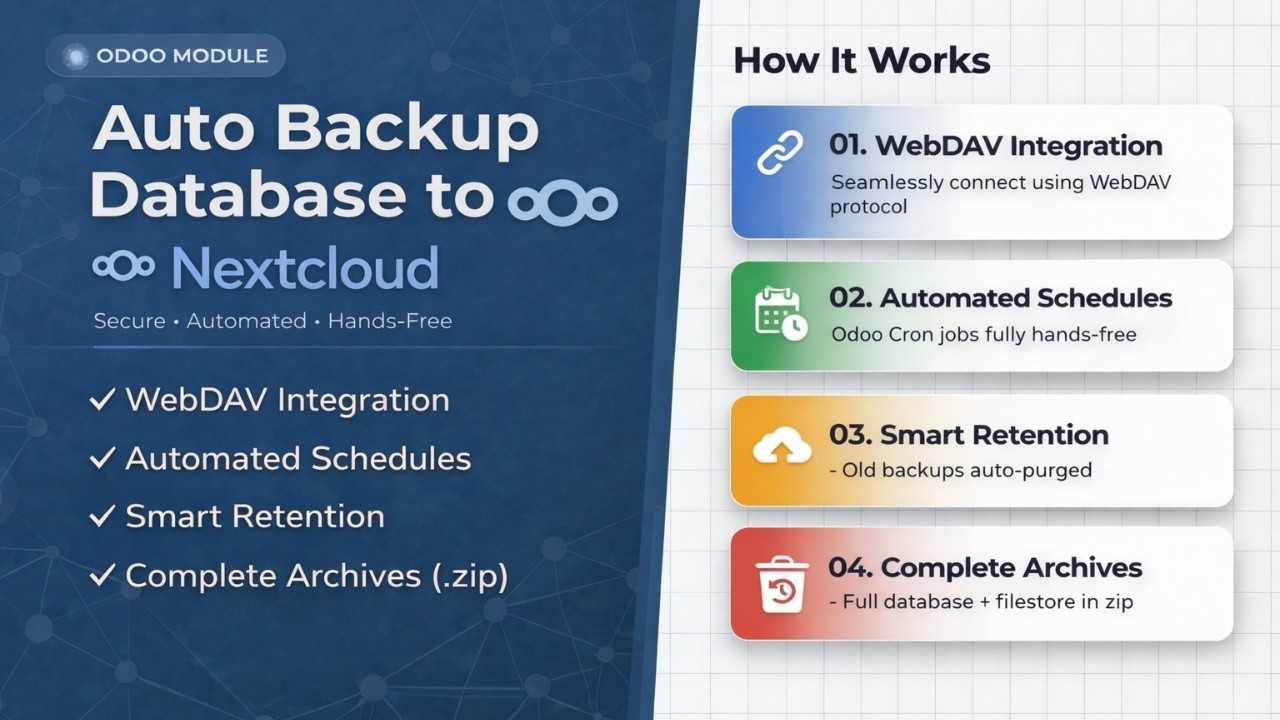
WebDAV Integration
Seamlessly connect to any Nextcloud instance using the standard WebDAV protocol. No special plugins needed.
Automated Schedules
Uses Odoo's native Cron system for reliable daily, weekly, or monthly backups completely hands-free.
Smart Retention
Automatically purges older backups by count or age thresholds to keep Nextcloud storage lean and cost-efficient.
Complete Archives
Full database in a compressed .zip, including your filestore (images, attachments) if toggled on.
1-Click Manual
Trigger an instant backup anytime perfect before a major module update or deployment.
Central Settings
Configure server URL, App Passwords, and target Nextcloud folder paths entirely within the standard Odoo Settings menu.
Why Choose Auto Backup?
Numbers that speak for themselves
Watch it in action.
Follow our step-by-step walkthrough to securely connect your Odoo instance to Nextcloud without writing a single line of code.
|
1
|
Connect via WebDAV
Add your Nextcloud
server URL and App Password securely inside native Odoo settings.
|
|
2
|
Set Automated Schedules
Define daily, weekly,
or monthly cron jobs for hands-free backups.
|
|
3
|
Sit Back & Relax
Snapshots are
automatically compressed and synced to your Nextcloud folder.
|
Key Features
Each feature is engineered to eliminate risk and reduce manual effort, ensuring your database is always protected on your self-hosted Nextcloud.
Automated Backup System
Configure once backups run on your schedule. Completely hands-free using Odoo's Cron engine.
Cron PoweredThe core Auto Backup feature works seamlessly with Odoo's native Cron scheduler. Configure once to automatically generate and upload database snapshots to Nextcloud completely hands-free.
|
01
|
"Set-it-and-forget-it" cron integration
Odoo's scheduler runs
your backup on your chosen frequency minutes, hours, days, weeks, or months.
|
|
02
|
Silent background execution
Backups run quietly
without affecting your team's workflow even when no user is logged in.
|
|
03
|
1-Click "Sync Now" manual override
Trigger an instant
snapshot anytime perfect before a major update or deployment, with confirmation
guards to prevent accidents.
|
Your data never touches unauthorized third-party servers. We use Nextcloud App Passwords to securely authenticate and transfer your Odoo data directly to your self-hosted instance no primary account password ever exposed.
|
01
|
Nextcloud App Password authentication
Enhanced security
using dedicated App Passwords your primary account password is never stored or
exposed.
|
|
02
|
Connection Wizard & Live Connectivity Test
Built-in setup wizard
and a "Connect" button that validates credentials and server accessibility in
real-time.
|
|
03
|
One-Click Disconnect
Instantly wipe stored
credentials and halt all backup processes with a single click.
|
Enterprise-Grade Security
Zero unauthorized access. App Passwords and WebDAV keep your credentials locked down.
App PasswordSmart Storage Retention
Automated cleanup keeps your Nextcloud lean. You set the rules it handles the rest.
Auto CleanupSelf-hosted storage isn't unlimited. Our built-in retention algorithm automatically scans your Nextcloud folder and purges outdated backups based on count or age thresholds you define.
|
01
|
Count-based or age-based cleanup
Keep only the last
$X$ backups, or retain backups for $X$ days or disable cleanup for permanent
archiving.
|
|
02
|
Separate rules for Auto vs. Manual
Configure independent
retention policies for scheduled and on-demand backups.
|
|
03
|
Prevents storage quota errors
No surprise "storage
full" blocks only keep exactly what you need.
|
We don't just backup text. The module exports your entire database into a compressed .zip, with an optional toggle to include your Odoo filestore (images, documents, attachments). Supports all databases or selective sync.
|
01
|
Full database .zip exports
PostgreSQL structure
+ Odoo filestore (attachments, images) all packaged in one compressed archive.
|
|
02
|
Selective or all-database sync
Auto-detect every
database on the instance, or manually choose exactly which ones to back up.
|
|
03
|
Timestamped dynamic folder structure
Backups organized
into timestamped folders (e.g.
Auto_12-03-2026_14-30-00)
for easy navigation. |
Comprehensive Archives
Full .zip exports of your database and filestore nothing left behind.
Full .zip ExportINTERFACE GALLERY
A clean, centralized interface for managing all your Nextcloud backups natively inside Odoo.
|
|
Step
01
Centralized Odoo SettingsConfigure
your Nextcloud server URL, username, and App Password directly in 
|
|
|
Step
02
Secure App Password LoginUse Nextcloud's App Password system for secure authentication no primary password ever stored. Test connectivity live before saving. 
|
|
|
Step
03
Automated Cron SchedulingSet your backup frequencies inside Odoo's native scheduled actions dashboard. View last run timestamps directly in the config panel. 
|
|
|
Step
04
Manual Backup & Sync NowTrigger an instant backup anytime with a single click with confirmation guards to prevent accidental large data transfers. 
|
|
|
Step
05
Built-in Retention RulesDefine how many backups (or days) to keep. The module handles automated cleanup on your Nextcloud folder automatically. 
|
|
|
Step
06
Direct Nextcloud FolderYour backups are neatly organized inside Nextcloud in a structured, timestamped folder hierarchy easy to browse and restore.


Auto_12-03-2026_14-30-00
Manual Backup

.zip Full
Odoo backup
.sql Raw DB
dump
|
— Related Modules —
You Might Also Like
Explore our suite of productivity-focused Odoo modules built for real business workflows.

Ready to Secure Your Database?
Don't leave your data to chance. Install Auto Backup to Nextcloud today and ensure your business continuity engineered for modern Odoo environments on your own self-hosted infrastructure.
Please log in to comment on this module