

Request a free demo: To see the app in action, copy this link into your browser https://faotools.com/s/f1mur5 and ask for a personalized live-preview database. No phone number or credit card required, only a short email sign-up.
Contact us: For any questions about this app, copy this link https://faotools.com/s/hy94c0 and reach the team directly.
In Short
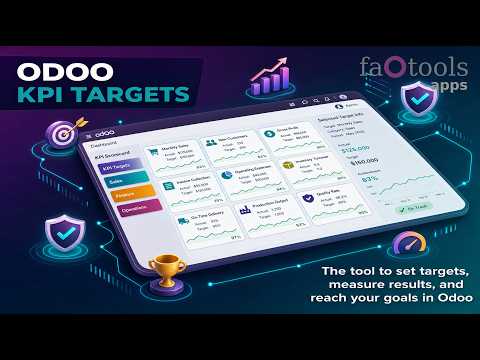
KPI Balanced Scorecard is an Odoo 19 Extra Tools app (19.0.1.1.10). The tool to set up KPI targets and control their fulfillment by periods. KPI dashboards. Dashboard designer. KPI charts.
KPI Balanced Scorecard turns Odoo data into a period-based KPI dashboard for company, team, and personal goals. Set measurable targets, calculate actual values automatically from Odoo records or formulas, follow trends over time, and share the right scorecards with the right users in a multi-company environment.
Pricing
The current price of KPI Balanced Scorecard is 198 (one-time purchase for Odoo 19, all-inclusive Odoo Apps Store price).
No additional paid dependencies are required: the price above covers the full functionality out of the box on top of a standard Odoo installation.
Perfect for
Executives and business owners
Track strategic goals through measurable KPI targets, current-period dashboards, and historical trends instead of scattered manual reports.
Sales and revenue teams
Measure quotations, orders, success ratios, averages, and sales targets by period, salesperson, sales team, company, or any filtered Odoo data.
Project and service managers
Build operational scorecards for tasks, tickets, workloads, deadlines, and service targets using standard or custom Odoo objects.
Multi-company groups
Configure KPI periods, targets, variables, and calculations per company while keeping shared logic available where it belongs.
Department leads
Delegate target editing, share read-only KPI visibility, and let each manager maintain the goals they own without exposing every scorecard.
Advanced Odoo administrators
Design reusable measurements, variables, constants, formulas, and Python calculations to transform existing Odoo data into reliable KPIs.
Ready to evaluate?
Add to cart now or start with a free demo request.
To purchase the app, click the Add to Cart button at the top of this Odoo Apps Store page.
Start a free demo: https://faotools.com/s/f1mur5
Free personalized demo. No phone number or credit card required. Free life-time updates and expert support within the major Odoo version.
Why teams choose it
Key benefits before you dive into the details
Set KPI targets by periods
Turn strategy into measurable, time-bound goals for a company, a team, or an individual user. Each KPI target is controlled in the exact period where performance matters.
Use Odoo data for KPIs
Calculate scorecard values from storable Odoo data: record counts, sums, averages, filtered measurements, constants, and advanced Python-based calculations.
Build formulas visually
Create derivative KPIs with a drag-and-drop formula builder. Combine variables, constants, other KPIs, operators, brackets, and numeric values into business-ready formulas.
Support managerial and self-control
Share KPI targets with the right users and groups so everyone can monitor the goals that matter to them, from global company objectives to personal targets.
Structure scorecards clearly
Organize KPIs by hierarchy, categories, and tags. Focus on sales, projects, departments, users, or any other area while keeping sub-KPIs easy to scan.
Keep KPIs automatically updated
Actual values are recalculated by a dedicated Odoo cron job, helping managers spot targets that need attention without rebuilding reports manually.

Ready to evaluate?
Add to cart now or start with a free demo request.
To purchase the app, click the Add to Cart button at the top of this Odoo Apps Store page.
Start a free demo: https://faotools.com/s/f1mur5
Free personalized demo. No phone number or credit card required. Free life-time updates and expert support within the major Odoo version.
Real-time control and historical trends
Period-based target control
- Calculate actual KPI values for a specific period using the selected date field, such as sales by order date or tasks by creation date.
- Plan annual, quarterly, monthly, weekly, 10-day, or custom KPI periods for different business areas, even when periods intersect.
- Show current-period KPI targets by default, so managers instantly see what needs attention today.
- Navigate between KPI categories and past or future periods from the same Odoo dashboard.
- Copy or substitute KPI targets from another period to speed up goal setting for recurring scorecards.
- Close KPI periods to preserve historical values and make repeated calculations faster.
History, trends, and exports
- Review KPI historical values by period with a graph and history table available on every target line.
- Use the KPI Trends interface to build bar and line charts, filter by KPI categories or KPIs, and compare target and actual values.
- Let the app group comparable period types automatically with tolerance rules, such as monthly periods of 28-31 days.
- Export scorecards to Excel when KPI data should be shared, archived, or analyzed outside Odoo.
- Configure KPI periods and target values separately for each company in a multi-company environment.
- Spot performance gaps faster with regularly recalculated actual values and a dashboard built around exceptions.


Drag-and-drop formulas for KPIs
Visual KPI formula builder
- Build KPI formulas like mathematical expressions by dragging parts into the right order and choosing the right operators.
- Let Odoo retrieve the configured data automatically for the target period and calculate the final value.
- Support simple or advanced formulas with addition, subtraction, multiplication, division, exponentiation, brackets, and float numbers.
- Add prefixes and suffixes so KPI values look clear in the scorecard, such as amounts, percentages, or custom labels.
- Define rounding from whole numbers to 4 decimal points to keep dashboards readable and consistent.
Reusable formula parts
- Use KPI variables to describe how values are retrieved, for example total sales orders or quotations for a specific sales team.
- Include other KPIs in derivative calculations, such as a sales success ratio based on sales count and opportunity count.
- Add KPI constants for values that cannot be fetched from Odoo records or must stay fixed for a time frame.
- Rely on Period Days and Days Passed to calculate per-time KPIs, such as average sales per week.
- Reuse prepared parts across formulas so the same data logic powers many scorecard indicators.


Shared KPIs and self-control
Share KPI visibility with the right people
- KPI managers have full access to scorecards, KPIs, targets, and settings through the KPI Management manager role.
- KPI users can observe the KPI interface and work with the shared KPI settings allowed for them.
- Share entire KPI categories or individual KPI targets with selected users or user groups.
- Give read-only access when a user should monitor targets without changing the scorecard setup.
Delegate KPI target editing safely
- Grant editor rights on categories or KPI records so department managers can maintain the goals they own.
- Use additive security: KPI managers still keep full rights, while KPI users receive only the category or KPI permissions granted to them.
- Combine user-level and group-level sharing to support company-wide dashboards and personal self-control.
- Work in multi-company environments by aligning each user's company with the relevant KPI dashboard company.

KPI settings to process Odoo data
Any storable Odoo data
- Prepare KPI calculation logic once and reuse it across scorecards and periods.
- Structure calculations in 3 layers: basic measurements, KPI variables or constants, and drag-and-drop formulas.
- Use basic measurements to retrieve raw actual values from the Odoo database.
- Combine unlimited variables, constants, and KPIs with mathematical operators in final KPI formulas.
Python code measurements
- Use the Python code measurement type for advanced figures that cannot be modeled with standard counts, sums, or averages.
- Run Python scripts, including SQL queries through env.cr, when technical KPI logic requires unrestricted access to Odoo data.
- Refer to period_start, period_end, and period_company_id in calculations to keep values period-aware and company-aware.
- Save the computed value into the result variable so the KPI engine can use it as an actual value.
Basic measurements
- Calculate counts of records, sums, averages, or Python-based values as the foundation for KPI actuals.
- Select the Odoo model to measure, including standard records, custom objects, Studio-created objects, and Odoo reports.
- Configure one or several date fields, or no date field, depending on how documents should relate to a KPI period.
- Restrict data with Odoo domains and choose a measure field for sum or average calculations.
- Use a company field to calculate KPI values separately for each company when records are company-specific.
KPI variables and constants
- Define a broad measurement, such as total sales, once and then create precise variables for teams, users, channels, or statuses.
- Use the Odoo domain constructor to filter by any storable attribute, such as state, salesperson, sales team, or custom fields.
- Add KPI constants for figures that stay fixed during a period, for example investments or employee counts.
- Apply KPI variables globally or per company, depending on where the formula should be available.
- Keep Python-code measurements linked to a single KPI variable when they do not relate to normal record filters.


Ready to evaluate?
Add to cart now or start with a free demo request.
To purchase the app, click the Add to Cart button at the top of this Odoo Apps Store page.
Start a free demo: https://faotools.com/s/f1mur5
Free personalized demo. No phone number or credit card required. Free life-time updates and expert support within the major Odoo version.
To change the frequency of KPI targets' recalculation:
- Turn on the debug mode
- Go to the menu KPI > Configuration > Settings
- Find the button 'Configure cron job'
- Feel free to update the settings 'Execute Every' and 'Next Execution Date'. However, please do not make it too frequent (e.g. once in 5 minutes). Since the job is resource demanding, it require at least a few minutes to be fully and correctly finished.
Change frequency of KPIs re-calculatinon

Basic Measurements are not used to create a formula by themselves. Even if you don't want to add any more filters to the Basic Measurement, you should still create a Variable linked to it. Then, this Variable will appear in the list of available ones for creating a formula.
The app itself does not introduce its own data (with exception of the KPI constants aiming exactly to apply missing data) or integrations. The app calculates and prepares interfaces based on existing Odoo data. For example, you can get the information about the number of sale orders for a particular period from the app Sales.
The module is universal and can get data from any Odoo module, including account balances. For example, you can calculate the total profit for a month based on the invoices (journal entry).
You can also get the data from a source outside of Odoo, through connecting it with an Odoo module. For example, if you have data from Google Analytics in your Odoo PostgreSQL, then such data might be used to prepare KPIs.
Measurement (Variable) - is a specification of a basic measurement. The key idea is to simplify data preparation. You define 'Total Sales' once, and then unlimitedly use it for 'Sales Europe', 'Sales John Brown', 'Website Sales', etc by adding extra filters.
According to the current Odoo Apps Store policies:
- Every module bought for version 12.0 and prior gives you access to all versions up to 12.0.
- Starting from version 13.0, every module version should be purchased separately.
- Disregarding the version, purchasing a tool grants you a right to all updates and bug fixes within a major version.
Please note that the faOtools team does not control those policies. For all questions, please contact the Odoo Apps Store representatives directly.
The most straightforward approach is to use the Odoo store's built-in workflow:
1. Open the module's page and click the button Deploy on odoo.sh
2. After that, you will be redirected to the GitHub page. Log in to your account, then click 'Create a new repo' or use an existing one. Please ensure your repository is private. It is not permitted to publish the apps under the OPL-1 license. If necessary, create a new repo for your Odoo.sh project
3. Then, go to odoo.sh and click the Deploy button. In the pop-up window, submit the decision and click 'Continue.' This action will trigger the installation process.
These steps will install the app for your project's production branch. If you want to deploy the apps for other branches or update the module, you should undertake the following actions:
1. Upload the source code for the app from the Odoo store
2. Commit the module to a required GitHub repository. Ensure none of the app folders/files are ignored (i.e., not included in your repo's .gitignore). Repositories are automatically created by odoo.sh and may include some crucial items by default (e.g., /lib). You should upload all module directories, subdirectories, and files without exceptions
3. Deploy a target branch of the odoo.sh project or, if your settings assume that, wait until it is automatically built.
2. Re-start the Odoo server;
3. Turn on developer mode (technical settings);
4. Update the apps' list (the apps' menu);
5. Find the app and push the button 'Activate'/'Install';
6. Follow the guidelines on the app's page if those exist.
Yes, sure. Simultaneously, Odoo automatically adds all dependencies to a cart, so you should exclude previously purchased tools to avoid double payment.
A red/orange warning does not influence the app's features. Regretfully, sometimes our modules do not pass standard automatic tests since the latter assume behavior that conflicts with our app's goals. For example, we change the price calculation, while the standard Odoo module tests compare the final price to a standard algorithm.
So, first of all, please check the deployed database features. Does everything work correctly?
If you still assume that the warning influences real features, please contact us and forward full installation logs and the full list of deployed modules (including core and third-party ones).
No, we only distribute the tools through the official Odoo apps store.
Regretfully, we do not have the technical means to provide individual prices.
No, third-party apps can not be used on Odoo Online. Unfortunately, Odoo SaaS blocks such a possibility.
Yes, our tool requires all modules marked in dependencies to work correctly. The price marked on the app page already includes all necessary dependencies.
The price for our modules is set in euros. The Odoo store converts prices to other currencies according to its internal exchange rate. Thus, the price in US Dollars may change when the exchange rate is updated.
Odoo KPI Balanced Scorecard dashboard
KPI targets by tags

Export Odoo KPIs to an electronic table

KPI formula: overview

Drag-and-drop Odoo KPI formula builder
KPI targets by periods

Odoo KPI Trends analysis
Odoo KPI target history and trend chart
Odoo KPI formula settings and display options
Odoo KPI basic measurement setup
Odoo KPI variable based on a measurement
Constants for KPI calculation

Open a new KPI period

Set new Odoo KPI targets

Copy targets from another period

Execute Python code to calculate KPI actual value

Odoo list of KPIs

Share Odoo KPI category access rights
KPI's own security settings

Odoo KPIs configuration

19.0.1.1.10
- The UI responsiveness of the Kanban has been refactored and optimized.
- The navigation panels got support for resizing and collapsing.
19.0.1.1.9
- Only currently visible KPIs are exported from the KPI interface.
19.0.1.1.8
- The app is published to version 19.
18.0.1.1.8
- The issue with the untranslated warnings has been fixed.
18.0.1.1.7
- The kanban views are adapted to the new Odoo 18 XML principles.
- The archived ribbon for inactive records is added to form views of KPIs, variables, basic measurements, constants, categories, and tags.
18.0.1.1.6
- The app is published to version 18.
17.0.1.1.6
- The multi-company access for tags is fixed.
- The issue with the missing first bar column is fixed.
17.0.1.1.5
- Loading of the KPI charts is optimized to reuse the same canvas.
Odoo demonstration databases (live previews)
For this app, we might provide a free personalized demo database.
To demand such a database, press the button "Live Preview" on the top of this page or copy the link https://faotools.com/s/f1mur5
You do not need a phone number or credit card to contact us. You should only pass a short email sign-up, which does not take more than 30 seconds.
By your request, we will prepare an individual live preview database, where you can apply any tests and check assumptions for about two weeks.
Bug reporting
If you encounter bugs or inconsistent behavior, do not hesitate to contact us. We guarantee to provide fixes within 60 days of purchase and are intensely interested in improving our tools even after this period.
To send us a bug report, press the "Website" link at the top of this page and push the button "Bug Report" (the tab Support). Alternatively, copy the link https://faotools.com/s/k09nmr
You do not need a phone number or credit card to contact us. You should only pass a short email sign-up, which does not take more than 30 seconds.
Please include as many details as possible in your request: screenshots, Odoo server logs, a full description of how to reproduce your problem, and so on. Usually, it takes a few business days to prepare a working plan for an issue (if a bug is confirmed) or provide you with guidelines on what should be done (otherwise).
Public features requests and module ideas (free development)
We are strongly motivated to improve our tools and would be grateful for any feedback. If your requirements are of public use and might be efficiently implemented, the team will include those in our to-do list.
Such a to-do list is processed regularly and does not assume extra fees. Although we cannot promise deadlines and final design, it might be a good way to get desired features without investments and risks.
To share ideas, press the "Website" link at the top of this page and push the button "Share Features Ideas" (the tab Support). Alternatively, copy the link https://faotools.com/s/clf11y
You do not need a phone number or credit card to contact us. You should only pass a short email sign-up, which does not take more than 30 seconds.
Questions and misc issues
Feel free to contact us with any other concerns, doubts, or questions: press the "Website" link at the top of this page and push the button "Raise Question" (the tab Support). Alternatively, copy the link https://faotools.com/s/hy94c0
You do not need a phone number or credit card to contact us. You should only pass a short email sign-up, which does not take more than 30 seconds.
About the team
faOtools (faotools.com, former odootools.com) is the developers and business analysts team that helps you extend Odoo's potential. Since 2012, we have worked side by side with end users for whom Odoo is the primary business tool, turning their real needs into ready-to-use apps.
Trusted since 2012
More than a decade focused on Odoo. Many customers have relied on faOtools since Odoo v8, upgrade after upgrade.
102 published apps
102 apps published and maintained on the Odoo Apps Store, covering a wide range of real business needs.
Approved by real users
Our tools are built and hardened with feedback from companies running Odoo in production, and carry strong five-star ratings on the Odoo Store.
Free lifetime support
Free support and bug fixes for the entire lifetime of the Odoo major version you purchased - no recurring support fee.
Free live demos
Try most tools on a live demo database before you buy, so you know exactly what you are getting.
Compatible with core Odoo
Our modules complement standard Odoo apps and follow Odoo's philosophy - they extend the core, they never fight it.
Ready to use out of the box
Designed around real-life scenarios with clean defaults and clear documentation - install and start using them right away.
OPL-1 and AI-friendly
Distributed under the Odoo Proprietary License: you may build your own modules - including AI-assisted adaptations - on top of ours as a dependency.
Open to your ideas
Share a request. If it is useful for everyone, we often add the feature to the app at no extra cost.
You may like the tools

The tool to flexibly structure Odoo attachments in folders and synchronize directories with cloud clients: Google Drive, OneDrive/SharePoint, Nextcloud/ownCloud, Dropbox, Amazon S3, Box, and NAS. DMS. File Manager. Document management system
398
The tool to automatically synchronize Odoo attachments with OneDrive files in both ways
487
The tool to automatically synchronize Odoo attachments with Google Drive files in both ways
487

The tool to build a deep and structured knowledge base for internal and external use. Knowledge System. KMS. Wiki-like revisions.
398
The tool to manage your Odoo from your favorite AI chats through MCP. Claude. Any MCP-supporting AI.
198
The tool for time-based service management from booking appointments to sales and reviews
398

Please log in to comment on this module