

Request a free demo: To see the app in action, copy this link into your browser https://faotools.com/s/password-manager-demo and ask for a personalized live-preview database. No phone number or credit card required, only a short email sign-up.
Contact us: For any questions about this app, copy this link https://faotools.com/s/b2uc2c and reach the team directly.
In Short
Password Manager is an Odoo 19 Extra Tools app (19.0.1.3.21). The tool to safely keep passwords in Odoo for shared use. Shared vaults.
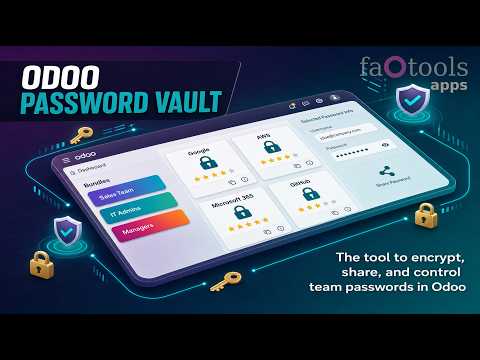
Securely manage team passwords inside Odoo with encrypted shared vaults, role-based access, password generation, portal sharing, duplicate control, and optional access logging.
Pricing
The current price of Password Manager is
198
168
(one-time purchase for Odoo 19, all-inclusive Odoo Apps Store price).
This promotional price is valid until
August, 15.
No additional paid dependencies are required: the price above covers the full functionality out of the box on top of a standard Odoo installation. There are optional add-ons that can extend this app; you can find the details under Package, add-ons, and pricing details.
Perfect for
Internal teams sharing credentials
Sales, support, IT, product, and operations teams can keep shared passwords in structured Odoo vaults while controlling who may view, copy, update, or administer each bundle.
Agencies and service providers
Consultants, MSPs, and outsourcing teams can safely share selected passwords with customers through protected portal vaults without exposing the whole internal password bundle.
Security-conscious Odoo databases
Organizations that need encrypted credential storage, password generation, duplicate control, rotation reminders, and optional access logs can manage the process without leaving Odoo.
Ready to evaluate?
Add to cart now or start with a free demo request.
To purchase the app, click the Add to Cart button at the top of this Odoo Apps Store page.
Start a free demo: https://faotools.com/s/password-manager-demo
Free personalized demo. No phone number or credit card required. Free life-time updates and expert support within the major Odoo version.
Package, add-ons, and pricing details
Dependencies, optional apps, included prices, and abbreviations.
Password Manager
a core app to manage vaults and passwords.
Its price is
198
168 .
Password Manager: Custom Fields
an extension to add custom fields for password keys. Features assumed by this app are marked by the icon .
Its price is
38
36 .
Why teams choose it
Key benefits before you dive into the details
Shared team password vaults
Group credentials into bundles for a department, project, or customer and grant access to selected Odoo users or user groups.
Single-view workspace
Find, sort, tag, select, open, and copy credentials from one password manager interface without jumping between forms.
Encrypted security layers
Store password keys encrypted, protect selected vaults with an extra password, and limit sessions before users must confirm access again.
Portal password sharing
Share selected credentials with Odoo portal contacts through separate protected portal vaults instead of exposing the full internal bundle.
Password generator
Generate new passwords manually or automatically with configurable length and character rules, then evaluate their strength in real time.
Quality and duplicate control
Spot weak passwords, configure duplicate criteria, warn users before saving repeated keys, and merge duplicate records when needed.
Batch actions and export
Configure mass actions to export selected passwords, update tags or partners, duplicate, merge, archive, restore, delete, or mark favorites.
Custom fields
With the optional extension, add password types and custom fields so each credential category stores the details it really needs.
Access logging
Enable user logging to see who viewed or copied a password in the backend or portal and when the latest access happened.
Odoo contact links
Link passwords to Odoo partners, open related credentials from contact records, and still control sharing through portal vault access.
Password rotation reminders
Define update periods and responsible users so Odoo creates activities when important credentials should be changed.
Favorites and quick access
Mark key passwords as favorites, open related sites quickly, and keep frequently used credentials easy to find.

Odoo Store feedback
What customers say about the app
Very good password management module
-- Charline Heurtault
Ready to evaluate?
Add to cart now or start with a free demo request.
To purchase the app, click the Add to Cart button at the top of this Odoo Apps Store page.
Start a free demo: https://faotools.com/s/password-manager-demo
Free personalized demo. No phone number or credit card required. Free life-time updates and expert support within the major Odoo version.
Shared encrypted vaults and team access control
Give the right people the right password access, with extra protection for sensitive bundles.
Role-based sharing policies
- Create as many password bundles as your teams, departments, projects, or customers need.
- Grant bundle access to individual Odoo users or whole user groups from the access levels table.
- Use administrator rights for users who should manage the vault, its passwords, tags, update policies, access levels, and extra password.
- Use full rights for users who may work with passwords and tags but should not change the vault settings.
- Use readonly rights when users may see permitted passwords but must not modify bundle objects.
- Restrict individual password keys further by allowed users or groups; empty restrictions keep the key visible to all users who can read the bundle.
Security layers for sensitive credentials
- Store password keys symmetrically encrypted, so database access alone is not enough to reveal credentials.
- Protect selected bundles with an extra password and set how long a successful session remains valid.
- Re-encrypt password keys when a bundle password changes, and let bundle administrators refresh encryption key and salt when needed.
- Define password update periods and assign responsible users or groups so Odoo creates activities when keys should be rotated.
- Enable user logging to record backend and portal password views or copies, including the user and latest access date.

Secure portal password vaults for customers
Share only the selected credentials with each customer, protected by portal vault passwords and access rules.
Controlled sharing from the backend
- Turn on portal vaults in settings and add the Share in portal mass action to share selected keys from a bundle.
- Create unlimited portal vaults inside a password bundle and share each one with selected Odoo partners.
- Add passwords by drag and drop from the backend navigation panel or through the sharing wizard.
- Send invitation emails during sharing when portal access is already granted to the customer contact.
- Set a validity date for temporary sharing so portal vaults can be archived automatically.
Protected portal experience
- Portal users open shared credentials from the Password Vaults entry on their Odoo portal home page.
- A contact can access vaults assigned to that partner or to the partner's parent company, provided portal rights are granted.
- Each portal vault has its own required password and session timeout before credentials can be shown again.
- Choose which columns are visible in the portal: reference, username, password, URL, email, phone, notes, and selected extra fields.
- When user logging is enabled, portal password views and copies are recorded on the password card logging tab.

Custom password fields and types
Adapt password records to your real credential categories without custom development.
Fields that match each credential
- Add custom password attributes from the interface instead of asking a developer to change the form.
- Use the field types your process needs: text, rich text, numbers, selections, booleans, dates, files, and references to Odoo records.
- Choose where each field appears: a custom tab, the left column, the right column, or after notes.
- Mark fields as required when a password type must always capture a specific detail.
Password types for cleaner vaults
- Create a typology of passwords, including hierarchies, so users can navigate credentials by type.
- Show fields only for the relevant password types, for example different properties for virtual servers and email servers.
- Assign or change password types in bulk from the single-view interface with drag and drop.
- Keep field management under administrator control while users benefit from clearer forms, imports, and exports.

Duplicate detection and password merging
Prevent repeated credentials and clean up existing duplicates without losing useful details.
Find possible duplicates before they spread
- Define your own duplicate criteria from the app settings instead of relying on one fixed rule.
- Compare stored fields such as reference, username, email, phone, notes, linked partner, dates, numbers, and selected custom fields.
- Use exact matching for most fields and case-insensitive comparison for character fields.
- Warn users during password creation when the new key may duplicate an existing record.
- Apply the Potential duplicates filter inside one bundle or across all passwords to review candidates quickly.
Merge records while keeping useful data
- Add the Merge passwords mass action and select the records that should become one clean password card.
- Choose the main password as the priority source when values conflict.
- Let the wizard fill missing reference, bundle, username, email, URL, phone, last update date, and partner values from the merged records.
- Accumulate notes, attachments, and tags from all merged password records.
- Archive the merged records after consolidation while the main password card keeps the enriched data.


Ready to evaluate?
Add to cart now or start with a free demo request.
To purchase the app, click the Add to Cart button at the top of this Odoo Apps Store page.
Start a free demo: https://faotools.com/s/password-manager-demo
Free personalized demo. No phone number or credit card required. Free life-time updates and expert support within the major Odoo version.
To guarantee tool correct work you would need a number of Python libraries: zxcvbn, cryptography:
pip3 install zxcvbn cryptography
To see all passwords of a partner, go to Contacts, open the partner and click the smart button 'Passwords'. After that, you will be redirected to the Password manager app and will see all the passwords of this partner.
The button 'Delete' was hidden from the main bundles menu for the security purpose. To delete a passwords bundle: 1. Click on the three dots button in the top right corner of the bundle 2. You will be redirected to the editing mode of the bundle, from there, click 'Save' 3. Above the passwords bundle you will see the button 'Action', click on it and choose the option 'Delete'.
According to the current Odoo Apps Store policies:
- Every module bought for version 12.0 and prior gives you access to all versions up to 12.0.
- Starting from version 13.0, every module version should be purchased separately.
- Disregarding the version, purchasing a tool grants you a right to all updates and bug fixes within a major version.
Please note that the faOtools team does not control those policies. For all questions, please contact the Odoo Apps Store representatives directly.
The most straightforward approach is to use the Odoo store's built-in workflow:
1. Open the module's page and click the button Deploy on odoo.sh
2. After that, you will be redirected to the GitHub page. Log in to your account, then click 'Create a new repo' or use an existing one. Please ensure your repository is private. It is not permitted to publish the apps under the OPL-1 license. If necessary, create a new repo for your Odoo.sh project
3. Then, go to odoo.sh and click the Deploy button. In the pop-up window, submit the decision and click 'Continue.' This action will trigger the installation process.
These steps will install the app for your project's production branch. If you want to deploy the apps for other branches or update the module, you should undertake the following actions:
1. Upload the source code for the app from the Odoo store
2. Commit the module to a required GitHub repository. Ensure none of the app folders/files are ignored (i.e., not included in your repo's .gitignore). Repositories are automatically created by odoo.sh and may include some crucial items by default (e.g., /lib). You should upload all module directories, subdirectories, and files without exceptions
3. Deploy a target branch of the odoo.sh project or, if your settings assume that, wait until it is automatically built.
2. Re-start the Odoo server;
3. Turn on developer mode (technical settings);
4. Update the apps' list (the apps' menu);
5. Find the app and push the button 'Activate'/'Install';
6. Follow the guidelines on the app's page if those exist.
Yes, sure. Simultaneously, Odoo automatically adds all dependencies to a cart, so you should exclude previously purchased tools to avoid double payment.
A red/orange warning does not influence the app's features. Regretfully, sometimes our modules do not pass standard automatic tests since the latter assume behavior that conflicts with our app's goals. For example, we change the price calculation, while the standard Odoo module tests compare the final price to a standard algorithm.
So, first of all, please check the deployed database features. Does everything work correctly?
If you still assume that the warning influences real features, please contact us and forward full installation logs and the full list of deployed modules (including core and third-party ones).
No, we only distribute the tools through the official Odoo apps store.
Regretfully, we do not have the technical means to provide individual prices.
No, third-party apps can not be used on Odoo Online. Unfortunately, Odoo SaaS blocks such a possibility.
Yes, our tool requires all modules marked in dependencies to work correctly. The price marked on the app page already includes all necessary dependencies.
The price for our modules is set in euros. The Odoo store converts prices to other currencies according to its internal exchange rate. Thus, the price in US Dollars may change when the exchange rate is updated.
Odoo Password Manager single-view interface
Password card actions in Odoo vault

Odoo password generator wizard

Team access levels for password vaults
Password bundles for shared team vaults

Passwords linked to Odoo contacts

Password Manager settings in Odoo

Extra password protection for vaults

Bundle password confirmation

Custom password field types

Custom fields on password form
Potential duplicate passwords filter
Merge duplicate password records
Duplicate warning during password creation

Configurable password duplicate criteria

Portal vault invitation wizard

Share passwords with Odoo portal contacts

Password Vaults entry in portal

Customer portal view of password vaults
Portal vault list in Odoo backend

Portal vault password security

19.0.1.3.21
- The UI responsiveness of the Kanban has been refactored and optimized.
- The navigation panels got support for resizing and collapsing.
19.0.1.3.20
- The issue with proceeding frozendict in mass actions has been fixed.
19.0.1.3.19
- Attachments are not searched during the passwords read
19.0.1.3.18
- The app is adapted to the newest "invisible" test requirements.
19.0.1.3.17
- The app is published to version 19.
18.0.1.3.17
- The feature for generating default passwords has been updated from passlib to Python's secrets module.
18.0.1.3.16
- The issue with the untranslated warnings has been fixed.
18.0.1.3.15
- The issue with creating keys when passwords are opened from a contact is fixed.
18.0.1.3.14
- The issue with password copying in the iOS environment has been fixed.
18.0.1.3.13
- The optional feature to log user access has been added.
18.0.1.3.12
- The kanban views are adapted to the new Odoo 18 XML principles.
- The archived ribbon for inactive records is added keys kanban and form views, bundles kanban and form views, and form views of tags and shares.
18.0.1.3.11
- Focus the bundle login wizard automatically.
18.0.1.3.10
- The issue with cut portal password fields is fixed.
18.0.1.3.9
- The app is published to version 18.
17.0.1.3.8
- Page refreshing keeps the currently selected bundle.
- Duplicates' number is calculated in the current bundle context.
- The issue with missing password keys on the first load is fixed.
17.0.1.3.9
- The issue with the order of custom fields in the portal is fixed.
17.0.1.3.7
- The default activity view for passwords now is kanban.
17.0.1.3.6
- The issue of the invalid escape sequence during app update is fixed.
17.0.1.3.5
- Access to the app configuration is restricted to the group Administration > Settings.
17.0.1.3.4
- Password key and portal bundle forms are reorganized depending on whether a linked bundle is selected.
17.0.1.3.3
- The drag-and-drop features to mass update passwords are introduced: add a tag, update type, and share to portal vault all currently selected keys.
17.0.1.3.2
- Basic drag&drop features are optimized.
17.0.1.3.1
- Basic drag&drop features are introduced.
- The selected parent of the navigation trees is highlighted correctly.
17.0.1.2.9
- The kanban view of password keys is adapted to the newest Odoo v.17 approaches.
17.0.1.2.8
- Portal password interfaces and portal keys' computation are optimized.
17.0.1.2.7
- Custom fields' visibility is fixed.
- Backend sorting, export, and archived records selection are fixed.
17.0.1.2.6
- The app is published to version 17.
Odoo demonstration databases (live previews)
For this app, we might provide a free personalized demo database.
To demand such a database, press the button "Live Preview" on the top of this page or copy the link https://faotools.com/s/password-manager-demo
You do not need a phone number or credit card to contact us. You should only pass a short email sign-up, which does not take more than 30 seconds.
By your request, we will prepare an individual live preview database, where you can apply any tests and check assumptions for about two weeks.
Bug reporting
If you encounter bugs or inconsistent behavior, do not hesitate to contact us. We guarantee to provide fixes within 60 days of purchase and are intensely interested in improving our tools even after this period.
To send us a bug report, press the "Website" link at the top of this page and push the button "Bug Report" (the tab Support). Alternatively, copy the link https://faotools.com/s/yu3j7t
You do not need a phone number or credit card to contact us. You should only pass a short email sign-up, which does not take more than 30 seconds.
Please include as many details as possible in your request: screenshots, Odoo server logs, a full description of how to reproduce your problem, and so on. Usually, it takes a few business days to prepare a working plan for an issue (if a bug is confirmed) or provide you with guidelines on what should be done (otherwise).
Public features requests and module ideas (free development)
We are strongly motivated to improve our tools and would be grateful for any feedback. If your requirements are of public use and might be efficiently implemented, the team will include those in our to-do list.
Such a to-do list is processed regularly and does not assume extra fees. Although we cannot promise deadlines and final design, it might be a good way to get desired features without investments and risks.
To share ideas, press the "Website" link at the top of this page and push the button "Share Features Ideas" (the tab Support). Alternatively, copy the link https://faotools.com/s/dngcxg
You do not need a phone number or credit card to contact us. You should only pass a short email sign-up, which does not take more than 30 seconds.
Questions and misc issues
Feel free to contact us with any other concerns, doubts, or questions: press the "Website" link at the top of this page and push the button "Raise Question" (the tab Support). Alternatively, copy the link https://faotools.com/s/b2uc2c
You do not need a phone number or credit card to contact us. You should only pass a short email sign-up, which does not take more than 30 seconds.
About the team
faOtools (faotools.com, former odootools.com) is the developers and business analysts team that helps you extend Odoo's potential. Since 2012, we have worked side by side with end users for whom Odoo is the primary business tool, turning their real needs into ready-to-use apps.
Trusted since 2012
More than a decade focused on Odoo. Many customers have relied on faOtools since Odoo v8, upgrade after upgrade.
102 published apps
102 apps published and maintained on the Odoo Apps Store, covering a wide range of real business needs.
Approved by real users
Our tools are built and hardened with feedback from companies running Odoo in production, and carry strong five-star ratings on the Odoo Store.
Free lifetime support
Free support and bug fixes for the entire lifetime of the Odoo major version you purchased - no recurring support fee.
Free live demos
Try most tools on a live demo database before you buy, so you know exactly what you are getting.
Compatible with core Odoo
Our modules complement standard Odoo apps and follow Odoo's philosophy - they extend the core, they never fight it.
Ready to use out of the box
Designed around real-life scenarios with clean defaults and clear documentation - install and start using them right away.
OPL-1 and AI-friendly
Distributed under the Odoo Proprietary License: you may build your own modules - including AI-assisted adaptations - on top of ours as a dependency.
Open to your ideas
Share a request. If it is useful for everyone, we often add the feature to the app at no extra cost.
You may like the tools

The tool to flexibly structure Odoo attachments in folders and synchronize directories with cloud clients: Google Drive, OneDrive/SharePoint, Nextcloud/ownCloud, Dropbox, Amazon S3, Box, and NAS. DMS. File Manager. Document management system
398
The tool to automatically synchronize Odoo attachments with OneDrive files in both ways
487
The tool to automatically synchronize Odoo attachments with Google Drive files in both ways
487
The tool to build a deep and structured knowledge base for internal and external use. Knowledge System. KMS. Wiki-like revisions.
398
The tool to manage your Odoo from your favorite AI chats through MCP. Claude. Any MCP-supporting AI.
198
The tool to set up KPI targets and control their fulfillment by periods. KPI dashboards. Dashboard designer. KPI charts
198
The tool for time-based service management from booking appointments to sales and reviews
398

Please log in to comment on this module